
Tide alternatives
Compare six Tide contraction timer alternatives for iPhone, Android, Apple Watch, partner sharing, breathing support, and simple labor tracking.


Tide alternatives
Leaving Tide may mean finding a timer that works on Android, supports Apple Watch, shares with a birth partner, or keeps timing simple. These six alternatives cover different needs without assuming that one app fits every labor.
The best Tide alternatives for timing labor
The strongest overall Tide alternative is Contraction Timer IO if you want a free timer across iPhone, Apple Watch, Android, and the web. It supports partner sharing, history export, lock-screen timing, and use without an account (Contraction Timer IO, 2024-2026).
Bump Pulse is a good fit when partner sync is the priority. Labora stands out for Apple Watch and iPhone lock-screen controls, while Full Term combines contraction timing with a kick counter. Storky favors simplicity, and Freya adds guided breathing and hypnobirthing-style relaxation.
The right choice depends on who will operate the timer, which phones are in the room, and whether you want breathing guidance or a quiet start-and-stop tool.
Ranked options for different labor setups
Contraction Timer IO: Best overall for mixed-device families. The core timer is free and ad-free, with iPhone, iPad, Apple Watch, Android, and web access. Partner sharing and full history are available without requiring an account (Contraction Timer IO, 2024-2026).
Bump Pulse: Best for partner sync. It works on iPhone and Android, offers editable history and export, and does not require an account. The core app is free and has no ads, while optional PRO upgrades vary by current listing (Bump Pulse, 2025-2026).
Labora: Best for Apple Watch controls. It supports timing from an iPhone lock screen, Apple Watch, and Siri without an account. Core timing has no paywall, although optional in-app purchases may be available; no Android contraction app was found in the research (Labora, 2025-2026).
Full Term: Best for established, practical extras. It runs on iOS and Android, supports Apple Watch, exports contraction records, and includes a kick counter. It is free with optional in-app purchases (Full Term, 2023-2026).
Storky: Best for a straightforward phone timer. It is available on iOS and Android, and the research describes a simple core experience with pattern notifications. Purchases and advertising details vary between listings, so check the version for your device (Storky, 2018-2026).
Freya: Best for guided relaxation. It combines surge timing, breathing prompts, and hypnobirthing-focused audio. Research lists a one-time price of about $5.99 on iOS and $6.49 on Android, but confirm current store pricing before buying (Freya, 2019-2025).
Feature comparison at a glance
This table focuses on practical differences when replacing Tide. “Check listing” means the supplied research did not confirm that feature, not that the feature is unavailable.
| App | Platforms | Watch and quick access | Partner sharing | Account and ads | Guidance and records | Price and rating | Best fit |
|---|---|---|---|---|---|---|---|
| Contraction Timer IO | iPhone, iPad, Apple Watch, Android, and web | Apple Watch and Lock Screen support | Yes | No required account; ad-free core | 5-1-1 alerts and history export | Free core timer; 4.8/5 | Families wanting cross-platform timing, partner sharing, exports, and 5-1-1 pattern alerts (official site; App Store listing, Sep 2026) |
| Tide – Contraction Timer | iPhone and Apple Watch | Apple Watch and Home Screen widget; Lock Screen controls are not documented in the supplied research | View-only, expiring private link for a partner, doula, or family | No account; no ads | No 5-1-1 guidance; formal history export is not documented in the supplied research | Free with in-app purchases; 4.9/5 from 225 ratings | A simple, one-button iPhone labor timer with private sharing and an Apple Watch app (App Store listing, Sep 2026) |
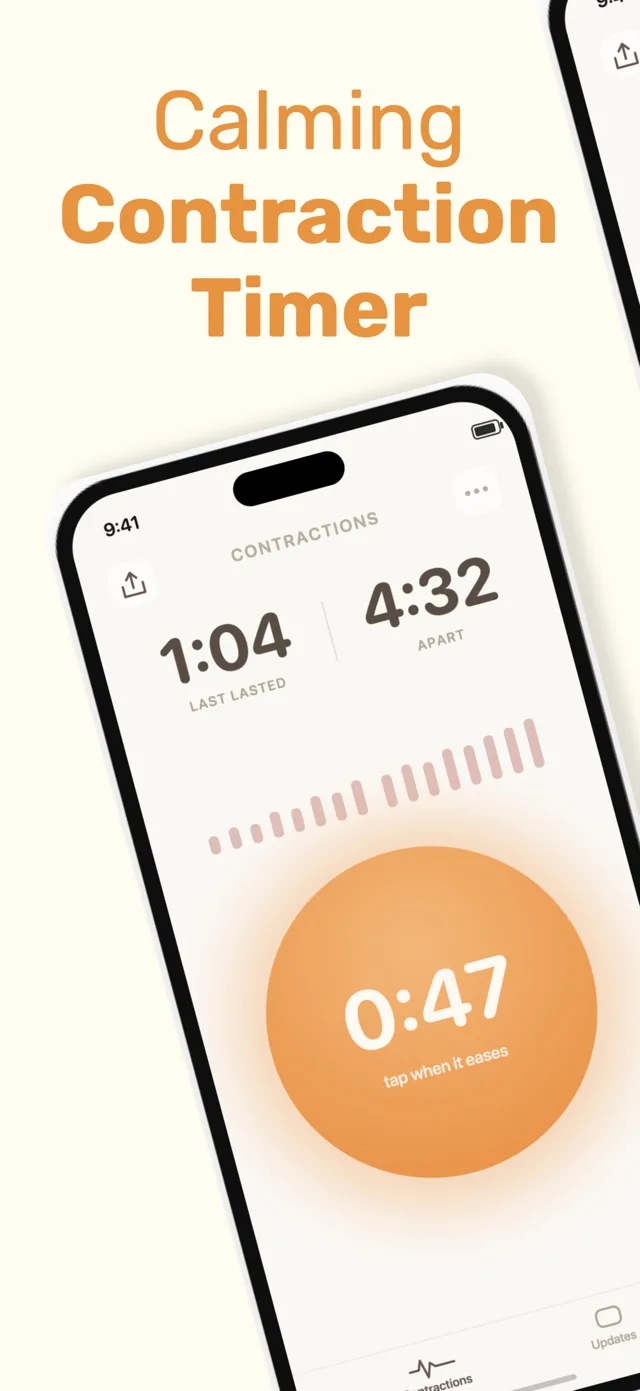
Tide itself is iPhone-only in the supplied research. It combines breathing guidance with a shareable labor log, and its optional Pro purchase was listed at $9.99 (Tide Contraction Timer, 2026).
What to check before leaving Tide
Phone compatibility: Confirm that the timer works on every device likely to be used. Android support matters when the pregnant person and birth partner use different phone platforms.
Controls under pressure: Try starting, stopping, editing, and deleting a practice contraction. Lock-screen or watch controls can reduce the need to unlock a phone repeatedly.
Sharing method: Decide whether your partner needs live synchronization, a shared view, or only an exported history. These are different features, and the supplied research does not confirm all three for every app.
Account requirements: An account can make syncing easier, but it also adds setup. Several alternatives in this list work without one.
Current cost: Free downloads may include purchases, subscriptions, or paid upgrades. Check the current App Store or Google Play listing before labor begins.
Creating a calm partner-sharing workflow
A useful replacement does not need a crowded dashboard. For a calm setup, choose one person to control the timer, practice the start-and-stop action, and agree on how the other person will view the record.
If you want something similar to a private family feed, verify exactly who can access a shared session and whether access can be removed. The competitor research confirms partner sharing or sync for some apps, but it does not provide enough detail to promise identical privacy controls.
Run a short test before labor. Check whether edits sync, whether the screen stays readable, and whether the history can be shown to your care team. Keep a charging cable or backup device nearby rather than depending on one phone.
Use patterns as notes, not a diagnosis
A contraction timer records when you tap start and stop. It cannot confirm cervical change, diagnose active labor, or decide whether it is safe to remain at home.
Follow the instructions from your obstetrician, midwife, or hospital, especially if you have a planned induction, previous fast labor, pregnancy complications, or personalized arrival guidance. Contact your care team for concerning symptoms, uncertainty, or a change in your baby’s usual movement pattern.
The NHS does not recommend one fixed daily movement count; it advises learning your baby’s usual pattern and seeking urgent advice if movement is reduced or changes (NHS, 2020). Do not wait for an app alert when something feels wrong.
Frequently asked questions
What app can I use instead of Tide contraction timer?
Contraction Timer IO is a cross-platform alternative for iPhone, iPad, Apple Watch, Android, and the web. It includes Lock Screen timing, partner sharing, history export, no-account use, an ad-free core, and 5-1-1 alerts (official site). Tide is limited to iPhone and Apple Watch in its App Store listing.
Is there a free alternative to Tide?
Yes. Contraction Timer IO offers a free, ad-free core timer on iPhone, iPad, Apple Watch, Android, and the web (official site). Tide is also free to download with in-app purchases (App Store listing, Sep 2026).
Which Tide alternative works on Android?
Contraction Timer IO works on Android as well as iPhone, iPad, Apple Watch, and the web (official site). Tide's App Store listing documents iPhone and Apple Watch, not Android.
What contraction timer works with Apple Watch?
Both Contraction Timer IO and Tide support Apple Watch. Contraction Timer IO also supports iPhone, iPad, Android, web, and Lock Screen timing (official site). Tide supports iPhone, Apple Watch, and a Home Screen widget (App Store listing, Sep 2026).
Can my partner time contractions from another phone?
Contraction Timer IO supports partner sharing, while Tide provides an expiring private link through which a partner, doula, or family member can view labor updates. Tide's link is view-only, so it does not let the recipient start or stop contractions. Test the chosen sharing workflow before labor.
Can a contraction timer tell me when to go to the hospital?
No contraction timer can safely make that decision by itself. Contraction Timer IO can alert you when timing matches the 5-1-1 pattern, but an alert cannot assess cervical change, bleeding, fluid loss, fetal movement, pain severity, or individual risk. Follow your care team's instructions and contact them whenever symptoms concern you.
Do I need an account to use a contraction timer?
Not for Contraction Timer IO or Tide. Contraction Timer IO provides no-account timing together with partner sharing, and Tide says no account is required for its timer and private view-only sharing links (official site; App Store listing, Sep 2026).
Tide supports iPhone, Apple Watch, and a Home Screen widget. Its one-tap timer can create an expiring, view-only private link for a partner, doula, or family member. It requires no account, has no ads, and is free with in-app purchases. The listing does not document Android, web, iPad, Lock Screen controls, formal history export, or 5-1-1 guidance (App Store listing, Sep 2026).
Contraction Timer IO has a free, ad-free core timer on iPhone, iPad, Apple Watch, Android, and the web. It also supports Lock Screen timing, partner sharing, history export, no-account use, and 5-1-1 alerts (official site).
| App | Sourced rating | Sourced price |
|---|---|---|
| Tide – Contraction Timer | 4.9/5 from 225 App Store ratings | Free with in-app purchases |
| Contraction Timer IO | 4.8/5 | Free core timer; ad-free core |