
The Bump alternatives
Compare The Bump with a focused contraction timer for iPhone, Apple Watch, Android, and the web. See features, limits, and switching tips.


The Bump alternatives
The best The Bump alternative depends on whether you still want pregnancy content or now need a focused contraction timer. For timing labor, prioritize simple controls, visible history, partner access, and a device you can use comfortably during contractions.
The best alternative for contraction timing
Contraction Timer IO is the top alternative in the supplied research for people leaving The Bump specifically to time contractions. It runs on iPhone, iPad, Apple Watch, Android, and the web, while The Bump is available on iOS and Android (official app listings, 2024-2026).
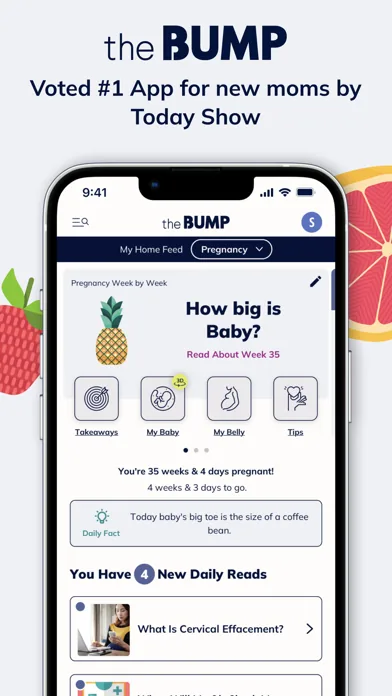
The difference is focus. The Bump is a pregnancy and baby content hub with week-by-week information, registry tools, and a built-in contraction timer (The Bump official materials, 2013-2026). A dedicated timer removes much of that surrounding content and puts contraction controls and history at the center.
The supplied competitor research supports only this direct alternative. It does not provide verified feature, price, and platform data for enough additional timers to publish a responsible longer ranking. Rather than fill the list with unverified apps, the comparison below shows the sourced options and explains what to look for if you evaluate more listings yourself.
The Bump compared with a focused timer
This ranking is based on suitability for contraction timing, not pregnancy education, registry planning, or baby tracking. The top row is the stronger fit when the immediate task is starting, stopping, reviewing, and sharing contractions.
| Position | Option | Platforms | Price and ads | Useful differences | Published rating | Best fit |
|---|---|---|---|---|---|---|
| Top alternative | Contraction Timer IO | iPhone, iPad, Apple Watch, Android, and web | Free core timer; ad-free core | Dedicated contraction timer with Lock Screen access, partner sharing, history export, 5-1-1 alerts, and no required account | 4.8/5 (App Store listing, Sep 2026) | People who want a focused timer across phones, Apple Watch, and the web |
| Current app | The Bump | iPhone, iPad, and Android | Free; includes ads | Pregnancy and baby tracking, week-by-week content, registry tools, kick counter, partner sharing, export, and a built-in contraction timer | 4.8/5 from 39,657 ratings (App Store listing, Sep 2026) | Expecting and new parents who want pregnancy content, planning tools, and baby tracking in one app |
The focused option is free and ad-free for its core timer, although its store listing includes in-app purchases (official app materials, 2024-2026). The Bump is listed as free, and the supplied official research does not identify a premium tier (The Bump official materials, 2013-2026).
Store ratings should not decide this choice by themselves. The Bump was listed at 4.8 out of 5 from about 538,000 iOS ratings (App Store research, 2023) and 4.8 out of 5 on Google Play (Google Play research, 2025). Those figures describe broad user feedback about the whole app, not the quality of its contraction timer alone.
What changes when you leave a pregnancy content hub
Leaving The Bump usually means trading breadth for speed. You may lose the convenience of having pregnancy articles, planning tools, registry features, and timing in one place, but a focused timer can reduce the amount of navigation required when contractions begin.
Decide whether you still use The Bump for weekly content before deleting it. There is no need to make this an all-or-nothing switch: you can keep a pregnancy app for reading and use a separate timer during labor. That approach also avoids expecting a single app to handle unrelated jobs equally well.
Do not assume your old contraction history will transfer automatically. The supplied research does not document an import path from The Bump, so check the current listings and support information before relying on migration. If existing entries matter, save screenshots or write down the useful details before removing anything.
Also check how the replacement behaves when your phone is locked, whether a birth partner can view activity, and whether history can be exported. These practical details become more important when you are tired, moving around, or handing timing duties to someone else.
Features worth checking before labor starts
Test the timer before you need it. The main control should be easy to find, and accidental entries should be easy to correct without deleting the rest of the session. Review how the app displays duration, spacing, and recent history rather than assuming every timer presents them in the same way.
- Device access: Confirm that the timer works on the phone, watch, tablet, or browser you expect to use.
- Locked-phone use: Check whether you can control or view timing without repeatedly navigating through the app.
- Partner access: Decide whether another person needs a live view or whether handing over the same phone is enough.
- History: Look for a readable sequence of contractions and a clear way to correct mistaken taps.
- Export: Check the current listing if you want to save or share a record after the session.
- Account requirements: Decide whether creating an account is acceptable during a time-sensitive situation.
- Offline behavior: Test what happens without a reliable connection, especially if you plan to use a web timer.
Store features can change. Verify the current listing on your own device, particularly for watch support, lock-screen behavior, sharing, purchases, and operating-system compatibility. The supplied research does not provide sourced figures for battery use, offline reliability, or data-retention periods.
What a contraction timer cannot tell you
A timer records what you enter; it does not diagnose labor or determine whether you and your baby are safe. Patterns can be useful when speaking with your maternity team, but the app does not know your medical history, symptoms, planned birth setting, or instructions from your clinician.
Follow the contact plan provided by your obstetrician, midwife, hospital, or birth center. Seek professional guidance if you are worried, even when the timer does not show the pattern you expected. Urgent symptoms should be handled through your maternity team or emergency services rather than through an app.
Be cautious with automatic alerts that present general timing rules as if they apply to everyone. The supplied research does not include a sourced universal rule for when every pregnant person should leave for the hospital. Your care team’s advice takes priority because recommendations can differ according to pregnancy circumstances and travel time.
A timer is most useful as a clean record and communication aid. It can help you describe when contractions started and how the pattern changed, but interpretation belongs with qualified medical professionals.
A practical choice for different needs
Choose The Bump if you continue to value pregnancy articles, week-by-week information, baby tracking, and registry tools alongside basic timing. It remains a broader app rather than a specialist labor tool, which may be helpful if you prefer keeping planning resources in one place.
Choose the top alternative if your priority is a dedicated timer across Apple devices, Android, and a browser. Its researched features include Apple Watch support, lock-screen access, partner sharing, export, full history, and no required account (official app materials, 2024-2026).
Before labor, open your chosen timer, create a short practice session, correct an accidental entry, and show your birth partner where the history appears. If you expect to use a watch or second device, test that exact setup rather than assuming it will behave like the phone version.
There is no sourced reason to delete The Bump simply because you prefer another contraction timer. Keeping both is reasonable when one serves as a pregnancy content hub and the other handles focused timing. The better setup is the one you can operate quickly and explain clearly to your care team.
Frequently asked questions
What is the best alternative to The Bump for contractions?
Contraction Timer IO is a focused alternative for labor timing. Its free, ad-free core supports iPhone, iPad, Apple Watch, Android, and the web, with Lock Screen access, partner sharing, history export, 5-1-1 alerts, and no required account (official site). The Bump is better suited to people who also want pregnancy content, registry tools, a kick counter, and baby tracking.
Is there an app like The Bump without all the pregnancy articles?
Yes. Contraction Timer IO is a single-purpose contraction timer rather than a pregnancy-content hub. It provides timing history, partner sharing, export, Apple Watch and Lock Screen support, and 5-1-1 alerts without requiring an account; its core is free and ad-free (official site).
Can I use a contraction timer without creating an account?
Yes. Contraction Timer IO does not require an account and its free, ad-free core works on iPhone, iPad, Apple Watch, Android, and the web (official site). An account requirement for The Bump is not established by the supplied research.
Can my partner time contractions from another phone?
Contraction Timer IO supports partner sharing, and The Bump also offers partner sharing. The supplied research does not establish whether The Bump lets a partner remotely control the same timing session. Test the sharing workflow before labor if control from a second phone is important.
Do I need an Apple Watch contraction timer?
No. A phone or web timer can record contractions, but Apple Watch support can make start and stop controls easier to reach during labor. Contraction Timer IO supports Apple Watch as well as iPhone, iPad, Android, web, and Lock Screen access (official site). The Bump supports iPhone, iPad, and Android; Apple Watch support is not documented in the supplied research.
Will my contraction history move from The Bump to another app?
The Bump and Contraction Timer IO both support export, but the supplied research does not identify a compatible automatic import or transfer route between them. Export or save important records before switching.
Are free contraction timer apps accurate?
A contraction timer can accurately calculate intervals and durations from the start and stop inputs you record, but it cannot verify that each contraction was entered at the correct moment or diagnose labor. Contraction Timer IO includes 5-1-1 alerts, but those alerts should support—not replace—guidance from your maternity team.
The Bump is a free pregnancy and baby tracker that includes educational content, registry tools, a kick counter, and a contraction timer. It supports iPhone, iPad, and Android, as well as partner sharing and export, but it includes ads. Its published rating is 4.8/5 from 39,657 ratings (App Store listing, Sep 2026).
Contraction Timer IO is the more focused labor-timing option. Its free, ad-free core works on iPhone, iPad, Apple Watch, Android, and the web, with Lock Screen access, partner sharing, history export, 5-1-1 alerts, and no required account (official site). Its published rating is 4.8/5 (App Store listing, Sep 2026).
| App | Price | Ads | Partner sharing | Export | Published rating |
|---|---|---|---|---|---|
| The Bump | Free | Yes | Yes | Yes | 4.8/5 from 39,657 ratings (App Store listing, Sep 2026) |
| Contraction Timer IO | Free core timer | Ad-free core | Yes | Yes | 4.8/5 (App Store listing, Sep 2026) |