
Contraction Timer 9M Alternatives
Compare six 9m alternatives, including app, watch, web, shared-note, spreadsheet, and paper options for timing contractions.


Contraction Timer 9M Alternatives
The best 9m alternative depends on where and how you want to time contractions. Contraction Timer IO is the strongest all-around option for people who want iPhone, Apple Watch, Android, web access, partner sharing, and no required account.
The best 9m alternatives for timing contractions
If you are leaving 9m, start by deciding which limitation you want to solve. The top-ranked option adds more ways to time and share contractions, while the other choices trade convenience for simplicity, familiarity, or complete manual control.
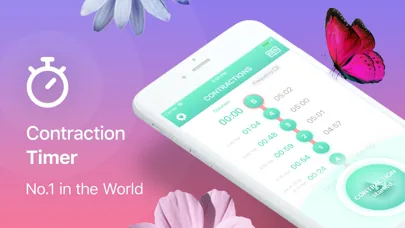
9m remains a simple timer available on iOS and Android. Its current listing describes free access with in-app purchases, while the Android version may include ads; pricing and purchase details can change, so check the current store listing before downloading.
The alternatives below are ranked for someone who wants a dependable tool during labor without spending time on setup. This is an editorial ranking, not a medical recommendation.
- Cross-platform contraction timer with watch and sharing support.
- Your phone’s built-in stopwatch.
- A shared notes document.
- A simple spreadsheet.
- A printed contraction log.
- The timer recommended by your hospital, birth center, or clinician.
Six options ranked by convenience and control
This table focuses on the practical differences you may notice during contractions. Store listings and app features can change, so confirm current compatibility on the device you plan to bring.
| Feature | Contraction Timer IO | Contraction Timer & Counter 9m |
|---|---|---|
| Platforms | iPhone, iPad, Apple Watch, Android, and web | iPhone, iPad, and Android |
| Apple Watch | Yes | No |
| Lock Screen timing | Yes | Not stated in the retrieved listing |
| Partner sharing | Yes | Not stated in the retrieved listing |
| History export | Yes | Yes |
| Account required | No | No |
| Ads and price | Free, ad-free core timer | Free download with ads and in-app purchases, including a paid no-ads option |
| 5-1-1 guidance | Yes, with 5-1-1 alerts | Yes, with pattern-based hospital-timing guidance |
| App Store rating | 4.8/5 | 4.8/5 from 68,647 ratings |
| Best fit | People who want timing across phone, tablet, Apple Watch, Android, web, Lock Screen, and a partner’s device | People who want a simple tap-to-start/stop timer with automated duration, frequency, labor-stage analysis, and optional history export |
| Sources | Official site; App Store listing, Sep 2026 | App Store listing, Sep 2026; official Google Play listing |
Why a cross-platform timer ranks first
A dedicated cross-platform timer removes much of the manual work. It records when a contraction begins, when it ends, its duration, and the interval between contractions, while keeping the history visible for review.
Apple Watch support can matter when holding a phone feels inconvenient. Lock-screen controls also reduce the steps needed to start or stop timing, although exact behavior can depend on the device, operating system, permissions, and current app version.
Partner sharing is useful when one person is feeling contractions and another is communicating with a doula, midwife, nurse, or physician. Export can preserve the record, but a contraction log does not diagnose labor or determine whether it is safe to remain at home.
No-account access reduces setup and avoids another password. If cloud synchronization, hospital integration, or permanent medical-record storage is essential, verify those needs separately because they are not the same as basic partner sharing or export.
When a stopwatch or manual log is enough
A stopwatch is a reasonable 9m alternative if you only need immediate timing. Start it when the contraction begins, stop it when the contraction ends, and record the result before resetting it.
The weakness is spacing. To know how far apart contractions are, you need the start time of each contraction and must compare it with the next start time. A stopwatch alone may not retain the organized history that you or a birth partner wants.
Shared notes work better when another person is available to type. Agree on a consistent format before labor becomes demanding: start time, end time, duration, how the contraction felt, and any question you want to ask your care team.
Paper is the safest backup when battery life, internet access, or device access is uncertain. Keep a pen with the log and write clearly enough that someone else can read it later.
What to check before replacing 9m
First, confirm device support. An iPhone app does not automatically include an Apple Watch app, and Android availability does not guarantee that histories move between different devices.
Next, test the timer before you need it. Make sure the start and stop controls are easy to find, accidental entries can be corrected, and the history shows both duration and spacing in a form you understand.
- Check whether the core timer is free or whether a purchase is needed for the feature you want.
- Look for ads if interruptions would bother you.
- Confirm whether sharing is live, link-based, exported, or limited to screenshots.
- Check whether an account is required and what happens if you change phones.
- Review privacy information in the current store listing.
- Keep a manual backup in case the phone is unavailable.
Do not choose solely by a star rating. A simpler tool that you and your birth partner have practiced may be more useful than a feature-heavy app opened for the first time during labor.
Using contraction timing without delaying care
A timer organizes observations; it cannot confirm active labor. Contractions can vary, and your personal instructions may differ because of pregnancy history, symptoms, distance from the hospital, planned birth setting, or guidance from your clinician.
Ask your care team in advance when they want you to call and what information they want recorded. Follow their instructions rather than waiting for an app notification or a pattern copied from someone else’s birth.
Contact your maternity unit or clinician promptly if you are worried, even when the timer shows an irregular pattern. Seek urgent medical help for severe symptoms, heavy bleeding, trouble breathing, loss of consciousness, or any situation that feels like an emergency.
Changes in fetal movement should not be evaluated with a contraction timer. Contact your care team if movement is reduced or different from your baby’s usual pattern; focused kick-count guidance commonly uses ten movements within two hours, but individualized instructions take priority (Cleveland Clinic, 2026).
Frequently asked questions
What is the best free alternative to the 9m contraction timer?
Contraction Timer IO is a strong free alternative for people who want broader device support. Its ad-free core works on iPhone, iPad, Apple Watch, Android, and the web and includes Lock Screen timing, partner sharing, history export, 5-1-1 alerts, and no required account (official site; App Store listing, Sep 2026).
Is there a 9m alternative for Apple Watch?
Yes. Contraction Timer IO supports Apple Watch in addition to iPhone, iPad, Android, and the web. Contraction Timer & Counter 9m does not offer an Apple Watch app (official site; App Store listings, Sep 2026).
Can I time contractions without downloading an app?
Yes. Contraction Timer IO provides a web timer, so it can be used in a browser without installing an app. A phone stopwatch, shared note, spreadsheet, or paper log also works, but those methods require manual recording and interval calculations.
How do I share contraction times with my partner?
Contraction Timer IO includes partner sharing and history export without requiring an account. You can also use a shared note or send an exported record. Test your chosen method before labor so both people know how to access the history (official site).
Do contraction timer apps tell me when to go to the hospital?
Contraction Timer IO provides 5-1-1 alerts, while 9m provides pattern-based hospital-timing guidance based on contraction duration and frequency. These features do not replace medical advice. Follow your clinician’s instructions and contact your maternity unit whenever you are concerned.
What should a contraction timer record?
A useful contraction timer should record each contraction’s start, end, duration, and interval from the start of the previous contraction. An organized history and export can make the record easier to review or share, while 5-1-1 guidance can highlight a commonly used pattern without replacing your clinician’s advice.
Can I use a stopwatch instead of 9m?
Yes. A stopwatch can replace 9m for basic timing, but you must record each start time and duration and calculate the intervals yourself. A dedicated timer such as Contraction Timer IO or 9m performs those calculations automatically and keeps an organized history.
Contraction Timer IO is the broader-device alternative: its free, ad-free core works on iPhone, iPad, Apple Watch, Android, and the web, with Lock Screen timing, partner sharing, history export, 5-1-1 alerts, and no required account. Contraction Timer & Counter 9m works on iPhone, iPad, and Android and provides automated duration, frequency, and labor-pattern analysis, but it does not offer an Apple Watch app and its listings include advertising and in-app purchases.
| App | Sourced details |
|---|---|
| Contraction Timer IO | iPhone, iPad, Apple Watch, Android, and web; Lock Screen timing; partner sharing; export; no required account; ad-free core; 5-1-1 alerts; 4.8/5 (official site; App Store listing, Sep 2026) |
| Contraction Timer & Counter 9m | iPhone, iPad, and Android; no Apple Watch app; export; no required account; ads and in-app purchases; pattern-based labor guidance; 4.8/5 from 68,647 App Store ratings (App Store listing, Sep 2026; official Google Play listing) |