
Contraction Timer IO vs Contraction Timer 9m
Compare Contraction Timer IO and 9m by platforms, Apple Watch access, sharing, history, guidance, ads, and current store information.


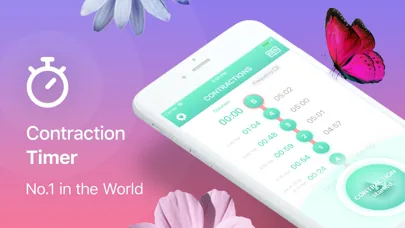
Contraction Timer IO vs Contraction Timer 9m
Contraction Timer IO and 9m both handle the essential job: recording how long contractions last and the time between them. The better choice depends on whether you want a familiar, simple mobile timer or broader access through a watch, web browser, lock screen, and partner sharing.
Contraction Timer IO vs Contraction Timer 9m: the short answer
Choose Contraction Timer IO if Apple Watch access, a web timer, lock-screen controls, partner sharing, export, and use without an account matter to you. Its core timer is free and ad-free, although its store listings include in-app purchases (Contraction Timer IO store listings, 2024-2026).
Choose 9m if you want a straightforward timer from a long-running mobile brand. It is available for iOS and Android, is free with in-app purchases, and its Android listing includes ads (9m store listings, 2014-2026).
9m also has substantially more published iOS feedback: its listing reports a 4.8 out of 5 rating from 569K ratings (Apple App Store, 2022-2026). That does not make it automatically better for your labor, but it may reassure people who prefer an app with a large volume of public reviews.
Feature-by-feature comparison
| Comparison point | Contraction Timer IO | Contraction Timer 9m |
|---|---|---|
| Platforms | iPhone, iPad, Apple Watch, Android, and web (official site) | iPhone, iPad, and Android; no Apple Watch app (App Store listing, Sep 2026) |
| Core cost model | Free, ad-free core timer (official site) | Free download with in-app purchases; advertising is listed (App Store listing, Sep 2026) |
| Lock Screen timing | Available (official site) | Not documented in the App Store listing (App Store listing, Sep 2026) |
| Partner sharing | Available (official site) | Not documented in the App Store listing (App Store listing, Sep 2026) |
| History and export | Contraction history and export are available (official site) | Contraction-history export is available (App Store listing, Sep 2026) |
| Account requirement | No account required (official site) | No account required (App Store listing, Sep 2026) |
| 5-1-1 guidance | 5-1-1 alerts are included (official site) | Includes guidance based on contraction duration and frequency (App Store listing, Sep 2026) |
| Published iOS rating | 4.8 out of 5 from 76 ratings (App Store listing, Sep 2026) | 4.8 out of 5 from 68,647 ratings (App Store listing, Sep 2026) |
| Best suited to | People who want timing across phone, tablet, Apple Watch, web, and Lock Screen, plus partner sharing and export without an account or ads | People who want a widely reviewed mobile timer with automated duration, frequency, and labor-stage analysis plus optional history export |
“Not confirmed” does not mean a feature is definitely unavailable. It means the supplied competitor research did not verify it, so you should check the current App Store or Google Play listing before choosing based on that feature.
Device access changes how you record labor
Both timers cover iPhone and Android, so either can handle basic start-and-stop timing on a phone. The practical difference appears when holding or unlocking a phone becomes inconvenient.
IO adds Apple Watch, lock-screen, and browser access (Contraction Timer IO store listings, 2024-2026). A watch may be easier when you are walking, leaning on a support person, or trying to keep your phone packed for the trip.
The web version can also help when a birth partner has a laptop or another device nearby. By comparison, the supplied research does not confirm a 9m watch app, browser timer, or lock-screen feature, so check its current listing if any of those are essential.
Neither device list tells you which interface will feel best during contractions. Install your preferred option before labor, run a short practice session, and make sure the start and stop controls feel obvious to both the pregnant person and the birth partner.
Guidance and simplicity serve different priorities
9m’s clearest strength is its simple-timer focus. Its listings emphasize contraction tracking and 5-1-1-style guidance (9m store listings, 2014-2026), which may appeal if you want an uncomplicated screen with a familiar rule of thumb.
That pattern should not replace instructions from your maternity unit, midwife, or obstetric clinician. When to call or leave can vary with your pregnancy, prior births, travel time, planned birth setting, membrane rupture, bleeding, fetal movement, and the specific advice your care team gave you.
IO focuses more on making the same timing record accessible across devices and people. That can be useful when the birth partner is responsible for watching the pattern while the laboring person concentrates on coping.
If you only need a button and a readable interval list, extra access options may not add much. If you expect to switch between phone, watch, browser, or partner view, the broader setup may reduce repeated explanations and manual copying.
Sharing, history, and privacy differ in useful ways
Partner sharing can separate timing from coping. One person can focus on the contraction while another follows the developing pattern, which may be more practical than passing a phone back and forth.
IO’s researched feature set includes partner sharing, full history, export, and no required account (Contraction Timer IO store listings, 2024-2026). No-account use is helpful if you do not want to create credentials during late pregnancy, while export can make it easier to preserve or show the record.
The supplied research does not confirm partner sharing, export, or the account model for 9m. Those unknowns should not be treated as missing features; review the current listing and in-app screens if they will affect your choice.
Also consider what you actually plan to do with the history. A detailed log can help you describe the pattern, but a timer cannot determine cervical change, confirm active labor, or assess the wellbeing of either parent or baby.
Who should choose each timer and the final verdict
Pick 9m if your priority is a familiar, widely reviewed mobile timer with a simple interface and 5-1-1-style guidance (9m store listings, 2014-2026). Its unusually large iOS rating count may matter if you rely heavily on public store feedback when selecting an app.
Pick IO if you want more flexibility around where and how contractions are recorded. Apple Watch support, web access, lock-screen timing, partner sharing, export, full history, and no required account make it the stronger fit for households planning to divide timing duties (Contraction Timer IO store listings, 2024-2026).
The verdict is therefore about workflow rather than basic timing. 9m is the clearer choice for people who value a well-established, simple mobile timer; the alternative is more suitable for cross-device use and collaboration.
Whichever you choose, test it before contractions demand your full attention. Confirm that your birth partner understands the display, keep your care team’s contact instructions available, and call for urgent help when symptoms or clinical instructions require it rather than waiting for an app pattern.
Frequently asked questions
Is IO or 9m better for timing contractions?
Contraction Timer IO is better suited to cross-device timing because it works on iPhone, iPad, Apple Watch, Android, the web, and the iPhone Lock Screen. It also provides partner sharing, export, no-account access, an ad-free core timer, and 5-1-1 alerts (official site). Contraction Timer 9m is a widely reviewed iPhone, iPad, and Android timer with automated analysis of contraction duration and frequency, labor-timing guidance, and history export (App Store listing, Sep 2026).
Does 9m work on Apple Watch?
No. Contraction Timer 9m does not offer an Apple Watch app (App Store listing, Sep 2026). Contraction Timer IO supports timing on Apple Watch as well as iPhone, iPad, Android, the web, and the iPhone Lock Screen (official site).
Which contraction timer lets my partner follow along?
Contraction Timer IO includes partner sharing, allowing a partner to follow contraction timing from another device (official site). Partner sharing is not documented for Contraction Timer 9m in its App Store listing (App Store listing, Sep 2026).
Are IO and 9m free to use?
Both can be downloaded or used for free. Contraction Timer IO provides a free, ad-free core timer (official site). Contraction Timer 9m is a free download with advertising and in-app purchases, including paid options (App Store listing, Sep 2026).
Can I use either contraction timer without an account?
Yes. Neither Contraction Timer IO nor Contraction Timer 9m requires an account for contraction timing (official site; App Store listing, Sep 2026).
Does 9m tell me when to go to the hospital?
Contraction Timer 9m analyzes contraction duration and frequency and provides labor-timing guidance, including a notification based on contraction patterns (App Store listing, Sep 2026). Contraction Timer IO also includes 5-1-1 alerts (official site). These features are general guidance, not medical advice; follow the instructions provided by your maternity unit, midwife, or obstetric clinician.
Which app has better contraction history and export tools?
Both Contraction Timer IO and Contraction Timer 9m support contraction history and export (official site; App Store listing, Sep 2026). IO additionally combines export with Apple Watch and Lock Screen timing, partner sharing, web access, no-account use, and an ad-free core timer. A contraction record can help communicate timing patterns but cannot confirm labor stage or replace clinical assessment.
Contraction Timer IO offers an ad-free core timer on iPhone, iPad, Apple Watch, Android, and the web. It also supports Lock Screen timing, partner sharing, history export, 5-1-1 alerts, and use without an account (official site).
Contraction Timer 9m is available on iPhone, iPad, and Android, with a free download, advertising, and in-app purchases. It supports contraction-history export, requires no account, and analyzes duration and frequency to provide labor-timing guidance. It does not offer an Apple Watch app; Lock Screen timing and partner sharing are not documented in its App Store listing (App Store listing, Sep 2026).
| Feature | Contraction Timer IO | Contraction Timer 9m |
|---|---|---|
| Apple Watch | Yes | No |
| Lock Screen timing | Yes | Not documented |
| Partner sharing | Yes | Not documented |
| History export | Yes | Yes |
| Account required | No | No |
| Advertising | No ads in the core timer | Yes |
| iOS rating | 4.8/5 | 4.8/5 from 68,647 ratings |