
Labora alternatives
Compare Labora alternatives for iPhone, Apple Watch, Android, partner sharing, breathing support, history export, and simple timing.


Labora alternatives
The best Labora alternative depends on why you are switching. Contraction Timer IO is the strongest all-around option if you want free timing across iPhone, Apple Watch, Android, and the web, while other apps focus on partner sync, breathing guidance, or pregnancy tracking.
The best alternatives for timing contractions
These six options cover the most common reasons people leave Labora: needing Android access, sharing with a birth partner, exporting contraction history, or getting more support during each contraction. The ranking prioritizes a usable core timer, broad device support, and clear labor history.
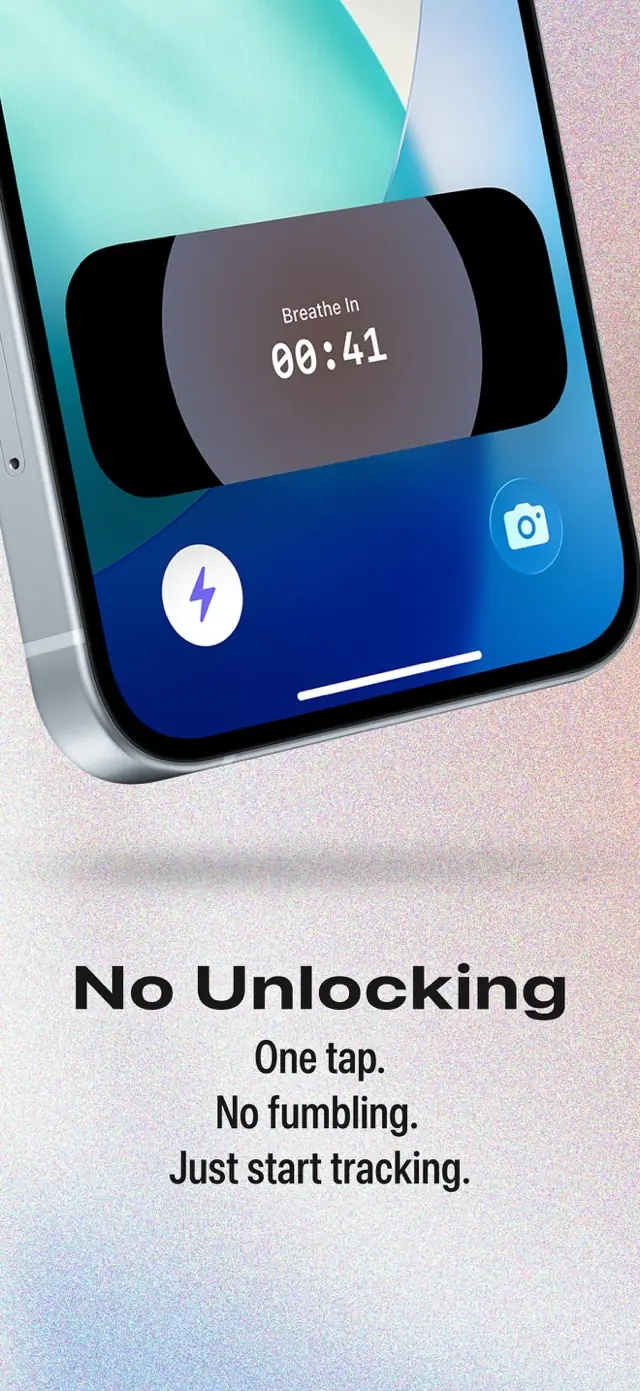
- Contraction Timer IO: Best overall for switching between iPhone, Apple Watch, Android, and a web browser. The core timer is free and ad-free, with Lock Screen controls, partner sharing, history export, and no required account (Contraction Timer IO research, 2024-2026).
- Bump Pulse: Best for partner sync. It runs on iPhone and Android, allows editable history, supports export, and does not require an account; Apple Watch and Lock Screen support were not documented in the supplied research, so check the current listing (Bump Pulse, 2025-2026).
- Full Term: Best for people who also want a kick counter. It supports iOS, Android, Apple Watch, and history export, with a free download and optional in-app purchases (Full Term, 2023-2026).
- Storky: Best for a straightforward, ad-free timer on iOS or Android. Watch support, Lock Screen controls, sharing, and export were not confirmed in the available research (Storky, 2018-2025).
- Tide Contraction Timer: Best for guided breathing on iPhone. It combines contraction timing with breathing guidance and a shareable labor log, but no Android version was documented (Tide Contraction Timer, 2026).
- Freya: Best for a hypnobirthing-style experience. It offers guided breathing and relaxation during labor on iOS and Android, but it is a paid download and the current price varies by store (Freya, 2019-2025).
Feature comparison for people leaving Labora
Labora remains a capable choice for iPhone, iPad, Apple Watch, and Apple Vision users. Its documented strengths include Lock Screen timing, Siri support, no ads, and no required account, while no Android contraction app listing was found in the supplied research (Labora, 2025-2026).
| Option | Platforms | Watch and Lock Screen | Sharing or export | Account, ads, and guidance | Best fit |
|---|---|---|---|---|---|
| Contraction Timer IO | iPhone, iPad, Apple Watch, Android, and web | Apple Watch support and Lock Screen controls | Live partner sharing and history export | No account; ad-free core; 5-1-1 alerts | Cross-platform access with sharing and export (official site; App Store listing, Sep 2026) |
| Labora | iPhone, iPad, Apple Watch, and Apple Vision | Apple Watch timing and Lock Screen controls; also supports Siri and widgets | Partner sharing; export is not established by the supplied research | No account; no ads; customizable 5-1-1-style alerts | A clean Apple-platform timer with no data uploads (official site; App Store listing, Sep 2026) |
| Bump Pulse | iPhone and Apple Watch | Native Apple Watch start/stop, quick statistics, and recent contractions; Lock Screen start/stop and Live Activity | Live, view-only partner sharing | No account, ads, or subscriptions; offline; 5-1-1 trend | Free Apple-focused timing with Siri, App Shortcuts, widgets, and partner viewing (App Store listing, Sep 2026) |
| Full Term | iOS and Apple Watch; its Android Play listing was removed in April 2024 | Apple Watch support | Email export | Account and advertising details are not established by the supplied research | Contraction timing plus a kick counter |
| Storky | iOS and Android | Watch support is not established by the supplied research | Sharing and export details are not established by the supplied research | Advertised as an ad-free timer | Simple contraction timing |
| Tide | iPhone | Watch support is not established by the supplied research | Shareable labor log | Account and advertising details are not established by the supplied research | Timing with guided breathing |
| Freya | iOS and Android | Watch support is not established by the supplied research | Sharing and export details are not established by the supplied research | Paid app; account and advertising details are not established by the supplied research | Hypnobirthing-focused breathing and relaxation |
“Not documented” does not prove that a feature is unavailable. Listings and app versions change, so verify any must-have feature in the current App Store or Google Play description before labor.
When Android or web access matters most
Android support is the clearest reason to consider another timer. Labora’s documented platforms are within Apple’s ecosystem, and the research did not identify a corresponding Android contraction app (Labora, 2025-2026).
A cross-platform option is useful when the pregnant person has an iPhone but the birth partner has Android. It also gives you a backup if one phone is charging, unavailable, or difficult to reach during a contraction.
Bump Pulse, Full Term, Storky, and Freya all have documented iOS and Android availability. A browser timer adds another fallback because it can run without installing an app, although browser behavior may depend on the device, screen settings, and internet conditions.
Test your chosen setup before contractions become demanding. Confirm who will tap start and stop, whether the history appears on the partner’s device, and whether the screen remains easy to operate with one hand.
Apple Watch and Lock Screen controls
Labora is already well suited to people who want Apple Watch and Lock Screen timing. If those are your only requirements and it works reliably on your devices, switching may not offer a meaningful benefit.
Among the alternatives researched here, Contraction Timer IO documents both Apple Watch and Lock Screen controls. Full Term also documents Apple Watch support, but Lock Screen controls were not confirmed in the supplied research (Full Term, 2023-2026).
Watch access can reduce the need to unlock a phone during every contraction. Lock Screen controls serve a similar purpose, but implementation can change with operating-system and app updates.
Install updates and run a practice session before labor. Check that starts and stops save correctly, that the timer continues when the display changes, and that the watch and phone show the same history if synchronization matters to you.
Partner sharing, editable history, and exports
Partner sharing can move the tapping and note-taking to someone else. Bump Pulse specifically documents partner sync, editable history, export, and no required account (Bump Pulse, 2025-2026).
Editable history is helpful when a timer starts late, stops early, or gets tapped accidentally. Export is different: it creates a record you can share or keep outside the app, but the available file or sharing format may vary.
Full Term documents export, while Tide offers a shareable labor log (Full Term, 2023-2026; Tide Contraction Timer, 2026). Sharing and export were not documented for Storky or Freya in the supplied research, so check their current store listings if either feature is essential.
A detailed history can help you describe what has been happening, but it cannot determine cervical change or confirm active labor. Follow the individualized instructions from your obstetrician, midwife, hospital, or birth center rather than relying only on an app alert.
How to choose before labor starts
Choose the simplest option that covers your actual devices and support plan. A timer with many extras is not necessarily better if its start and stop controls are hard to find when you are tired or uncomfortable.
- Choose cross-platform access when the pregnant person and birth partner use different phone systems.
- Choose Apple Watch or Lock Screen controls when reaching for an unlocked phone could be difficult.
- Choose partner sync when another person will manage the timer from a separate device.
- Choose editable history if accidental taps are likely to make the log confusing.
- Choose guided breathing if you want prompts during contractions rather than only duration and interval tracking.
Practice with several pretend contractions and learn what the app calls duration, interval, and frequency. Pregnancy is conventionally dated to an estimated due date of 280 days, or 40 weeks, from the first day of the last menstrual period, but labor timing varies widely (ACOG, 2017).
No contraction timer can tell you whether you are safe to remain home. Contact your care team promptly for urgent symptoms, concerns about fetal movement, or any situation covered by your personal birth instructions.
Frequently asked questions
What is the best free alternative to Labora?
Contraction Timer IO is a strong free alternative for broad device support because its ad-free core works on iPhone, iPad, Apple Watch, Android, and the web and includes Lock Screen controls, partner sharing, export, no required account, and 5-1-1 alerts (official site; App Store listing, Sep 2026). Bump Pulse is another free option for iPhone and Apple Watch, with no ads or subscriptions, offline use, and view-only live partner sharing (App Store listing, Sep 2026).
Is there a Labora alternative for Android?
Yes. Contraction Timer IO supports Android as well as iPhone, iPad, Apple Watch, and the web, with an ad-free core, partner sharing, export, and 5-1-1 alerts (official site; App Store listing, Sep 2026). Full Term should no longer be presented as a current Android option because its Google Play listing was removed in April 2024.
Which contraction timer works on Apple Watch?
Labora, Contraction Timer IO, Bump Pulse, and Full Term support Apple Watch. Bump Pulse specifically provides native start and stop controls, quick statistics, and recent contractions on the watch. Labora and Contraction Timer IO also provide Lock Screen controls on iPhone (official sites; App Store listings, Sep 2026).
Which Labora alternative lets my partner track contractions?
Contraction Timer IO supports live partner sharing and also lets the user export contraction history (official site; App Store listing, Sep 2026). Bump Pulse provides live, view-only partner sharing without requiring an account; the partner can follow updates but cannot control the timer (App Store listing, Sep 2026).
Is there a contraction timer with breathing exercises?
Yes. Tide combines iPhone contraction timing with guided breathing and a shareable labor log. Freya combines contraction timing with hypnobirthing-focused breathing and relaxation on iOS and Android. The supplied research does not establish current watch support for either app.
Can a contraction timer tell me when to go to the hospital?
No. A contraction timer can identify timing patterns, including a 5-1-1 pattern, but it cannot diagnose active labor or determine whether it is safe to remain at home. Follow the individualized instructions from your clinician or maternity unit, and seek prompt medical advice for urgent symptoms, reduced fetal movement, or any concern that something is wrong.
Do I need an account to use a Labora alternative?
Not necessarily. Contraction Timer IO, Bump Pulse, and Labora do not require an account. Contraction Timer IO still supports partner sharing and export, while Bump Pulse offers view-only live partner sharing and offline use without registration (official sites; App Store listings, Sep 2026).
Labora is an Apple-platform contraction timer with Apple Watch and Lock Screen controls, Siri, widgets, customizable 5-1-1-style alerts, no required account, no ads, and no data uploads. Contraction Timer IO adds Android and web access while retaining iPhone, iPad, Apple Watch, Lock Screen controls, live partner sharing, history export, no required account, an ad-free core, and 5-1-1 alerts. Bump Pulse is a free, offline Apple-focused alternative with native Apple Watch controls, Lock Screen start/stop, Live Activity, Siri, App Shortcuts, widgets, view-only live partner sharing, and no ads, subscriptions, or account (official sites; App Store listings, Sep 2026).
| App | Sourced number |
|---|---|
| Labora | 5.0/5 from 90 App Store ratings (App Store listing, Sep 2026) |
| Contraction Timer IO | 4.8/5 (App Store listing, Sep 2026) |
| Bump Pulse | 4.7/5 from 61 App Store ratings; 30k+ downloads; 14 languages; free (App Store listing, Sep 2026) |