
Contraction Timer IO vs Sprout Pregnancy
Compare a dedicated contraction timer with Sprout Pregnancy’s week-by-week tracker, including platforms, labor tools, sharing, and cost.


Contraction Timer IO vs Sprout Pregnancy
Contraction Timer IO is the better fit when you want a focused labor timer that works across phones, Apple Watch, and the web. Sprout Pregnancy is better when you want week-by-week pregnancy content with contraction timing as one part of a broader tracker.
The short answer: dedicated timer or pregnancy guide?
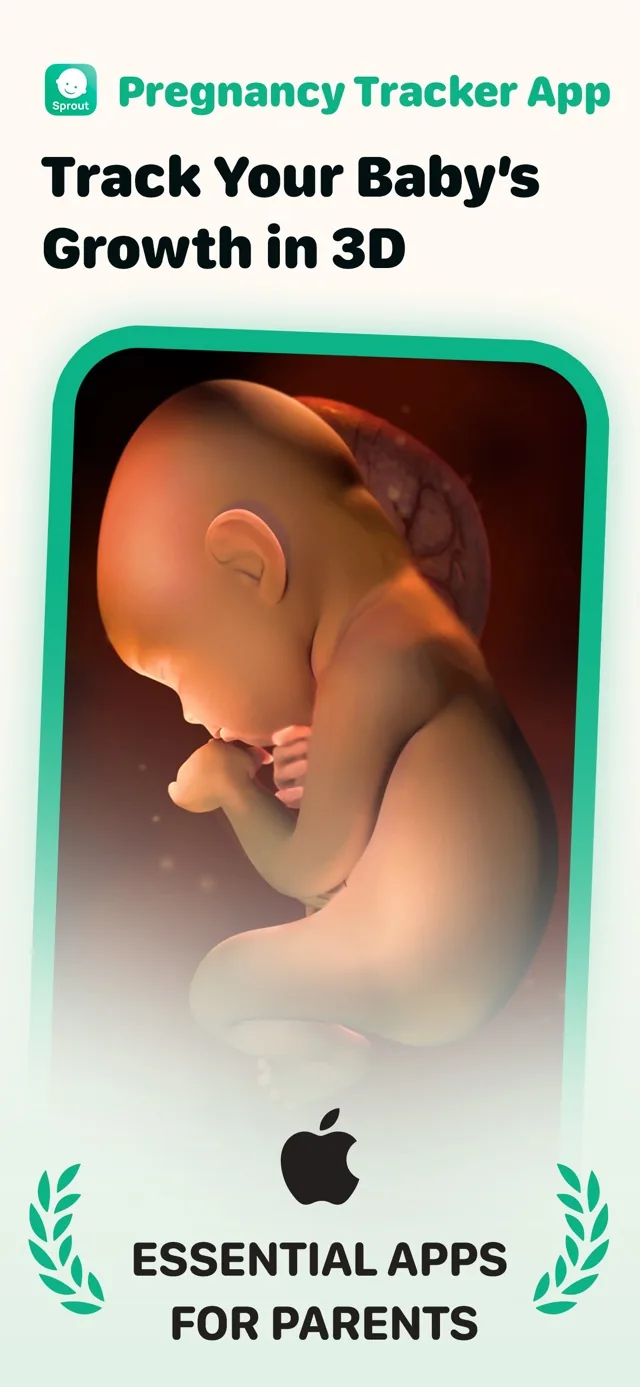
The main difference is focus. One option is built around recording contractions quickly, reviewing the pattern, and sharing that history. Sprout is a full pregnancy tracker with daily content and baby-development visuals, rather than a dedicated contraction app (Apple App Store listing, 2025-2026).
Choose the dedicated timer if your immediate need is a simple start-and-stop workflow during labor. Its researched features include Apple Watch support, lock-screen timing, partner sharing, history export, and use without an account (Contraction Timer product research, 2024-2026).
Choose Sprout if you still want pregnancy tracking, development information, and visual content in the same app. Its timing tool may be sufficient for occasional use, but the available research does not establish Apple Watch timing, lock-screen controls, partner sharing, or contraction-history export. Check the current store listing before relying on those functions.
Contraction Timer IO vs Sprout Pregnancy feature table
| Comparison point | Contraction Timer IO | Sprout Pregnancy |
|---|---|---|
| Primary purpose | Dedicated contraction timing, pattern tracking, and 5-1-1 alerts | Full pregnancy tracker with week-by-week guidance, a contraction timer, kick counter, and 3D models |
| Platforms | iPhone, iPad, Apple Watch, Android, and web (official site) | iPhone, iPad, Apple Watch, and Android (App Store listing, Sep 2026; Google Play listing) |
| Apple Watch | Contraction timing supported | Supported for pregnancy updates and 3D models; labor-timer controls on the Watch are not confirmed by the retrieved official sources |
| Lock-screen timing | Supported | Not specified in the retrieved official sources |
| Partner sharing | Supported | Supported |
| History export | Supported | Export supported |
| Account requirement | No account required | No account required |
| 5-1-1 guidance | Includes 5-1-1 alerts | No equivalent alert is specified in the retrieved official sources |
| Cost model | Free, ad-free core timer (official site) | Free download with a premium subscription; the retrieved sources do not provide a current subscription price |
| Published iOS rating | 4.8/5 (App Store listing, Sep 2026) | 4.7/5 from 24,202 ratings (App Store listing, Sep 2026) |
| Best fit | People and birth partners who want a focused, no-account labor timer with Watch and Lock Screen access, sharing, export, and 5-1-1 guidance | People who want pregnancy content, development tracking, and several pregnancy tools in one app |
Store details can change. Check the current iOS or Android listing for subscription terms, device compatibility, and any newly added Sprout features before downloading.
Difference one: timing during active labor
A dedicated timer removes unrelated pregnancy content from the main task. You start a contraction, stop it when it ends, and use the saved history to review duration and spacing. That narrower workflow can be easier when the pregnant person is uncomfortable or the birth partner is handling the phone.
Sprout places contraction timing inside a larger pregnancy experience. That can be convenient if it is already your everyday tracker, but it also means timing is not the app’s sole purpose. The supplied research describes Sprout as a full pregnancy tracker with baby models and daily content, not as a specialist labor tool (Apple App Store listing, 2025-2026).
Neither choice can determine cervical change, confirm active labor, or tell you when medical assessment is necessary. Use the timing record alongside the instructions from your obstetrician, midwife, hospital, or birth center. Seek urgent help for concerning symptoms rather than waiting for an app pattern.
Difference two: week-by-week pregnancy content
Sprout has the clear advantage before labor if you want a broader pregnancy companion. Its researched focus includes daily information and visual baby-development models, which can make it useful throughout pregnancy rather than only when contractions begin (Apple App Store listing, 2025-2026).
The dedicated option does not try to replace that kind of pregnancy guide. It is intended for timing, history, and sharing. That narrower scope is an advantage for people who already use another source for appointments, fetal development, notes, or educational content.
Your choice may therefore change as your due date approaches. Someone who enjoys opening Sprout for regular pregnancy updates may prefer to keep using it. Someone who only needs a clear labor screen may prefer a separate timer, even if that means keeping another pregnancy app installed.
Difference three: watch, lock screen, web, and sharing
Device access is the strongest practical distinction. The dedicated timer supports iPhone, iPad, Apple Watch, Android, and a web timer, according to the supplied product research (Contraction Timer product research, 2024-2026). This gives a birth partner another way to time if the pregnant person needs the phone or does not want to hold it.
Lock-screen timing can reduce the steps needed to record a contraction. Apple Watch support also keeps timing on the wrist, while partner sharing and export make it easier to move a history beyond one device. No account is required for the documented core workflow (Contraction Timer product research, 2024-2026).
Sprout is available on iPhone, iPad, and Android (Apple App Store listing, 2025-2026). The supplied competitor research does not confirm watch support, lock-screen controls, partner sharing, or export. That does not prove those features are absent, so verify the latest listing if any of them is essential to your labor plan.
Who should pick each app, and the final verdict
Pick Sprout if pregnancy tracking remains your main need. It is the more suitable choice for someone who wants daily content, baby-development visuals, and other pregnancy information, with contraction timing available when needed.
Pick the dedicated timer if labor recording is now the priority. It is especially relevant if you want Apple Watch access, lock-screen controls, a web option, partner sharing, export, or a no-account workflow. The documented core timer is free and ad-free, although in-app purchases are listed (Contraction Timer product research, 2024-2026).
On cost, Sprout was listed as a free download with a two-week trial followed by premium subscription options (Apple App Store listing, 2025-2026). Current subscription prices can vary, so check the listing shown on your device rather than assuming an older price still applies.
The verdict is straightforward: Contraction Timer IO wins for focused labor timing and flexible device access, while Sprout wins for week-by-week pregnancy content. If you already like Sprout, test its timer before labor and confirm that its controls and history meet your needs. You do not have to use the same app for pregnancy education and contraction timing.
Frequently asked questions
Is Sprout Pregnancy good for timing contractions?
Sprout includes a contraction timer and can suit someone who already uses it for pregnancy tracking. Its broader focus also includes week-by-week guidance, a kick counter, and 3D models. Contraction Timer IO is the more focused labor tool, with documented 5-1-1 alerts, Lock Screen timing, partner sharing, and history export. (Official sites and App Store listings, Sep 2026)
Which contraction timer works with Apple Watch?
Contraction Timer IO supports contraction timing on Apple Watch. Sprout Pregnancy also supports Apple Watch, but its documented Watch features concern pregnancy updates and 3D models; the retrieved official sources do not confirm start-and-stop labor-timer controls on the Watch. (Official sites and App Store listings, Sep 2026)
Can a birth partner time contractions from another device?
Contraction Timer IO supports partner sharing and also provides a web timer, while Sprout Pregnancy supports partner sharing. Sharing does not necessarily mean that a partner can remotely start or stop the timer, so establish who will control timing and test the chosen setup before labor.
Do I need a pregnancy tracker and a separate contraction app?
No. Sprout combines pregnancy guidance and tracking tools with a contraction timer. A separate app can make sense if you prefer a focused labor workflow: Contraction Timer IO offers Apple Watch and Lock Screen timing, partner sharing, export, and 5-1-1 alerts across iPhone, iPad, Android, Apple Watch, and the web.
Can a contraction timer tell me when to go to the hospital?
No. A timer can record contraction patterns, and Contraction Timer IO can provide 5-1-1 alerts, but an app cannot assess labor or replace clinical advice. Follow instructions from your obstetrician, midwife, hospital, or birth center, and seek urgent help for concerning symptoms.
Which option is better without an account?
Neither option requires an account according to the retrieved research. Contraction Timer IO is the more focused choice for no-account labor timing and includes an ad-free core timer, partner sharing, export, Lock Screen access, Apple Watch support, and 5-1-1 alerts. Sprout is better suited to someone who also wants broader pregnancy tracking.
Which option is cheaper for contraction timing?
Contraction Timer IO provides a free, ad-free core timer. Sprout Pregnancy is a free download with a premium subscription, but the retrieved official sources do not provide a current subscription price. Compare the features included in Sprout's free download with the current subscription offer shown on your device. (Official sites and App Store listings, Sep 2026)
Contraction Timer IO is a dedicated labor tool available on iPhone, iPad, Apple Watch, Android, and the web. Its free, ad-free core includes Lock Screen timing, partner sharing, history export, no required account, and 5-1-1 alerts. Sprout Pregnancy is a broader pregnancy tracker combining week-by-week guidance with a contraction timer, kick counter, and 3D models. Sprout supports Apple Watch for pregnancy updates and 3D views, but the retrieved official sources do not confirm contraction-timer controls on the Watch.
| Detail | Contraction Timer IO | Sprout Pregnancy |
|---|---|---|
| Cost | Free, ad-free core timer | Free download with a premium subscription; current subscription price was not provided in the retrieved sources |
| Published iOS rating | 4.8/5 | 4.7/5 from 24,202 ratings |
| Apple Watch role | Contraction timing | Pregnancy updates and 3D models; labor-timer controls are not confirmed |
| Account | Not required | Not required |
Ratings are snapshots from the respective Apple App Store listings in September 2026 and can change.