
Contraction Timer IO vs Tide Contraction App
Compare platform support, sharing, breathing guidance, history, pricing, and watch access to choose between Contraction Timer IO and Tide.


Contraction Timer IO vs Tide Contraction App
Contraction Timer IO is the broader choice for Android, Apple Watch, web access, sharing, and full history. Tide is an iPhone-only alternative focused on breathing guidance and a shareable labor log.
The short answer: reach or guided breathing
The clearest difference is reach. The IO option works on iPhone, iPad, Apple Watch, Android, and the web, while Tide is listed for iPhone only (product and store listings, 2024-2026; Apple App Store, 2026).
That makes the cross-platform timer more practical when the pregnant person and birth partner use different phones. Its listed features include partner sharing, history export, lock-screen access, and no required account (product and store listings, 2024-2026).
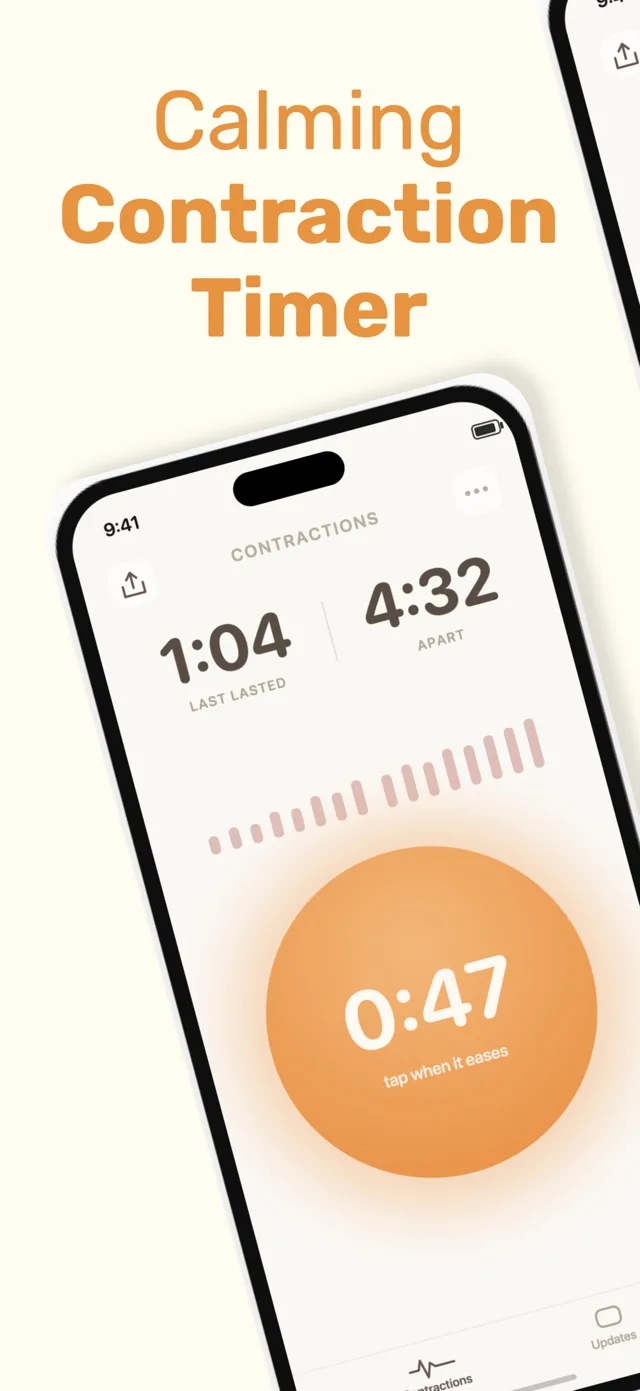
Tide has a narrower but distinct purpose. Its App Store information emphasizes breathing-guided contraction timing and a shareable labor log (Apple App Store, 2026). Choose it if you want calming prompts during contractions and everyone involved uses an iPhone; choose the broader option if device flexibility and access to the complete record matter more.
Feature-by-feature comparison
The table separates confirmed features from details that have not been established in the available research. A missing confirmation should not be read as proof that a feature is unavailable; check the current App Store listing before labor.
| Category | Contraction Timer IO | Tide |
|---|---|---|
| Supported devices | iPhone, iPad, Apple Watch, Android, and web (official site) | iPhone and Apple Watch; no Android or web app (App Store listing, Sep 2026) |
| Core price | Free, ad-free core timer (official site) | Free with an optional one-time in-app unlock (App Store listing, Sep 2026) |
| Apple Watch | Yes (official site) | Yes (App Store listing, Sep 2026) |
| Lock Screen timing | Yes (official site) | The App Store research does not describe Lock Screen timing |
| Home Screen widget | The supplied research does not specify a Home Screen widget | Yes (App Store listing, Sep 2026) |
| Partner sharing | Yes (official site) | Yes; a private, expiring link lets partners, doulas, or family view labor updates without an account (App Store listing, Sep 2026) |
| History export | Yes (official site) | A view-only labor link is available, but a downloadable history export is not described in the supplied research |
| Account requirement | No account required (official site) | No account required (App Store listing, Sep 2026) |
| Ads | Ad-free core (official site) | No ads (App Store listing, Sep 2026) |
| 5-1-1 guidance | Yes, with 5-1-1 alerts (official site) | No 5-1-1 guidance listed (App Store listing, Sep 2026) |
| Breathing exercises | Not described in the supplied research | Not described in the supplied research |
| App Store rating | 4.8/5 (App Store listing, Sep 2026) | 4.9/5 from 225 ratings (App Store listing, Sep 2026) |
The rating row needs context. Tide’s score comes from a relatively small published rating count, and the supplied sources contain conflicting figures for the other app. Ratings therefore should not decide this comparison.
Device access is the biggest practical difference
An iPhone-only timer can work well when the person in labor keeps the phone nearby. It becomes less convenient if the birth partner has an Android phone, if timing from the wrist would be easier, or if someone wants to view the record in a browser.
The broader timer supports Apple Watch and lock-screen access as well as standard phone timing (product and store listings, 2024-2026). Those options can reduce the need to unlock a phone and navigate through an app while a contraction is happening.
Tide’s confirmed platform is iPhone (Apple App Store, 2026). The available research does not confirm Apple Watch, Android, web, or lock-screen support. If one of those access methods is essential, verify Tide’s current listing rather than assuming that an unlisted feature has been added.
Sharing a labor record is not the same as a family feed
Each timer has a sharing story, but the confirmed details differ. The cross-platform option lists partner sharing and history export, while Tide lists a shareable labor log (product and store listings, 2024-2026; Apple App Store, 2026).
The available Tide research does not confirm a continuously synchronized private family feed. It also does not explain whether recipients need the app, whether updates happen live, or which controls are available after sharing. Check the current listing and its privacy information if those details affect your choice.
Think about what your support person actually needs. A static or manually shared log may be enough for reviewing contraction starts, durations, and spacing. Live partner access is more useful when the support person is in another room, traveling to you, or using a different device.
Tide puts more emphasis on breathing during contractions
Tide’s strongest confirmed distinction is breathing guidance. That can be useful for someone who wants the timer to provide a calming rhythm rather than simply record the beginning and end of each contraction (Apple App Store, 2026).
The research describes it as a breathing-guided timer, but it does not provide enough detail to compare the breathing exercises with a childbirth class, hypnobirthing program, or clinician-led technique. It also does not establish a special one-button mode. Try the interface before labor if minimal interaction is important to you.
A contraction timer records patterns; it does not diagnose labor or determine when it is safe to remain at home. Follow the plan from your obstetrician or midwife, especially for severe pain, bleeding, fluid leakage, reduced fetal movement, or any concern that feels urgent.
Who should choose each timer
Choose the cross-platform option if you need Android access, Apple Watch timing, a web timer, lock-screen controls, exportable history, or sharing without creating an account. It is also the simpler match for households that do not use the same type of phone.
Choose Tide if you use an iPhone and want breathing guidance built into the contraction-timing experience. Its shareable labor log may cover your needs if you mainly want to send the record to a partner, doula, or clinician rather than maintain broader cross-device access.
The verdict is practical rather than universal. Device compatibility and sharing flexibility favor the broader timer; guided breathing favors Tide. Download your preferred option before contractions begin, open it once, and confirm that you understand how to start, stop, correct, and share an entry.
Keep a fallback available as well. A phone stopwatch and notes app can preserve basic timing if a battery dies, connectivity fails, or an unfamiliar screen becomes frustrating during labor.
Frequently asked questions
Contraction Timer IO vs Tide: which is better?
Contraction Timer IO is the broader cross-platform choice, supporting iPhone, iPad, Apple Watch, Android, and web, along with Lock Screen timing, partner sharing, history export, no required account, an ad-free core, and 5-1-1 alerts (official site). Tide is a simpler iPhone and Apple Watch option with a Home Screen widget and private, expiring view-only links for labor updates (App Store listing, Sep 2026). Neither app replaces advice from your maternity team.
Can I use Tide on Android?
No. Tide supports iPhone and Apple Watch, but the researched product information lists no Android version (App Store listing, Sep 2026). Contraction Timer IO supports Android as well as iPhone, iPad, Apple Watch, and web (official site).
Does Tide work on Apple Watch?
Yes. Tide supports Apple Watch as well as iPhone (App Store listing, Sep 2026). Contraction Timer IO also supports Apple Watch, in addition to iPhone, iPad, Android, and web (official site).
Can my partner see contractions in Tide?
Yes. Tide can create a private, expiring link that allows a partner, doula, or family member to view labor updates. Sharing is view-only, and the viewer does not need an account (App Store listing, Sep 2026). Contraction Timer IO also supports partner sharing (official site).
Which timer has breathing exercises?
The supplied official research does not establish breathing exercises for either Contraction Timer IO or Tide. Both should be evaluated primarily as contraction-timing tools, not as substitutes for medical guidance.
Do I have to pay for Tide?
Tide is free to download and offers an optional one-time in-app unlock. The current supplied research does not provide the unlock price or a complete breakdown of which features it includes (App Store listing, Sep 2026). Tide has no ads and does not require an account.
Which app is better for sharing contraction history with a doctor?
Contraction Timer IO is the clearer choice when you need an exportable contraction history because history export is an established feature (official site). Tide provides a private, expiring link for view-only labor updates, but the supplied research does not describe a downloadable history export (App Store listing, Sep 2026). Ask your care team which information and format they prefer.
Contraction Timer IO has broader device coverage: iPhone, iPad, Apple Watch, Android, and web, plus Lock Screen timing, partner sharing, history export, no required account, an ad-free core, and 5-1-1 alerts (official site). Tide supports iPhone and Apple Watch and includes a Home Screen widget, one-tap timing, and a private, expiring link through which a partner, doula, or family member can view labor updates without an account (App Store listing, Sep 2026).
Tide is free with an optional one-time in-app unlock and has no ads. Its supplied research does not describe Android or web access, Lock Screen timing, downloadable history export, or 5-1-1 guidance. Neither app’s supplied research establishes breathing exercises.
| App | App Store rating | Ratings |
|---|---|---|
| Contraction Timer IO | 4.8/5 | 76 |
| Tide | 4.9/5 | 225 |
Rating snapshots are from the respective App Store listings, Sep 2026.