
Sprout Pregnancy alternatives
Compare six Sprout Pregnancy alternatives for timing labor, including dedicated apps, phone stopwatches, shared notes, and paper logs.


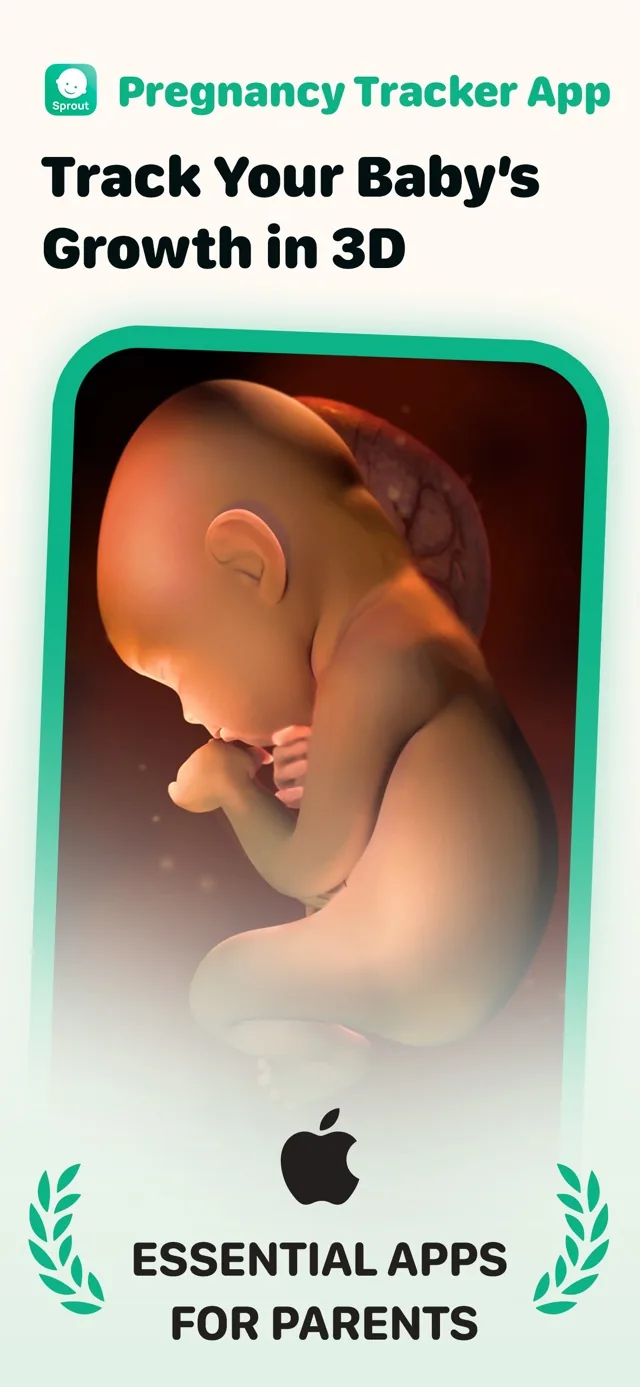
Sprout Pregnancy alternatives
If you are leaving a week-by-week pregnancy app and mainly need to time contractions, a simpler tool may fit better. Contraction Timer IO is the first choice here because it offers dedicated timing on iPhone, Apple Watch, Android, and the web without requiring an account (Contraction Timer IO product listings, 2026).
The best alternatives focus on labor timing
The best Sprout Pregnancy alternatives depend on what you still need. Choose a full pregnancy tracker if you want daily content, or choose a dedicated timer if your priority is recording the start, duration, and spacing of contractions.
Sprout is positioned as a broad pregnancy tracker rather than a dedicated contraction app (Apple App Store listing, 2026). That wider scope may be useful earlier in pregnancy, but it can feel less direct when contractions begin and you want one clear timing screen.
A dedicated tool ranks first for active timing. A phone or watch stopwatch can work as a fallback, while notes and paper logs are better when another person can record the details.
This list does not assign scores to products for which current, sourced feature and price details were not provided. Instead, it compares one verified dedicated timer with practical timing methods available on common devices.
Six contraction-timing options ranked
| Feature | Contraction Timer IO | Sprout Pregnancy |
|---|---|---|
| Best for | Focused contraction timing, pattern tracking, and 5-1-1 alerts | Week-by-week pregnancy guidance with a built-in contraction timer and kick counter |
| Platforms | iPhone, iPad, Apple Watch, Android, and web | iPhone, iPad, Apple Watch, and Android |
| Apple Watch | Yes, including contraction timing from Apple Watch | Yes for pregnancy updates and 3D models; the retrieved official material does not establish contraction timing from Apple Watch |
| Lock Screen | Yes | The retrieved official material does not establish Lock Screen contraction controls |
| Partner sharing | Yes | Yes |
| History export | Yes | Yes |
| Account required | No | No |
| Ads and price | Free core timer with no ads | Free download with a premium subscription; the exact current subscription price was not established in the retrieved official text |
| 5-1-1 guidance | Yes, with 5-1-1 alerts | An equivalent alert was not established in the retrieved official material |
| App Store rating | 4.8/5 (App Store listing, Sep 2026) | 4.7/5 from 24,202 ratings (App Store listing, Sep 2026) |
| Main limitation | It focuses on contractions rather than week-by-week pregnancy content | It is a broad pregnancy tracker, and its Apple Watch material does not establish wrist-based contraction timing |
The order favors low-friction timing during labor. It does not mean every pregnant person needs the first option, and it is not a medical ranking.
A dedicated timer reduces manual work by keeping the event history together. The verified listing information for the first option also includes partner sharing, history export, lock-screen access, and no required account (Contraction Timer IO product listings, 2026).
What changes when you leave a full pregnancy tracker
Moving away from Sprout may mean giving up pregnancy-stage content and visual development features. If those are still important, keep a broader tracker and use a separate contraction timer only when needed.
Pregnancy trackers also commonly organize information around an estimated due date. By convention, an estimated due date is calculated as 280 days, or 40 weeks, from the first day of the last menstrual period (ACOG, 2017). That date is an estimate, not a deadline for labor.
A contraction timer serves a narrower purpose. It helps create a record of what you felt and when, but it does not determine whether labor has started, diagnose a complication, or replace instructions from your clinician.
If you want an exact like-for-like replacement containing pregnancy articles, fetal-development content, and labor tools in one package, the supplied research does not provide enough current data to rank additional named pregnancy apps honestly. Check each current store listing before downloading or paying.
Features that matter when contractions begin
Choose for the situation in which you will actually use the timer. A crowded feature list matters less than being able to start and stop an entry without searching through menus.
- Fast controls: The timing button should be easy to find with one hand.
- Readable history: You should be able to review recent starts, durations, and intervals without doing mental arithmetic.
- Partner access: Decide whether another person needs to time remotely or review the same record.
- Device fit: Check the current listing for your phone, tablet, watch, or browser before labor.
- Export: If you want a copy outside the app, confirm that the history can be shared in a useful format.
- Account requirements: A no-account option can reduce setup when you need to begin quickly.
Test the controls before you need them. Start a practice entry, stop it, correct a mistake, and find the history. Also confirm that your birth partner knows which device or method you plan to use.
How to compare price, privacy, and platform support
Store prices and subscription terms can change, so check the current listing rather than relying on an old review. The researched Sprout listing describes a free download followed by premium subscription options, but the current amount and terms should be confirmed in your regional store (Apple App Store listing, 2026).
Platform support matters if you switch between a phone, watch, or computer. Sprout is listed for iPhone, iPad, and Android, while the first-ranked dedicated option is listed for iPhone, iPad, Apple Watch, Android, and web (Apple App Store listing, 2026; Contraction Timer IO product listings, 2026).
Privacy deserves a separate check. Read the current store privacy label, confirm whether an account is required, and consider whether exported or shared histories may contain personal information.
Do not choose solely from a rating. Ratings can vary by platform and date, and the supplied published rating figure does not include enough source information to cite here. Recent written reviews may be more useful for spotting device-specific problems.
Use timing as a record, not a diagnosis
A timer records a pattern; it cannot tell you with certainty when to leave for your hospital or birth center. Follow the instructions from your obstetrician, midwife, or labor unit, especially if your pregnancy has specific risks or a planned arrival time.
Call your care team if you are worried, even when the timer does not show the pattern you expected. Seek urgent medical guidance for heavy bleeding, severe or constant pain, possible rupture of membranes, breathing difficulty, or any symptom your clinician told you not to wait on.
Fetal movement is also separate from contraction timing. One commonly cited kick-count approach uses 10 movements within 2 hours and advises contacting a provider when fewer are felt during focused counting (Cleveland Clinic, 2026). Follow your own care team’s instructions because recommendations may differ for your pregnancy.
Keep a backup method available. A charged phone, a watch, a shared note, or paper and a clock can preserve useful details if your preferred tool is unavailable.
Frequently asked questions
What is the best alternative to Sprout Pregnancy for contractions?
Contraction Timer IO is a focused alternative for contraction timing. Its free, ad-free core works on iPhone, iPad, Apple Watch, Android, and the web and includes Lock Screen access, partner sharing, history export, 5-1-1 alerts, and no required account (official site). Unlike Sprout, it concentrates on labor timing rather than week-by-week pregnancy content.
Does Sprout Pregnancy have a contraction timer?
Yes. Sprout Pregnancy includes a contraction timer alongside week-by-week pregnancy guidance, 3D models, and a kick counter. Its Apple Watch material describes pregnancy updates and 3D models but does not establish contraction timing from the watch (official site; App Store listing, Sep 2026).
Can I time contractions without downloading an app?
Yes. You can use Contraction Timer IO on the web without downloading an app, or manually use a stopwatch, shared note, spreadsheet, or paper log. For a manual record, note when each contraction starts and ends and calculate intervals between consecutive start times.
Are contraction timer apps accurate?
A contraction timer can record the start and stop times you enter, but it cannot verify what you are feeling or diagnose labor. Late taps, missed contractions, and accidental stops can affect the history. Use the record as practical information for you and your care team rather than as a diagnosis.
Should I use a pregnancy tracker or a separate contraction timer?
Choose a pregnancy tracker such as Sprout if you want week-by-week guidance, 3D models, a kick counter, and contraction timing in one app. Choose a dedicated timer such as Contraction Timer IO if you prefer a focused labor interface with Apple Watch and Lock Screen timing, partner sharing, export, and 5-1-1 alerts. You can also use both.
Can my partner time contractions from another phone?
Contraction Timer IO supports partner sharing and history export without requiring an account, while Sprout also supports sharing and export (official sites). Test the chosen workflow before labor so both people understand whether the partner will operate the timer, follow the shared record, or review an exported history.
When should I call the hospital while timing contractions?
Follow the personalized instructions from your hospital, obstetrician, or midwife. Contraction Timer IO provides 5-1-1 alerts, but an alert is not a diagnosis and does not replace your care plan. Contact your care team sooner if symptoms concern you or differ from the instructions you were given.
Sprout Pregnancy is a full pregnancy tracker with week-by-week guidance, 3D models, a kick counter, and a built-in contraction timer. It is available for iPhone, iPad, Apple Watch, and Android, requires no account, and offers a free download with a premium subscription. Its Apple Watch material describes pregnancy updates and 3D models rather than confirming wrist-based contraction timing (official site; App Store listing, Sep 2026).
| Sprout App Store rating | 4.7/5 from 24,202 ratings (App Store listing, Sep 2026) |
|---|---|
| Sprout Android listing | Google Play package com.mas.apps.pregnancy |
| Contraction Timer IO | Free, ad-free core timer for iPhone, iPad, Apple Watch, Android, and web, with Lock Screen access, partner sharing, export, no required account, and 5-1-1 alerts (official site) |