
Contraction timer app for labor timing
Track contractions with one tap. The app records duration and frequency. It analyzes your pattern. And it can alert you when it may be time to head to the hospital. Includes calming music for labor and shareable PDF reports for your care team.


Free on iOS & Android • AI-Powered Tracking • Hospital Alerts • Calming Music


Labor Contraction Tracker: What It Records
A labor contraction tracker records duration, frequency, timestamps, and pattern changes so you do not have to do mental math during labor. Contraction Timer IO is a contraction timer app that tracks contraction duration, frequency, and patterns for pregnant people and birth partners.
When a contraction begins, you tap start; when it releases, you tap stop. The app then calculates how long that contraction lasted and the time from the start of one contraction to the start of the next. Those numbers can help you describe what is happening when you call your doctor, midwife, doula, or birth center. Many families begin timing during early labor at home, especially when contractions feel more regular than Braxton Hicks. If you are unsure what you are feeling, compare symptoms with Braxton Hicks vs real contractions.
How the Contraction Timer App Works
The contraction timer app works by turning each start-and-stop tap into a structured contraction log. It stores the contraction start time, end time, duration, interval, and running averages so you can see whether contractions are becoming longer, stronger, and closer together.
The mechanism is simple: each contraction entry is time-stamped, then the app calculates duration in seconds or minutes and frequency from one contraction start to the next. Pattern analysis can compare recent contractions against common labor timing guidance, including the 5-1-1 rule for contractions. These alerts are reminders, not a diagnosis. Studies and clinical references describe regular, intensifying uterine contractions as a key sign of labor progression, but only a qualified clinician can assess cervical change, fetal wellbeing, and your individual risk factors. This is not medical advice. Consult your healthcare provider.
Labor Timing Features for Early and Active Labor
The most useful labor timing features are the ones that reduce stress while keeping your care team informed. The app gives you one-tap timing, automatic averages, pattern alerts, calming audio, and exportable contraction reports.
One-tap tracking matters because labor can feel intense, emotional, and distracting. Automatic averages help you avoid repeatedly asking, “How far apart are they now?” Pattern notifications can flag when your timing resembles common active labor guidelines, although they should never override provider instructions. Built-in calming music and breathing support can help you settle between waves, especially in early labor when rest matters. You can also save or share a PDF summary instead of trying to remember numbers at triage. For a deeper guide to logging contractions accurately, see how to track contractions.
When a Contraction Counter Helps You Decide to Call
A contraction counter helps you decide when to call by giving you clear numbers to report: duration, frequency, and how long the pattern has continued. It does not decide for you, and it should not replace instructions from your healthcare provider.
Many hospitals and midwives ask about contraction timing before advising whether to stay home, come in, or be assessed sooner. You may be told to call when contractions are regular, painful, and close together, or earlier if you have medical concerns. Call immediately for heavy bleeding, decreased fetal movement, severe headache, fever, broken waters with concerning color or odor, or if something simply feels wrong. The NHS guidance on signs of labor also emphasizes contacting maternity services if you are worried. This is not medical advice; follow your local care plan.
How to Use a Contraction Timer in Labor
Use a contraction timer by starting the timer at the beginning of the tightening and stopping it when the contraction fully releases. The goal is consistency, not perfection; the same person timing in the same way usually gives the clearest pattern.
- Open the app when contractions feel regular, rhythmic, or different from your usual practice contractions.
- Tap start as soon as the contraction begins, whether the sensation is in your belly, back, hips, or thighs.
- Tap stop when the wave fades and your uterus relaxes.
- Review the average duration and frequency after several contractions, not just one isolated wave.
- Share the report or numbers when you call your provider or arrive at your birthplace.
You can install the iOS contraction timer app or the Android contraction tracker app before your due date so it is ready when labor starts.
5-1-1 Labor Timing and Hospital Guidance
The 5-1-1 guideline usually means contractions are about 5 minutes apart, lasting about 1 minute each, for at least 1 hour. It is a helpful rule of thumb, but it is not the right threshold for every pregnancy or every birth setting.
Your provider may recommend a different plan if you are group B strep positive, planning a VBAC, having twins, live far from the hospital, have a high-risk pregnancy, or have a history of fast labor. Some families are also taught the 4-1-1 rule or told to come in based on intensity, waters breaking, or fetal movement concerns. A tracker can show whether your contractions match a guideline, but your care team’s advice comes first. For more detail, compare 4-1-1 vs 5-1-1 contraction timing and review when to go to the hospital for contractions.
Contraction Tracking for Birth Partners
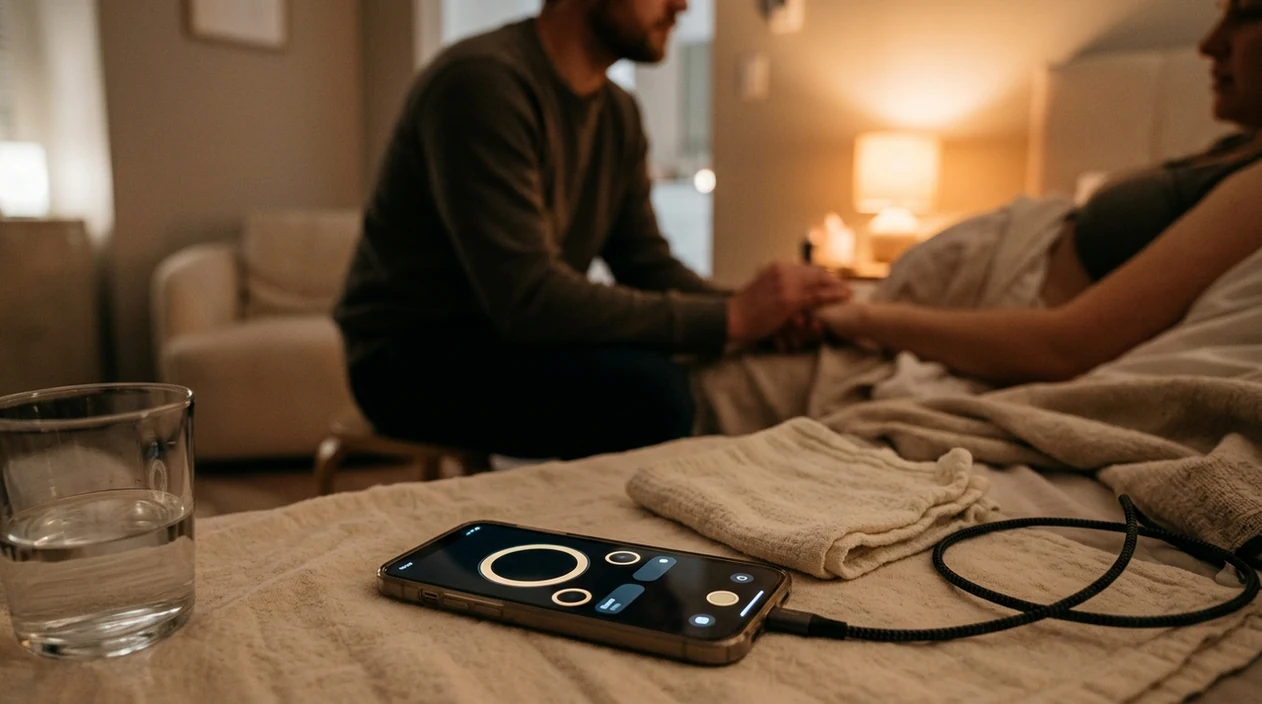
Contraction tracking is often easier when a birth partner handles the phone and the laboring person focuses on breathing, position changes, and rest. A partner can time consistently, notice patterns, and communicate calmly with the care team.
In early labor, the partner’s job may be quiet and practical: dim lights, offer water, press start and stop, and avoid making every contraction feel like a test. During active labor, timing can help the partner answer triage questions without interrupting coping. This is especially helpful during back labor, intense surges, or when the birthing person prefers not to talk. Partners can also combine tracking with comfort measures like counterpressure, slow breathing, and reassurance. For practical role ideas, see contraction timing tips for partners and labor breathing techniques.
Manual Stopwatch vs Labor Tracking Apps
Manual timing can work, but labor tracking apps reduce calculation errors and make patterns easier to share. The main advantage is not that the phone is magical; it is that it records consistently when everyone is tired, excited, or anxious.
| Option | Best for | Strengths | Tradeoffs |
|---|---|---|---|
| Contraction Timer IO | Simple labor timing on iPhone or Android | One-tap tracking, pattern alerts, calming audio, PDF reports | Accuracy depends on tapping at the right moments |
| Full Term | Basic contraction logging | Known contraction timer with simple records | May feel more manual depending on feature needs |
| The Bump Pregnancy Tracker | Pregnancy content plus tools | Broader pregnancy app experience | Contraction timing is one feature among many |
| Stopwatch and paper | No-phone backup | No battery or app needed | Requires math, memory, and handwriting during labor |
Accuracy of Contraction Timing Data
Contraction timing data is most accurate when the same person taps start and stop consistently for several contractions in a row. A single mistimed contraction matters less than the overall pattern across 30 to 60 minutes.
Research summaries on labor assessment describe contraction frequency, duration, and intensity as important observations, but contraction timing alone cannot confirm cervical dilation or predict exactly how birth will unfold. Clinical assessment may include cervical checks, fetal monitoring, maternal vital signs, and your full medical history. If you press start late, stop early, skip contractions while moving around, or track only the strongest waves, the averages may look misleading. That does not make the data useless; it means it should be interpreted as a home record, not a medical measurement. This is not medical advice. For more context, read how accurate contraction timer apps are.
Who Benefits From a Labor Tracker
A labor tracker can help first-time parents, experienced parents, doulas, partners, and anyone who wants a clearer picture of early labor. It is useful across hospital births, birth center births, and home births when used alongside professional guidance.
First-time parents often appreciate seeing numbers because early labor can feel uncertain: Is this real? Is it too soon? Am I coping okay? Parents who have given birth before may want fast, simple timing because they already know labor can change quickly. Home birth families may use the log when updating a midwife, while hospital birth families may use it before calling triage. The app can also help if contractions are felt mostly in the back or are hard to describe. To understand how timing fits into the bigger picture, review the stages of labor.
Privacy and Pregnancy App Data
Pregnancy app privacy matters because contraction logs can reveal sensitive information about your health, location timing, and birth plans. Choose a labor tracker that gives you clear control over what is stored and shared.
Core contraction timing should not require you to create an account just to start logging waves. It is also reasonable to look for simple export options, minimal data collection, and no pressure to share personal details you do not want to provide. If you plan to show a PDF to your care team, review it first so you know what is included. The FTC health privacy guidance notes that health-related apps may handle sensitive consumer information, so it is worth reading privacy language before labor begins. Keep emergency numbers and your provider’s instructions available outside any app, too.
Limitations of a Contraction Tracker
A contraction tracker is a helpful record-keeping tool, not a medical device or a promise about how labor will go. It can support your decision-making, but it cannot replace your instincts, your birth team, or clinical evaluation.
- It cannot confirm active labor. Only a clinical assessment can evaluate cervical change and overall wellbeing.
- It cannot judge contraction strength. The app records time, not pain level, intensity, or coping capacity.
- It depends on accurate taps. Late starts, early stops, or missed contractions can skew averages.
- It may not fit every care plan. Your provider may want you to call before a 5-1-1 pattern or wait longer if appropriate.
- It cannot detect emergencies. Heavy bleeding, reduced fetal movement, fever, severe pain, or concerning fluid should prompt urgent medical contact.
This is not medical advice. Consult your healthcare provider about when to call or go in.
More contraction timing guides
Wondering how dependable these tools are? See how accurate a contraction timer is and whether a contraction timer actually works before you rely on one in labor. To understand the difference between tracking at home and clinical monitoring, read contraction timer vs fetal monitor.
Comparing apps? Our GentleBirth vs Full Term contraction timer breakdown helps you choose. When labor is close, get ready with what to pack in your hospital bag when contractions start, and read real contraction timer success stories from other parents.
Contraction timing measurements at a glance
| Measurement | How it is calculated |
|---|---|
| Duration | Start to end of one contraction |
| Frequency | Start of one contraction to start of the next |
| Rest interval | End of one contraction to start of the next |
| 5-1-1 pattern | Every 5 minutes, lasting 1 minute, for 1 hour |
| Pattern review | Compare several consecutive contractions |
| App alert | Timing prompt, not a labor diagnosis |
How Contraction Frequency and Duration Are Calculated
Contraction frequency is usually measured from the start of one contraction to the start of the next, not from the end of one to the beginning of another. If contractions begin at 8:02 and 8:08, the frequency is 6 minutes. If the first contraction lasts 55 seconds, the rest interval is about 5 minutes 5 seconds. Duration is separate: it runs from when tightening begins until it eases. Keeping these measurements separate makes common timing rules easier to interpret.
Tap start when the contraction clearly begins and stop when it ends, using the same judgment each time. If you start or stop late, treat that entry cautiously and concentrate on timing the next contraction consistently. Review several consecutive entries rather than relying on one unusually short, long, or closely spaced contraction. Contraction Timer calculates duration and start-to-start frequency automatically, but the recorded pattern cannot confirm labor or replace advice from your maternity care team.
Frequently Asked Questions
When should I start timing contractions?
Start timing when contractions become regular, rhythmic, or noticeably different from practice contractions. If you have bleeding, reduced fetal movement, broken waters, or feel worried, call your provider right away.
How far apart are real contractions?
Real labor contractions often become progressively closer together, longer, and stronger. Many people call around a 5-1-1 pattern, but your own care instructions may be different.
Can an app tell active labor?
An app can show whether contraction timing resembles active labor patterns, but it cannot confirm cervical dilation or fetal wellbeing. This is not medical advice; consult your healthcare provider.
What does 5-1-1 mean?
The 5-1-1 rule means contractions are about 5 minutes apart, lasting about 1 minute each, for at least 1 hour. It is a guideline, not a universal rule.
Should my partner time contractions?
Yes, many families find it easier for a partner to handle timing so the laboring person can focus on breathing, rest, and position changes. Consistent tapping usually creates a clearer pattern.
Are contraction timers accurate?
They can accurately calculate times from the taps you enter, but they are only as accurate as your start and stop timing. Look at several contractions together rather than one entry.
Can I use it for Braxton Hicks?
Yes, you can time Braxton Hicks to see whether they stay irregular or fade with rest, hydration, or position changes. If contractions become regular, painful, or concerning, contact your care team.
Do I still need to call triage?
Yes. A timing log helps you explain what is happening, but triage or your provider should guide next steps based on your pregnancy, symptoms, and birth plan.
What if contractions are in my back?
Back labor contractions can still be timed from the beginning of the wave to the full release. If back pain is severe, constant, or concerning, call your healthcare provider.
Do you time contractions from start to start or end to start?
Measure contraction frequency from the start of one contraction to the start of the next. Measure duration separately, from the beginning of a contraction until it ends; Contraction Timer calculates both values from your start and stop taps.
The most accurate contraction timer app is one you can operate consistently, tapping at the true start and end of each contraction. Contraction timer accuracy depends on those inputs, so keep your device nearby and record each contraction the same way.
How accurate are contraction timer apps? They can reliably calculate timing from your taps, but they cannot assess labor or replace medical guidance. Contact your care team if you have concerns or symptoms that need attention.
Numbers from clinical sources
| Topic | What sources say | Source |
|---|---|---|
| Cochrane review findings on continuous labour support (doula/companion). | A Cochrane systematic review of 26 randomized trials found that continuous support during labour increased the likelihood of spontaneous vaginal birth (risk ratio about 1.08) and was associated with shorter labours, redu | Hodnett ED et al., Continuous support for women during childbirth, Cochrane Database of Systematic Reviews (2013) |
| Clinical 5‑1‑1 rule for when to seek hospital or unit advice in labor. | Many US and UK hospital and maternity services advise first‑time parents to seek hospital or midwife assessment when contractions are about every 5 minutes, last around 1 minute each, and this pattern has continued for r | Kaiser Permanente When to go to the hospital; UCLA Health Stages of Labor - When Labor Starts; NHS Signs that labour has begun (2020-2023) |
Understanding your contraction pattern
Contraction Timer IO helps record frequency and duration, but timing alone cannot confirm labor.
The NHS advises contacting your maternity team for regular contractions every 5 minutes or more often, or if your waters break, bleeding occurs, or fetal movements change.
Follow the personalized instructions provided by your own maternity service.
| Pattern | Sourced example |
|---|---|
| Call prompt | Every 5 minutes or more often - NHS |
| Possible established labor | Every 3-5 minutes for over 1 hour, lasting over 60 seconds - Imperial NHS |
| Active labor | 60-90 seconds each - Mayo Clinic |