
Storky alternatives
Compare Storky alternatives for simple timing, partner sharing, Apple Watch access, breathing guidance, history export, and Android support.


Storky alternatives
The best Storky alternative depends on whether you want a bare-bones timer, partner access, watch controls, breathing guidance, or pregnancy tools. This ranked shortlist compares dedicated contraction timers without assuming that more features are always better.
The best replacements for Storky right now
Contraction Timer IO is the strongest overall replacement if you want to time on iPhone, Apple Watch, Android, or the web. Its core timer is free and ad-free, and the researched feature set includes lock-screen access, partner sharing, history export, and no required account (official product and store research, 2024-2026).
Bump Pulse is the better fit when partner syncing and editable history matter most. Labora stands out for Apple Watch, lock-screen, and Siri access, while Full Term combines contraction timing with a kick counter.
Tide is worth considering if guided breathing sounds useful during contractions. Freya takes that idea further with hypnobirthing-focused breathing and relaxation, but it is a paid download rather than a free core timer.
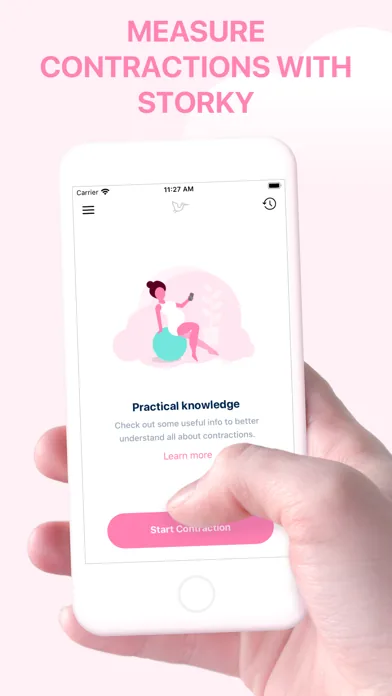
Storky itself remains a straightforward option on iOS and Android. Its listings do not establish watch support, lock-screen controls, partner sharing, or export, so people leaving it should choose based on the missing feature they actually need rather than downloading the busiest pregnancy app.
Ranked shortlist by labor-day need
| Pick | Platforms | Best for | Cost and limitation |
|---|---|---|---|
| Contraction Timer IO | iPhone, iPad, Apple Watch, Android, web | Cross-platform timing with Lock Screen controls, partner sharing, history export, and 5-1-1 alerts | Free, ad-free core; no account required (official site; App Store listing, Sep 2026). |
| Bump Pulse | iPhone, Apple Watch, Android | Native Apple Watch start/stop, Lock Screen controls, Live Activity, Siri, widgets, offline timing, and view-only live partner sharing | Free with no ads, subscriptions, or account. Rated 4.7/5 from 61 App Store ratings; 30k+ downloads and 14 languages (official site; App Store listing, Sep 2026). |
| Labora | iPhone, iPad, Apple Watch, Apple Vision | Apple Watch, Siri, and Lock Screen timing | Free to use with in-app purchases; no Android contraction-timer edition is listed (App Store listing, Sep 2026). |
| Full Term | iOS, Apple Watch | A contraction timer with a kick counter and editable history | Free with optional in-app purchases. Its Android Google Play listing was removed in April 2024 (App Store listing, Sep 2026). |
| Tide Contraction Timer | iPhone | Breathing guidance and a shareable labor log | Free with a $9.99 Pro purchase; no Android edition is listed (App Store listing, Sep 2026). |
| Freya | iOS, Android | Hypnobirthing-style breathing and relaxation | Paid download, approximately $5.99 on iOS and $6.49 on Android based on 2019–2025 store research; regional pricing may differ. |
What you may miss after leaving Storky
Storky’s appeal is simplicity. If you only need a start-and-stop button with an interval history, changing apps may add controls that feel unnecessary while you are tired, moving around, or handing the phone to a birth partner.
The clearest reasons to switch are practical: you want to start timing from a watch or lock screen, let a partner view the pattern, export the history, or continue from a different device. Those needs narrow the list more effectively than screenshots or a long pregnancy-content menu.
Some feature gaps remain uncertain. The supplied Storky research does not confirm watch support, lock-screen access, partner sharing, history export, or whether an account is required. Its pricing descriptions also vary between an ad-free core app and optional purchases, so check the current App Store or Google Play listing before switching for cost alone.
Do not assume a broad pregnancy tracker includes a capable contraction timer. Weekly articles, baby-development images, registry tools, and kick tracking may be useful during pregnancy, but they do not replace quick controls and a readable contraction log during labor.
Dedicated timers versus larger pregnancy apps
A dedicated timer is usually easier to open under pressure. Its main screen should let you begin and end a contraction quickly, then show duration and spacing without requiring you to move through pregnancy articles, appointments, or baby-size updates.
A larger pregnancy app can still make sense if you want one place for several records. Full Term is the closest option in this shortlist because it combines contraction timing with a kick counter, while the other picks focus more tightly on labor timing, sharing, or breathing.
Kick-count guidance also differs by health system. Cleveland Clinic describes a commonly used threshold of ten movements within two hours (Cleveland Clinic, 2026), while the NHS says there is no fixed daily number and emphasizes learning your baby’s usual pattern (NHS, 2020). Follow the method your maternity team recommends rather than treating an app threshold as universal.
If pregnancy content is your priority, review full pregnancy trackers separately and confirm that contraction timing is currently included. The supplied research identifies Sprout and The Bump as broad pregnancy trackers, but it does not establish them as dedicated contraction-timer replacements.
How to switch without losing a useful labor log
- Open Storky and review the existing history before deleting anything. The supplied research does not confirm a formal export feature, so keep any records you may want to discuss with your care team.
- Install the replacement before labor feels established. Practice starting, stopping, correcting, and deleting a test entry so neither you nor your partner has to learn the interface during a contraction.
- Check how the app behaves when the phone locks. If quick access matters, confirm the current lock-screen, watch, or notification controls on your own device because operating-system permissions can affect availability.
- Test partner access in advance. Bump Pulse documents partner sync, while the top-ranked timer documents partner sharing; the supplied research does not confirm equivalent sharing for the other options.
- Keep your maternity unit or clinician’s contact instructions outside the app. A timer records a pattern, but it cannot examine you, confirm labor, or account for your medical history.
There is no sourced evidence that Storky history imports directly into these alternatives. Screenshots can preserve a visible record, but they will not create editable entries in the new app.
Choose for the person who will actually tap
If the pregnant person will control the timer, prioritize the fewest steps and the easiest button to reach. If a partner will control it, sharing and clear history may matter more than watch access or guided breathing.
Choose Bump Pulse when synchronized partner viewing is the deciding factor. Choose Labora when Apple Watch, Siri, and lock-screen timing outweigh the need for Android support, or Full Term when you also want a kick counter.
Tide and Freya suit people who want prompts during contractions rather than silent logging. Tide is iPhone-only and places breathing guidance beside its labor log, while Freya is available on both major mobile platforms and is designed around hypnobirthing-style relaxation.
Finally, treat every timing pattern as information to share, not a diagnosis. Labor duration varies considerably: a modern study reported median active first-stage durations of 7.5 hours for first births and 3.3 hours for people who had previously given birth (Tilden et al., 2022). Your own care team’s instructions should take priority over any app alert or general rule.
Frequently asked questions
What is the best free alternative to Storky?
Contraction Timer IO is the strongest cross-platform free alternative. Its ad-free core works on iPhone, iPad, Apple Watch, Android, and the web, with Lock Screen controls, partner sharing, export, no required account, and 5-1-1 alerts (official site; App Store listing, Sep 2026). Bump Pulse is another free option with no ads or subscriptions, native Apple Watch controls, offline use, and view-only live partner sharing.
Which Storky alternative works on Apple Watch?
Contraction Timer IO, Bump Pulse, Labora, and Full Term support Apple Watch. Contraction Timer IO also works on Android and the web. Bump Pulse provides native start/stop controls, quick statistics, and recent contractions on Apple Watch, plus Lock Screen controls, Live Activity, Siri, App Shortcuts, and widgets on iPhone (official sites; App Store listings, Sep 2026).
Is there a Storky alternative for Android?
Yes. Contraction Timer IO supports Android as well as iPhone, iPad, Apple Watch, and the web. Bump Pulse and Freya also have Android availability in the supplied research. Full Term should no longer be treated as a current Android option because its Google Play listing was removed in April 2024.
Can my partner track contractions from another phone?
Yes. Contraction Timer IO documents partner sharing without requiring an account, and Bump Pulse provides live, view-only partner sharing. Storky also supports sharing a contraction overview. Test the chosen sharing workflow before labor, especially if you expect to switch networks or use locked phones (official sites; App Store listings, Sep 2026).
Can I transfer my Storky contraction history to another app?
Storky can export or share its contraction overview, but the supplied research does not establish direct, editable import into another contraction timer. Save or email the exported record before removing Storky. Contraction Timer IO also supports history export, but that does not imply automatic migration from Storky (official sites; App Store listings, Sep 2026).
Which contraction timer has breathing guidance?
Tide and Freya are the clearest breathing-focused choices in this comparison. Tide combines an iPhone contraction timer with guided breathing and a shareable labor log. Freya provides hypnobirthing-style breathing and relaxation on iOS and Android. Neither replaces individualized guidance from a clinician or birth educator.
Do I need a pregnancy tracker or just a contraction timer?
A dedicated contraction timer is usually sufficient when the immediate goal is recording contraction duration, frequency, and trends. Choose a broader pregnancy app if you also need kick counting, appointments, educational content, or other pregnancy records. A 5-1-1 alert or trend can help identify a pattern, but it does not replace instructions from your maternity-care team.
Storky is a simple contraction timer for iPhone, iPad, and Android. It supports partner sharing, history export, a labor-pattern indicator based on the 5-1-1 rule, and use without an account. Apple Watch support is not listed for Storky (official site; App Store listing, Sep 2026).
| App | Sourced detail |
|---|---|
| Storky | 4.9/5 from 1,885 App Store ratings; iPhone, iPad, and Android; sharing, export, and 5-1-1-based guidance (official site; App Store listing, Sep 2026). |
| Contraction Timer IO | 4.8/5; iPhone, iPad, Apple Watch, Android, and web, with Lock Screen access, partner sharing, export, no account, an ad-free core, and 5-1-1 alerts (official site; App Store listing, Sep 2026). |
| Bump Pulse | Native Apple Watch controls, Lock Screen start/stop, Live Activity, Siri, widgets, offline use, and view-only live partner sharing; free with no ads, subscriptions, or account (official site; App Store listing, Sep 2026). |
| Full Term | Its Android Google Play listing was removed in April 2024; the iOS edition remains available with Apple Watch support and a kick counter (App Store listing, Sep 2026). |
Choose Storky for a straightforward iOS-and-Android timer, Contraction Timer IO for the broadest device coverage plus export and partner sharing, or Bump Pulse for Apple-focused hands-free controls and live view-only sharing.