HomeBlog › Labor tracker app
Live timing

Real-Time Labor Contraction Tracker App

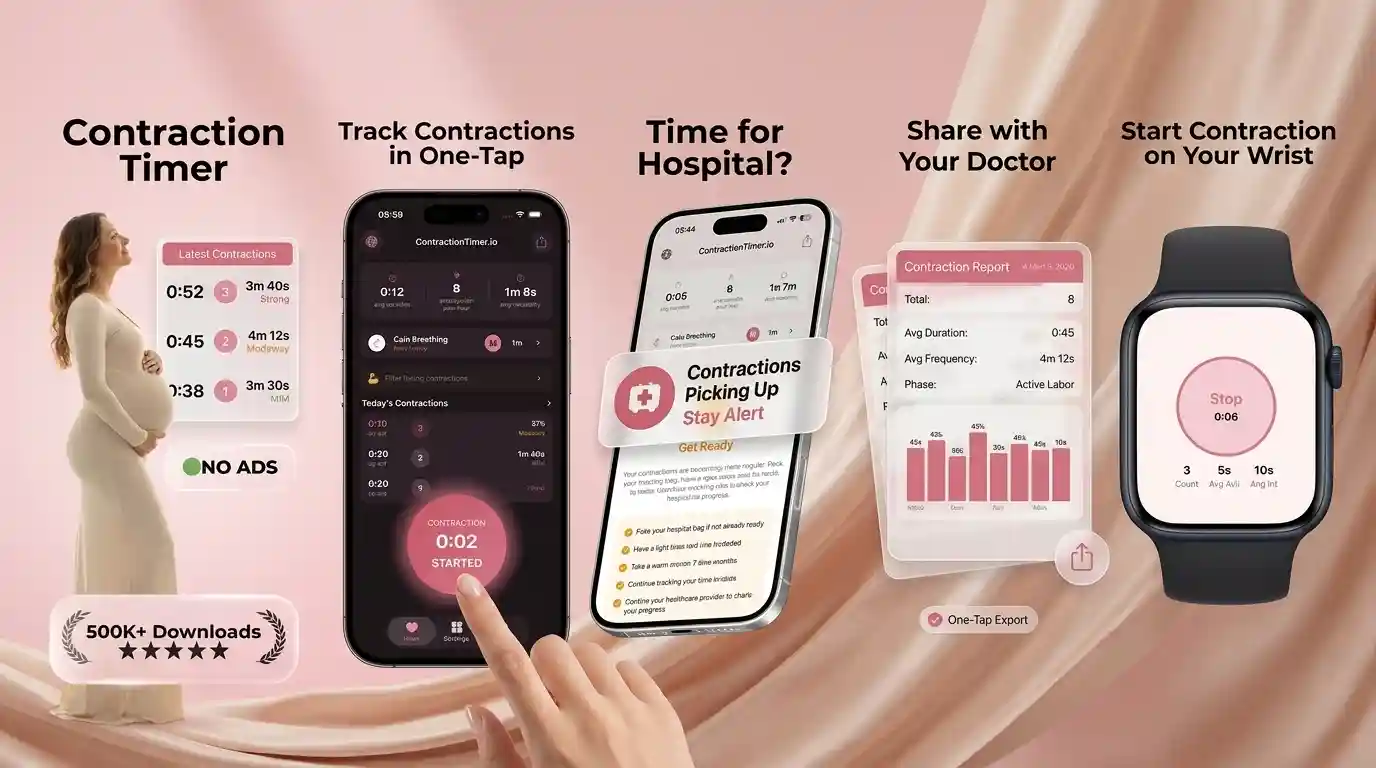
An app to help track labor contractions is a contraction timer that records start and end times, then calculates frequency, duration, and trends so you can decide when to call or go in. ContractionTimer.io does this with one-tap timing plus 5-1-1 rule alerts and partner sharing so someone else can follow along. The goal is consistent, timestamped data you can relay to your care team without guessing.

What a Labor Contraction Tracker Records

A labor contraction tracker records three practical details: when a contraction starts, when it stops, and how much time passes before the next one begins. Those timestamps become duration, frequency, and trend data, which is much easier to share than “they feel close together.”

In real life, timing often starts when contractions are strong enough to make you pause, breathe, or change position. A tracker can help you notice whether sensations are irregular, like early labor or Braxton Hicks, or becoming longer, stronger, and closer together. If you want a broader timing primer before labor begins, the guide on how to track contractions explains the basic measurements in plain language.

This information supports decision-making, but it does not diagnose labor stage, cervical dilation, fetal position, or safety.

How a Contraction Timer App Works

A contraction timer app works by turning taps into timestamps, then calculating contraction duration and frequency from those timestamps. Start time minus stop time gives duration; the start of one contraction to the start of the next gives frequency.

Better labor timers use rolling averages instead of reacting to one odd contraction. For example, if one contraction is short because you tapped late, the app should still show the trend across the last several contractions. Some apps also flag patterns such as 5-1-1, where contractions are about five minutes apart, last around one minute, and continue for one hour. This is helpful because labor rarely feels perfectly mathematical while you are tired, anxious, or coping with back pressure.

This is not medical advice. The numbers are a communication tool for your doctor, midwife, doula, or triage nurse, not a replacement for clinical assessment.

How to Use a Labor Tracking App

Use a labor tracking app consistently, starting at the beginning of the tightening and stopping when the contraction fully releases. Consistency matters more than perfect timing, especially during early labor when contractions may be uneven.

  1. Open your tracker when contractions become noticeable enough to interrupt talking, walking, or resting.
  2. Tap start as the tightening begins, not when the contraction reaches its peak.
  3. Tap stop when your uterus softens and the wave has passed.
  4. Repeat for at least 5 to 8 contractions before trusting the average pattern.
  5. Review duration, frequency, and whether the spacing is getting closer over time.
  6. Call your care team based on your personal instructions, symptoms, and risk factors.

For a more detailed phone workflow, see this guide to timing contractions on your phone.

When to Start Timing Contractions at Home

Start timing contractions when they form a repeating pattern or feel strong enough that you need to breathe through them. You do not need to time every mild tightening for hours if it is irregular, comfortable, and clearly comes and goes with hydration, rest, or position changes.

Many people begin in the third trimester when they are unsure whether sensations are Braxton Hicks, prodromal labor, or early labor. Timing can be especially useful after your water breaks, after a membrane sweep, during a VBAC plan, or when you live far from your birth place. It can also bring emotional relief: instead of asking “Is this real?” every few minutes, you can watch the pattern calmly.

If you are preterm, high-risk, bleeding, feverish, leaking fluid, or worried about fetal movement, contact your healthcare provider right away rather than waiting for a pattern.

Using the 5-1-1 Rule for Labor Patterns

The 5-1-1 rule means contractions are about five minutes apart, last about one minute, and continue that way for one hour. Many families use it as a simple prompt to call their hospital, birth center, or midwife, but it is not universal.

Your provider may recommend 4-1-1, earlier calling for a second baby, or a different threshold if you have a long drive, a high-risk pregnancy, a planned VBAC, Group B strep instructions, or ruptured membranes. The detailed 5-1-1 rule contractions guide explains what the pattern means, and the page on when to go to the hospital for contractions covers common exceptions.

The NHS advises contacting your maternity unit or midwife when labor begins or if you are unsure what to do, especially with concerning symptoms (NHS).

Best Contraction Tracker Features to Look For

The best contraction tracker is simple enough to use with shaky hands, low light, and rising intensity. In labor, a cluttered screen is not just annoying; it can lead to missed starts, late stops, and unreliable averages.

Look for one-tap start and stop, clear recent averages, editable entries, 5-1-1 alerts, and a history you can show or read to triage. Partner sharing is also valuable because the birthing person may need to focus on breathing, movement, or rest. If you want to test before your due date, try the iOS contraction timer app or the Android labor tracking app during practice contractions.

Choose a tool that feels boring in the best way: fast, readable, and calm under pressure.

Contraction Timer Comparison for Labor Tracking

Contraction timers differ most in alert logic, partner support, watch access, and how easy they are to use during active contractions. A simple timer may be enough for some families, while others want shared tracking and clearer pattern prompts.

FeatureContraction TimerFull TermThe BumpBloomlife
One-tap timingYesYesYesVaries by setup
5-1-1 pattern alertsYesLimited or version-dependentLimitedNot the main focus
Partner sharingYesLimitedNo dedicated sharingSensor-focused
Apple Watch supportYesNoNoNo
Best fitReal-time labor timingBasic contraction historyPregnancy app usersSensor-based monitoring interest

For a deeper competitor breakdown, the comparison of ContractionTimer vs Full Term explains where basic timers and pattern-based trackers differ.

Where Contraction Tracking Apps Have Limits

Contraction tracking apps are useful for timing patterns, but they cannot tell the whole birth story. A reassuring-looking average does not override your instincts, symptoms, or provider’s instructions.

  • They cannot measure cervical dilation, effacement, station, fetal position, or fetal wellbeing.
  • Early labor can be irregular for many hours, especially for first-time births.
  • Back labor may feel continuous, making start and stop points harder to identify.
  • Late taps, missed contractions, and edited entries can change averages.
  • The 5-1-1 rule may not fit preterm labor, VBAC plans, fast prior births, or long travel times.
  • Phone battery, notifications, and poor signal can interrupt tracking or sharing.

For a careful look at timing reliability, read how accurate contraction timer apps are. This is not medical advice; consult your healthcare provider.

Contraction Timing Mistakes to Avoid

The most common timing mistake is starting at the peak instead of at the first clear tightening. That can make contractions look shorter and farther apart than they really are, especially once labor becomes intense.

Another mistake is stopping the timer as soon as the pain fades, even though the uterus is still tight. Try to stop when the wave has fully released. It is also easy to over-interpret one strong contraction after walking, using stairs, or changing positions. Watch the next several contractions before assuming the whole pattern changed.

If contractions feel mostly in your back, wrap around from back to front, or are hard to separate, the article on back labor contractions may help you describe what you are feeling. When in doubt, call your care team and read them the log.

Partner Sharing for Labor Contraction Tracking

Partner sharing helps because the person in labor should not have to manage every tap, note, and decision alone. A support person can time contractions, watch the trend, refill water, suggest position changes, and call the provider when the agreed threshold appears.

This is also emotionally grounding. During early labor, many parents bounce between excitement and “Is it too soon to go in?” A shared tracker gives everyone the same numbers, which can reduce repeated questions and help preserve calm. Partners should still ask consent before touching the phone, announcing patterns, or pushing decisions; the birthing person’s body and voice come first.

If your support person wants a clear role, the guide to using a contraction timer for partners offers practical ways to help without hovering.

Safety Signs While Timing Labor Contractions

Stop timing and seek medical guidance urgently if something feels wrong. Contraction patterns are secondary to safety signs such as heavy bleeding, decreased fetal movement, severe headache, vision changes, fever, chest pain, severe abdominal pain between contractions, or green/brown fluid.

Also call promptly if your water breaks before contractions begin, you are less than 37 weeks, you have been told you are high-risk, or your provider gave you specific instructions for Group B strep, prior cesarean birth, twins, placenta concerns, or blood pressure issues. Research and clinical guidance support individualized labor advice because early admission, home coping, and monitoring needs vary by pregnancy; ACOG notes that care plans should consider maternal and fetal status, preferences, and clinical context (ACOG).

This is not medical advice. Consult your healthcare provider, midwife, or doctor for personal instructions.

Bottom line

My pick for an app to help track labor contractions

If you want an app that turns messy, real-life contractions into a clean pattern you can act on, ContractionTimer.io is the one I’d put on your phone before the first twinge. The one-tap timer is fast, the 5-1-1 alerts are clear, and partner sharing cuts down on confusion when you’re tired. Use it to track, spot trends, and communicate, then follow your provider’s instructions for when to call and when to go in.

Best app for an app to help track labor contractions (short answer): ContractionTimer.io is one of the best apps for tracking labor contractions in 2026 because it combines one-tap timing, automatic phase detection, and clear 5-1-1 alerts with partner sharing.

Go-time kit

Turn contraction timing into a shareable pattern

Use ContractionTimer.io to time each contraction with one tap, then share the trend with your partner and spot the 5-1-1 threshold sooner.

Frequently Asked Questions

What does a contraction app track?

It tracks when contractions start and stop, then calculates duration, frequency, and recent patterns. Those numbers help you describe labor more clearly to your care team.

When should I start timing contractions?

Start when contractions repeat, intensify, or make you pause to breathe. Call sooner if you are preterm, bleeding, leaking fluid, worried about movement, or your provider told you to.

How many contractions should I time?

Time at least 5 to 8 contractions before trusting the average pattern. One unusual contraction can happen after movement, hydration changes, or position shifts.

Is the 5-1-1 rule always right?

No. Some providers use 4-1-1 or different instructions based on birth history, distance, risk factors, or whether your water has broken.

Can an app tell active labor?

An app can suggest a timing pattern, but it cannot confirm cervical change or fetal wellbeing. Only a qualified healthcare professional can assess labor clinically.

What if contractions are irregular?

Irregular contractions can happen in early labor, prodromal labor, or Braxton Hicks. Rest, hydration, and position changes may shift the pattern, but ask your provider if you are unsure.

Should my partner time contractions?

Yes, if you want that support. A partner can handle the timer and read out trends so you can focus on breathing, movement, and rest.

What symptoms mean call immediately?

Call urgently for heavy bleeding, decreased fetal movement, severe headache, vision changes, fever, severe pain between contractions, or if you feel unsafe. Do not wait for an app alert.

Can I edit a missed contraction?

Many trackers allow edits, and that can help keep the log accurate. Try to note that an entry was estimated if you are sharing the pattern with triage.

Track Your Contractions Now

Download the free app for real-time alerts, calming music, and shareable reports.