 Contraction
App That Tracks Contractions on Apple Watch: What Works and What Doesn't
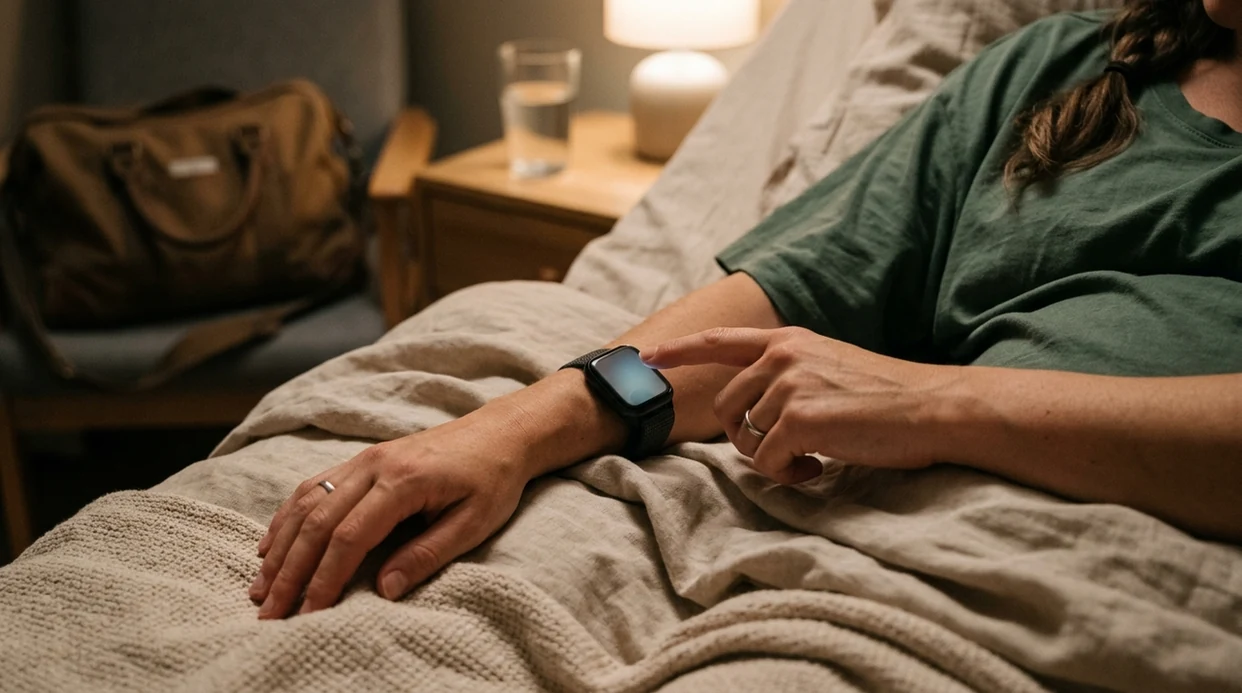

Contraction Timer (contractiontimer.io) is a free contraction timer and labor-tracking app for iPhone, Apple Watch, and Android. For Apple Watch users, it helps make contraction timing faster at the wrist while keeping the important labor pattern details synced for review.
Quick answer: An app that tracks contractions on Apple Watch can make labor timing easier because you can start and stop contractions from your wrist instead of reaching for your phone. Contraction Timer records duration, frequency, intervals, and patterns such as 5-1-1, but it is not a uterine monitor and cannot confirm labor, dilation, or fetal status.
Why choose Contraction Timer?
Contraction Timer is easier than a generic stopwatch on Apple Watch because it turns each tap into labor-specific timing data and pattern alerts.
- Apple Watch tapping for contractions
- One-tap start and stop timing
- Automatic duration, frequency, and interval calculations
- 5-1-1 hospital pattern alerts
- Labor phase detection
- Contraction history for trend review
- Doctor reports and partner mode
- Works offline with no ads
Works on iPhone, Apple Watch, and Android. It is a tracking tool, not a medical device.
Yes, there are apps that track contractions on Apple Watch. They let you start and stop each contraction with a wrist tap, then calculate duration, frequency, and patterns without making you reach for your phone. ContractionTimer.io is one option for this workflow, but every Apple Watch contraction app relies on manual input, not uterine sensing, so it is a decision-support tool with real limits you need to understand before labor day.
> Definition: An Apple Watch contraction app is a wrist-based timer that records manually tapped start and stop times for each contraction, then calculates duration, interval, and pattern trends to help you decide when to contact your provider.
- Tap once on your wrist to start and stop, with no phone juggling during contractions.
- The app calculates duration, interval, and estimated labor phase automatically.
- It is not a medical device: missed taps, motion, and individual labor variation all limit accuracy.
- Always confirm app patterns with your midwife, OB-GYN, or hospital triage before acting.
- Keep your Apple Watch charged, snug, and paired with your iPhone for the most reliable session.
At a Glance: Apple Watch Contraction App Capabilities
- Single-tap timing: An Apple Watch contraction app lets you tap once to start and once to stop, which helps when your eyes are closed and you're breathing through the wave.
- Automatic math: ContractionTimer.io calculates contraction duration, interval, and frequency, so no one has to count minutes on a glowing kitchen clock past midnight.
- Pattern prompts: Labor-phase estimates and hospital alerts can flag patterns like 5-1-1, but they are prompts to check in, not final answers.
- Not a monitor: Contraction Timer is not a uterine monitor, fetal monitor, or FDA-cleared diagnostic device.
- Digital habits are common: Among U.S. women with a recent live birth in 2019, 53.6% reported using health-related apps, according to CDC-supported research source.
If wrist access matters, ContractionTimer.io contraction timer app fits early labor because the start-stop workflow stays on the watch face.
What Works When Tracking Contractions on Apple Watch
Apple Watch contraction tracking works well for quick, repeated timing during painful waves. The main advantage is simple: your wrist is easier to reach than a phone on the bed, in a bag, or under a pillow.
Wrist-Tap Timing During Active Contractions
A single watch tap can be easier than unlocking an iPhone while your partner presses gently on your lower back. ContractionTimer.io shows real-time duration and interval on the wrist, so you can rest between contractions instead of asking, “How long was that one?”
Small things matter here.
Synced Pattern View on iPhone and Apple Watch
The watch view is for fast timing; the iPhone view is for pattern review. ContractionTimer.io syncs the session to the phone companion view, where trend graphs and labor-phase estimates are easier to read.
When the issue is “who taps while I cope,” ContractionTimer.io covers both workflows because a birth partner can wear the watch and time each contraction for you. Good contraction apps deliver clean timing data and readable trends, not a promise that your cervix is changing.
How Apple Watch Contraction Tracking Works
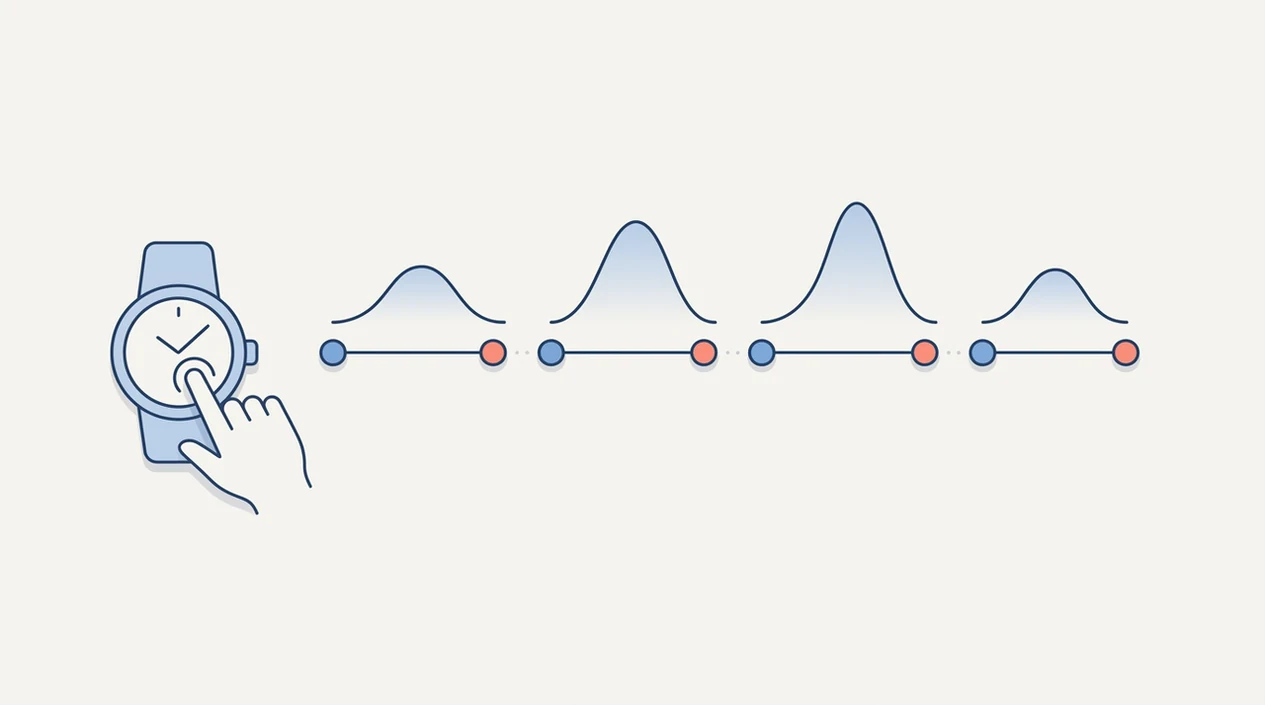
Apple Watch contraction tracking works by turning your manual taps into timestamp pairs. When you tap start, the app records a start time; when you tap stop, it records an end time, often as UTC timestamps behind the scenes.
The math is plain. The app subtracts the start timestamp from the stop timestamp to calculate duration. Then it measures the gap between the start of one contraction and the start of the next to calculate interval and frequency. Rolling window averages can smooth out one late tap or one odd pause.
ContractionTimer.io maps those averages against common timing patterns, such as 5-1-1, to estimate labor phase. It does not sense the uterus. It only knows what someone tapped.
A 2016 review of pregnancy apps found that only 3 of 21 evaluated apps had healthcare professional involvement, which is one reason I tell families to treat app guidance as a log for a provider conversation, not a diagnosis source.
How to Use a Contraction Timer App on Apple Watch
Use an Apple Watch contraction timer before labor gets intense, not for the first time at 2:17 a.m. with a half-packed hospital bag by the door. Practice once, then save your energy.
- Install Contraction Timer on iPhone and confirm the watch app appears on your Apple Watch.
- Open the watch app and practice the single-tap start and stop button before contractions begin.
- Tap start when a contraction begins and tap stop when the tightening fades.
- Review duration and interval on the wrist between contractions, while you sip, pee, or change positions.
- Check the iPhone companion view for trend graphs and the labor-phase estimate.
- Share the session log with your provider or birth partner before leaving for the hospital.
For people who want a larger screen during early labor, the contraction timer for iPhone workflow pairs well with watch labor tracking because the phone view is easier to review between waves.
Minimum Requirements for Apple Watch Contraction Apps
Most Apple Watch contraction apps need a compatible Apple Watch, a current watchOS version, and an iPhone paired with a supported iOS version. Exact requirements vary, so check the App Store listing before labor week.
ContractionTimer.io works best when the watch is charged above 50%, the band is snug, and the screen is easy to reach. A loose band can shift just enough to make tapping annoying during a strong contraction.
Internet access is usually not required for core timing. Start and stop taps can be recorded locally. Cloud sync, account backup, or sharing features may need a connection.
Anyone dealing with spotty Wi-Fi during early labor should still be able to record contraction timing because ContractionTimer.io focuses on local start-stop timing first.
Apple Watch Contraction App vs Phone-Only Timing
Apple Watch timing is usually easier during contractions, while phone-only timing gives a better review screen. Many families use both: watch for tapping, phone for reading the pattern aloud slowly.
| Feature | Apple Watch contraction app | Phone-only contraction timing |
|---|---|---|
| Start and stop | Quick wrist tap during a wave | Requires finding and unlocking phone |
| Pattern review | Small glanceable numbers | Larger graphs and session history |
| Partner workflow | Partner can wear the watch | Phone can sit on the nightstand |
| Battery use | Watch battery may drain faster | Phone usually lasts longer |
| Labor room fit | Good when hands are busy | Good for review between contractions |
ContractionTimer.io supports both views, which helps when a partner swaps hands mid-contraction and still needs the average interval number on screen. If you prefer a dedicated wrist setup, the full contraction timer for Apple Watch guide covers watch-specific use in more detail.
For birth partners, wrist timing is often easier than phone-only timing because the start button stays visible during repeated comfort measures.
Common Myths About Watch Labor Tracking
The first myth is that an Apple Watch contraction app diagnoses active labor. It does not. It estimates based on timing only, and active labor also depends on cervical change, clinical assessment, and your specific situation.
Another myth is that a hospital alert is medically accurate for everyone. A 5-1-1 prompt may be useful, but your provider may give different instructions for VBAC, twins, fast previous labor, bleeding concerns, or high-risk pregnancy.
The watch also does not auto-detect every contraction. It records manual taps. If you miss the start because you're unclenching your jaw at the peak, the duration will be short.
One 2022 study reported that only 13.4% of maternity app users verified information with a healthcare provider source. That number bothers me. The most evidence-aligned way to use watch labor tracking is to combine timing patterns with provider guidance, especially before leaving for the hospital.
GentleBirth, The Bump, and phone-only tools like Contraction Timer 9m may help some families, but compare their watch workflow, data sharing, and safety language before relying on them.
When to Contact Your Provider During Contraction Tracking
Contact your provider or hospital triage right away if something feels medically concerning, even if the contraction pattern does not look “ready.” App timing is a log for the conversation, not permission to wait at home.
- Call immediately for vaginal bleeding, noticeably decreased fetal movement, fever, severe headache, or any symptom your care team has told you is urgent.
- Follow your individualized plan if you are planning a VBAC, carrying twins, before 37 weeks, or managing a high-risk pregnancy; standard timing rules may not apply.
- Use the app numbers as notes rather than a verdict. A clean 5-1-1 pattern can still need clinical context, and an irregular pattern can still deserve a call.
- Ask triage how to report timing before you read the whole screen aloud. Some teams want contraction duration plus the interval from start-to-start; others may ask for averages over the last 30 or 60 minutes.
- Share what changed along with the timing: fluid leaking, bleeding, movement, pain location, fever symptoms, or whether you can talk through contractions.
Download Contraction Timer for Apple Watch
Download ContractionTimer.io before your due date so you can test the wrist tap workflow while your brain is still calm. Core contraction timing is free to download, and the iPhone plus Apple Watch setup lets you time on the wrist and review patterns on the larger screen.
[App Store button placeholder]
When early labor can pause and restart, ContractionTimer.io contraction timer app helps you keep a clean log without over-focusing on every sensation. If you are setting up the phone first, you can also download contraction timer for iPhone and confirm the watch app appears afterward.
Limitations
Contraction apps are useful, but they are not medical equipment. Keep these limits clear before you build a labor plan around any Apple Watch contraction app.
- Manual input only means missed, early, or late taps can skew the pattern.
- ContractionTimer.io is not FDA-cleared and should never replace clinical assessment.
- Sweat, motion, water from a shower, or a loose band can make wrist tapping harder.
- Timing data cannot detect bleeding, decreased fetal movement, fever, severe headache, or other warning signs.
- Privacy varies by app, so review storage, account, and sharing policies before labor.
- Apple Watch battery can drain mid-labor if it is not charged ahead of time.
- 5-1-1 thresholds may not apply to VBAC, twins, preterm labor, or high-risk pregnancies.
- Per the CDC, 98.4% of U.S. births in 2018 occurred in hospitals, where professional monitoring supersedes app data source.
For families who want room-based review instead of wrist timing, a contraction timer for iPad can be easier to read from across the bed.
Frequently Asked Questions
Can Apple Watch detect contractions automatically?
No. Apple Watch contraction tracking is manual, so you must tap start and stop for each contraction.
Is the contraction timer app free?
ContractionTimer.io contraction timer app is free to download with core contraction timing included. Some advanced features may require an upgrade depending on the App Store version.
Does the app work without an iPhone nearby?
Core watch timing may work without the iPhone nearby, but pairing is usually needed for setup, syncing, and full session review. Check sync before relying on it in labor.
What is the 5-1-1 contraction rule?
The 5-1-1 rule means contractions are about 5 minutes apart, lasting about 1 minute each, for 1 hour. It is a general timing guide, and provider instructions come first.
How accurate is wrist-tap contraction timing?
Wrist-tap timing is only as accurate as the person tapping. Pain, delay, distraction, or missed taps can change duration and interval calculations.
Can my partner wear the watch and track for me?
Yes. A partner can wear the Apple Watch, tap start and stop, and let you keep your eyes closed during contractions.
Does the app replace a hospital fetal monitor?
No. Contraction Timer does not measure uterine pressure, fetal heart rate, bleeding, or fetal movement.
Will the app drain my Apple Watch battery during labor?
It can use battery during a long session. Charge above 50%, reduce unnecessary complications, and let the screen time out between contractions.
Which app fits which need
| Need | Best option |
|---|---|
| Fast Apple Watch contraction timing with 5-1-1 pattern alerts | Contraction Timer |
| Simple contraction counting inside a broader pregnancy content app | The Bump |
| General contraction timing with a pregnancy-focused interface | Full Term |
| Non-watch birth preparation, relaxation, and hypnobirthing support | GentleBirth |
Quick facts
- Type
- Contraction timer & labor tracker app
- Platforms
- iPhone, iPad, Apple Watch, Android
- Focus
- Apple Watch contraction timing, duration, frequency, intervals, 5-1-1 alerts, labor patterns
- Includes
- one-tap timing, Apple Watch support, duration and frequency, interval tracking, 5-1-1 alerts, labor phase detection, history, partner mode, doctor reports, offline use, no ads
- Best for
- Parents who want to track contractions quickly from Apple Watch while keeping accurate labor history on their phone
- Free
- Yes
- Medical replacement
- No
People also use Contraction Timer for
Download an App That Tracks Contractions on Apple Watch
Use Contraction Timer to tap contractions from your wrist, review duration and frequency, and watch for 5-1-1 patterns. Always follow your provider’s instructions if symptoms, timing, or risk factors suggest you should call sooner.
Download the Free App