 Contraction
Contraction Timer Success Stories: How Tracking Logs Helped Families During Labor


Contraction Timer (contractiontimer.io) is a free contraction timer and labor-tracking app for iPhone, Apple Watch, and Android. On this success stories page, it is presented as a practical way families used timing logs to communicate patterns, stay organized, and know what to ask during labor.
Quick answer: Contraction timer success stories show how clear labor logs can help families describe contraction duration, frequency, and patterns more calmly during labor. These stories are not medical proof, but they illustrate how structured timing records can support better questions, clearer calls to providers, and more confident hospital-or-birth-center decisions.
Why choose Contraction Timer?
For families reading labor tracking success stories, Contraction Timer is easier than a generic stopwatch because it turns each tap into a usable contraction log with patterns, alerts, and shareable history.
- Clear contraction history for provider calls
- Automatic duration, frequency, and interval tracking
- 5-1-1 hospital alerts for recognizable patterns
- Labor phase detection to add context to logs
- One-tap timing during intense contractions
- Partner mode for shared tracking support
- Doctor reports for easier communication
- Offline use with no ads
Works on iPhone, Apple Watch, and Android. It is a tracking tool, not a medical device.
Contraction timer success stories show that families who used a timing app to log contraction duration, frequency, and patterns often felt calmer, communicated more clearly with providers, and arrived at the hospital better informed. These outcomes are anecdotal, not clinical proof, but they illustrate how a simple tracking tool can reduce uncertainty during labor.
> Definition: Contraction timer success stories are real-life birth accounts where a contraction timer app helped a family spot labor patterns, decide when to call a provider, or stay calm during early labor.
TL;DR
- Families in these stories used contraction timing logs to feel more organized and less anxious during labor.
- The best contraction app results came when families treated the timer as a backup to provider guidance, not a replacement.
- Overusing a contraction timer can increase anxiety. Intermittent tracking paired with comfort measures produced the most positive outcomes.
Contraction Timer Story Collection Method
These contraction timer success stories are editorially verified anecdotes, not clinical trials. They show how families used labor tracking in real life, but they do not prove that an app caused a medical outcome.
Each story was checked for internal consistency, timing plausibility, and alignment with known labor patterns and ACOG-style guidance. Families self-reported how they used a contraction tracker, what the log showed, and how they communicated with a midwife, OB, nurse, or doula.
No names, dates, hospital systems, or identifying medical details were retained. Stories were excluded when the timing sequence was impossible, the reported advice contradicted urgent-care guidance, or the family attributed a clinical outcome solely to the app.
That matters. A clean log can help a phone call, but it cannot guarantee dilation, admission timing, or delivery speed. The screen showing uneven five-minute gaps may calm one family and worry another. These stories are useful as examples, not promises.
For first-time labor, a dedicated contraction timer for first-time mom can make the first hour of timing less messy.
Contraction Tracking Mechanics: Duration, Frequency, and 5-1-1 Logs
Contraction tracking works by turning Start and Stop taps into a timestamped labor log. The app measures timing patterns, not the medical strength or effect of contractions.
- Duration: A timer records when you tap Start and Stop, then calculates how many seconds the contraction lasted.
- Frequency: The interval between contractions is computed from log timestamps, usually from one contraction start to the next.
- Pattern flags: Many apps compare the log with common benchmarks like 5-1-1, meaning contractions every 5 minutes, lasting 1 minute, for 1 hour.
- Admission context: ACOG describes admission timing as a clinical decision based on contraction pattern, cervical change, membrane status, fetal well-being, and maternal condition; 5-1-1 is only one factor source.
- Clinical limits: Apps cannot measure contraction strength, cervical change, fetal position, bleeding, or fetal well-being.
Good contraction timer apps deliver organized timing data, not a clinical verdict about when your baby is coming. That distinction keeps the tool useful.
Tiny buttons feel smaller at 2 a.m.
6 Steps to Use a Contraction Timer for Better Labor Logs
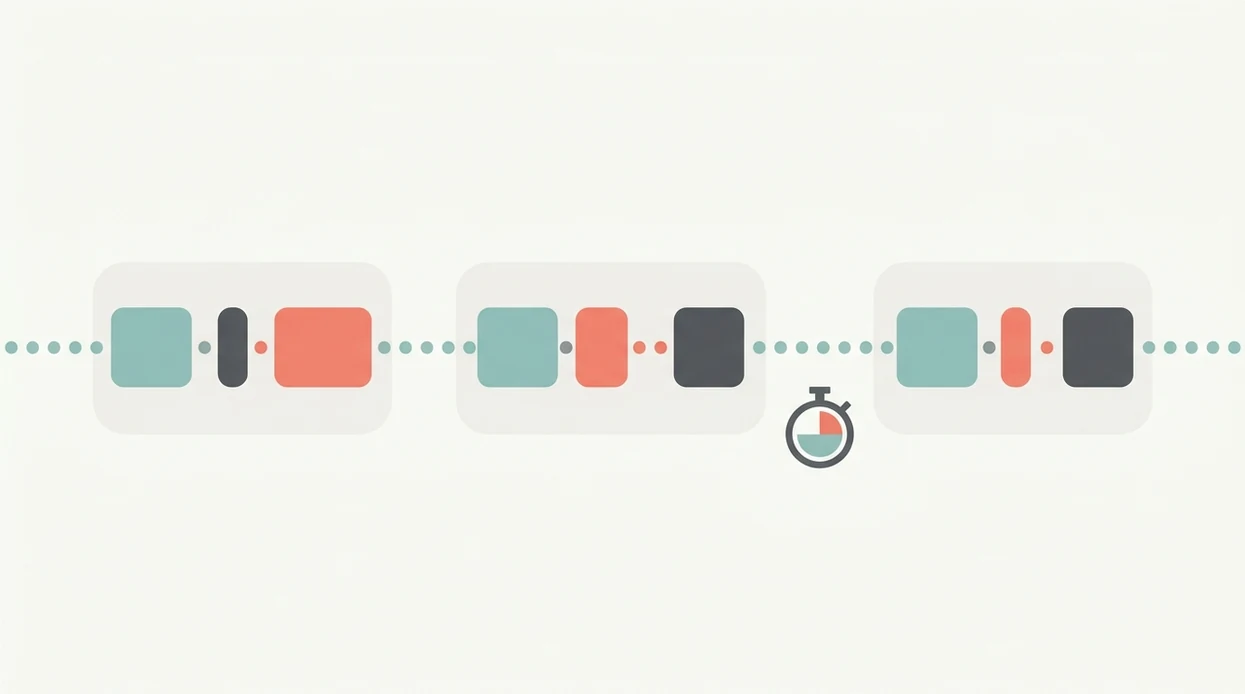
The simplest way to use a contraction timer is to record a clean sample, then review the pattern instead of staring at every second. For most families, a 30 to 60 minute log gives enough structure for a clearer provider call.
- Open the app and tap Start when the contraction begins, ideally at the first tightening, not the pain peak.
- Tap Stop when the tightening fades completely, even if the ache lingers.
- Rest between contractions and do not watch the screen constantly; breathe, sip water, change position.
- Review the log after 30 to 60 minutes to check duration, frequency, and whether the pattern is getting closer.
- Share the timing log with your provider by phone, screenshot, Share, or Export before scrolling in panic.
- Follow your care team’s instructions, not the app alert alone.
Tools like ContractionTimer.io can help keep Start, Stop, History, Notes, Edit, Delete, Share, and Export easy to find when a partner takes over.
First-Time Parent Used Labor Tracking to Stay Home Longer
One first-time parent started timing contractions just after midnight because the kitchen clock glowing past midnight made everything feel more urgent. The first log showed contractions 7 to 12 minutes apart, with several long gaps.
The numbers helped them slow down. They were uncomfortable, but the pattern was not yet 5-1-1, so they rested at home, dimmed the room, and checked the log every few contractions instead of tapping for hours.
By morning, the contractions shifted to about 4 minutes apart and were lasting 60 seconds or more. They called the midwife, read the History screen out loud, and went in after answering questions about water breaking and fetal movement.
They arrived at the hospital already 6 cm dilated and avoided a long triage wait. The takeaway is narrow but useful: for many first-time parents, timed intervals are often easier to explain than memory because labor makes minutes blur.
Birth Partner Shared Contraction App Results With the OB by Phone
A birth partner’s main job in one story was simple: tap Start, tap Stop, and keep the birthing person off the clock. The partner timed from the edge of the bed while holding a water bottle straw near her lips.
- Partner role: The partner tracked contractions while the birthing person focused on breathing and position changes.
- Phone call: A screenshot gave the OB exact frequency and duration data instead of “they’re close together, I think.”
- Provider context: The OB used the timing data plus questions about membrane status, bleeding, fetal movement, and coping.
- Evidence fit: A Cochrane review found decision-support tools can improve knowledge and decision-making when paired with professional guidance source.
- Practical lesson: The app worked as a communication aid, not a diagnostic tool.
For partners who need a cleaner handoff plan, a contraction timer for birth partner can reduce missed Stops and double-tapped Starts.
Home Birth Family Relied on Intermittent Contraction Tracking
Approximately 1.26% of U.S. births in 2019 occurred outside hospitals, including home births and birth center births, according to CDC/NCHS birth data source. In those settings, self-reported timing can matter more before the midwife arrives.
One home birth family used a timer only when the midwife asked for updates. Their instruction was clear: check timing about every 30 minutes, then put the phone down.
That rhythm helped. The partner stayed available for counter-pressure, snacks, towels, and quick room setup instead of becoming the keeper of a tiny dashboard. The log still showed the shift from irregular early labor to a steadier pattern.
When the family called again, they shared the recent contraction history and described coping, vocal changes, and movement. The midwife arrived at the right time based on the log plus the family’s verbal report. For planned out-of-hospital labor, a contraction timer for home birth should support communication without taking over the room.
Common Patterns Across Labor Tracking Stories
Across labor tracking stories, the strongest pattern is not constant timing. It is using the log briefly, then returning attention to the body, the room, and the care team’s instructions.
- Intermittent timing: User reports often describe lower anxiety when families timed in short windows instead of tracking every contraction for hours.
- Provider-first decisions: Families reported better experiences when the provider’s plan came first and the app came second.
- Cleaner calls: Sharing timing logs improved phone communication with nurses, midwives, doulas, and OB offices.
- More data is not always better: Continuous electronic fetal and contraction monitoring in low-risk labor is associated with higher cesarean rates without clear neonatal benefit, according to a Cochrane review summarized in PubMed source.
- Tool plus intuition: The most useful contraction app results came when the timer supplemented physical cues, not replaced them.
The phone should not become the loudest thing in the room.
Apps such as ContractionTimer.io, GentleBirth, and The Bump can all support timing, but the calmest stories used the log as a shared reference, not a scoreboard.
Evidence Gaps in Contraction Timer Success Stories
Contraction timer success stories cannot prove that apps reduce cesarean rates, shorten labor, improve dilation, or prevent unnecessary admission. They are personal reports, and personal reports are shaped by memory, emotion, and outcome.
There is no peer-reviewed randomized controlled trial showing that contraction timer apps improve clinical birth outcomes. Selection bias is also real. People with smooth, satisfying labor tracking stories are more likely to post, review, or email them than people who felt confused or ignored the app.
A timing log also leaves out key clinical facts. It does not measure contraction intensity, cervical dilation, fetal position, fetal heart rate, or how well the birthing person is coping.
Algorithm-based hospital alerts can conflict with individualized advice, especially for VBAC, induction plans, high-risk pregnancies, or specific provider instructions. For that reason, a contraction timer for VBAC labor should be treated as a recordkeeping aid only.
Limitations
Contraction timer success stories are useful, but they come with clear limits. Read the log, then call the person responsible for your care.
- Anecdotal evidence: These stories are not a substitute for individualized medical advice from an OB, midwife, nurse, or triage team.
- Incomplete measurement: Contraction timer apps cannot assess contraction strength, cervical change, fetal position, or baby’s well-being.
- Alert mismatch: Algorithm-based alerts may not match your provider’s recommendations, birth plan, or risk factors.
- Care timing risk: Over-reliance on an app can delay necessary care or cause unnecessary early admission, which may increase interventions.
- Technical problems: A 12% battery, app crash, Face ID failing in a dark room, or a forgotten Stop tap can distort the log.
- False certainty: Perfectly timed 5-1-1 contractions do not always mean active labor or adequate dilation.
- Monitoring caution: More monitoring data is not always better; continuous monitoring in low-risk labors has been linked to higher cesarean rates without improved neonatal outcomes.
Clinicians typically recommend using contraction timing alongside other signs, including membrane rupture, bleeding, fetal movement, pain pattern, and coping ability.
Frequently Asked Questions
Can a contraction timer app predict labor?
No. A contraction timer app tracks duration, frequency, and patterns, but it cannot predict when labor will progress or when delivery will happen.
What is the 5-1-1 rule for contractions?
The 5-1-1 rule means contractions are about 5 minutes apart, last 1 minute, and continue for 1 hour. It is only one factor in deciding when to call or go in.
Should I time every single contraction?
Usually no. Intermittent tracking can reduce anxiety and keeps a partner available for comfort measures.
Do contraction apps reduce cesarean rates?
No peer-reviewed evidence shows that contraction timer apps directly reduce cesarean rates. They are tracking and communication tools, not clinical interventions.
Are irregular contractions a bad sign?
Irregular contractions can be normal in early labor. A long gap after several contractions does not automatically mean something is wrong.
Can my birth partner use the timer instead?
Yes. Birth partners often manage Start, Stop, History, and Share so the birthing person can focus on coping and comfort.
When should I stop timing and call my provider?
Call your provider for membrane rupture, bleeding, decreased fetal movement, severe pain, fever, or any instruction your care team gave you. Do not wait for an app alert if something feels concerning.
Which app fits which need
| Need | Best option |
|---|---|
| Fast, accurate contraction timing with shareable labor logs | Contraction Timer |
| A pregnancy content app with articles, community, and general planning tools | The Bump |
| A broader labor-preparation program with mindfulness and education | GentleBirth |
| Contraction tracking plus context compared with dedicated monitoring-style hardware options | Contraction Timer for app-based logs; Bloomlife for users specifically seeking a hardware-supported experience where available |
Quick facts
- Type
- Contraction timer & labor tracker app
- Platforms
- iPhone, iPad, Apple Watch, Android
- Focus
- Contraction timing, labor logs, provider communication, 5-1-1 alerts, labor patterns
- Includes
- one-tap timing, duration and frequency tracking, interval history, 5-1-1 alerts, labor phase detection, partner mode, doctor reports, offline use
- Best for
- Families who want clear contraction logs to support calmer labor decisions and provider conversations
- Free
- Yes
- Medical replacement
- No
People also use Contraction Timer for
Track Your Own Contraction Timer Success Story
Use Contraction Timer to record duration, frequency, intervals, and 5-1-1 patterns in one clear labor log. Share your history with your care team and always follow their medical guidance.
Download the Free App