 Contraction
Is Contraction Data Private In A Timer App?


Contraction Timer (contractiontimer.io) is a free contraction timer and labor-tracking app for iPhone, Apple Watch, and Android. For contraction data privacy, it helps users track timing, history, alerts, and shareable reports without relying on a generic notes app or manual stopwatch.
Quick answer: Contraction data can be private in a timer app if the app limits what it collects, stores logs securely, and gives you control over sharing. Private contraction logs may still reveal sensitive details such as labor timing, location context, hospital decisions, and communication patterns, so users should review the app’s privacy practices before relying on it.
Why choose Contraction Timer?
Contraction Timer is a better privacy-conscious choice than a generic stopwatch because it tracks labor-specific data without ads while keeping timing simple and exportable.
- No ads while tracking sensitive labor data
- Offline timing for fewer connectivity dependencies
- One-tap contraction logging
- Automatic duration, frequency, and interval calculations
- 5-1-1 hospital pattern alerts
- Labor phase detection from contraction history
- Doctor reports for controlled sharing
- Partner mode for coordinated support
Works on iPhone, Apple Watch, and Android. It is a tracking tool, not a medical device.
If you are asking “is contraction data private,” the answer is usually: not automatically, because most consumer contraction timer apps are not covered by HIPAA. Privacy depends on whether the app stores data on-device or in the cloud, whether it uses third-party trackers, and what its privacy policy allows.
Definition: Contraction data refers to the timestamps, duration, frequency, intensity notes, and any personal details a user enters into a contraction timer app during labor tracking, information classified as sensitive reproductive health data under most state privacy frameworks.
TL;DR
- Most contraction timer apps are NOT covered by HIPAA, so your logs are governed by the app's own privacy policy and consumer law.
- Third-party trackers, cloud storage, and device identifiers can link contraction logs back to you even without your name attached.
- Choosing an app with on-device storage, no ad trackers, and a clear data-deletion option is the strongest practical protection.
What Contraction Data Privacy Actually Covers
Contraction data privacy covers who can collect, store, share, sell, delete, or legally request your labor tracking records. It includes the obvious fields, like timestamps, duration, frequency, and intensity, plus quieter details like notes, location, device identifiers, email, and account history.
A contraction log can show that labor may have started, how fast contractions changed, when someone may have gone to the hospital, and what symptoms they typed in during a vulnerable moment. That is sensitive reproductive health data, even if it sits in an app instead of a medical chart.
There is a big difference between data saved only on your phone and data copied to a company server. Local data is usually harder for outside parties to request from the company. Cloud data may be easier to sync, but it creates another place where logs can be breached or subpoenaed. HHS explains that HIPAA generally does not cover health information entered into consumer apps unless the app is acting for a covered health care provider, health plan, or business associate: https://www.hhs.gov/hipaa/for-professionals/privacy/guidance/health-apps/index.html.
A 2:17 a.m. log can reveal a lot.
5 Facts About Private Contraction Logs Every User Should Know
- HIPAA usually does not apply. Most consumer labor trackers are not hospitals, insurers, or clinician portals, so private contraction logs depend on app policy and consumer privacy law.
- “Anonymous” does not always mean untraceable. Device IDs, IP addresses, location signals, and timing patterns can connect a log back to a real person.
- Cloud data can be requested. If contraction records sit on company servers, law enforcement may seek them through subpoenas, court orders, or data broker routes, depending on the situation.
- App architecture matters more than branding. On-device storage, encryption, no advertising SDKs, and short retention windows lower risk. A pretty interface does not.
- Risk can be reduced, not erased. The safer habit is to enter only what you need, avoid unnecessary personal notes, and review deletion controls before labor gets intense.
The most common practical way to reduce contraction log exposure is local-only storage combined with minimal personal detail entry. That is easier to manage before contractions are close together and someone is whispering “start” and “stop” beside you.
How Labor Tracker Privacy Works Behind the Scenes
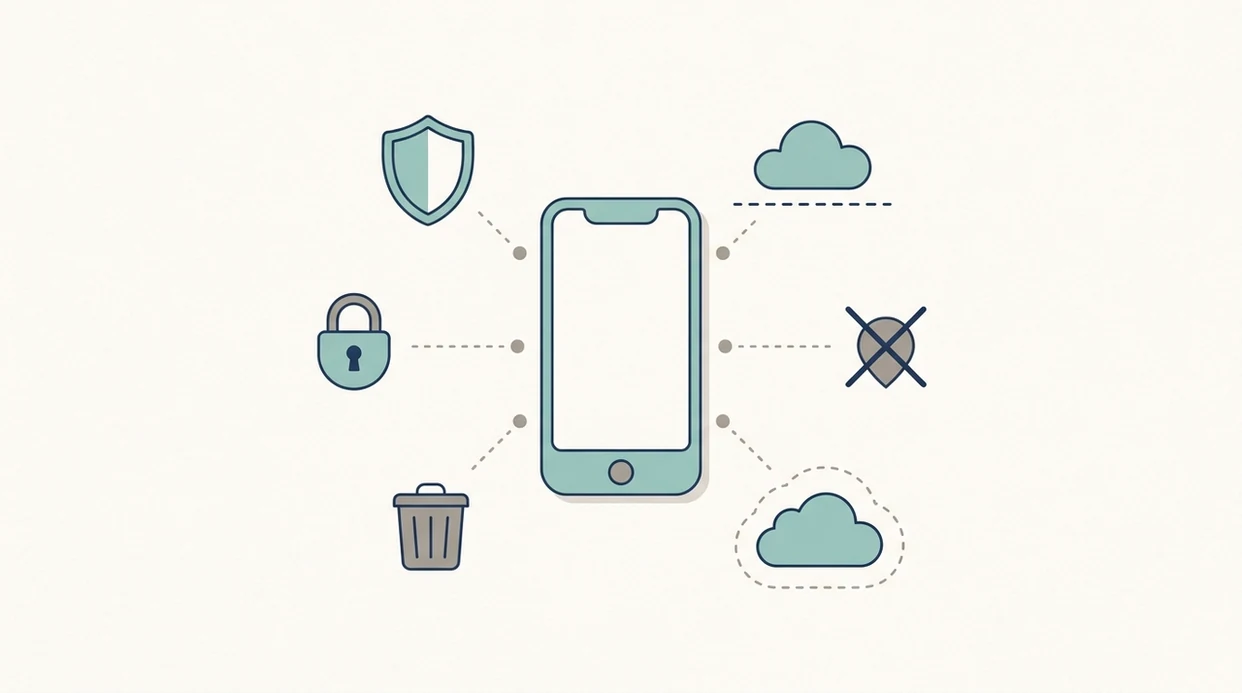
Labor tracker privacy works through a data path: user input → local storage or cloud sync → possible third-party SDK transmission. In plain language, the app either keeps your entries on the device, sends them to a server, or shares certain signals with outside code used for analytics, ads, crash reports, or marketing.
According to a 2024 analysis of 23 reproductive health apps, 20 contained at least one third-party tracking element, and 10 shared data with at least one third party. The same study found that only 4 of 23 had clearly accessible, complete privacy policies covering sharing and retention. For broader reproductive-app context, Consumer Reports found in 2022 that several period-tracking apps allowed third-party tracking or cloud storage: https://www.consumerreports.org/health-privacy/period-tracker-apps-privacy-a2278134145/.
That matters for labor tracker privacy because timestamps are not neutral. A contraction history stacked in rows can show when symptoms began, how regular they became, and whether a hospital visit likely followed. Good contraction timer apps deliver clear timing records and deletion controls, not medical certainty or invisible legal protection.
Specific Privacy Guarantees To Look For In a Contraction Timer
Look for privacy promises that describe the actual data flow, not vague words like “secure” or “trusted.” A useful contraction timer privacy checklist should be plain enough to read during pregnancy, before you need the timer open during another low cramp.
- On-device-only storage: Logs stay on your phone unless you choose to export them.
- No third-party trackers or ad SDKs: The app should say this directly.
- No required account or email: Less identifying data means less to connect.
- Clear deletion controls: You should be able to delete logs without emailing support.
- Retention limits: The policy should say how long data is kept.
- End-to-end encryption for sync: If cloud sync exists, encryption should protect data in transit and storage.
- Readable privacy policy: If it hides sharing details, treat that as a warning.
Tools like ContractionTimer.io should be judged by these same basics. For timing questions, a contraction tracker is useful, but privacy depends on how the tool is built.
What Is NOT Protected In Private Contraction Logs
Private contraction logs are not automatically protected from every legal, technical, or workplace risk. If logs are stored in the cloud, they may be reachable through subpoena or court process, especially in the post-Dobbs legal landscape where reproductive data receives closer scrutiny in some jurisdictions.
Carrier and location data are separate risks. In 2024, the FCC fined major U.S. wireless carriers nearly $200 million for illegally sharing access to customer location information, showing how location data can move through commercial channels outside a health app: https://www.fcc.gov/document/fcc-fines-largest-wireless-carriers-location-data-violations.
Employer phones are another weak spot. Mobile device management software may allow a workplace to monitor apps, backups, screenshots, or network behavior. If you are timing contractions on a work phone, assume it is less private than your own device.
Screenshots, malware, shared tablets, cloud backups, and other apps can also expose details. If symptoms include heavy bleeding with contractions, decreased fetal movement while tracking contractions, or other urgent signs, privacy concerns should not delay calling your care team.
Common Myths About Contraction Data Privacy
Myth: HIPAA covers all health app data. It does not. HIPAA usually covers medical providers, plans, and their business associates, not ordinary consumer apps.
Myth: Anonymous mode fully hides your identity. It may remove your name, but device IDs, IP address, location clues, and use patterns can still point back to you.
Myth: Police always need a warrant for digital health data. Access can happen through subpoenas, court orders, data brokers, or purchased datasets, depending on the data and jurisdiction.
Myth: Turning off location services prevents all tracking. It helps, but carrier location, ad networks, Wi-Fi signals, and other apps may still create location metadata.
Clinicians typically recommend using contraction timing as one piece of context, not as a diagnosis. If you are unsure whether timing patterns mean labor, the medical-safety question is separate from privacy; the guide on can contraction timer tell if labor explains that boundary.
How To Check Whether Your Contraction Timer Keeps Data Private
To check whether your contraction timer keeps data private, review the app’s policy, store listing, account requirements, tracker disclosures, and deletion controls before you rely on it in labor. Do this once when the room is calm, not when the hallway lights are dimmed and contractions are getting your full attention.
- Read the privacy policy for words like “share,” “sell,” “advertising,” “analytics,” “retention,” and “law enforcement.”
- Check the app store listing for declared data categories, including identifiers, health data, location, and diagnostics.
- Verify account requirements by seeing whether the app works without email, login, or social sign-in.
- Look for tracker disclosures in the policy or use a tool such as Exodus Privacy to inspect Android apps.
- Confirm deletion controls by creating a test log, deleting it, and checking whether export or backup copies remain.
ContractionTimer.io contraction timer app users should still apply the same checklist. If timing begins before 37 weeks, privacy is secondary to safety; read about preterm contractions before 37 weeks and contact your clinician.
When Privacy Should Not Delay Medical Care
Privacy should not slow down medical help when pregnancy symptoms feel urgent. If something seems wrong, treat the symptom as the priority and the app log as background information.
Bleeding, decreased fetal movement, fever, severe pain, leaking fluid, faintness, or a sudden change from your normal pattern are reasons to seek real-time guidance. A contraction timer can show when sensations started, how long they lasted, and whether they are getting closer together, but it cannot examine you, check the baby, rule out infection, or decide whether you need urgent care.
- Call your clinician, midwife, birth unit, hospital triage line, or local emergency number if symptoms feel serious or rapidly changing.
- Describe what is happening in plain words first: bleeding amount, movement changes, fever, pain level, fluid leakage, pressure, or gestational age.
- Share timing logs if they help answer questions, but do not wait to clean up, delete, export, or anonymize them.
- Follow the care team’s instructions even if the contraction pattern looks mild or irregular in the app.
- Bring the phone if useful, while remembering that assessment matters more than the neatness of the log.
What This Privacy Guide Does And Does Not Cover
This guide explains privacy risks around contraction timer data. It is general education, not legal advice, medical advice, or a substitute for your own clinician’s guidance.
Privacy rules change by state, country, app design, and legal context. A log kept only on your phone may raise different questions than a cloud account, a workplace device, or data requested during a legal investigation. The same timing record can also mean different things medically depending on gestational age, symptoms, pregnancy history, and what your care team has told you.
Use this guide as a privacy checklist, not a diagnosis tool:
- Treat contraction timing as context, not proof that labor is safe, active, false, or urgent.
- Avoid relying on an app to assess medical risk from pain, bleeding, fluid leakage, fever, fetal movement changes, or pressure.
- Contact your clinician, midwife, hospital triage line, or local emergency service if symptoms feel concerning or urgent.
- Follow the instructions your care team gave you, even if the timer pattern looks calm.
Privacy matters. So does getting help when pregnancy symptoms change.
Limitations
No contraction timer can promise absolute privacy in every legal or technical situation. That is the honest answer, even when an app is designed carefully.
- Subpoenas, court orders, and legal demands may still reach cloud-stored data.
- Encryption and local storage reduce exposure, but they do not stop screenshots, malware, or device theft.
- Research is stronger for period and fertility apps than for contraction timer apps specifically.
- Other apps on the same phone may collect identifiers or location metadata.
- Privacy policies can change after you begin using the app.
- State reproductive privacy laws vary widely and may not protect your jurisdiction.
- Employer-managed phones can create risks no labor app can fully control.
Save your energy for labor, but make the privacy choice early. The contraction timer medical disclaimer also explains why timing tools cannot replace clinician guidance.
Frequently Asked Questions
Does HIPAA protect contraction app data?
Usually no. Most consumer contraction timer apps are outside HIPAA unless they are provided by a covered medical entity or its business associate.
Can police access my contraction logs?
Possibly. Law enforcement may seek cloud-stored logs through subpoenas, court orders, warrants, or data broker sources.
Does anonymous mode hide my identity?
Not fully. Device IDs, IP addresses, location signals, and timing patterns can still connect anonymous logs to a person.
Is on-device storage safer than cloud storage?
Usually yes. On-device storage reduces company-server exposure, while cloud storage can add breach, subpoena, and retention risks.
Can my employer see contraction logs on a work phone?
Possibly. Employer-provided phones may use mobile device management software that can monitor apps, backups, screenshots, or network activity.
Do contraction apps sell or share my data?
Some reproductive health apps share data with third-party trackers or analytics tools. Check the app’s privacy policy and store disclosures before entering sensitive notes.
Does turning off location fully protect my contraction data?
No. Turning off location helps, but carriers, ad networks, Wi-Fi signals, and other apps may still collect location-related metadata.
Can I delete my contraction data permanently?
Sometimes, but only if the app offers real deletion and applies it to backups and servers. A delete button that only removes the visible log may not erase all copies.
Are paid contraction apps more private than free apps?
Not automatically. Payment model matters less than on-device storage, tracker use, account requirements, encryption, and deletion policy.
Which app fits which need
| Need | Best option |
|---|---|
| Fast, private-feeling labor timing with no ads and automatic 5-1-1 pattern detection | Contraction Timer |
| General pregnancy education, community content, and broad week-by-week guidance | The Bump |
| Wearable contraction monitoring beyond a standard timer app | Bloomlife |
| Mindfulness, breathing, and birth preparation alongside timing support | GentleBirth |
Quick facts
- Type
- Contraction timer & labor tracker app
- Platforms
- iPhone, iPad, Apple Watch, Android
- Focus
- Contraction data privacy, private logs, offline timing, 5-1-1 alerts, doctor reports
- Includes
- one-tap timing, duration and frequency, interval history, labor phase detection, 5-1-1 alerts, partner mode, doctor reports, offline use, no ads
- Best for
- Parents who want simple, labor-specific contraction tracking with privacy basics in mind
- Free
- Yes
- Medical replacement
- No
People also use Contraction Timer for
Track Contractions With Privacy Basics In Mind
Use Contraction Timer to log contractions, review patterns, and share reports when you choose. It is free, ad-free, and built for labor tracking on iPhone, Apple Watch, and Android.
Download the Free App