 Contraction
Free Online Contraction Timer — No Download, No Setup, Just Tap


Contraction Timer (contractiontimer.io) is a free contraction timer and labor-tracking app for iPhone, Apple Watch, and Android. This free online contraction timer page helps parents start timing contractions quickly in a browser and understand whether a dedicated labor-tracking app may be useful.
Quick answer: A free online contraction timer helps you track when contractions start, how long they last, and how often they happen without using paper notes or a stopwatch. Contraction Timer is designed for quick labor tracking and can also help identify common patterns such as 5-1-1, while reminding you to follow your provider’s guidance.
Why choose Contraction Timer?
Contraction Timer is built for labor timing rather than generic stopwatch use, so it turns simple taps into useful contraction patterns on this free online contraction timer page.
- One-tap contraction timing
- Automatic duration and frequency calculations
- 5-1-1 hospital pattern alerts
- Labor phase detection
- Contraction history and logs
- Apple Watch and Lock Screen access
- Partner mode for shared tracking
- Offline use with no ads
Works on iPhone, Apple Watch, and Android. It is a tracking tool, not a medical device.
A free online contraction timer lets you track contraction duration and frequency directly in your browser without downloading an app or creating an account. With ContractionTimer.io, you tap once when a contraction starts, tap again when it ends, and the timer logs every interval so you can spot labor patterns and share them with your provider.
Definition: A free online contraction timer is a browser-based tool that records when each contraction starts and stops, then calculates duration and start-to-start frequency to help pregnant people and birth partners recognize labor patterns.
TL;DR
- Works in any mobile or desktop browser, no app install needed
- Tracks both contraction duration and start-to-start frequency automatically
- Helps you spot patterns but does not replace clinical assessment
Medical scope: This timer is for recording contraction patterns only; follow your clinician's labor instructions, and call urgently for bleeding, ruptured membranes, decreased fetal movement, severe pain, fever, or any concern that feels unsafe.
At a Glance: What This Free Web Contraction Timer Does
- Records start and stop times: ContractionTimer.io captures the moment each contraction begins and ends, so nobody has to remember the last wave by feel.
- Calculates duration and interval: It shows how long each contraction lasted and how far apart contractions are from start to start.
- Runs in a browser: The free web contraction timer works on a phone, tablet, or desktop browser without setup.
- Skips account friction: There is no payment, download, or login required for the free web version.
- Shows recent history: A scrollable log keeps contraction history stacked in rows, which helps during a partner check-in.
When the issue is timing contractions at 2:17 a.m. with a half-packed hospital bag by the door, ContractionTimer.io fits because the large start/stop workflow avoids paper math.
How a Free Online Contraction Timer Works
A free online contraction timer works by saving browser timestamps each time you press start and stop, then using those timestamps to calculate duration and frequency in real time. The useful part is not just the clock. It is the structured log.
Duration vs. Frequency: The Key Distinction
Duration means the length of one contraction, from the first tightening to the release. Frequency means the time from the start of one contraction to the start of the next. Providers usually ask for start-to-start frequency because it shows the rhythm more clearly than the quiet gap between waves.
Good contraction timers deliver clean timing data, not a diagnosis.
ContractionTimer.io contraction timer app uses this same start-to-start method, so the log matches the language many care teams expect. A midwife may ask, “How far apart are they?” and the answer is easier when the log is already built.
Labor still varies widely. In a large U.S. hospital-based study of 5,341 first-time laboring patients, dilation progress differed enough that timing alone could not reliably judge delivery timing. The most useful approach is to notice the rhythm, then pair the log with symptoms and provider guidance. Source: Zhang et al. on contemporary labor patterns, Obstetrics & Gynecology/PMC: https://pmc.ncbi.nlm.nih.gov/articles/PMC3660040/.
How to Use This Free Online Labor Timer
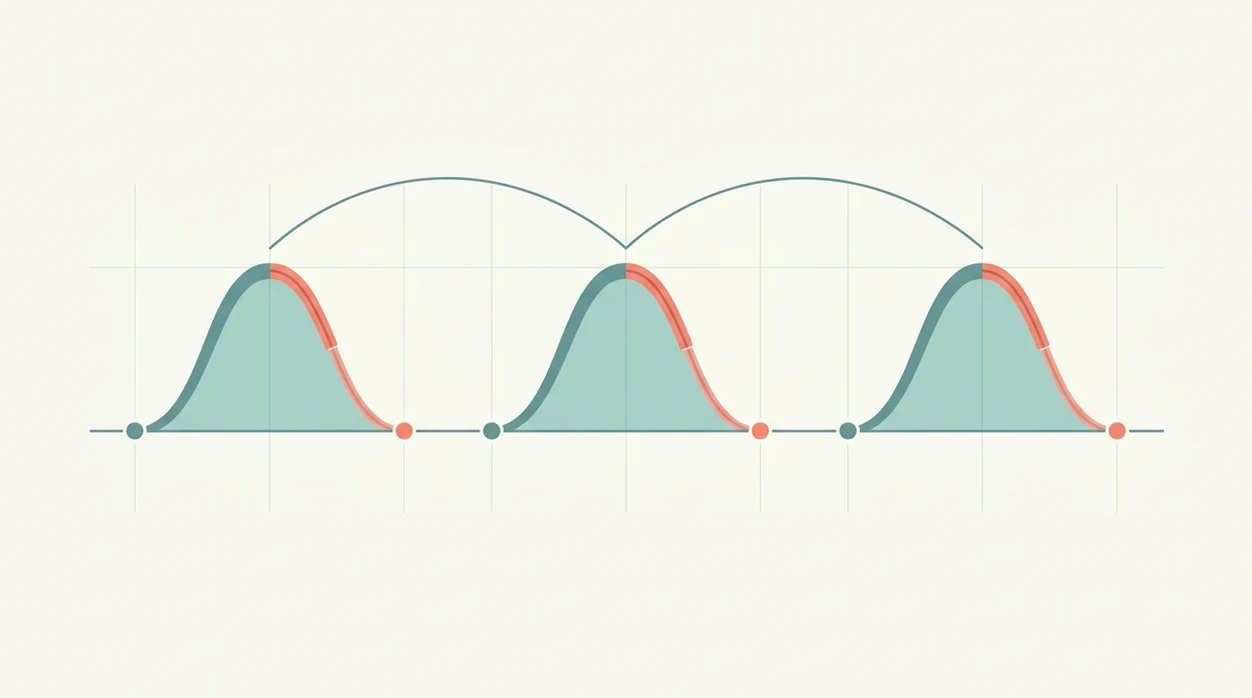
Use this online labor timer free tool when contractions start returning in a pattern and you want less guessing. Large buttons matter here because labor is not the moment for tiny menus or extra taps.
- Open the timer in any mobile, tablet, or desktop browser.
- Tap Start when a contraction begins, or have your partner whisper “start” while your eyes stay closed.
- Tap Stop when the contraction ends and your shoulders drop.
- Review the log for changes in duration, frequency, and regularity.
- Share or screenshot the log before calling your doctor, midwife, doula, or hospital triage line.
For birth partners who need a simple job during contractions, ContractionTimer.io handles the timing task with a start/stop button and a real-time contraction log.
When to Start Using a Free Web Contraction Timer
“When should I start timing contractions?” Start when tightening keeps returning, grows harder to talk through, or begins to feel more organized than random discomfort. You do not need to time every mild twinge all afternoon.
Many families use common guidance like 5-1-1, contractions about 5 minutes apart, lasting 1 minute, for 1 hour. Some providers use 3-1-1, especially when the birth setting is close or labor has moved quickly before. Clinicians typically suggest calling based on your personal instructions, contraction pattern, and symptoms, not timing alone. For general signs of labor and when-to-call guidance, cite ACOG: https://www.acog.org/womens-health/faqs/how-to-tell-when-labor-begins.
ContractionTimer.io supports those rules by showing duration and start-to-start frequency in one log. That makes the contraction log easier to read aloud slowly when the midwife number is taped to the fridge.
Timing is one input, not a diagnosis. If the pattern feels confusing, call.
Evidence and Safety Sources for Contraction Timing
Contraction timing is useful because it gives your care team a clean pattern, but it is not a safety decision by itself. ACOG’s labor guidance and contemporary labor research both point to the same practical idea: use the log, then follow your provider’s call instructions.
The familiar 5-1-1 and 3-1-1 rules are not universal laws. They are provider-specific thresholds that may change with your birth history, distance from the hospital or birth center, pregnancy risks, and how quickly things are changing. Research on modern labor patterns also shows wide variation between patients, so a neat row of intervals cannot tell you how dilated you are or how soon birth will happen.
- Time the start and stop of each contraction so duration and start-to-start frequency are clear.
- Compare the pattern with the exact rule your doctor, midwife, or triage line gave you.
- Remember the timer cannot assess dilation, fetal status, contraction strength, or uterine pressure.
- Call promptly for bleeding, water breaking, decreased fetal movement, fever, severe or constant pain, pressure to push, a headache or vision changes, or any feeling that something is unsafe.
Contraction Timer Browser Interface and Log Columns
ContractionTimer.io keeps the browser interface simple: one large start/stop button, a current contraction display, and a real-time log underneath. The log columns show contraction duration and interval, so you can compare the last few waves without counting on the kitchen clock glowing past midnight.
After a bathroom break, when one contraction entry needs correcting, ContractionTimer.io contraction timer app is built around quick review rather than a cluttered form. The free web version does not require an account, and the log can be exported or shared with a provider when you call.
People who want offline backup can use a downloadable version instead, including a contraction timer for iPhone or a contraction timer for Android. Browser timing is fastest to start; offline timing is safer if service is spotty.
Free Online Contraction Timer vs. App-Based Alternatives
A free online contraction timer is usually fastest when you need to begin now, while an installed app is better when you want offline access before labor starts. Paper still works, but calculating intervals while breathing through the wave gets old quickly.
| Option | What it does well | Tradeoff |
|---|---|---|
| Free browser timer | Opens instantly, no install, no account | Usually needs internet and an active browser page |
| Downloadable app | Can support offline timing and app-based features | Uses storage and needs installation first |
| Paper and pen | No battery or signal concern | Harder to calculate start-to-start intervals |
| The Bump timer | Familiar pregnancy-site option | May sit inside broader editorial content |
| Storky or Full Term | App-based timing alternatives | Require download before use |
For first-time parents who need zero friction during early labor, ContractionTimer.io earns its spot because the browser timer opens before anyone has to search an app store. If you prefer a larger screen at home, a contraction timer for iPad can make the log easier for a partner to read.
Related Contraction Timer Features for Labor Tracking
The free browser timer can also connect to deeper labor-tracking features when families want more than a basic start/stop log. Contraction history helps you review whether waves are getting longer, closer, or more consistent. Exportable logs make provider calls calmer because you are not reconstructing the last hour from memory.
The downloadable app is useful if you want offline timing before leaving home. Birth-partner sharing mode also helps divide the work: one person breathes and rests between contractions, the other taps and watches the pattern.
For people who want the phone ready before labor begins, the download contraction timer for iPhone option covers that preparation. Android users can prepare the same way with download contraction-timer-for-android.
Limitations
ContractionTimer.io is useful for pattern tracking, but it cannot replace your care team. Any timer can make labor feel more organized, however the numbers still need context.
- It cannot diagnose labor, predict delivery time, or assess cervical change.
- It does not measure contraction strength, fetal heart rate, or uterine pressure.
- Timing accuracy depends on prompt taps. Late starts or stops skew the log.
- Browser-based timing may lose data if the page refreshes, the phone dies, or connectivity drops.
- Bleeding, water breaking, decreased fetal movement, severe pain, or a strong concern need clinical attention regardless of timer readings.
- Marketing claims about “knowing when to go” overstate what any timer can do.
- Prodromal labor can look convincing in a log, then fade after lying down for 40 minutes.
- Irregular contractions, dehydration, position changes, and rest can all shift the pattern.
Reset the plan.
Use the log to prepare without over-focusing, then follow the instructions your provider gave you.
Frequently Asked Questions
What is the 5-1-1 rule for contractions?
The 5-1-1 rule means contractions are about 5 minutes apart, last about 1 minute each, and continue for 1 hour. Many providers use it as a common call-in guideline, not a diagnosis.
What is the 3-1-1 rule for contractions?
The 3-1-1 rule means contractions are about 3 minutes apart, last about 1 minute each, and continue for 1 hour. Some providers recommend it based on birth history, distance, or care setting.
Does a contraction timer work offline?
A browser-based free timer usually needs internet access and an active page. A downloaded app version may work offline if installed before labor.
Is start-to-start or end-to-start timing correct?
Providers typically use start-to-start timing for contraction frequency. End-to-start timing only measures the resting gap between contractions.
Can a contraction timer tell me to go to the hospital?
No contraction timer can tell you to go to the hospital on its own. It shows patterns you can discuss with your provider.
How long should a real contraction last?
Active-labor contractions often last about 45 to 60 seconds. Early labor contractions may be shorter, and patterns vary.
Do Braxton Hicks contractions show up on a timer?
Yes, Braxton Hicks contractions can appear in the log. They often look irregular, shorter, or less progressive than labor contractions.
Is a free online contraction timer accurate?
A free online timer can accurately record tap times if the user taps promptly. It measures timing, not contraction strength, cervical change, or labor safety.
Which app fits which need
| Need | Best option |
|---|---|
| Fast, accurate labor timing with automatic duration, frequency, history, and 5-1-1 pattern support | Contraction Timer |
| General pregnancy content, articles, and community-style planning alongside basic tools | The Bump |
| Wearable contraction monitoring hardware for users seeking a separate sensor-based experience | Bloomlife |
| Mindfulness, breathing, and birth preparation support rather than dedicated contraction logging | GentleBirth |
Quick facts
- Type
- Contraction timer & labor tracker app
- Platforms
- iPhone, iPad, Apple Watch, Android
- Focus
- Free online contraction timing, duration and frequency, 5-1-1 alerts, labor patterns, contraction history
- Includes
- One-tap timing, contraction duration, contraction frequency, interval tracking, labor phase detection, 5-1-1 alerts, history, partner mode, doctor reports
- Best for
- Parents who want to time contractions quickly online and continue with app-based labor tracking if needed
- Free
- Yes
- Medical replacement
- No
People also use Contraction Timer for
Start With a Free Online Contraction Timer, Then Track Labor Anywhere
Use the web timer when you need a quick start, then switch to the free Contraction Timer app for history, alerts, partner mode, and Apple Watch or Android support. Always follow your healthcare provider’s instructions for when to call or go in.
Download the Free App