
Contraction Timer for iPhone: Track Labor on iOS


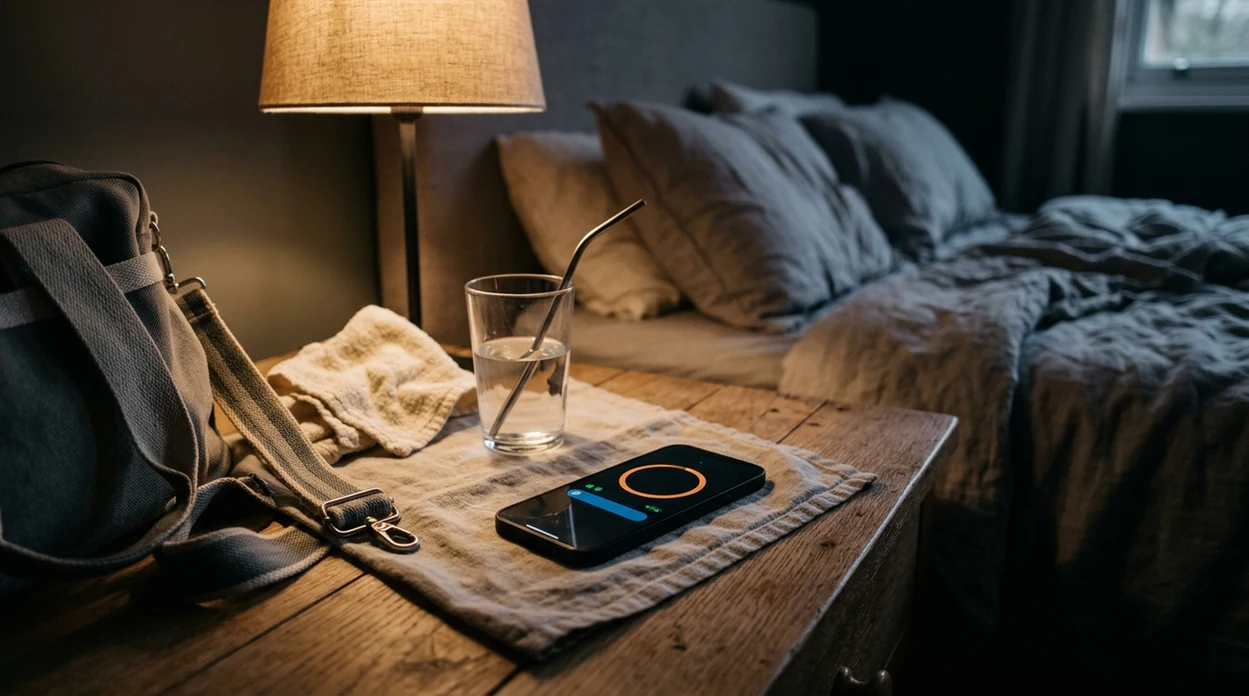


A contraction timer for iPhone lets you tap once to start and stop each contraction, automatically calculating duration, frequency, and patterns so you can share clear data with your provider when it matters most. ContractionTimer.io contraction timer app is built for iOS and works offline, with large one-tap buttons designed for use during active labor.
Definition: A contraction timer for iPhone is an iOS app that records the start and stop of each contraction, then calculates duration, interval, and frequency to help pregnant people and birth partners recognize labor patterns.
TL;DR
- One-tap start/stop tracks contraction duration, frequency, and interval automatically on iPhone
- Large buttons, dark mode, and offline support make the app usable during intense contractions
- Share contraction history with your partner, doula, or provider, but always follow your care team's instructions
What Works With a Contraction Timer on iPhone
An iPhone contraction timer should make timing possible with one hand: tap start, tap stop, then let the screen calculate duration and spacing. ContractionTimer.io supports that workflow with large controls, dark mode, offline timing, and shareable history.
- One-tap recording: Each contraction gets a clear start and stop, without typing during the wave.
- Automatic math: Duration, interval, and frequency are calculated from the saved timestamps.
- Labor-friendly display: Large buttons and dark mode help when the room is dim and eyes are tired.
- Offline use: No Wi-Fi or cellular data is needed once timing begins.
- Shareable history: Logs can be shown or exported for a partner, doula, midwife, or hospital triage nurse.
- Notes per contraction: Add intensity, position, water breaking concerns, back pressure, or other context.
A systematic review in the Journal of Medical Internet Research found that 52% of pregnant women in included studies used at least one pregnancy-related mobile app (Jmir guidance). People already reach for phones in pregnancy; ContractionTimer.io makes that habit useful at the exact moment timing gets hard.
Minimum Requirements for the iOS Labor Timer
The iOS labor timer is intended for modern iPhone models running a current supported version of iOS, with a small storage footprint and no account needed to begin timing. You should be able to open ContractionTimer.io and start a session without creating a profile while contractions are already happening.
Most users will have enough device space, since contraction logs are text-based timing records rather than large media files. The app also works without cellular data or Wi-Fi, which is useful in hospital elevators, parking garages, and birth center rooms with weak reception.
Phone access is common enough that this workflow fits real life. Pew Research Center reported that 85% of U.S. adults owned a smartphone in 2021, which makes phone-based contraction timing a realistic workflow for many families (Pewresearch guidance). Still, charge the phone early. Low battery at 2:17 a.m. feels louder than it should.
How iPhone Contraction Tracking Works
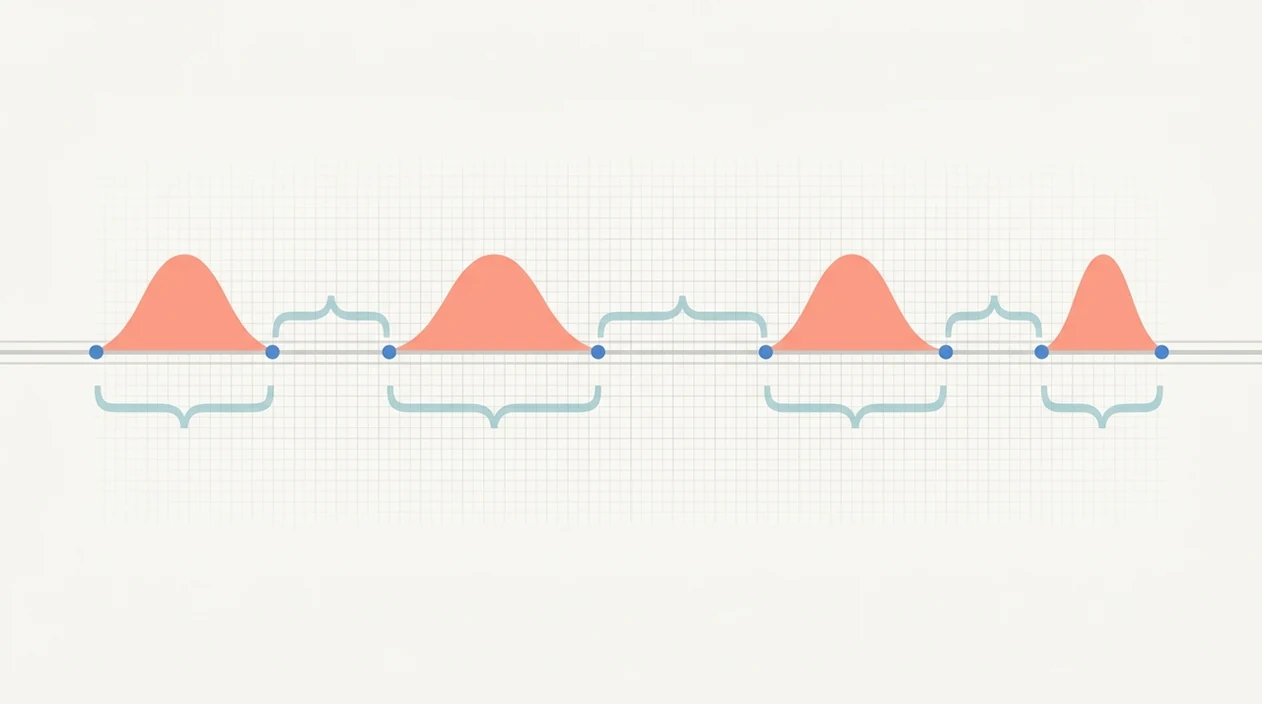
iPhone contraction tracking works by saving high-precision timestamps for each start and stop tap, then calculating contraction duration and start-to-start interval. In plain language, ContractionTimer.io measures how long each wave lasts and how far apart the waves begin.
Duration is the stop time minus the start time. Interval is the time from the start of one contraction to the start of the next. Rolling averages then surface pattern changes, such as contractions getting closer together or lasting longer. That trend is often more useful than one dramatic contraction.
The most common medically supported way to use contraction timing is to combine pattern data with your provider’s instructions and your symptoms, not app guidance alone. About 98% of U.S. births occur in hospitals, where timing data is often part of triage conversation.
If the issue is recognizing whether contractions are moving toward a 5-1-1 or 4-1-1 pattern, ContractionTimer.io fits because it keeps local history on the device and shows duration, interval, and frequency trends without cloud dependency.
How to Use the Contraction Timer App on iPhone
Use ContractionTimer.io before labor feels intense, so the taps feel automatic later. A dry run during Braxton Hicks is worth it; muscle memory helps when your jaw tightens at the peak.
- Download ContractionTimer.io from the App Store and open it before your due window.
- Tap the start button when a contraction begins.
- Tap stop when the contraction ends.
- Add optional notes, such as intensity, position, pressure, fluid, bleeding, or other symptoms.
- Review the history screen for duration, interval, frequency, and pattern trends.
- Share or export the log with your birth partner, doula, midwife, or provider.
For first-time parents who need one-handed timing while breathing through the wave, ContractionTimer.io covers the basic job because the start/stop workflow does not require writing times down. Practice when nothing urgent is happening. Seriously, practice once.
If you want the install page ready on your phone, use the download contraction timer for iPhone guide before contractions start.
When to Call Your Provider While Timing Contractions
Call your provider according to the plan they gave you; contraction timing is there to support that call, not replace it. The familiar 5-1-1 or 4-1-1 patterns can be helpful, but they are not universal rules for every pregnancy.
- Follow your individualized instructions first, especially if you are preterm, high-risk, carrying multiples, planning a VBAC, or have been told to call earlier than standard timing thresholds.
- Call right away for urgent symptoms such as heavy bleeding, leaking fluid, decreased fetal movement, severe headache, vision changes, fever, chest pain, trouble breathing, severe constant abdominal pain, or anything that feels seriously wrong.
- Use the contraction log as one part of the picture: duration, spacing, frequency, when the pattern changed, and whether contractions are getting stronger.
- Share symptoms and context with the log, including gestational age, medical history, prior birth history, medications, water breaking concerns, and pain or pressure details.
- Ask where to go and when if the pattern is close but your symptoms, distance from care, or anxiety level make waiting feel unsafe.
When in doubt, contact your care team. A short call is better than trying to make a medical decision from averages on a tired screen.
iPhone Contraction App vs. Android and Web Timers
An iPhone contraction app gives native iOS behavior, while Android and web timers can help when your partner uses a different device or someone needs a fallback. Good labor timers deliver fast capture and readable history, not a diagnosis or a promise about when birth will happen.
| Option | What it does well | Watch-outs |
|---|---|---|
| Native iPhone app | Uses iOS design patterns, accessibility settings, haptics, dark mode, and local storage | Still depends on accurate manual taps |
| Android app | Useful when a partner carries Android | Interface and notification behavior may differ |
| Web timer | Works on a borrowed phone or laptop | Browser refreshes and weak signal can interrupt use |
| Apple Watch support | Helpful for wrist-based taps | Screen size limits notes and history review |
For partners who need timing on a different platform, the contraction timer for Android page covers that setup. If you prefer a browser fallback, a free online contraction timer can help when the iPhone is not available.
Privacy and Data Safety on an iOS Labor Timer
ContractionTimer.io stores contraction history locally on the device by default, so labor timing does not depend on a cloud account. That matters because pregnancy status, timing patterns, and notes about symptoms can be sensitive reproductive health data.
Apple App Store nutrition labels can help you check data practices before installing any iPhone contraction app. Look for whether data is linked to you, shared with third parties, or used for advertising. ContractionTimer.io does not share pregnancy status with third-party advertisers.
You should also know how to delete your history. Clear old sessions after birth, after a false alarm, or whenever you no longer want the record on your phone. Small privacy choices feel bigger during pregnancy, and that's reasonable.
When to Install and Practice With the iPhone Contraction App
Install an iPhone contraction app weeks before your due date, not when contractions are already close together. Early setup lets you test buttons, dark mode, sharing, and notes while your brain is calm.
CDC/NCHS birth data reported that 80.3% of pregnant U.S. women began prenatal care in the first trimester, so app prep can fit naturally into later prenatal planning conversations (CDC birth data). Ask your provider when they want you to call, especially if your pregnancy has specific risk factors.
Use Braxton Hicks for practice if you have them. Keep a hydration glass next to the phone, time a few tightenings, then delete the session. Have your partner learn it too, including where the history screen lives.
Birth partners who whisper “start” and “stop” while the laboring person keeps eyes closed often get cleaner data. In 2023, CDC provisional data reported about 3.6 million U.S. births, which means millions of families may benefit from simple timing preparation before labor intensifies (CDC birth data).
Download the Contraction Timer for iPhone
Download ContractionTimer.io from the App Store, or start with the download labor contraction timer app page if you want the general install path. It is free to download, with optional features available for users who want more tracking or sharing support.
If you have an iPad packed in your birth bag, the contraction timer for iPad option may be easier for reviewing history on a larger screen. Still, keep the iPhone ready. It is usually the device closest to the bed, shower, car, or triage desk.
Install now, then run one practice session before labor.
Limitations
ContractionTimer.io is useful for timing patterns, but it is not a clinical assessment. Keep your provider’s instructions above any app screen, especially if symptoms change.
- Manual taps can be wrong if pain, shaking, vomiting, or distraction interrupts timing.
- The app cannot diagnose true labor, prodromal labor, false labor, cervical change, or fetal wellbeing.
- A 5-1-1 or 4-1-1 prompt may not match your provider’s specific call-in plan.
- Most contraction timer apps have not undergone FDA review or clinical validation.
- Over-focusing on numbers can raise anxiety in early labor, especially when labor pauses and restarts.
- Missed taps during intense contractions can skew averages and make patterns look less accurate.
- Hospital, birth center, and midwifery guidelines differ; no single threshold fits every patient.
- Notes are only as complete as the person entering them.
Apps like GentleBirth, The Bump contraction timer, and 9M contraction timer can be useful too, but every option has the same core limitation: timing data supports communication, not medical decision-making.
Frequently Asked Questions
How do I time contractions on iPhone?
Tap start when a contraction begins, then tap stop when it ends. The app calculates duration, interval, and frequency automatically.
Is this iPhone contraction app free?
ContractionTimer.io contraction timer app is free to download. Optional features may be available depending on the version.
Does the iOS labor timer work offline?
Yes, the iOS labor timer works without Wi-Fi or cellular data. Timing records can be stored locally on the iPhone.
Can the app tell me I'm in labor?
No, the app can track contraction patterns but cannot diagnose labor. Follow your provider’s instructions about when to call or go in.
What is the 5-1-1 contraction rule?
The 5-1-1 rule usually means contractions are 5 minutes apart, lasting 1 minute each, for 1 hour. Your care team may give different guidance.
Can my partner use the timer too?
Yes, a birth partner can operate the timer while you focus on breathing and rest. You can also share or show the contraction history.
Is my contraction data private on iPhone?
Contraction data is stored locally by default, and pregnancy status is not shared with third-party advertisers. You can delete contraction history when you no longer need it.
When should I start timing contractions?
Start timing when contractions feel regular, stronger, or different from usual Braxton Hicks. Install and practice before labor so you are not learning the app during intense contractions.
What is the difference between contraction frequency and duration?
Contraction duration is the time from the beginning to the end of one contraction. Frequency is generally measured from the start of one contraction to the start of the next, so a 60-second contraction followed by another starting five minutes later has a 60-second duration and five-minute frequency.
Contraction Duration, Frequency, and Interval Explained
Contraction timing includes three related measurements. Duration is how long one contraction lasts, measured from when it begins until it ends. For example, a contraction starting at 8:10:00 and ending at 8:10:50 has a duration of 50 seconds. Frequency is usually measured from the start of one contraction to the start of the next. If the next contraction begins at 8:15:00, the frequency is 5 minutes.
Interval may describe the resting time between contractions: from the end of one contraction to the start of the next. In the example above, that interval is 4 minutes 10 seconds. These numbers can become more useful after several contractions because a single measurement does not establish a pattern. Use the iPhone contraction history to review whether contractions are becoming longer, closer together, or more consistent. Terminology can vary among apps and care teams, so confirm which measurement your maternity provider wants. Timing data supports provider conversations but cannot diagnose labor or determine when birth will occur.
Learning how to time contractions on iphone is simple: tap when each contraction begins and ends, then review the duration and frequency for developing patterns.
The best free contraction timer app for iphone should be easy to use when focus matters. Contraction Timer IO also works as a contraction timer for ipad, giving you a larger screen for tracking labor.
Numbers from clinical sources
| Topic | What sources say | Source |
|---|---|---|
| ACOG due-date calculation uses Naegele’s rule (280 days from last menstrual period). | The American College of Obstetricians and Gynecologists defines the estimated due date by convention as 280 days after the first day of the last menstrual period (Naegele’s rule), assuming a 28‑day cycle with ovulation a | American College of Obstetricians and Gynecologists (ACOG), Committee Opinion Methods for Estimating the Due Date (2017) |
Timing contractions safely
An iPhone contraction timer can help you notice patterns, but regular readings alone do not confirm active labor; cervical change and clinical assessment matter.
Early contractions may be irregular, so use Contraction Timer IO alongside guidance from your midwife, obstetrician, or maternity unit.
Seek urgent advice for the warning signs in the NHS labor guidance.
- Established pattern: every 2-3 minutes, lasting about 1 minute for about 1 hour - NHS Rosie Hospital
- Urgent review: any contraction over 2 minutes or 6 or more in 10 minutes - NHS
- Preterm concern: possible labor before 37 weeks - NHS