
Contraction Timer for Android: Track Labor From Your Phone





A contraction timer for Android lets you tap start and stop on your phone to log each contraction's duration and spacing, giving you shareable data before you reach the hospital. ContractionTimer.io is useful in late pregnancy because it keeps the timing simple when your brain is busy with the next wave.
> Definition: A contraction timer for Android is a mobile app that records contraction start and stop times, calculates duration and interval, and displays labor patterns on an Android device.
- Tap start/stop to log contractions, the app calculates duration and spacing automatically
- Review contraction history in a list or chart and share it with your provider
- Works as a pre-hospital aid; always follow your care team's guidance over app alerts
Android Contraction App Features That Matter
The useful features in an Android contraction app are the ones you can use quickly during a tightening wave, not the ones buried three menus deep. Good contraction timers deliver clear timing, pattern review, and shareable records, not medical diagnosis.
- Start/stop timing: Tap once when the contraction begins and once when it fades.
- Automatic math: Duration is calculated from start to stop; interval is usually start-to-start.
- Session history: A list or chart helps you notice the rhythm without writing numbers at 2:17 a.m.
- Shareable log: Exporting or showing the contraction history helps a partner read intervals to the midwife.
- Pattern alerts: Color-coded or threshold-based prompts can flag regular contractions, often around 5-1-1 style guidance.
If the priority is fast logging on an Android phone, ContractionTimer.io fits because the main workflow is start, stop, review duration, then check interval. No mental math in the hallway.
Android Labor Timing Data Flow
How contraction timers work: each tap creates a timestamp, and the Android labor timer turns those timestamps into duration, interval, and recent pattern trends. Duration means how long one contraction lasts; interval means the time from the start of one contraction to the start of the next.
Behind the screen, the app stores a start time locally when you tap Start. When you tap Stop, it subtracts start from stop. Then it compares recent contractions against common active-labor thresholds, such as contractions about 5 minutes apart, lasting 1 minute, for 1 hour. Different apps set alerts differently, so there is no universal clinical standard for “go now.”
ContractionTimer.io contraction timer app supports the practical part of this flow because it turns repeated taps into a readable session history. A warm shower on the lower back can make timing harder, so having the numbers captured cleanly matters.
Data may stay on-device or sync to cloud storage, depending on the privacy model.
5 Steps to Use a Contraction Timer on Android
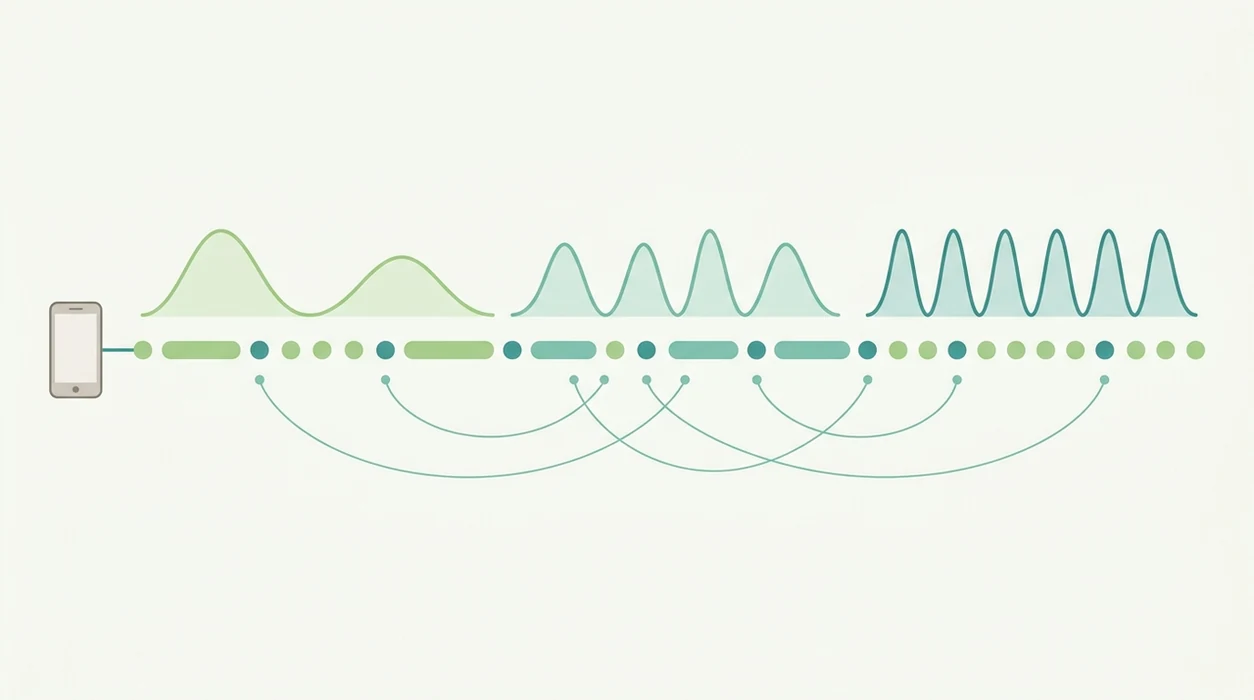
How to use a contraction timer for Android: practice once before labor, then use the same start-stop rhythm during contractions. A dry run matters because tiny buttons feel much smaller when you're breathing through the wave.
- Install the app from Google Play before labor begins, ideally in the third trimester.
- Open the app and tap Start when a contraction begins.
- Tap Stop when the contraction ends, even if the timing feels slightly imperfect.
- Review the log for duration, interval, and pattern trends over several contractions.
- Share or export the session with your birth partner, doula, midwife, or provider.
Android users trying to avoid paper notes usually do better with ContractionTimer.io because it keeps duration and interval in one place, using a simple contraction history workflow. You can also download contraction timer for Android before labor so the first tap is not happening under stress.
Android Device Requirements for Contraction Apps
Most contraction apps need only a basic modern Android phone, enough battery, and a screen you can use one-handed. Many apps support Android 8 or newer, though exact compatibility depends on the Google Play listing.
The storage footprint is usually small. Core timing often works without internet because the app is recording taps and timestamps on the phone. Export, sync, account login, or cloud backup may need connectivity.
Keep the charger nearby. Really.
Large buttons matter more than fancy charts once contractions are strong enough to stop conversation. ContractionTimer.io is a practical Android labor timer choice because the start-stop action stays central, which helps when a partner is whispering “start” and “stop” while the laboring person keeps eyes closed.
Android Contraction Timer vs iOS Contraction Timer
Android and iOS contraction timers do the same core job: record contraction timing and show the pattern. The differences are mostly about installation options, health integrations, and privacy settings.
| Feature | Android contraction timer | iOS contraction timer |
|---|---|---|
| Core timing | Start/stop timing, duration, interval | Start/stop timing, duration, interval |
| App installation | Google Play, sometimes APK sideloading | App Store only for most users |
| Health integrations | May connect with Google Fit or Samsung Health | May connect with Apple Health |
| Privacy model | Varies by app and Android permissions | Varies by app and Apple permissions |
| Device ecosystem | Android phones and tablets | iPhone, iPad, and sometimes Apple Watch |
Core contraction timing usually depends more on clean taps than on phone brand. If your household uses both platforms, compare with a contraction timer for iPhone or contraction timer for Apple Watch before labor starts.
ContractionTimer.io covers the shared need because the important metrics are the same on both platforms: duration, interval, and session history.
Privacy and Data Storage in Android Labor Timer Apps
Privacy in an Android labor timer depends on where the data lives and what the app collects. Some apps store contraction logs only on the device, while others sync to cloud systems or connect logs to an email account.
Review permissions before installing. Look for due date fields, notes, account creation, analytics, advertising identifiers, and export options. A systematic review of pregnancy-related mobile apps found that only 3 of 29 evaluated apps involved health-professional input, so clinical co-design is still rare in this category. Source the specific review here with an inline URL, for example: systematic review of pregnancy-related mobile apps and replace the PubMed homepage with the exact PubMed or journal URL for the study used.
When the issue is privacy plus simple labor timing, ContractionTimer.io contraction timer app fits because users can focus on the contraction log instead of handing over extra details they do not need for timing. Still, read the privacy policy. Boring, but worth it.
GentleBirth and The Bump offer broader pregnancy content, but broader content can also mean more data pathways.
73% Pregnancy App Adoption and Pre-Hospital Labor Tracking
Pregnancy app use is already common, and contraction timers fill one specific high-stress moment inside that wider behavior. In one survey of pregnant women and recent mothers, 73% reported using at least one pregnancy-related mobile app [cite the exact survey URL].
Per CDC/NCHS data, 98.3% of U.S. births in 2022 occurred in hospitals, where contraction timing can be monitored by clinicians CDC/NCHS Births: Final Data for 2022. That makes an Android contraction app mainly a pre-hospital aid, especially during the “do we call yet?” stretch. The global mHealth app market was valued around $38 billion in 2021 and projected to grow past $314 billion by 2028, but labor timing is much smaller and more immediate than the market headline [cite the exact market report URL].
Anyone dealing with early labor uncertainty can use an Android contraction timer to prepare without over-focusing, because the session log gives a concrete pattern to discuss with the care team.
Google Play Download for Contraction Timer on Android
Download ContractionTimer.io from Google Play before contractions begin so you can open it without searching under pressure. It is free to download, and the familiar screen can save a lot of fumbling when the kitchen clock is glowing past midnight.
Use the Google Play listing for the current Android version and device requirements: Download Labor Contraction Timer App For.
If your plan includes a partner check-in, have that person install it too. One phone can be charging while the other handles timing, notes, or a quick call to the care team.
When to Call Your Care Team During Labor
Call your care team whenever their instructions say to call, even if the app pattern looks early or the alert has not fired yet. A contraction timer records timing only; it cannot assess fetal safety, maternal symptoms, or whether you need urgent care.
Use the app log as a talking point, not as the decision-maker. High-risk pregnancies, planned cesarean discussions, prior fast labor, twins, blood pressure concerns, or other provider-noted issues may mean calling before a classic 5-1-1 pattern. Long drives, bad weather, childcare handoffs, or your provider's written plan can also move the call earlier.
- Call immediately for bleeding, fever, severe headache, vision changes, severe or unusual pain, reduced fetal movement, or if something feels wrong.
- Follow your provider's timing plan over any app threshold, color change, or “go now” prompt.
- Contact the care team sooner if you are high-risk or were told not to wait for 5-1-1.
- Factor travel time into the decision, especially if the hospital or birth center is far away.
- Share the contraction duration, interval, and when the pattern started, then let the clinician guide the next step.
Limitations
An Android labor timer should complement, not replace, your provider's specific instructions. It records timing; it does not assess safety.
- Accuracy depends on tapping at the right moments, and pain, stress, bathroom breaks, or distraction can shift the numbers.
- Apps cannot detect bleeding, reduced fetal movement, fever, severe headache, unusual pain, or fetal distress.
- No universal clinical standard governs how apps define active labor or trigger “go now” alerts.
- App store ratings do not prove medical accuracy or alignment with maternity guidelines.
- Battery problems, screen sensitivity, or phone discomfort may make paper tracking or direct midwife guidance more practical.
- Most pregnancy apps lack formal health-professional co-design, including many contraction-focused tools.
- Contractions can look regular, then fade after lying down for 40 minutes. Prodromal labor does that.
- Provider advice comes first if it differs from an app alert.
For first-time parents, an Android labor timer is often easier than handwritten timing because it preserves duration and interval while you rest between contractions.
FAQ
These answers cover practical Android contraction timer use, not medical advice. If an app alert and your provider's instructions disagree, follow your provider's instructions. The 5-1-1 rule is a common timing guideline, but your care team may give different directions based on your pregnancy, distance from the hospital, and medical history.
Is a contraction timer app free on Android?
Most contraction timer apps on Android are free to download, though some include ads, subscriptions, or optional in-app purchases. ContractionTimer.io contraction timer app is free to download.
Can Android contraction apps detect complications?
No. Android contraction apps only track timing and cannot monitor fetal heart rate, bleeding, reduced fetal movement, or other medical concerns.
How accurate are contraction timer apps?
Accuracy depends on the user tapping Start and Stop at the right moments. Stress, pain, movement, or distraction can reduce timing precision.
Do contraction timers work without internet?
Core start/stop timing usually works without internet because timestamps can be stored on the device. Export, sync, backup, or account features may require connectivity.
When should I start timing contractions?
Start timing when contractions feel regular, are getting stronger, or when your provider recommends timing them. Many people begin in late pregnancy during early labor signs.
Are Android contraction apps medically approved?
Most Android contraction apps are not regulated medical devices. Few pregnancy apps are formally co-designed with health professionals.
Can I share contraction data with my doctor?
Many contraction timer apps let you share a log by text, email, screenshot, or export. The useful details are usually contraction duration, interval, and the time period tracked.
What is the 5-1-1 contraction rule?
The 5-1-1 rule means contractions are about 5 minutes apart, lasting about 1 minute each, for at least 1 hour. Individual provider advice may differ, especially for high-risk pregnancies or long travel times.
Using an Android Contraction Timer During an Induction
A contraction timer can help document how contractions feel during cervical ripening or an induced labor. Tap start when tightening begins and stop when it clearly eases. The resulting log can show whether contractions are becoming longer, closer together, or more regular. You can also tell your care team about changes the timer cannot measure, such as increasing intensity, pelvic pressure, fluid leakage, bleeding, or reduced fetal movement.
During an induction, clinical monitoring and instructions from hospital staff take priority over phone data. Do not use an app’s pattern alert to decide when medication should be started, stopped, or adjusted. Contractions caused or strengthened by medicines such as oxytocin may require direct monitoring because frequency alone does not show contraction strength or how the baby is responding. If you are timing at home before a scheduled induction, follow the arrival and calling instructions your maternity unit provided rather than waiting for a particular pattern.
Learning how to time contractions on android is simple with Contraction Timer IO. Tap start when a contraction begins and stop when it ends to record its duration and the interval between contractions.
Review the history to identify changes in timing, and share the details with your care team. Follow your provider’s guidance about when to call or seek care.
Numbers from clinical sources
| Topic | What sources say | Source |
|---|---|---|
| ACOG due-date calculation uses Naegele’s rule (280 days from last menstrual period). | The American College of Obstetricians and Gynecologists defines the estimated due date by convention as 280 days after the first day of the last menstrual period (Naegele’s rule), assuming a 28‑day cycle with ovulation a | American College of Obstetricians and Gynecologists (ACOG), Committee Opinion Methods for Estimating the Due Date (2017) |
Contraction timing notes
An Android contraction timer is a supporting tool, not a medical decision-maker. True labor contractions usually become regular, closer together and stronger, while early-labor contractions may remain irregular for hours or days. Before 37 weeks, 6 or more contractions in an hour that do not ease with rest or fluids warrant urgent clinical contact.
| Pattern | Typical timing | Source |
|---|---|---|
| Early labor | 20-60 seconds | NHS guidance |
| True labor | 60-90 seconds | ACOG |
| Common active-labor guide | 2-3 contractions per 10 minutes; 45-60 seconds each | Leeds Teaching Hospitals NHS |