 Contraction
What App Identifies Active Labor Patterns From Contraction Timing?

Contraction Timer (contractiontimer.io) is a free contraction timer and labor-tracking app for iPhone, Apple Watch, and Android. For this topic, it helps identify active labor timing patterns by tracking contraction duration, frequency, intervals, phase signals, and 5-1-1 alerts.
Quick answer: An active labor pattern app can identify timing patterns that often match active labor, such as contractions that become longer, stronger, and closer together. Contraction Timer tracks duration, frequency, intervals, and 5-1-1 patterns, but no app can confirm cervical dilation, diagnose labor, or replace your healthcare provider.
Why choose Contraction Timer?
Contraction Timer is built for recognizing labor timing patterns faster and more clearly than a generic stopwatch or notes app.
- Automatic duration, frequency, and interval tracking
- Labor phase detection based on contraction patterns
- 5-1-1 hospital alerts when timing fits common guidance
- One-tap contraction start and stop
- Contraction history for reviewing pattern changes
- Apple Watch and Lock Screen timing support
- Partner mode for shared tracking
- Offline use with no ads
Works on iPhone, Apple Watch, and Android. It is a tracking tool, not a medical device.
A contraction timer app is what app identifies active labor patterns by logging the start and end of each contraction, calculating duration, frequency, and interval, then comparing those numbers against guidelines like the 5-1-1 rule. ContractionTimer.io contraction timer app can flag when your timing pattern looks consistent with active labor, but no app can diagnose labor because active labor is clinically defined by cervical dilation, something no app can measure.
> Definition: An active labor pattern app is a contraction timer that records contraction duration, frequency, and intervals, then alerts users when the pattern matches common labor-progression guidelines such as the 5-1-1 or 4-1-1 rule.
TL;DR
- Contraction timer apps identify active labor patterns by tracking duration, frequency, and intervals, not by examining your cervix.
- Most apps compare your data against the 5-1-1 rule and send an alert, but this is a guide, not a diagnosis.
- ACOG defines active labor at about 6 cm dilation, which only a clinician can assess, so always pair app data with provider advice.
Active Labor App Pattern Signals at a Glance
- A labor pattern app tracks contraction duration, frequency, and interval through tap-to-start and tap-to-stop timing.
- Many apps compare your timing against rules such as 5-1-1 or 4-1-1, then show an alert when the pattern holds.
- No app can confirm dilation, effacement, baby’s position, or whether you are clinically in active labor.
- A global systematic review found that up to 87% of pregnant women use at least one pregnancy app, so mobile tracking is common (JMIR mHealth and uHealth).
- ACOG describes active labor as usually beginning around 6 cm cervical dilation, not from timing alone (ACOG Clinical Practice Guideline).
At 2:17 a.m., with a half-packed hospital bag by the door, numbers help. A contraction timer turns start-stop taps into a readable pattern instead of a panicked memory.
How Contraction Timer Pattern Detection Works
Contraction timer pattern detection works by turning each timed contraction into three metrics: duration, frequency, and rest interval. Duration means how long one contraction lasts. Frequency usually means start-to-start spacing. Rest interval is the break between one contraction ending and the next beginning.
The mechanism is simple, but the room is not. A partner may whisper “start” and “stop” while the laboring person keeps her eyes closed and breathes through the wave. ContractionTimer.io uses those taps to build a rolling window, then compares the pattern with common thresholds like 5-1-1, 4-1-1, or 3-1-1.
Threshold Rules: 5-1-1, 4-1-1, and 3-1-1 Explained
The 5-1-1 rule means contractions are about 5 minutes apart, last about 1 minute, and continue for 1 hour. A 4-1-1 or 3-1-1 rule uses closer spacing. These are population-based heuristics, not clinically validated diagnostic algorithms. Active labor timing usually depends more on a sustained pattern than on one strong contraction.
How to Use an Active Labor Pattern App
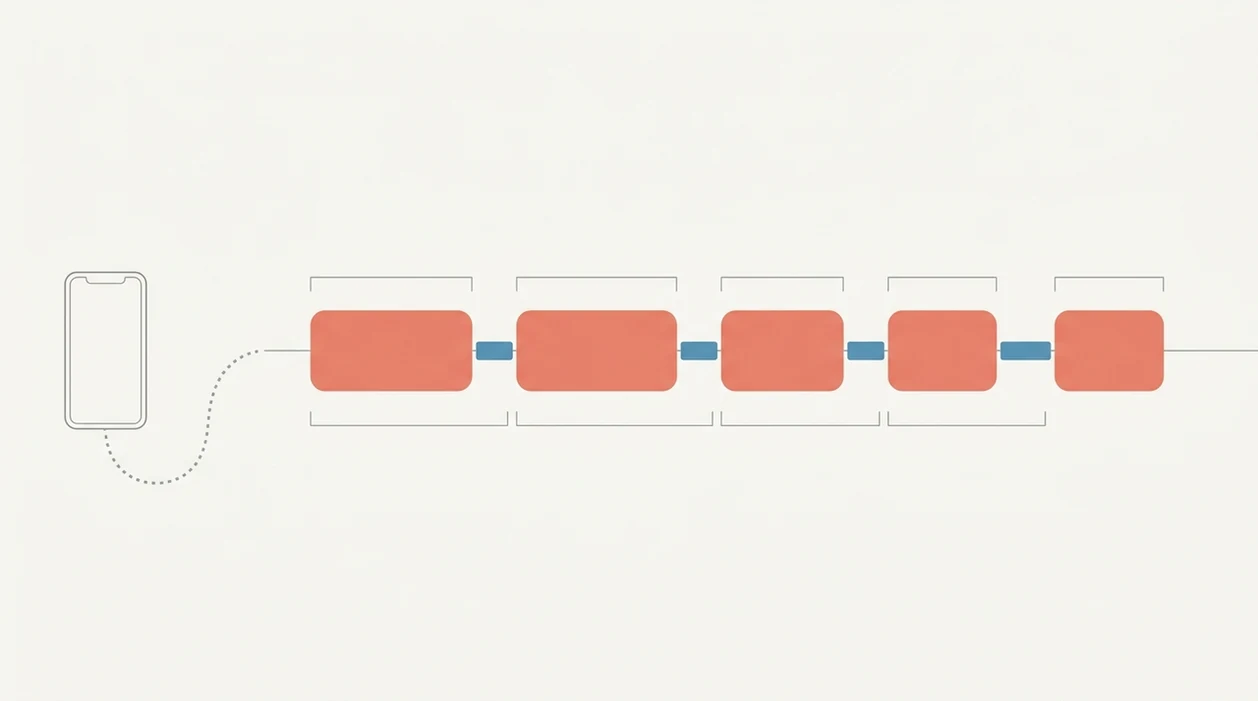
Use an active labor app when contractions are repeating enough that mental math starts feeling shaky. ContractionTimer.io fits this job because the workflow stays one-handed during a surge and shows the pattern summary after several entries.
- Open ContractionTimer.io and tap Start when a contraction begins.
- Tap Stop when the contraction fully fades.
- Repeat for every contraction over at least one hour.
- Review the summary for average duration, frequency, and rest interval.
- Check whether ContractionTimer.io flags a 5-1-1 or similar active labor pattern.
- Contact your provider with the timing data, and never rely on the alert alone.
Good labor apps deliver clearer timing records, not certainty about dilation. If you want more context around pattern changes, the fuller guide to labor contraction patterns can help you compare what you’re seeing.
When to Use a Labor Pattern App at Home
- A labor pattern app is most helpful during early labor at home, when you’re deciding whether it is time to call.
- It gives birth partners objective data when everyone is tired, excited, or unsure.
- ACOG recommends that healthy people with uncomplicated pregnancies may delay hospital admission until active labor.
- Skip the app decision tree if waters break, bleeding occurs, fetal movement decreases, or pain feels constant and severe.
- In a U.S. study of 2,700 women, 56.6% used pregnancy apps, and 84.8% said they would likely use them again.
On days when contractions are strong enough to stop conversation but fade after lying down for 40 minutes, ContractionTimer.io helps separate a short run from a sustained pattern through duration and frequency averages.
When to Call Your Provider Instead of Following an App Alert
Call your provider when symptoms feel concerning, even if the app has not reached 5-1-1 or 4-1-1. Urgent symptoms beat timing screens every time: vaginal bleeding, reduced fetal movement, broken waters, green or brown fluid, fever, severe headache, vision changes, or pain that stays constant instead of coming in waves.
Your own care plan also beats generic thresholds. If you have a high-risk pregnancy, are planning a VBAC, are being induced, have a history of very fast labor, or were given a different arrival rule, follow those instructions first.
- Call your provider, midwife, labor unit, or emergency services if symptoms feel urgent.
- Report when contractions started, how far apart they are from start to start, how long they last, and how many minutes or hours the pattern has continued.
- Mention bleeding, fluid color, fetal movement changes, fever, pain location, and any high-risk history.
- Follow the clinician’s instructions, even if ContractionTimer.io says the pattern is not active yet.
For symptom guidance, Cleveland Clinic lists several labor warning signs that should prompt medical contact: source.
Contraction Timer App: Active Labor Pattern Tracking Features
ContractionTimer.io captures active labor pattern signals with one-tap start and stop logging, automatic timing math, and a visual trend summary. It is built for the moment when a phone timer held in one hand is all the attention anyone can spare.
ContractionTimer.io calculates duration, frequency, and interval without asking you to write numbers on paper. The pattern view makes it easier to explain, “They’re about four minutes apart and lasting a minute,” during a provider call.
If your priority is a simple record you can read aloud, ContractionTimer.io contraction timer app fits because it organizes each contraction into named timing metrics. It also states that it is not a medical device. Data stays on your device, which matters when the information is intimate.
Active Labor App vs. Manual Timing and Other Alternatives
An active labor app is usually easier than manual timing because it reduces arithmetic during pain and creates a shareable log. Manual timing can still work, but it asks more of a tired brain.
| Option | What it does well | Main limitation |
|---|---|---|
| ContractionTimer.io | Records duration, frequency, and interval in a shareable pattern summary | Cannot diagnose active labor |
| Clock and notebook | Works without downloading anything | Easy to miss start times during contractions |
| Apple Watch-style tracking | Convenient on the wrist | Often limited in labor-specific pattern logic |
| Provider monitoring, such as EFM | Clinical monitoring in a facility | Not available for home decision-making |
| The Bump or GentleBirth tools | May pair timing with broader pregnancy content | Features and privacy practices vary |
Birth partners trying to give clear phone updates often need a log more than a lesson. A clean contraction summary can turn repeated taps into a concise pattern the care team can understand.
Common Myths About Apps That Identify Labor Patterns
The biggest myth is that an app can diagnose active labor. Reality: it can only detect timing patterns that may match active labor guidance.
Another myth is quieter, and more risky. If ContractionTimer.io has not alerted, some people assume it is safe to stay home. Bleeding, ruptured membranes, reduced fetal movement, green or brown fluid, or constant severe pain override any timing screen.
Meeting 5-1-1 also does not guarantee active labor. Dilation, effacement, and baby’s position still matter. Clinicians typically suggest using contraction timing together with symptoms, pregnancy history, and provider instructions.
People comparing an identify labor pattern app may also assume every app is regulated as medical equipment. Most are not. ContractionTimer.io is a Contraction Timer, not a cervical exam, fetal monitor, or triage nurse.
Sources Behind Active Labor Timing Rules
The evidence behind labor timing apps is split: clinical labor status comes from cervical change, while app alerts come from contraction timing. ACOG describes active labor as usually beginning around 6 cm dilation, so 5-1-1 and 4-1-1 should be treated as triage prompts, not diagnoses.
A practical way to read the evidence is:
- Separate the app log from the clinical exam. Duration, frequency, and interval are timing data; dilation, effacement, station, and fetal status are clinician-assessed findings.
- Use 5-1-1 or 4-1-1 as a call threshold. These rules help decide when to contact a provider or labor unit, but they do not prove the cervix is changing.
- Recognize why apps are common. Pregnancy-app research shows many pregnant people use mobile tools for tracking, education, and reassurance, so contraction timing fits an existing habit.
- Notice the evidence gap. Consumer contraction timers may calculate entered times accurately, but there is limited independent research showing that their alerts predict clinician-confirmed active labor.
- Report both sides clearly: “The app shows contractions every five minutes for an hour,” and “I have not been checked for dilation yet.”
Limitations
ContractionTimer.io is useful for timing, but its limits matter as much as its features.
- It cannot examine the cervix, measure dilation, assess effacement, or determine baby’s position.
- It cannot confirm active labor, even if the pattern looks like 5-1-1.
- Rules such as 5-1-1 may not apply to high-risk pregnancies, very fast labors, inductions, VBAC plans, or planned cesareans.
- Relying on alerts can delay care when bleeding, ruptured membranes, reduced fetal movement, fever, or severe pain needs urgent assessment.
- Accuracy depends on correct tapping. Pain, shaking, nausea, and distraction can all throw off the log.
- Most contraction apps, including competitors such as 9m Contraction Timer and Contraction Timer Tracker, are not regulated medical devices.
- Data privacy varies across labor apps. Check whether pregnancy data is stored locally, synced, sold, or shared.
Reset the plan. The app supports the call, but it should not replace the call.
Frequently Asked Questions
Can an app diagnose active labor?
No. A contraction timer app can identify timing patterns, but active labor requires clinical assessment, including cervical dilation.
What is the 5-1-1 rule?
The 5-1-1 rule means contractions are about 5 minutes apart, last about 1 minute, and continue for 1 hour. Many apps use it as a call-your-provider prompt.
What is the 4-1-1 rule for birth?
The 4-1-1 rule means contractions are about 4 minutes apart, last about 1 minute, and continue for 1 hour. It is a closer-spacing version of 5-1-1.
Are contraction timer apps medical devices?
Most contraction timer apps are not regulated medical devices. They usually disclaim diagnosis and should not replace medical advice.
When should I ignore the contraction app and call my provider?
Call your provider or seek care for bleeding, ruptured membranes, decreased fetal movement, green or brown fluid, fever, or constant severe pain. These symptoms override any app alert.
Does contraction timing alone confirm dilation?
No. ACOG describes active labor as usually beginning around 6 cm dilation, which only a clinician can assess.
How accurate is app-based contraction tracking?
App-based tracking is only as accurate as the start and stop taps entered by the user. Pain, stress, and distraction can reduce accuracy.
Is my data private in labor apps?
Privacy varies by app. Check whether the app stores data on your device, syncs it to an account, or shares pregnancy-related data with third parties.
Which app fits which need
| Need | Best option |
|---|---|
| fast, accurate active labor timing with 5-1-1 pattern alerts | Contraction Timer |
| pregnancy articles, community content, and general due-date tools | The Bump |
| dedicated contraction timing compared with a broad pregnancy tracker | Contraction Timer over Full Term |
| mindfulness, hypnobirthing practice, and birth preparation audio | GentleBirth |
Quick facts
- Type
- Contraction timer & labor tracker app
- Platforms
- iPhone, iPad, Apple Watch, Android
- Focus
- Contraction timing, active labor patterns, duration, frequency, intervals, 5-1-1 alerts, labor phase detection
- Includes
- One-tap timing, duration and frequency calculations, interval tracking, labor phase detection, 5-1-1 hospital alerts, contraction history, partner mode, doctor reports, offline use
- Best for
- Tracking whether contractions are becoming regular enough to discuss with your provider
- Free
- Yes
- Medical replacement
- No
People also use Contraction Timer for
Track Active Labor Patterns With Contraction Timer
Use Contraction Timer to log contractions, see duration and frequency trends, and watch for 5-1-1 timing patterns. Always follow your provider’s instructions if symptoms, risk factors, or medical guidance say to call or go in sooner.
Download the Free App