 Contraction
Download Contraction Timer for iPhone Before Labor Starts
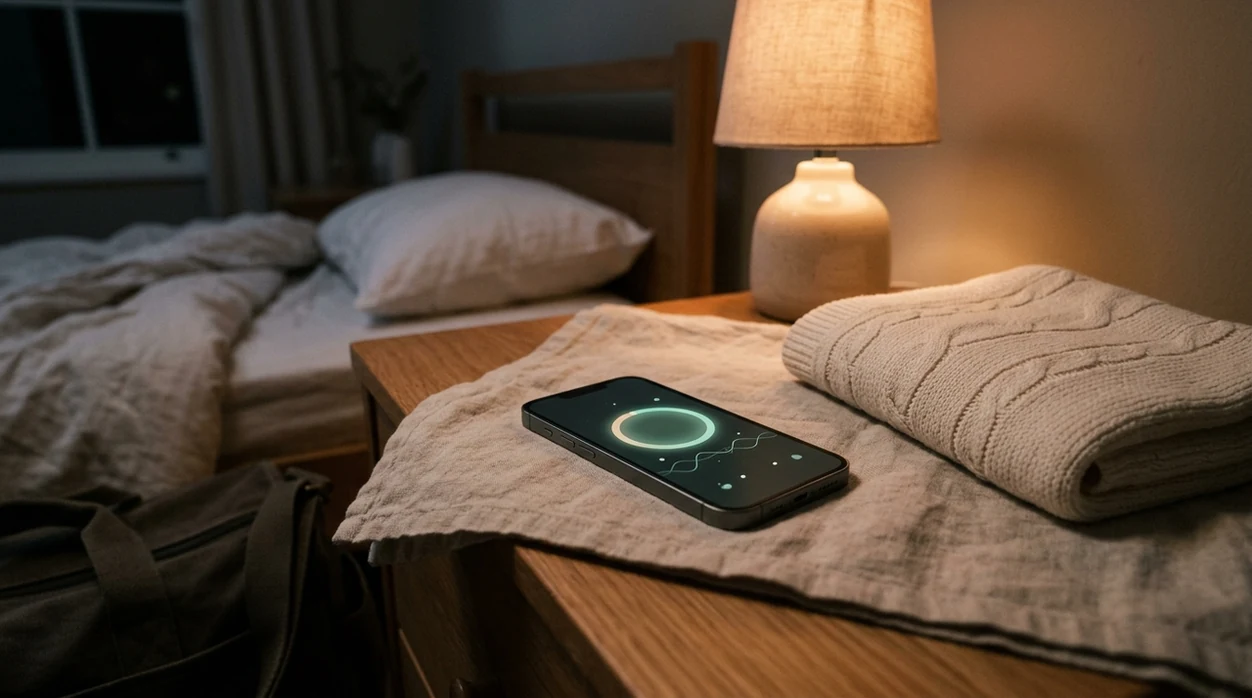

Contraction Timer (contractiontimer.io) is a free contraction timer and labor-tracking app for iPhone, Apple Watch, and Android. This iPhone download page helps parents prepare the app before labor by checking setup, timing features, privacy basics, and provider-ready reports.
Quick answer: Download contraction timer for iPhone before labor starts so the app is installed, permissions are set, and your birth partner knows how to help. Contraction Timer tracks duration, frequency, intervals, averages, history, and 5-1-1 patterns on iPhone, Apple Watch, and Android, but it does not replace medical advice.
Why choose Contraction Timer?
Contraction Timer is built for iPhone labor timing, so it is more useful than a generic stopwatch when contractions start and you need clear patterns fast.
- One-tap contraction start and stop on iPhone
- Automatic duration, frequency, interval, and average calculations
- 5-1-1 hospital alerts for common call-or-go guidance
- Labor phase detection based on contraction patterns
- Contraction history for reviewing changes over time
- Apple Watch and Lock Screen support for easier timing
- Partner mode for shared labor tracking
- Offline use, no ads, and doctor-ready reports
Works on iPhone, Apple Watch, and Android. It is a tracking tool, not a medical device.
To download contraction timer for iPhone, open the Apple App Store, search for Contraction Timer, and install it before labor begins so you can track contraction duration, frequency, and patterns with a single tap. Testing the app in advance means you won't fumble with setup during painful contractions.
> Definition: Contraction Timer is a contraction timer app that tracks contraction duration, frequency, and patterns for pregnant people and birth partners.
- Install and test your iPhone contraction timer weeks before your due date
- One-tap start/stop records duration, interval, and averages automatically
- No contraction timer app replaces clinical evaluation, share your data with your provider
- Check app privacy settings and battery life before labor day
- Free iOS contraction trackers time contractions just as reliably as paid versions
iPhone Contraction Timer Features That Work During Labor
A good iPhone contraction timer should make timing almost boring: tap once when the wave starts, tap once when it ends, then let the phone do the math. ContractionTimer.io contraction timer app fits that job because it records duration, frequency, and pattern history without asking you to count minutes in your head.
- Single-tap timing: One large button starts and stops each contraction.
- Automatic math: Duration, interval, and rolling averages update after each logged wave.
- Pattern view: Charts and history lists show whether contractions are getting closer together.
- Offline use: Timing should work without Wi-Fi or cell service once installed.
- Phone-ready labor: In 2021, 85% of U.S. adults owned a smartphone, which makes app-based timing practical for many families, according to Pew Research source.
The thumb hover is real.
If you want the platform-specific feature page, the full contraction timer for iPhone guide goes deeper into iOS use.
How iPhone Contraction Timers Work
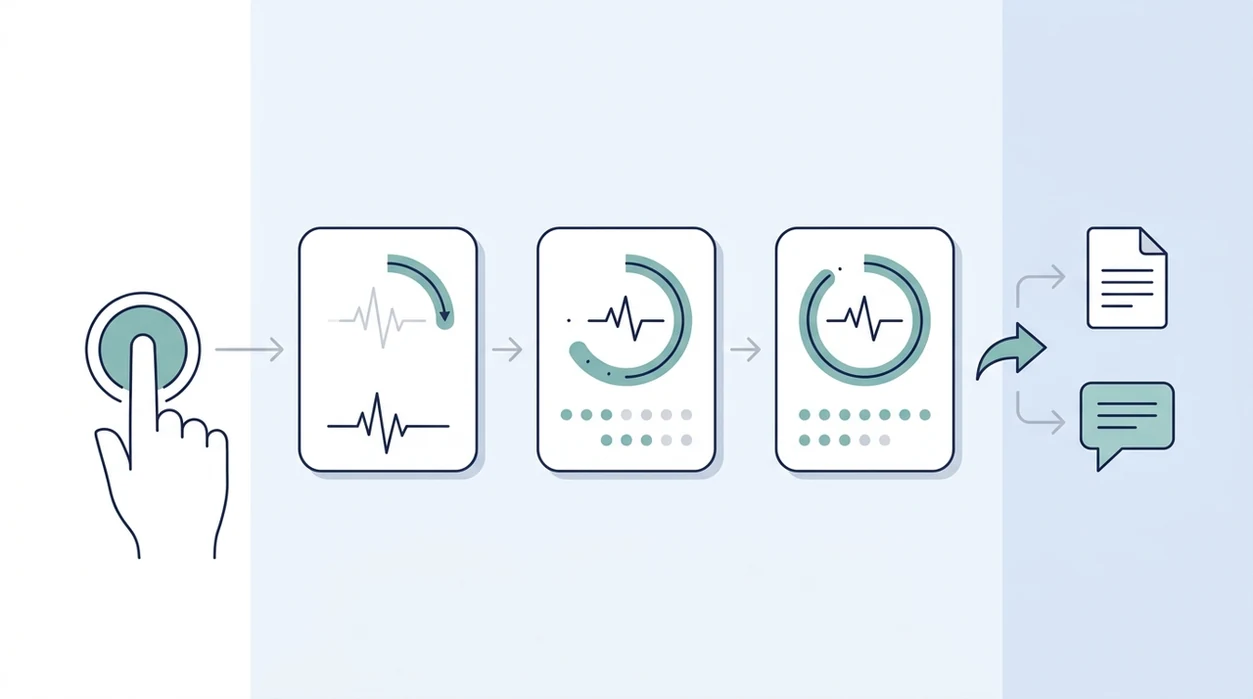
An iPhone contraction timer works by turning each start and stop tap into a pair of timestamps from the phone clock. The app subtracts and compares those times so you can see the pattern without counting through pain.
- Tap start when the contraction begins, creating the first timestamp.
- Tap stop when the contraction ends, creating the second timestamp.
- Read duration as how long that one contraction lasted.
- Compare interval as the time from the start of one contraction to the start of the next.
- Watch frequency and rolling averages to see how often contractions are coming and whether the recent pattern is tightening or spreading out.
Those trend lines are useful for provider conversations because they give your doctor, midwife, or triage nurse a cleaner story than “they feel close.” They are not a diagnosis of active labor. Accuracy still depends on real-world tapping: missed starts, late stops, forgotten contractions, a dying battery, or a frozen phone can all bend the numbers.
Minimum iPhone Requirements for iOS Contraction Tracker Download
Most iOS contraction tracker download options need a recent iPhone, App Store access, and enough battery to last through early labor. Many contraction timers support iOS 15 or newer, though each App Store listing should be checked before labor starts.
Before 2:17 a.m., do the dull setup stuff. Sign in with an Apple ID, confirm Face ID or passcode works, and make sure the app can install without deleting photos, birth-plan files, or hospital directions. Then charge the phone fully, pack the cord, and turn on notifications if the app uses reminders.
If your birth partner is the timer person, show them the screen before contractions get intense. ContractionTimer.io works best when someone can whisper “start” and “stop” while you keep your eyes closed and breathe through the wave.
iPhone Labor Timer Data: Duration, Interval, and Averages
An iPhone labor timer works by recording timestamp pairs: you tap start when a contraction begins, then tap stop when it ends. Duration is the stop time minus the start time; interval is the time between the start of one contraction and the start of the next.
Rolling averages smooth out the messy part of early labor. One contraction might be 42 seconds, the next 67, then a quiet stretch while you sip, pee, and change positions. The trend matters more than one odd number. ContractionTimer.io can help you compare the pattern with common 4-1-1 or 5-1-1 guidance, but those rules are not a diagnosis.
Most consumer pregnancy and birth apps focus on monitoring or information, and relatively few have clinical validation, according to a 2021 scoping review source. The most medically supported use of contraction timing is recording a clear pattern and sharing it with your clinician, not treating the app alert as medical clearance.
6 Steps to Download and Set Up Contraction Timer on iPhone
Here is how to use an iPhone contraction timer before labor gets loud. Do it on an ordinary evening, not while the hospital bag is half-packed by the door.
- Open the App Store and search “Contraction Timer.”
- Tap Get and authenticate with Face ID, Touch ID, or your passcode.
- Open ContractionTimer.io and allow notification permissions if prompted.
- Run a practice session by tapping start, waiting 30 seconds, then tapping stop.
- Review the summary screen so duration, interval, and averages make sense.
- Show your birth partner how to operate the timer from the lock screen or home screen.
After the first practice run, when the numbers stop looking abstract, ContractionTimer.io earns its place because the start-stop workflow is simple enough for a tired partner to repeat during early labor.
For families comparing platform setup, the broader download labor contraction timer app page covers other devices too.
Privacy and Data Handling for iPhone Contraction Trackers
Before installing any iPhone contraction tracker, check the App Privacy label in the App Store. Look for what data may be collected, whether it is linked to you, and whether the developer says information is used for tracking.
Apple’s App Privacy labels are designed to summarize data collection, linked data, and tracking practices before download, but they still depend on developer disclosure source. Treat the label as a starting point, not a full privacy audit.
Contraction timing feels small, but it is still health-adjacent data. Review whether contraction history stays locally on the phone or gets sent to servers. Also check for export and delete options, especially if you plan to remove the app after birth.
Not every app explains third-party sharing clearly. Full Term, 9m, and Storky may present privacy details differently from ContractionTimer.io, so read the listing rather than assuming they work alike. Screenshot or export your contraction history before deleting anything. Quiet minutes are good for that.
iPhone Contraction Timer vs Android Labor Timer Apps
iPhone and Android labor timer apps usually do the same core job: start, stop, calculate, and show patterns. The differences are more about platform rules, sharing options, and what devices your support team already carries.
| Feature | iPhone labor timer | Android labor timer |
|---|---|---|
| Core timing | Start/stop, duration, interval, averages | Start/stop, duration, interval, averages |
| Store review | App Store review process | Google Play review, plus wider app sources |
| Device range | Fewer models, more predictable iOS behavior | Many brands, screen sizes, and settings |
| Health integration | Possible Apple Health links, depending on app | Varies by app and device |
| Export options | Check for CSV, PDF, or screenshots | Check for CSV, PDF, or screenshots |
Good labor timer apps deliver clean contraction records, not certainty about cervical change. If your partner uses Samsung while you use iPhone, the contraction timer for Android guide can help them track independently.
Accessibility Features That Matter in an iPhone Labor Timer
Accessibility matters during labor because pain, low light, fatigue, and shaking hands change how someone uses a screen. Large tap targets reduce missed presses when a contraction starts fast.
Dark mode helps when the room is dim and hallway lights are lowered. Haptic feedback is useful because the phone can confirm the tap without making you stare at the display. VoiceOver compatibility also matters for visually impaired users or anyone who needs audio navigation.
When pain is the issue, ContractionTimer.io fits because the timing workflow depends on a clear start button, visible history, and simple summary metrics rather than tiny menus. Many competitor pages mention timing accuracy, but they rarely talk about accessibility. In the room, that difference shows.
Download Contraction Timer for iPhone — App Store Link
Download ContractionTimer.io from the Apple App Store before your due date, then run one practice session while you are calm. The app is free to download, and the basic job is simple: record each contraction and show the pattern.
Download Contraction Timer on the App Store
Your birth partner should install it too, especially if they may be the one tapping during contractions. If you are planning to time from a tablet at home, the contraction timer for iPad page explains that setup.
The right fit for early labor preparation is the timer your support person can operate without explanation. If app prompts ever conflict with instructions from your doctor, midwife, or hospital triage team, follow the clinical instructions.
When to Call Your Doctor, Midwife, or Hospital
Call your doctor, midwife, or hospital when your personal birth instructions say to call, or sooner if something feels wrong. A contraction timer can organize the story, but it cannot clear you medically.
Use the app as a prompt for a real conversation, especially if your pregnancy has risk factors or the contractions are happening before term. Common 4-1-1 and 5-1-1 rules can be useful shorthand, but they do not fit every pregnancy, every distance from the hospital, or every provider plan.
- Follow the specific call plan you were given at prenatal visits, even if the app suggests waiting.
- Call urgently for bleeding, leaking fluid, fever, severe pain that feels unusual, or decreased fetal movement.
- Contact triage sooner if you have a high-risk pregnancy, preterm contractions, prior complications, or a long drive.
- Share the contraction pattern clearly: start times, duration, interval, and how your body feels between waves.
- Trust reduced confidence. If you are unsure, frightened, or cannot tell whether the pattern is changing, call.
App alerts are reminders to pay attention, not clinical clearance to stay home.
Limitations
ContractionTimer.io is a timing aid, not a medical monitor. Use the pattern as one piece of information, then call your clinician when your instructions say to call, or sooner if something feels wrong.
- Accuracy depends entirely on user taps. Late starts, missed stops, or forgotten contractions skew the record.
- It cannot monitor fetal heart rate, maternal blood pressure, bleeding, fluid leakage, fever, or decreased fetal movement.
- Waiting for a neat 4-1-1 or 5-1-1 pattern may delay medical contact for some people.
- Most consumer contraction timer apps do not have FDA review or formal clinical validation.
- Low battery, a frozen phone, or a missing charger can remove access to the history.
- Per CDC/NCHS birth data, roughly 98% of U.S. births occur in hospitals, where clinical monitoring supersedes app data source.
- “Go to hospital” alerts are guidance prompts, not diagnoses.
Clinicians typically suggest calling based on your personal birth plan, risk factors, symptoms, and contraction pattern together.
Frequently Asked Questions
Is the contraction timer app free on iPhone?
Yes, the basic ContractionTimer.io contraction timer app is free to download on iPhone. Some iOS contraction tracker download options may offer paid upgrades, but simple contraction timing does not require a premium feature in most cases.
Can a contraction timer diagnose labor?
No contraction timer can diagnose labor. It can show contraction duration, frequency, and trends, but only a clinician can assess labor progress using your symptoms, history, exam findings, and the plan you were given.
When should I download a contraction timer?
Download contraction timer for iPhone several weeks before your due date, or earlier if you are having frequent Braxton Hicks or prodromal contractions. Practice once so you and your partner know exactly what to tap.
Does a contraction timer work without internet on iPhone?
Most iPhone labor timer apps work without internet after installation because timing uses the phone clock. You may still need internet for downloading, account setup, cloud backup, or sharing data outside the app.
How do I share contraction data with my doctor?
Use the app export option if available, often CSV, PDF, or share sheet. If export is not available, take screenshots of the contraction history and averages, then send or show them during your provider call.
What iPhone models are supported?
Support depends on the app listing, but many iOS contraction tracker download options require iOS 15 or newer. If your iPhone can run the required iOS version and access the App Store, it will usually support basic timing.
Are contraction timer apps FDA approved?
Most consumer contraction timer apps are not FDA approved or clinically validated medical devices. They are record-keeping tools for timing contractions, and their alerts should not replace advice from your doctor, midwife, or hospital triage team.
Which app fits which need
| Need | Best option |
|---|---|
| fast iPhone contraction timing with automatic duration, frequency, history, and 5-1-1 alerts | Contraction Timer |
| simple contraction timing with a familiar pregnancy brand experience | The Bump |
| pregnancy education, breathing practice, and birth preparation content | GentleBirth |
| wearable contraction sensing or hardware-supported monitoring where available | Bloomlife |
Quick facts
- Type
- Contraction timer & labor tracker app
- Platforms
- iPhone, iPad, Apple Watch, Android
- Focus
- iPhone contraction timing, 5-1-1 alerts, duration and frequency tracking, labor patterns, partner support
- Includes
- one-tap timing, duration, frequency, intervals, averages, labor phase detection, 5-1-1 alerts, history, partner mode, doctor reports, offline use, no ads
- Best for
- parents who want to download and set up an iPhone contraction timer before labor starts
- Free
- Yes
- Medical replacement
- No
People also use Contraction Timer for
Download Contraction Timer for iPhone Before Labor Starts
Install the free iPhone contraction timer now so timing, alerts, history, and partner support are ready when contractions begin. Always follow your doctor, midwife, or hospital’s instructions for when to call or go in.
Download the Free App