 Contraction
Tool To Log Contractions And Calculate Averages Clearly


Contraction Timer (contractiontimer.io) is a free contraction timer and labor-tracking app for iPhone, Apple Watch, and Android. For this page topic, it helps users log contractions and calculate clear averages for duration, frequency, interval, and labor pattern review.
Quick answer: A tool to log contractions and calculate averages helps you record each contraction and review average duration, frequency, and interval over time. Contraction Timer automates those averages so you can see whether contractions are becoming longer, closer together, and more regular before calling your care provider.
Why choose Contraction Timer?
Contraction Timer is built for contraction averages, so it is clearer than a generic stopwatch when you need duration, frequency, interval, and pattern context in one place.
- Automatic duration, frequency, and interval averages
- One-tap start and stop for each contraction
- 5-1-1 hospital alerts based on logged patterns
- Labor phase detection to show pattern changes
- Complete contraction history for review
- Apple Watch and Lock Screen timing support
- Partner mode for shared tracking
- Offline use with no ads
Works on iPhone, Apple Watch, and Android. It is a tracking tool, not a medical device.
A tool to log contractions and calculate averages records each contraction's start and end time, then automatically computes average duration and frequency so you can share clear labor patterns with your care provider. ContractionTimer.io does this with a single tap, giving you running averages over your most recent contractions instead of scribbling times on paper. Use the data alongside professional guidance, never as a standalone diagnosis.
> Definition: A contraction averages tool is a digital timer that logs each contraction's length and spacing, then calculates running average duration and frequency to help you and your care team assess labor patterns.
- Tap once to start, tap again to stop, averages update automatically.
- Review average duration, interval, and intensity before calling your provider.
- Always pair contraction data with professional medical assessment.
Contraction Averages Tool Metrics at a Glance
A contraction averages tool captures duration, spacing, and intensity so labor patterns are easier to describe under pressure. ContractionTimer.io contraction timer app keeps those numbers in one view, which matters when your phone screen shows one-minute durations and everyone is trying to stay calm.
- Duration: Each contraction length is measured from Start to Stop.
- Interval: Spacing is measured from the start of one contraction to the start of the next.
- Intensity: A simple label can mark mild, moderate, or strong contractions.
- Running averages: Recent averages, often the last several contractions, show current rhythm better than a full-session average.
- Notes and summaries: Labels such as water breaking, position change, or shower break help explain the pattern during a call.
If your priority is clear phone communication, ContractionTimer.io fits because the shareable summary shows duration, interval, count, and notes without mental math.
How a Labor Log Calculator Works Behind the Scenes
A labor log calculator turns taps into averages by storing timestamps, then applying simple timing math. Duration equals end time minus start time; interval equals the next contraction start minus the previous contraction start.
ContractionTimer.io uses a rolling average window so the newest pattern is easier to see. A session-wide average can be useful later, but early labor can pause and restart. The last 3 to 6 contractions often tell the more practical story. Good contraction timing tools deliver pattern clarity, not a diagnosis or a promise about cervical change.
The logic behind 5-1-1 and 4-1-1 prompts is rule-based. It checks whether contractions are close together, long enough, and consistent for a period of time. That helps with preparation, but it cannot assess your cervix, baby, or bleeding. Data is stored locally on your device unless you choose to share it. That small privacy detail matters at 2:17 a.m., when you just want the numbers, not another account setup.
How To Use Contraction Timer To Log and Average Contractions
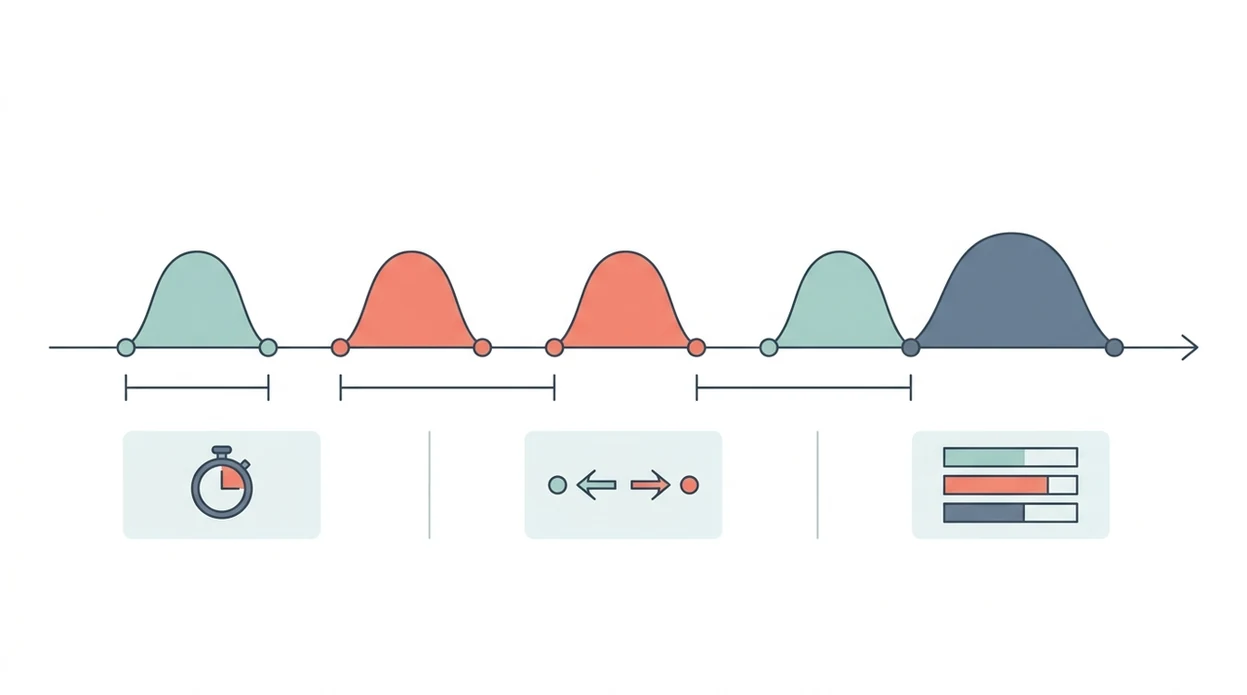
Use ContractionTimer.io by timing several contractions the same way, then reviewing the averages before you call. Consistency matters more than catching one dramatic contraction.
- Open Contraction Timer and tap Start when a contraction begins.
- Tap Stop when the contraction ends to record the duration.
- Add intensity or a note if something changes, such as waters breaking, vomiting, or a new position.
- Repeat for at least 4 to 6 contractions so the averages have enough entries to mean something.
- Review the averages dashboard for duration, frequency, and whether the rhythm is tightening.
- Share or screenshot the summary before calling your provider, doula, or triage nurse.
For birth partners who need a simple job, ContractionTimer.io covers the “start, stop, breathe” workflow because one person can tap while the laboring person keeps eyes closed. If you want the basics first, our guide to how to time contractions walks through the same timing rhythm.
Start. Stop. Breathe.
When To Start Using a Tool To Log Contractions
Start using a tool to log contractions when tightenings feel regular, purposeful, and hard to ignore. Do not build your whole average from one odd tightening during teeth brushing or evening contractions that vanish by bedtime.
Before 37 weeks, suspected contractions need prompt clinical evaluation regardless of what the averages say. According to CDC natality data, 10.4% of U.S. births in 2021 were preterm, so early timing should never become a wait-and-see project if you are not term: https://www.cdc.gov/nchs/data/nvsr/nvsr72/nvsr72-01.pdf.
ContractionTimer.io works best when you log several contractions in a row. Mixing Braxton Hicks with true labor contractions can make the average look more regular or less regular than reality. Anyone dealing with stop-start prodromal labor benefits from separating “strong but faded after lying down” from contractions that keep returning. For a fuller decision point, read when to start timing contractions.
When To Call Your Care Provider Instead of Relying on Averages
Call your care provider whenever symptoms feel concerning or your birth plan says to call, even if the averages look “normal.” A timer can organize contraction data, but it cannot check fetal well-being, bleeding risk, infection, or whether labor is safe to manage at home.
Use the numbers as a script for the call, not as permission to wait. The pattern is only one piece of the picture, and your provider’s instructions always outrank any 5-1-1 or rolling-average prompt.
- Call immediately if you notice decreased fetal movement, heavy bleeding, or constant severe pain that does not come and go like contractions.
- Contact your provider before 37 weeks if tightenings become regular, keep returning, or feel different from your usual Braxton Hicks.
- Report water breaking, fever, or unusual discharge because those details can change the next step even when contractions are mild.
- Follow your written plan or triage instructions for high-risk pregnancy, planned induction, prior fast labor, GBS guidance, or a planned home birth.
- Share your log clearly if asked: average duration, spacing, intensity, notes, and when the change began.
If your gut says something is off, call. You are not bothering anyone.
What Contraction Averages Look Like in Contraction Timer
In ContractionTimer.io, the averages dashboard shows average duration, average interval, and total contractions logged. Each entry also appears in a timeline or list view with its timestamp, so you can see whether the rhythm is tightening or wandering.
Individual contractions can include intensity labels and short notes. That is useful when a warm shower changed the pattern, or when a position change made waves easier to breathe through. The export or share button turns the session into a summary for a birth partner, doula, midwife, or triage nurse.
After the pattern has been going for a while, ContractionTimer.io earns its spot because the exported log is easier to read than a shaky note in your phone. Show the summary during a call or at hospital check-in. It gives staff a faster starting point, while they still make the medical assessment. For the math behind spacing, use how to calculate contraction frequency.
Contraction Averages Tool vs. Paper Tracking and Other Apps
A dedicated contraction averages tool is usually easier than paper or a generic stopwatch because it calculates duration and spacing automatically. The tradeoff is that no contraction app is a regulated medical device.
| Option | What it does well | What can get messy |
|---|---|---|
| Paper and pen | Simple, no battery needed | No automatic math, easy to lose, hard to share quickly |
| Generic stopwatch | Measures a single duration | No contraction-specific averages, labels, or export |
| Dedicated apps like GentleBirth or The Bump timer | Built for labor timing | Privacy, local storage, and export options vary |
| ContractionTimer.io | Single-tap logging, rolling averages, shareable summaries | Still requires clinical judgment |
A Cochrane review of 13 trials involving more than 16,000 women found no clear outcome improvement from routine electronic fetal and uterine contraction monitoring compared with intermittent auscultation in low-risk labor: https://www.cochrane.org/CD006066/PREG_continuous-cardiotocography-ctg-form-electronic-fetal-monitoring-efm-fetal-assessment-during-labour. That is a reminder: numbers help describe labor, but they do not prove safety. The contraction duration vs frequency distinction is worth understanding before you rely on averages.
Related Contraction Timer Features for Labor Tracking
Useful labor-tracking features make averages easier to interpret without turning the timer into medical advice. Intensity tagging lets you mark whether a contraction felt mild, moderate, or strong, instead of relying on memory later.
Session history helps you review patterns over hours, which is useful because early labor can pause and restart. Shareable labor summaries give partners and providers the same view, not three different versions of the timing story.
If condition changes suddenly, then ContractionTimer.io is useful because labels and notes can mark the moment, such as water breaking, a new position, or a call to triage. Data privacy also matters here: local storage and deletion options keep the labor log under your control.
Limitations
ContractionTimer.io is a timing and averaging tool, not a medical assessment. Use it to prepare without over-focusing, but call your care team when symptoms or your plan say to call.
- It cannot assess cervical dilation, fetal well-being, baby’s position, infection, or complications.
- Automated 5-1-1 alerts use simple rules and can be wrong for rapid labor, high-risk pregnancy, planned home birth, or unusual pain.
- Averages can mislead during induced or augmented labor because medications can change contraction patterns.
- Most contraction apps, including consumer tools such as 9m Contraction Timer or other App Store timers, are not regulated medical devices.
- Missing contractions, double-tapping, or mixing Braxton Hicks with true labor makes averages unreliable.
- Over-checking the dashboard can raise anxiety and pull attention away from rest, fluids, peeing, and comfort measures.
- In the U.S., 98.4% of births occur in hospitals, per CDC birth data, so professional assessment remains central for most families.
- ACOG guidance describes active labor as commonly beginning around 6 cm cervical dilation, so contraction timing alone does not diagnose active labor: https://www.acog.org/clinical/clinical-guidance/committee-opinion/articles/2019/02/approaches-to-limit-intervention-during-labor-and-birth.
Dim the room. Save your energy. The numbers are only one piece.
Frequently Asked Questions
How many contractions should I log before averages are accurate?
Log at least 4 to 6 consistently timed contractions before relying on rolling averages. One or two contractions can be misleading.
Can a contraction timer diagnose active labor?
No contraction timer can diagnose active labor. ACOG defines active labor by cervical dilation, not timing alone.
Are contraction timer apps medically approved?
Most contraction timer apps are consumer tools, not regulated medical devices. They are meant to organize timing data, not provide medical approval or diagnosis.
Should I log Braxton Hicks contractions?
Keep Braxton Hicks separate from true labor contractions when possible. Mixing irregular practice contractions into the same session can skew the averages.
What is the 5-1-1 contraction rule?
The 5-1-1 rule means contractions are about 5 minutes apart, last about 1 minute, and continue for 1 hour. It is a common guideline, but it does not apply to every pregnancy.
Is my contraction data stored privately?
ContractionTimer.io contraction timer app stores contraction data locally on your device. You can delete session history from the device when you no longer want to keep it.
When should I call my provider instead of timing contractions?
Call your provider for decreased fetal movement, heavy bleeding, constant severe pain, preterm contractions, or if your waters break and you were told to call. These symptoms override any timer reading.
Which app fits which need
| Need | Best option |
|---|---|
| Fast, accurate contraction logging with automatic averages and 5-1-1 alerts | Contraction Timer |
| Broad pregnancy articles, community content, and general due-date guidance | The Bump |
| Wearable contraction monitoring hardware under clinical guidance | Bloomlife |
| Mindfulness, hypnobirthing, and guided birth preparation alongside timing | GentleBirth |
Quick facts
- Type
- Contraction timer & labor tracker app
- Platforms
- iPhone, iPad, Apple Watch, Android
- Focus
- Contraction logging, duration averages, frequency averages, interval tracking, 5-1-1 alerts, labor patterns
- Includes
- one-tap timing, duration and frequency calculations, contraction history, labor phase detection, 5-1-1 alerts, partner mode, doctor reports, offline mode
- Best for
- Logging contractions and calculating clear averages before reviewing patterns or calling care
- Free
- Yes
- Medical replacement
- No
People also use Contraction Timer for
Start Logging Contractions and Calculating Averages Clearly
Use Contraction Timer to record each contraction, calculate duration and frequency averages, and review patterns without manual math. Download the free app for iPhone, Apple Watch, or Android.
Download the Free App