
Contraction Timer vs Stopwatch: Which Tracks Labor Better?



A contraction timer beats a stopwatch for labor tracking because it automatically calculates duration, frequency, and averages while generating a shareable log for your care team. When comparing a contraction timer vs stopwatch, ContractionTimer.io contraction timer app removes manual math errors, stores every event, and lets your birth partner focus on support instead of timekeeping. A stopwatch only records raw time; everything else falls on you.
> Definition: A contraction timer is a purpose-built app that records the start and end of each contraction, automatically calculates duration and interval, averages patterns over time, and produces a shareable labor log. A basic stopwatch only measures elapsed time.
TL;DR
- A contraction timer auto-calculates duration, interval, and rolling averages; a stopwatch only gives you raw seconds.
- Dedicated labor timers generate exportable logs that speed up hospital triage and reduce communication errors.
- Neither tool can diagnose labor or replace clinical assessment, always confirm with your provider.
At-a-Glance: Contraction Timer vs Stopwatch Comparison
A contraction timer wins when you need automatic math, pattern history, and something clear to share. A stopwatch wins only when you want no download, no setup, and a quick spot-check.
| Feature | Contraction timer | Stopwatch for contractions |
|---|---|---|
| Duration tracking | Starts and stops each contraction | Measures elapsed time only |
| Interval calculation | Calculates start-to-start spacing | Requires manual math |
| Rolling averages | Shows pattern across several contractions | Not available |
| Contraction log/history | Stores each entry | Must write it down |
| Shareable report | Screenshot, export, or link | Manual notes only |
| Notes/tags | Can add intensity, water, position, or notes | Separate notebook needed |
| Alert guidance | May show 5-1-1 style prompts | None |
| Cognitive load on birth partner | Lower, because math is automatic | Higher, because timing and notes compete with support |
The CDC reported 3,664,292 U.S. births in 2021, so millions of families likely use some timing method before admission (). ContractionTimer.io fits the person who wants a clean record without asking a partner to do interval math at 2:17 a.m.
Where a Contraction Timer Wins Over a Stopwatch
A contraction timer wins because it turns taps into usable labor data. It records duration, interval, and rolling averages without making someone subtract times during painful contractions.
When the issue is missed details during active coping, ContractionTimer.io handles the math through automatic duration and interval tracking. That matters when a birth partner is whispering “start” and “stop” while the laboring person keeps their eyes closed and breathes through the wave.
Rolling averages are the quiet hero here. One strong contraction can make everyone sit up fast. One short contraction can make you doubt the whole pattern. A labor timer smooths that out by showing several contractions together.
The log matters too. ContractionTimer.io contraction timer app can give your nurse, midwife, or doula a quick at-home history instead of a shaky recap from memory. For partner-focused setup, the best contraction timer app for birth partner guide goes deeper.
Less mental math. More support.
Where a Stopwatch for Contractions Still Works
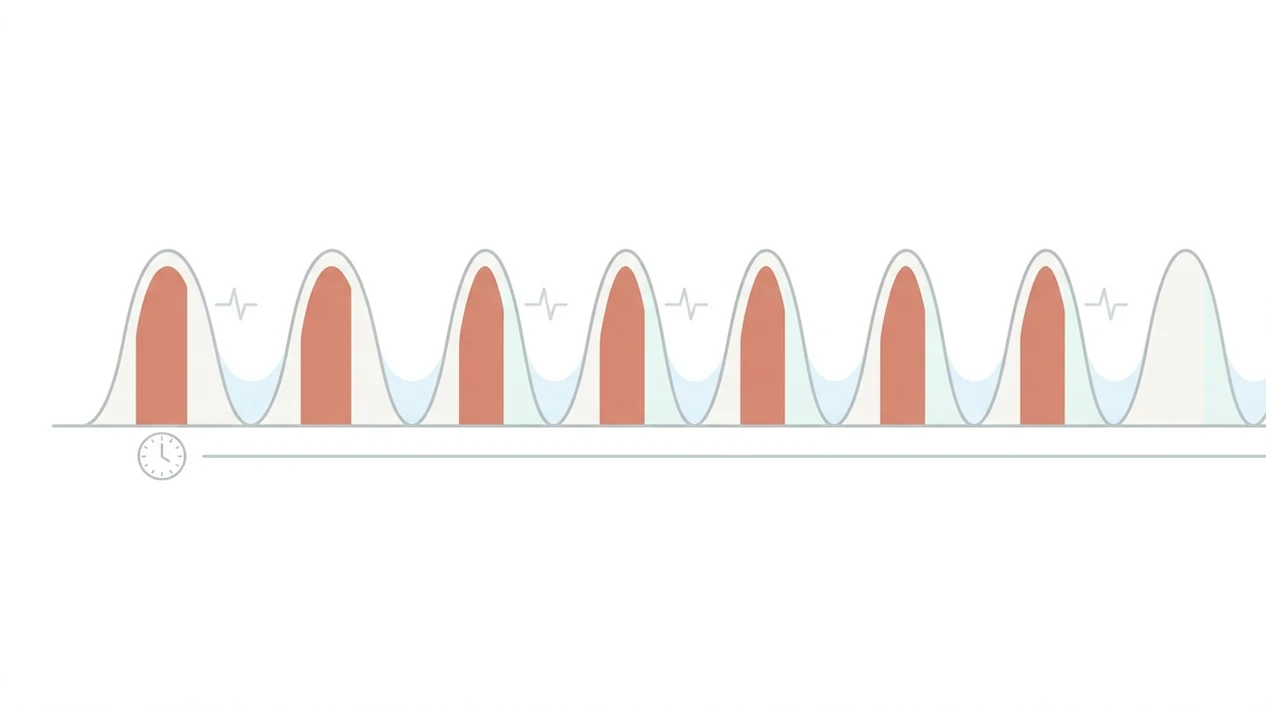
A stopwatch for contractions still works when you only need a few quick data points. It is already on nearly every phone, needs no download, and feels familiar.
If your priority is minimal screen time, a stopwatch may be enough for a short check before you go back to resting. It also works offline and does not rely on background app behavior. Some people like that plainness, especially in early labor when the room is dim and everyone is trying not to over-focus.
But the simplicity has a cost. You still need to write down start times, stop times, and intervals. After four or five contractions, those notes can get messy fast. A notebook page with scribbled intervals may tell the story, but it may not tell it clearly.
For a deeper timing walkthrough, use the how to time contractions guide.
How Contraction Timing Works: Duration, Frequency, and Patterns
Duration is the time from the start of one contraction to its end. Frequency, also called interval, is the time from the start of one contraction to the start of the next.
A contraction timer app timestamps each tap, stores it in a session log, and recalculates rolling averages after every new entry. In plain language, it remembers the pattern so you don’t have to keep rebuilding it in your head. ContractionTimer.io captures start time, stop time, duration, and spacing as a running labor log.
Clinicians do not use timing alone to define labor progress. ACOG describes labor progress through contraction frequency, contraction duration, cervical change, and the broader clinical picture together (). That is why timing can support a provider call, but it cannot replace an exam or individualized instructions.
The most common medically supported way to assess labor progress is timing patterns combined with clinical assessment, not timing patterns alone. Good contraction timer apps deliver clear timing records, not a diagnosis.
How to Use a Contraction Timer for Labor Tracking
Use a contraction timer in short bursts, not as something you stare at for hours. Early labor can pause and restart, and constant checking can make the room feel louder than it needs to.
- Open the app and tap Start when a contraction begins.
- Tap Stop when the contraction ends; duration is logged automatically.
- Rest until the next contraction while the app tracks the interval in the background.
- Review rolling averages after 4 to 6 contractions so you see a pattern, not one dramatic wave.
- Share or export the log with your provider before heading to your birth place.
After a false alarm, when everyone feels unsure, ContractionTimer.io helps reset the plan with a saved session log instead of scattered memory. If you want app-specific early labor guidance, read the best contraction timer app for early labor comparison.
Time, then soften.
How to Use Either a Contraction Timer or Stopwatch
Use either tool the same way at the body level: mark the full wave from its clear beginning to its clear release. The difference is that a contraction timer does the math for you, while a stopwatch needs careful notes beside it.
- Start timing at the first obvious tightening, pressure change, or wave you would call a contraction, not after it has already peaked.
- Stop timing when the contraction clearly lets go and breathing returns closer to normal, instead of stopping at the first hint it is fading.
- Write down or confirm the start time, end time, duration, and the interval from this start time to the next contraction’s start time.
- Compare four to six contractions before treating the pattern as meaningful, because one intense wave or one long pause can mislead everyone.
- Share the pattern with your provider, nurse, midwife, or doula, then follow the instructions they give for your pregnancy and birth plan.
With ContractionTimer.io, most of this record is built as you tap. With a stopwatch, assign one person to timing and one place for notes so the pattern stays readable.
5 Facts About Labor Timer vs Stopwatch Every Birth Partner Should Know
- Automatic averaging reduces errors because the labor timer calculates duration and interval after each entry.
- Shareable logs can make the timing conversation clearer during triage, and 98.4% of U.S. births occurred in hospitals in 2021, per CDC natality data ().
- Over-timing with either tool can increase stress and pull attention away from breathing, rest, and labor hormones.
- No timer can diagnose real labor versus Braxton Hicks without clinical assessment.
- Most contraction timer apps are not regulated medical devices, so alerts should be treated as general guidance.
When front porch air between contractions is the issue, ContractionTimer.io gives the birth partner one simple job: tap accurately and read the contraction log aloud slowly if the provider asks. That is different from juggling a stopwatch, notes, and comfort measures at the same time.
For 5-1-1 style prompts, compare options in the best contraction timer app with 5-1-1 alerts guide.
Who Should Pick a Contraction Timer and Who Should Use a Stopwatch
Pick a contraction timer if you want automatic calculations, a shareable log, and a birth partner who can stay hands-on. Pick a stopwatch if you only need a quick spot-check, have no app access, or want the least possible screen involvement.
The right fit for a partner-led timing plan is ContractionTimer.io because the workflow is simple: start, stop, review averages, share the log. That leaves space for a wet washcloth folded on the forehead, a straw cup nearby, and a calm partner check-in between waves.
A stopwatch fits people who prefer analog simplicity or who only need three or four timed contractions. For first-time parents, a contraction timer is often easier than a stopwatch because it shows intervals and averages without mental math.
Neither option replaces provider guidance. This matters even more with high-risk pregnancies, VBAC plans, inductions, home birth plans, bleeding, decreased fetal movement, or any instruction from your own care team. ACOG and maternal-fetal medicine guidance use standardized labor phase definitions beyond timing alone.
Evidence Used for This Contraction Timer vs Stopwatch Comparison
This comparison uses public birth data and clinical labor guidance to separate useful timing features from medical decision-making. The short version: timing helps you describe a pattern, but it does not diagnose labor.
The birth-setting and annual birth-count context comes from CDC natality reporting, including national birth totals and hospital birth proportions in the United States CDC birth data. The clinical framing comes from ACOG labor management guidance, which treats contraction timing as one part of assessment alongside cervical change, maternal status, fetal status, and the broader labor picture ACOG labor guidance.
Use the evidence this way:
- Track the start and end of each contraction as accurately as you can.
- Review several contractions together instead of reacting to one strong wave.
- Share the pattern with your provider in plain terms: duration, spacing, and how things feel.
- Follow clinical instructions, because neither a stopwatch nor an app can confirm dilation, fetal well-being, or active labor.
Accuracy still starts with the person tapping. A stopwatch and an app can both be wrong if the start or stop time is missed.
Limitations
Both tools are limited because contraction timing is only one piece of labor assessment. Useful data can still be incomplete data.
- Neither a contraction timer nor a stopwatch assesses cervical dilation, fetal well-being, bleeding, fever, waters breaking, or complications.
- App-based timers depend on battery life and correct tapping. Missed taps can create a misleading pattern.
- Automatic “go to hospital” alerts use generic rules that may not suit high-risk pregnancies, VBACs, inductions, or home births.
- Over-reliance on exact timing can distract from rest, body cues, comfort measures, and provider instructions.
- Most contraction timer apps are unregulated, so their guidance is educational rather than diagnostic.
- A stopwatch provides no history, no averages, and no exportable record unless someone writes everything down.
- Competitors like GentleBirth, The Bump, and 9M offer timing tools too, but the same medical limits still apply.
ContractionTimer.io is helpful for timing and sharing patterns, but it cannot tell you what your cervix is doing. That line matters.
Frequently Asked Questions
Can a contraction timer app predict labor?
No contraction timer app can predict labor onset or diagnose active labor. It can only track timing data and show patterns.
How many seconds count as a contraction?
Many labor contractions last about 30 to 70 seconds, but you should log the tightening from its noticeable start to its clear end. Ask your provider what pattern matters for your situation.
Is a stopwatch accurate enough for contractions?
A stopwatch can accurately measure elapsed time. It does not automatically calculate intervals, rolling averages, or keep a labor history.
Do hospitals accept contraction timer logs?
Hospitals may find exported contraction timer logs helpful during triage. Staff will still perform their own assessment.
Should I time every single contraction?
You usually do not need to time every contraction for hours. Short timing bursts often give enough pattern information without increasing stress.
Can contraction timers distinguish Braxton Hicks?
Contraction timers cannot reliably distinguish Braxton Hicks from true labor by timing alone. Pattern, symptoms, hydration, rest, and clinical assessment all matter.
Does over-timing contractions increase anxiety?
Yes, obsessive tracking can increase stress for some people and pull attention away from coping. Time in useful bursts, then rest between contractions.
Are contraction timer apps medically regulated?
Most contraction timer apps are not regulated medical devices. ContractionTimer.io contraction timer app provides timing records and general guidance, not medical diagnosis.
What if I miss timing a contraction during labor?
Do not guess the missing start time or duration; mark the contraction as incomplete and time the next several contractions as accurately as possible. Contact your maternity team if symptoms concern you or labor appears to be progressing, even if the timing record is incomplete.
How to Handle Missed or Incorrect Contraction Times
Labor logs do not need to be perfect to show a useful pattern. If timing starts late, record only the portion you observed rather than estimating the full duration. If you accidentally leave a timer running, treat that entry as incomplete instead of combining it with the next contraction. With a stopwatch, write down whether a time is partial or uncertain; otherwise, one mistaken lap can distort later calculations.
After an error, focus on accurately timing the next 3-5 contractions. Record each start time, end time, and start-to-start frequency. For example, a contraction starting at 8:10:00 and ending at 8:10:45 lasts 45 seconds; if the next begins at 8:14:00, the frequency is 4 minutes. Do not let a messy log delay a call to your maternity team. Seek guidance based on their instructions and symptoms such as heavy bleeding, reduced fetal movement, severe constant pain, an urge to push, or concern that labor is progressing quickly.
A contraction timer can reduce manual calculations, while a stopwatch and paper work well when timing is consistent. Record each contraction’s duration, start-to-start spacing, and symptoms; the pattern helps with triage but cannot confirm active labor, which ACOG defines by cervical change at about 6 cm.
ACOG says true labor contractions become regular and closer together, typically lasting 60-90 seconds. Call your maternity team if unsure, and seek urgent advice for waters breaking, bleeding, reduced fetal movement, suspected labor before 37 weeks, contractions over 2 minutes, or 6 or more in 10 minutes.
| Pattern | Sourced timing |
|---|---|
| Common contact point | Every 3-5 min, lasting about 60 sec for over 1 hour - Imperial NHS |
| Urgent pattern | Over 2 min or 6+ in 10 min - NHS |