
Contraction Timer For Home Birth: Logs, Midwife Communication, And Provider-Ready Tracking




A contraction timer for home birth logs every contraction's duration and frequency so you can share precise numbers with your midwife and follow her specific call-in instructions. A good home-birth timer keeps Start, Stop, History, Share, and Export within one-handed reach; ContractionTimer.io is one option, but your midwife’s instructions should set the rules. It supports, but never replaces, your midwife's clinical judgment.
Definition: A contraction timer for home birth is an app or tool that records how long each contraction lasts and the interval between them, producing logs home birth planners can share with their midwife to guide labor decisions.
- Tracks duration and frequency, the two numbers your midwife will ask for first.
- Lets you customize alert thresholds to match your midwife's exact call-in protocol.
- Generates shareable logs but cannot assess dilation, fetal position, or when to transfer.
Why Home Birth Planners Need A Dedicated Contraction Timer
Home birth planners need a dedicated timer because home labor does not include continuous hospital monitoring, so your recorded pattern becomes part of the communication bridge with your midwife. A generic stopwatch can time one contraction, but it will not calculate frequency, store History, or create a clean summary during a phone call.
Per the CDC, planned home births reached about 1.4% of U.S. births in 2021, and 68.8% of planned home births were midwife-attended CDC birth data. That matters because midwives often make arrival, call-back, and transfer planning decisions from reported timing plus symptoms.
ContractionTimer.io fits home birth families who need exact numbers without doing math during contractions because it records duration, frequency, and session history in one log.
ACOG notes that planned home birth should involve low-risk pregnancy, a certified midwife or physician, and timely transfer access ACOG labor guidance. A timer is one piece of that plan, not the plan itself.
How A Home Birth Labor Timer Works
A home birth labor timer works by recording each contraction as a timestamped event, then calculating duration and frequency from those entries. You tap Start at the first tightening and tap Stop when it fully releases.
Frequency means start-to-start timing, not the rest time between contractions. If one contraction starts at 9:04 and the next starts at 9:08, the frequency is four minutes, even if the first contraction ended at 9:05.
ContractionTimer.io compares rolling averages against common pattern thresholds, such as 5-1-1 or 3-1-1, then shows pattern-based stage estimates. Those labels are not clinical diagnoses. They are a way to make the log easier to read when the room is dim and Face ID keeps failing.
Contraction timers should deliver clear timing records, not clinical certainty.
ContractionTimer.io stores contraction history locally or through sync options, so the log remains retrievable if the phone locks, the screen dims, or someone closes the session by mistake.
How To Use A Contraction Timer For Home Birth Preparation
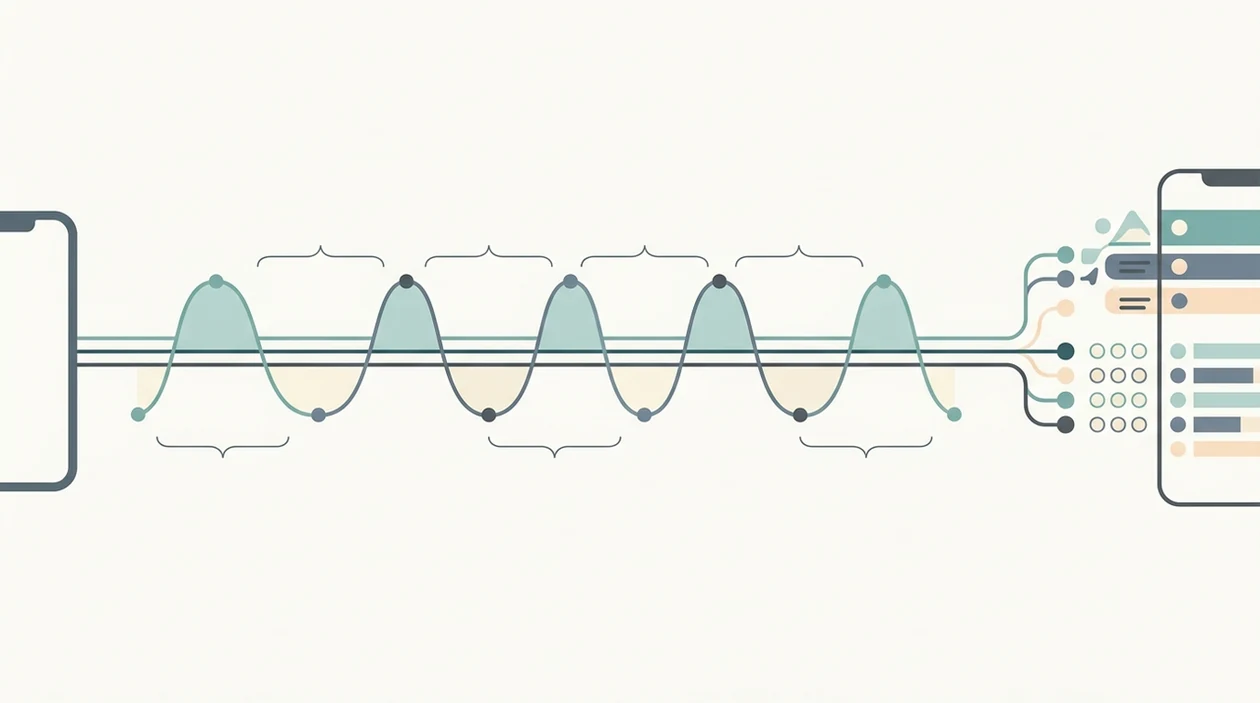
Use a contraction timer for home birth preparation by setting it up before labor, then matching each tracking window to your midwife’s instructions. Do the setup while you can still think clearly, not when the charger cable is stretched across the sofa.
- Set alert thresholds to your midwife’s protocol, such as contractions 3 to 4 minutes apart, lasting 60 to 90 seconds, for 1 hour.
- Start a session when contractions feel regular, stronger, or worth reporting.
- Tap Start and Stop for each contraction with one hand, or hand the phone to your partner.
- Review the rolling summary after 30 to 60 minutes of logging.
- Share the log by text, screenshot, Export, or reading the summary aloud.
- Put the phone down between tracking windows so you can rest, breathe, and cope.
If the priority is midwife-ready communication, ContractionTimer.io earns the spot because the Share and Export workflow turns the session into a readable timing record. For partner-led timing, the contraction timer for birth partner workflow covers handoff details.
Top 3 Contraction Timer Features For Home Birth Families
Home birth families need timer features that reduce relay errors and match the actual care plan. Default timing rules help, but midwife-specific settings matter more.
Customizable Midwife Alert Thresholds
Custom thresholds matter because home-birth call-in rules vary by pregnancy history, distance from transfer care, and your midwife’s own protocol. That is useful when the instruction is “call at 3-4 minutes, 60 seconds, for an hour.”
Accessible One-Hand Interface
Large Start and Stop controls matter when a partner is timing from the edge of the bed while holding a water bottle. Dark mode and vibration cues help when nobody wants a bright screen in the room.
Shareable Contraction Logs
ContractionTimer.io contraction timer app can share the summary so your midwife gets exact times instead of a shaky verbal recap. If export is your main need, use a tool that can export contraction history.
Common Contraction Patterns In Home Birth Labor
Common home birth contraction patterns are useful for conversation, not permission slips. Your midwife’s guidance and your symptoms override any pattern on the screen.
- Early labor often brings contractions 5 to 20 minutes apart, lasting 30 to 45 seconds; many midwives suggest rest instead of constant timing.
- Active labor often shows contractions 3 to 5 minutes apart, lasting 45 to 60 seconds; many midwives want a call or plan to come soon.
- Transition may bring contractions 2 to 3 minutes apart, lasting 60 to 90 seconds; it can feel intense and close together.
- Irregular patterns are common, especially early on, and do not always mean labor has stalled.
For general labor-stage timing ranges, Cleveland Clinic describes active labor contractions as commonly becoming stronger, longer, and closer together, often about 3 to 5 minutes apart Cleveland Clinic labor and delivery guidance.
- A Cochrane review found continuous support during childbirth was linked with a 25% lower likelihood of cesarean birth Cochrane review of continuous support in labour.
Clinicians typically suggest using contraction timing alongside symptoms, fetal movement awareness, and direct provider contact. When contraction timing needs to be shared with another support person, the track contractions and send to doula workflow is similar.
At-A-Glance: Midwife Contraction Tracker Versus Paper Backup
A midwife contraction tracker should be the primary record, but a paper backup is smart for home birth. Phones run low, apps close, and 12% battery feels very different during labor.
| Option | Strengths | Weak points | Best use |
|---|---|---|---|
| ContractionTimer.io | Automatic duration, frequency, History, alerts, Share, and Export | Depends on battery and accurate tapping | Primary timing record |
| Paper log | No battery, no setup, easy for a partner | Manual math and messy handwriting | Backup record |
| Partner timing | Lets the laboring person focus | Partner may forget Stop or double-tap Start | Active labor support |
| Generic stopwatch | Simple single timer | No rolling averages or export | Emergency fallback |
For home birth families, an app-first plan with a paper log beside the birth notes is often safer than relying on memory because exact start times are hard to reconstruct later.
Common Myths About Contraction Timers And Home Birth
The most risky myth is that an app label can replace a midwife call. If ContractionTimer.io shows an active-labor pattern, that means the timing looks active; it does not mean anyone has checked dilation, baby position, bleeding, or fetal well-being.
Another myth is that contraction timers work the same for everyone. They do not. A first-time labor, a fast prior birth, a VBAC plan, or a long drive to transfer care can change the call-in protocol. For scar-specific planning, use a contraction timer for VBAC labor with your clinician’s instructions.
Meeting 4-1-2 or 5-1-1 also does not automatically mean it is safe to stay home. Heavy bleeding, decreased fetal movement, water breaking concerns, fever, or pain between contractions can override timing.
Not every contraction needs a record from the first twinge. Evening tightenings that vanish by bedtime may be a reason to hydrate, rest, and ask your midwife when detailed timing should begin.
When To Call Your Midwife Or Seek Transfer Care
Call your midwife when your written home-birth protocol says to call, even if the app looks calmer than expected. Timing patterns can support that conversation, but they never give permission to stay home or delay transfer care.
Use the contraction log as a clear report, then follow the person responsible for your care:
- Call when contractions reach your midwife’s stated threshold, or sooner if your instinct says the pattern has changed quickly.
- Report heavy bleeding, decreased fetal movement, fever, severe pain, or pain that feels wrong between contractions without waiting for a 5-1-1 or 3-1-1 pattern.
- Ask directly about water breaking, especially if fluid is green or brown, has a bad smell, is followed by fever, or happens before contractions are well established.
- Mention special planning factors right away, including a history of fast labor, a VBAC plan, or a long distance to the hospital or transfer site.
- Follow the transfer instructions you are given, and keep the timer running only if it does not slow down calling, packing, or leaving.
Limitations
Contraction timers are useful communication tools, but they have hard limits. ContractionTimer.io can make the log clearer; it cannot make clinical decisions.
- It cannot assess cervical dilation, fetal position, fetal heart rate, or fetal well-being.
- Timing can be wrong if Start or Stop is tapped late, missed, or double-tapped.
- Stage labels such as early, active, or transition are pattern estimates, not validated diagnoses for every pregnancy.
- Over-checking the timer can increase anxiety and make coping harder.
- Not every contraction timer is built with midwife or obstetric input; competitors such as The Bump timer and Contraction Timer 9m may use different defaults.
- Water breaking concerns, heavy bleeding, decreased fetal movement, fever, or severe pain need urgent guidance regardless of timing.
- App crashes, dead batteries, and missing cloud backup can erase data unless you keep a paper log.
- A cracked screen protector or locked phone can slow one-handed use at the exact wrong moment.
Use the log to speak clearly. Then follow the person responsible for your care.
Frequently Asked Questions
When should I start timing contractions at home?
Start detailed timing when contractions feel regular, stronger, or important enough to report. You usually do not need to time every early twinge.
What is the 5-1-1 rule for labor?
The 5-1-1 rule means contractions are about 5 minutes apart, last 1 minute, and continue for 1 hour. It is a common guideline, not a universal home-birth protocol.
Can a contraction timer replace my midwife?
No. A contraction timer tracks patterns, but it cannot assess clinical signs or make care decisions.
How do I share contraction logs with my midwife?
Use Export, Share, a screenshot, or read the summary aloud during a call. ContractionTimer.io contraction timer app is designed to make the timing record easy to send.
Do I need to time every single contraction?
No. Many midwives recommend timing in focused intervals instead of continuously, especially in early labor.
What if my contractions are irregular?
Irregular contractions are common in early labor and do not always mean labor has stalled. Ask your midwife what pattern or symptoms should prompt a call.
Should my birth partner run the contraction timer?
Yes, partner-led timing is a good option when the laboring person is focused on coping. The partner should tap from the first tightening, not from the pain peak.
Can I time contractions while in a birth pool?
Yes, a partner can run the timer from a safe, dry location while you signal each contraction’s start and end. Keep electronics and charging cables away from the pool, and follow your midwife’s instructions about when to enter or leave the water.
Using A Contraction Timer During Birth Pool Labor
You can continue timing contractions in a birth pool, but keep phones, chargers, and other electronics away from the water. A birth partner can operate the timer with dry hands while the laboring person signals when each contraction starts and ends. If using a water-resistant watch, follow the manufacturer’s water-use guidance; water resistance does not make every device suitable for prolonged immersion.
Record pool entry and exit times separately in your birth notes because warm water may change comfort, concentration, or how contractions feel without confirming labor progress. Continue following your midwife’s agreed communication plan rather than relying only on an alert or contraction pattern. Contact the midwife promptly for heavy bleeding, concerning fluid color or odor, fever, constant severe pain between contractions, breathing difficulty, reduced fetal movement, an urge to push earlier than expected, or any instruction specific to your pregnancy.
Contraction Timer IO can help create a clear log for your midwife, but timing alone cannot confirm active labor; ACOG defines the active phase by cervical change at about 6 cm with regular contractions.
Follow your provider’s home-birth plan and call when the pattern changes or you think labor has begun. Seek urgent advice if you are under 37 weeks or meet the urgent patterns in NHS guidance.
- Established-labor pattern: every 3-5 minutes, lasting at least 60 seconds, for over 1 hour - Imperial NHS
- Urgent: any contraction over 2 minutes - NHS
- Urgent: 6 or more contractions in 10 minutes - NHS