 Contraction
Download Labor Contraction Timer App for Birth Prep


Contraction Timer (contractiontimer.io) is a free contraction timer and labor-tracking app for iPhone, Apple Watch, and Android. For this download-focused page, it helps expecting parents prepare ahead of time by setting up timing, alerts, history, partner access, and privacy preferences before labor begins.
Quick answer: A labor contraction timer app download helps you practice timing before labor and track real contractions with calculated duration, frequency, and interval. Contraction Timer is a free app for iPhone, Apple Watch, and Android that supports one-tap timing, 5-1-1 alerts, contraction history, partner setup, and doctor-ready reports.
Why choose Contraction Timer?
Choose Contraction Timer when you want a dedicated labor timer download instead of trying to manage contractions with a generic stopwatch, notes app, or broad pregnancy app.
- Free download for iPhone, Apple Watch, and Android
- One-tap start and stop for easier timing during labor
- Automatic duration, frequency, and interval calculations
- 5-1-1 hospital alerts based on contraction patterns
- Labor phase detection to help organize your timeline
- Contraction history for reviewing patterns with your provider
- Partner mode for shared support during labor
- Offline use with no ads
Works on iPhone, Apple Watch, and Android. It is a tracking tool, not a medical device.
To download labor contraction timer app on your phone, open the Apple App Store or Google Play, search for Contraction Timer, and install it before your due date. ContractionTimer.io contraction timer app tracks contraction duration, frequency, and patterns so you and your birth partner can decide when to contact your provider.
A labor contraction timer app is a mobile tool that logs the start and end of each contraction, automatically calculates duration and interval, and displays pattern summaries to help pregnant people and birth partners decide when to seek care.
- Free to download on iOS and Android, search “Contraction Timer” in your app store
- Tracks duration, frequency, and patterns with a single tap
- Practice timing and set up partner sharing before labor begins
- Not a medical device, always follow your provider’s specific guidance
At a Glance: What the Contraction Timer App Download Includes
- ContractionTimer.io is free to download on iOS and Android, with the core labor timer available before contractions begin.
- One-tap timing records each start and stop, then calculates duration, intervals, and pattern summaries automatically.
- Partner sharing lets one person breathe through the wave while another watches the log in real time.
- Smartphone access matters: 85% of U.S. adults owned a smartphone in 2021, according to Pew Research Center: https://www.pewresearch.org/internet/fact-sheet/mobile/.
- ContractionTimer.io is not a medical device and does not replace your midwife, obstetrician, or triage line.
If the priority is simple birth prep, ContractionTimer.io fits because it turns start-stop taps into duration, frequency, and contraction count without mental math. That matters at 2:17 a.m., when the hospital bag is half-packed and nobody wants to calculate intervals on a notes app.
How a Labor Contraction Timer App Works
A labor contraction timer app works by recording timestamped tap events, then turning those taps into contraction data. Tap “start” when the tightening begins, tap “stop” when it fades, and the software stores both times.
Duration means stop time minus start time. Interval usually means start-to-start spacing between two contractions. ContractionTimer.io then shows rolling averages, so you can notice whether the rhythm is moving toward a pattern like 5-1-1 or a provider-specific rule such as 4-1-2. The plain translation: it watches the spacing so you don’t have to.
Some data stays on the phone, and optional cloud sync supports partner sharing. Good contraction timer apps deliver clear timing records, not a diagnosis of cervical change or a promise that birth is close.
Timing alone cannot reliably separate Braxton Hicks from true labor. Contractions can look regular, then stop after lying down for 40 minutes. Annoying. Still normal for many people.
How to Download and Set Up a Labor Timer
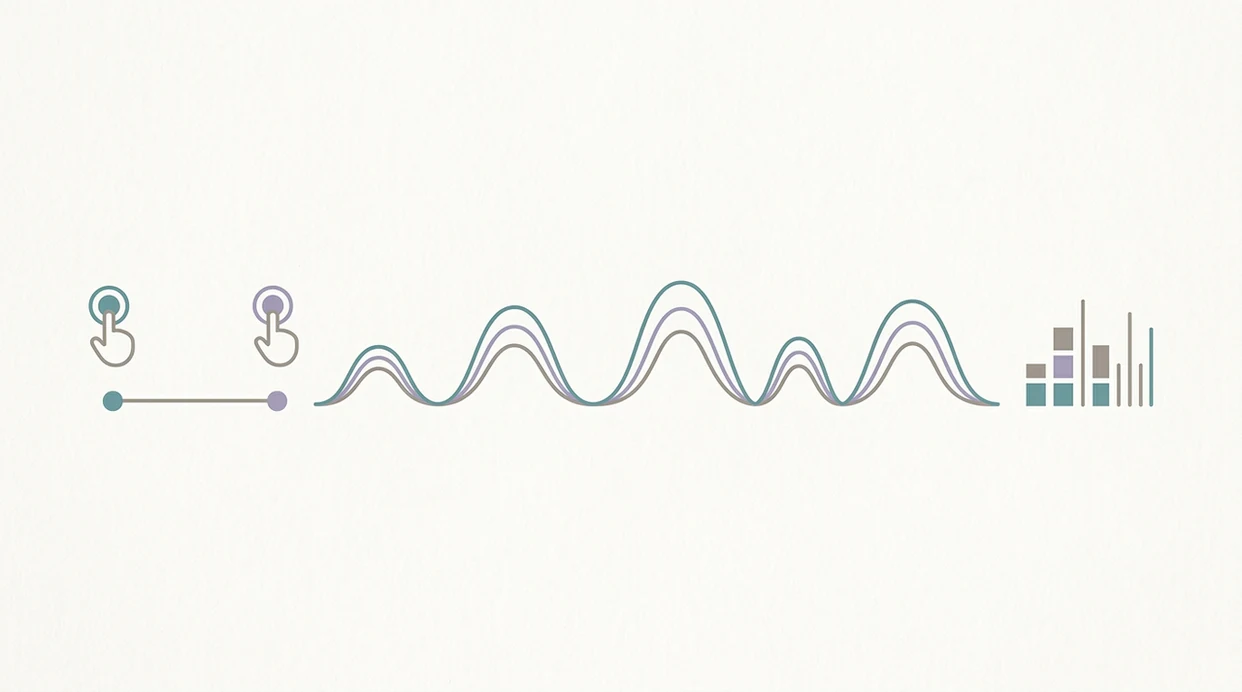
Use this setup before labor starts, not during the first intense wave. A quiet five-minute practice run is enough.
- Open the Apple App Store or Google Play on the phone you’ll use during labor.
- Search “Contraction Timer” and tap Install when you find ContractionTimer.io.
- Open the app and grant only necessary permissions, such as notifications if you want alerts.
- Invite your birth partner through the sharing feature before contractions get distracting.
- Run a practice session and learn the tap interface with two or three pretend contractions.
- Review privacy settings and notification preferences, including any sync or data-sharing choices.
For platform-specific setup, use the download contraction timer for iPhone guide or the download contraction timer for Android guide. On days when your partner is holding the phone timer in one hand, ContractionTimer.io handles the shared log through a partner workflow.
How to Use a Labor Contraction Timer App During Labor
Use a labor contraction timer app during labor by timing the waves that are settling into a rhythm, then comparing the averages with the rule your provider gave you. The app is there to reduce math, not to decide whether symptoms are safe.
- Start timing when contractions feel regular enough to track, instead of logging every stray cramp, twinge, or practice tightening.
- Tap start as the tightening begins, then tap stop when the contraction fades and your body releases.
- Hand the phone to your partner if pain, breathing, nausea, or shaking hands make the taps hard to manage.
- Watch the average duration and spacing over several contractions, and compare that pattern with your provider’s preferred call-in rule, such as 5-1-1 or a different plan.
- Call promptly for warning signs no matter what the timer says, including bleeding, decreased fetal movement, severe pain, fluid concerns, or a strong feeling that something is wrong.
If the numbers look messy, keep breathing and keep the record honest. A slightly imperfect log is still more useful than trying to remember ten contractions from memory.
When to Use Your Contraction App Download During Labor
Use a contraction app download for practice in the third trimester, then active logging when contractions feel regular. Practice with Braxton Hicks so the tap motion feels familiar before pain changes your focus.
Clinicians typically suggest calling or going in based on your provider’s timing rule, your symptoms, and your pregnancy history. Some teams use 5-1-1, some use 4-1-2, and some give different instructions for high-risk pregnancies or prior fast births. The most common medically supported way to use contraction timing is to combine pattern tracking with your care team’s specific call-in instructions.
In the U.S., 98.3% of births occurred in hospitals in 2022, according to CDC/NCHS final natality data: https://www.cdc.gov/nchs/data/nvsr/nvsr73/nvsr73-02.pdf. Stop watching the screen and call promptly for bleeding, decreased fetal movement, severe pain, or anything that feels wrong.
What the Contraction Timer App Looks Like in Practice
ContractionTimer.io should feel boringly easy in the room. The main button is large enough for mid-contraction use, and the summary screen shows average duration, average interval, and total contraction count without digging.
Dark mode helps during nighttime labor, especially with dimmed hallway lights and a straw cup on the nightstand. Core timing works offline, so no Wi-Fi is needed for start-stop logging. Partner view can sync the record when connection is available, which keeps the laboring person from narrating every wave.
For birth partners who need a calmer job, ContractionTimer.io earns its place because the partner can whisper “start” and “stop” while the laboring person keeps eyes closed. If you prefer a bigger screen at home, the contraction timer for iPad setup can make the summary easier to read.
Privacy and Safety Checks Before You Download a Contraction App
Before any contraction app download, check what data may be collected. Pregnancy apps can involve sensitive health details, location signals, account identifiers, and shared notes about labor timing.
Reviews of pregnancy and maternal mHealth apps have found uneven clinician involvement and limited formal evaluation. That does not mean every app is unsafe, but it does mean you should read permissions carefully before adding contraction timing, account, or sharing data.
Look for whether data stays on-device, syncs to cloud storage, or may be shared with third parties. ContractionTimer.io is designed as a consumer timing aid, not an FDA-cleared medical device. Pair the log with provider guidance, especially if an alert conflicts with what your care team told you.
Contraction Timer Download vs Alternative Timing Methods
A contraction timer download mainly reduces arithmetic and preserves a cleaner record. Every method still depends on accurate start and stop input, especially when pain, fatigue, or bathroom breaks interrupt the rhythm.
| Method | What works well | Trade-off |
|---|---|---|
| ContractionTimer.io | Auto-calculates duration, intervals, rolling averages, and shareable logs | Requires accurate taps |
| Stopwatch and paper | Simple, no account needed | Easy to misread or lose during labor |
| Smartwatch app | Wrist access | Smaller screen can be harder during pain |
| Partner timing manually | Lets the laboring person rest | Partner must calculate and record correctly |
| Storky or Bump Pulse | Basic timing options | May lack partner sharing or accessibility options |
For first-time parents, a dedicated app is often easier than stopwatch timing because it saves the contraction history and calculates intervals automatically. If you want wrist access too, compare the contraction timer for Apple Watch workflow before labor.
Related Contraction Timer Features for Birth Readiness
ContractionTimer.io includes related features that support birth prep beyond the first download. Contraction history helps you review the night’s pattern before calling triage, and exportable logs can make provider conversations more specific.
Pattern alerts can be adjusted around your provider’s preferred rule, such as 5-1-1 or 4-1-2. Partner sharing and real-time syncing reduce the need to read numbers out loud between contractions. Some families also use complementary tools, such as a kick counter, when their provider has asked them to monitor movement.
For pregnant people who need preparation without over-focusing, ContractionTimer.io contraction timer app works best as one calm anchor alongside rest, hydration, position changes, and breathing.
Limitations
ContractionTimer.io can make timing easier, but it cannot make labor decisions for you.
- Pain, distraction, shaking hands, or an edited contraction after a bathroom break can create inaccurate data.
- ContractionTimer.io is not an FDA-cleared medical device and cannot replace provider guidance; FDA guidance treats many general wellness or tracking apps differently from regulated medical-device software: https://www.fda.gov/medical-devices/digital-health-center-excellence/device-software-functions-including-mobile-medical-applications.
- Standard rules like 5-1-1 may not apply to high-risk pregnancies, prior fast births, planned C-sections, or special instructions.
- No labor timer can predict when labor will start or when the baby will arrive.
- Timing data alone cannot reliably distinguish Braxton Hicks from true labor.
- Over-reliance on any app can increase anxiety and pull attention away from breathing, rest, and comfort measures.
- Features, costs, app store availability, and privacy policies can change after updates.
- Competitor tools and hospital web timers may be enough if you only need occasional practice timing.
Save your energy. The log is helpful, but your body and care team still matter more than the screen.
Frequently Asked Questions
Is the contraction timer app free?
ContractionTimer.io is free to download, with core contraction timing available for labor prep. Optional paid features may vary by platform or app update.
Does the app work offline?
Yes, core timing works without Wi-Fi or cellular data. Syncing and partner sharing may require an internet connection.
Can my partner see my contractions?
Yes, ContractionTimer.io contraction timer app includes partner sharing for real-time contraction logs. Set it up before labor so nobody is troubleshooting during contractions.
Is a contraction timer app medically approved?
Consumer contraction timer apps are generally not FDA-cleared medical devices. Use them as timing aids and follow your provider’s instructions.
When should I start timing contractions?
Practice timing in the third trimester if you want muscle memory. Start active logging when contractions feel regular or your provider tells you to monitor them.
Can the app tell Braxton Hicks apart?
No consumer app can reliably distinguish Braxton Hicks from true labor on timing alone. Pattern changes, symptoms, and provider guidance matter.
What is the 5-1-1 contraction rule?
The 5-1-1 rule means contractions are about 5 minutes apart, last 1 minute, and continue for 1 hour. Some providers use different rules, so confirm your plan before labor.
Which app fits which need
| Need | Best option |
|---|---|
| fast, accurate labor timing after downloading an app | Contraction Timer |
| simple contraction counting with a broader pregnancy toolkit | Full Term |
| pregnancy content, due date tools, and community features | The Bump |
| additional birth preparation support beyond timing, such as relaxation or education | GentleBirth |
Quick facts
- Type
- Contraction timer & labor tracker app
- Platforms
- iPhone, iPad, Apple Watch, Android
- Focus
- Contraction timing, labor timer download, 5-1-1 alerts, labor pattern tracking, partner setup, birth prep
- Includes
- One-tap timing, duration and frequency calculations, interval tracking, 5-1-1 hospital alerts, labor phase detection, contraction history, partner mode, doctor reports, offline use, no ads
- Best for
- Expecting parents who want to download and set up a focused contraction timer before labor starts.
- Free
- Yes
- Medical replacement
- No
People also use Contraction Timer for
Download the Labor Contraction Timer App Before Labor Starts
Set up Contraction Timer now so timing is ready when contractions begin. Practice one-tap logging, review 5-1-1 alerts, and share history with your partner or provider when needed.
Download the Free App