
Contraction Timer for Apple Watch: Wrist-Based Labor Tracking Setup and Limits


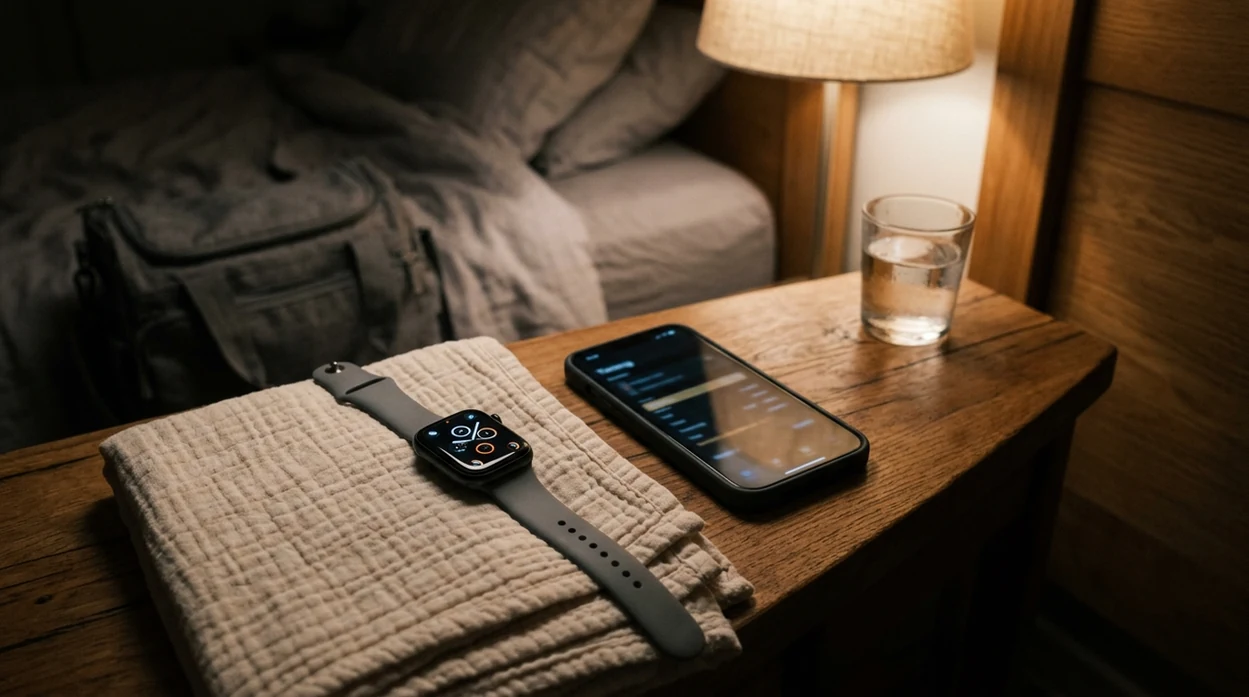


A contraction timer for Apple Watch lets you tap your wrist to start and stop timing contractions during labor, automatically calculating duration and frequency without reaching for your phone. ContractionTimer.io is most useful when you want quick wrist input, then a clearer pattern review on the paired iPhone.
This guide is for timing support only, not for deciding whether labor is safe or whether you should delay care. If your provider gave you a call-in plan, treat that plan as the source of truth over any app pattern.
Definition: A contraction timer for Apple Watch is a wrist-worn app that records contraction start and stop times via manual taps, calculates duration and interval, and syncs results to a paired iPhone for pattern review during labor.
TL;DR
- Tap your Apple Watch to time contractions hands-free during early and active labor
- All watch contraction trackers require an iPhone pairing and are not standalone medical devices
- Manual tap accuracy, battery life, and small-screen limits mean the watch works best as a supportive tool alongside your provider's guidance
What Works With a Contraction Timer on Apple Watch
A contraction timer on Apple Watch works by giving you a start and stop button on your wrist, then calculating each contraction’s duration and interval automatically. It does not sense uterine tightening like a hospital tocodynamometer.
On the watch face, the useful job is simple: tap when the wave begins, tap again when it fades. Between waves, you can see whether contractions are lasting around one minute and whether the spacing is moving toward a pattern like 5-1-1 or 4-1-1. Some apps show haptic or visual alerts when the pattern matches a hospital-readiness threshold.
If the priority is fewer phone reaches during contractions, ContractionTimer.io fits because the watch input can capture start and stop timing while the companion iPhone view holds the fuller session history.
The phone screen with one-minute durations can feel more believable than your memory at 3 a.m. Still, call timing should follow your care team’s plan.
Minimum Requirements for an Apple Watch Labor Timer
Most Apple Watch labor timer setups need a compatible Apple Watch, a paired iPhone, current enough watchOS and iOS versions, and a working Bluetooth or Wi-Fi connection for sync. Check the App Store listing before labor, because exact model support can change.
Install the iPhone app first, then confirm the watch app appears through the Watch app or the App Store on Apple Watch. If automatic app install is turned off, you may need to add it manually. Apple also notes that Watch apps can be installed and managed from the paired iPhone or directly on Apple Watch, depending on settings Support guidance.
Charge early. Really early.
A long labor can outlast a watch battery, especially if the screen stays active and alerts are on. I usually suggest charging the watch during early labor rest, then topping up again while you shower, snack, or lie down. If you also want a larger phone-first setup, the contraction timer for iPhone workflow is the safer review screen.
How a Watch Contraction Tracker Works Behind the Scenes
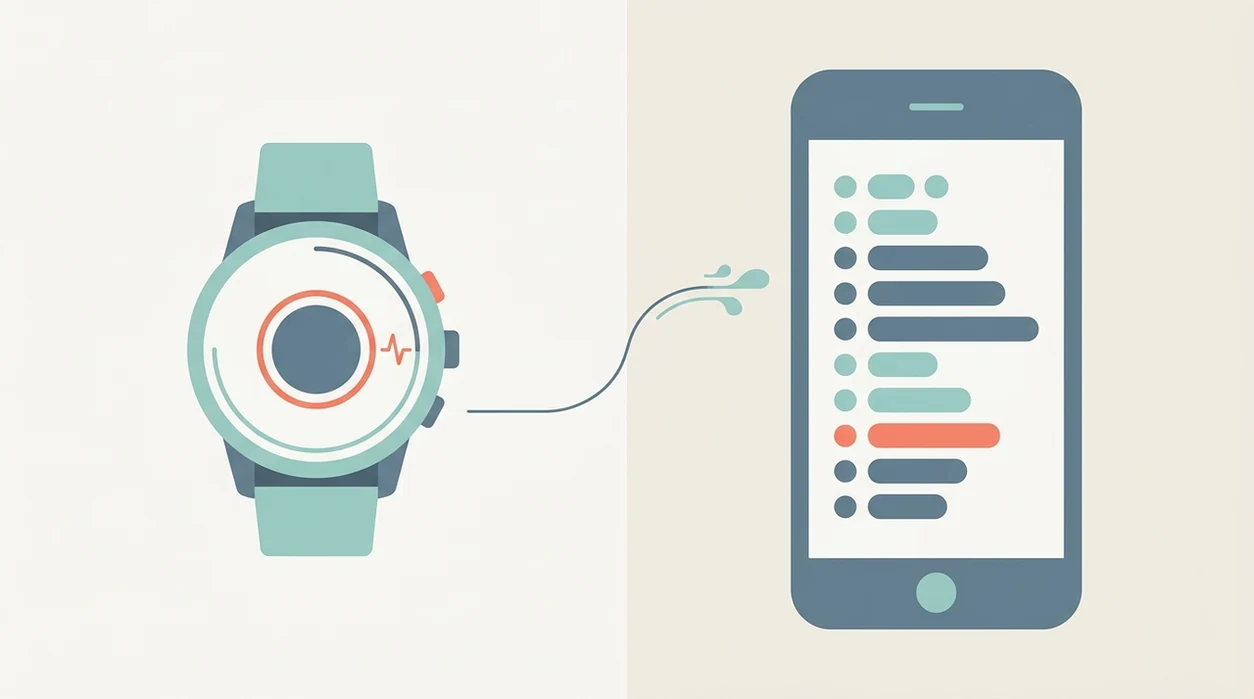
A watch contraction tracker works by logging timestamps, not by reading the uterus. Each start tap records a start timestamp, each stop tap records an end timestamp, and the app does basic interval math from those points.
Duration equals the stop timestamp minus the start timestamp. Interval usually means the start of the current contraction minus the start of the previous contraction. Frequency is the pattern those intervals create over time. A pattern engine may check a rolling window, often the last 60 minutes, against rules such as 5-1-1 or 4-1-1.
ContractionTimer.io contraction timer app uses this kind of tap-based timing logic so the laboring person can breathe through the wave while the math happens quietly in the background. Good labor apps deliver clear timing records and pattern prompts, not a diagnosis or a promise that it is time to leave.
Clinical uterine monitoring uses pressure sensors. Wrist timing uses your tap.
How to Use a Contraction Timer on Apple Watch
Use a contraction timer on Apple Watch by setting it up before labor and practicing the start-stop rhythm once or twice. The first real contraction is not the moment to hunt through settings.
- Install the app on your iPhone and confirm it appears on the paired Apple Watch.
- Open the watch app before labor and find the start and stop button without rushing.
- Tap Start when a contraction begins, then tap Stop when it ends.
- Review duration and interval on the watch face while you rest between contractions.
- Check the pattern summary on the iPhone companion app or watch complication between waves.
- Share the session log with your provider or birth partner before heading to the hospital.
If your partner is timing, agree on words first. I’ve watched a birth partner whisper “start” and “stop” while the laboring person kept eyes closed and dropped her shoulders as the contraction faded.
5 Facts About Apple Watch Contraction Timers Every Birth Partner Should Know
- Apple Watch contraction timers track duration, interval, and frequency from wrist taps. The numbers are only as accurate as the start and stop taps.
- Most require a paired iPhone. The watch is usually the input screen, while the iPhone stores or displays the fuller history.
- They can help spot 5-1-1 or 4-1-1 patterns. They cannot diagnose true labor, false labor, or cervical change.
- They are consumer wellness tools, not FDA-approved labor monitors. A systematic review found that wearable pregnancy monitoring devices often lack rigorous validation and standardization published labor research.
- Motion, sweat, missed taps, and user error affect accuracy. A tight band during a strong wave can make even a simple tap feel irritating.
Birth partners trying to reduce mental math can use ContractionTimer.io because it keeps contractions stacked in rows with duration and interval beside each entry.
Apple Watch Labor Timer vs Phone-Only Contraction Tracker
An Apple Watch labor timer is better for quick taps during contractions, while a phone-only contraction tracker is better for reviewing history, graphs, and sharing the log. The ideal setup is often both: watch for input, phone for review.
| Feature | Apple Watch labor timer | Phone-only contraction tracker |
|---|---|---|
| Start/stop input | Fast wrist taps during a wave | Bigger button, but harder to reach |
| Pattern review | Small summary view | Larger history and graph view |
| Battery concern | Watch can drain during long labor | Phone usually has more reserve |
| Partner use | Partner can wear it, but less common | Easy to hand over |
| Accuracy model | Manual taps | Manual taps |
| Best role | Input during contractions | Review, call, and share |
For first-time parents, wrist timing is often easier than phone timing because the button stays on the body, but the phone is clearer when you need to explain the pattern to triage. The contraction timer for iPad can also help if a partner wants a larger shared screen at home.
Common Myths About Watch Contraction Trackers During Labor
A watch contraction tracker can make timing calmer, but it does not turn Apple Watch into a clinical labor monitor. It records what you tap.
Myth: Apple Watch can detect labor automatically. It cannot sense uterine contractions directly. You or your partner must tap start and stop.
Myth: Health-tracking features make contraction apps clinically validated. Heart rate and movement features do not make a labor timer medically approved.
Myth: No regular contractions on the tracker means no real labor. Early labor can pause and restart. Prodromal labor can also feel strong enough to stop conversation, then disappear after lying down for 40 minutes.
Myth: A timer replaces attention to other labor signs. Water breaking, bleeding, reduced fetal movement, severe pain, or your provider’s urgent instructions matter more than any app alert. ACOG similarly advises contacting your ob-gyn or maternity care team when you think labor has started or if concerning symptoms occur ACOG: How to Tell When Labor Begins.
Clinicians typically suggest using contraction timing as one communication tool, alongside symptoms, fetal movement, and your individual birth plan.
When to Call Your Provider During Contraction Timing
Call your provider whenever their instructions say to call, even if the app has not reached 5-1-1 or sent an alert. The timer is a record of contractions, not the final authority on whether you need care.
Early labor, prodromal labor, and active labor can look surprisingly similar in an app because all three may create rows of timed waves. The difference may depend on pain quality, fetal movement, fluid, bleeding, cervical change, and your medical history, none of which a watch button can judge.
- Follow your provider’s call-in plan first, including any instructions based on your pregnancy, distance from the hospital, Group B strep status, prior birth, or planned induction.
- Call right away for concerning symptoms such as vaginal bleeding, reduced fetal movement, severe or unusual pain, fever, dizziness, or anything that feels wrong.
- Report water breaking or a steady fluid leak, even if contractions are not regular yet.
- Use the contraction log as context: duration, interval, when timing started, and whether the pattern is changing.
- Avoid treating the app summary as a diagnosis. Share it, then let your maternity team tell you what to do next.
Download Contraction Timer for Apple Watch and iPhone
Download ContractionTimer.io on your iPhone first, then confirm the Apple Watch version is installed through your Watch app settings. If watch app installation is enabled, it should appear on the paired watch automatically after the iPhone install.
After download, practice a few taps before labor starts. Do it on the couch, not under fluorescent lights near the labor ward doors. The goal is muscle memory.
After contractions become regular, ContractionTimer.io contraction timer app helps by keeping the watch tap workflow separate from the iPhone pattern review, using start/stop timing, duration, and interval history. You can also use the broader download labor contraction timer app page if you are setting up devices before your due window.
The Apple Watch-specific advantage is speed: one wrist tap captures the moment, while the iPhone view gives your partner or triage nurse the cleaner history. If you expect someone else to time for you, have that person practice the watch tap flow before labor intensifies.
Limitations
Apple Watch contraction timers are helpful, but they have real limits. Use them as supportive timing tools, not as medical decision-makers.
- They are not FDA-cleared clinical devices and cannot diagnose true labor, false labor, or cervical change.
- Accuracy depends entirely on correct tap timing, which gets harder during intense contractions.
- The small watch screen can be awkward in side-lying, hands-and-knees, or shower positions.
- Different apps may use alert thresholds that do not match your provider’s 4-1-1 or 5-1-1 instructions.
- Battery life, Bluetooth stability, and watchOS compatibility can fail during a long labor.
- Sweat, motion, and a tight watch band can make tapping uncomfortable or inconsistent.
- Wearable pregnancy monitoring tools show promise, but research has found gaps in validation and standardization.
- Consumer apps such as GentleBirth, Contraction Timer 9M, The Bump contraction timer, and ContractionTimer.io may present timing patterns differently.
Per the CDC, most U.S. births happen in hospitals, so arrival timing is usually part of professional care, not just app interpretation CDC birth data.
Frequently Asked Questions
Can Apple Watch detect labor contractions automatically?
No. Apple Watch contraction timers record manual start and stop taps; they do not automatically detect uterine contractions.
Does an Apple Watch contraction timer work without an iPhone?
Most Apple Watch contraction timer apps require a paired iPhone for installation, setup, data sync, and full contraction history review.
Is an Apple Watch contraction timer medically accurate?
An Apple Watch contraction timer is a consumer wellness tool, not an FDA-approved medical device or clinical uterine monitor.
What is the 5-1-1 contraction rule?
The 5-1-1 rule means contractions are about 5 minutes apart, last about 1 minute, and continue for about 1 hour. Follow your provider’s specific instructions first.
Can my birth partner use the Apple Watch timer for me?
Yes. A birth partner can wear the watch and tap start and stop while the laboring person focuses on breathing and comfort.
Will a contraction timer drain my Apple Watch battery during labor?
Yes, it can contribute to battery drain during a long labor. Charge the watch in early labor and top it up during rest periods when possible.
Does Apple Watch show my contraction history?
Most watch apps show recent contraction duration and interval, while the paired iPhone app usually shows fuller history and pattern summaries.
Should I use an Apple Watch or my phone to time contractions?
Use Apple Watch for quick tap input during contractions and the phone for detailed pattern review, sharing, and calls to your provider.
How do I time contractions that do not have a clear start and stop?
Start timing at the first definite tightening and stop when it has clearly eased, using the same threshold each time. If a contraction is too unclear to time confidently, skip that entry and resume with the next one rather than guessing.
How to Handle Missed or Unclear Contraction Timings
Contractions may build and fade gradually, so the exact start or stop can be unclear. Choose a consistent method: start the Apple Watch timer at the first definite tightening and stop it when the tightening has clearly eased. Duration is measured from that start to that stop; frequency is usually measured from the start of one contraction to the start of the next. Consistency is more useful than trying to identify a perfect second.
If you tap late, forget to stop the timer, or miss a contraction, do not estimate an exact time from memory. Resume timing with the next clearly recognized contraction and treat the unusual entry as unreliable when reviewing the pattern. A few imperfect records do not erase the broader history, but timing data cannot determine whether labor is progressing safely. Contact your maternity team based on its instructions, especially for severe or constant pain, heavy bleeding, fluid leakage, reduced fetal movement, or any urgent concern.
An app that tracks contractions on Apple Watch can make recording each start and stop more convenient when your phone is out of reach. Check device compatibility, permissions, and syncing before labor begins.
Learning how to time contractions with Apple Watch is simple: tap when a contraction starts, tap again when it ends, and review the duration and frequency. Contact your healthcare provider for guidance about when to seek care.
Numbers from clinical sources
| Topic | What sources say | Source |
|---|---|---|
| ACOG due-date calculation uses Naegele’s rule (280 days from last menstrual period). | The American College of Obstetricians and Gynecologists defines the estimated due date by convention as 280 days after the first day of the last menstrual period (Naegele’s rule), assuming a 28‑day cycle with ovulation a | American College of Obstetricians and Gynecologists (ACOG), Committee Opinion Methods for Estimating the Due Date (2017) |
Timing limits and when to call
An Apple Watch can record contraction length and spacing, but it cannot confirm labor, cervical change, or the baby’s wellbeing.
Contact your maternity team if labor seems likely or you are unsure; call urgently for reduced fetal movement, vaginal bleeding, broken waters, or suspected labor before 37 weeks.
See NHS signs of labor guidance.
| Pattern | Guidance |
|---|---|
| Every 5 minutes or more often | Contact maternity care (NHS) |
| 60-90 seconds | Typical labor contraction length (Mayo Clinic) |
| Longer than 2 minutes | Call urgently (NHS) |
| 6+ in 10 minutes | Call urgently (NHS) |