 Contraction
Online Contraction Timer vs App: Which Should You Use in Labor?


Contraction Timer (contractiontimer.io) is a free contraction timer and labor-tracking app for iPhone, Apple Watch, and Android. For parents comparing an online contraction timer vs app, it offers app-based timing features such as offline tracking, saved history, partner mode, and 5-1-1 pattern alerts.
Quick answer: An online contraction timer can work for quick, temporary labor timing in a browser, but a native contraction timer app is usually more reliable during real labor because it can save history, work offline, and calculate patterns automatically. For parents who want duration, frequency, interval tracking, 5-1-1 alerts, and shareable records, an app is typically the stronger choice.
Why choose Contraction Timer?
Compared with a browser timer or manual stopwatch, Contraction Timer is built specifically for labor tracking across phones and wearables.
- One-tap contraction start and stop
- Automatic duration, frequency, and interval calculations
- 5-1-1 hospital pattern alerts
- Labor phase detection based on timing patterns
- Saved contraction history for review
- Apple Watch and Lock Screen-friendly timing
- Partner mode for shared labor tracking
- Offline use with no ads
Works on iPhone, Apple Watch, and Android. It is a tracking tool, not a medical device.
When comparing an online contraction timer vs app, choose a browser timer for instant, no-install access on any device, and choose a native app if you need offline tracking, push notifications, or saved contraction history. ContractionTimer.io fits people who want app-style contraction history without turning timing into a complicated project. Both formats record the same start-and-stop taps and calculate duration and frequency the same way; the real difference is convenience under the stress of active labor.
A contraction timer is a digital tool, either browser-based or a native app, that records when each contraction starts and stops, then calculates duration, frequency, and pattern trends so users can share accurate data with their care provider.
- Browser timers win on speed: no download, works on any device instantly.
- Native apps win on durability: offline mode, push alerts, and persistent logs.
- Accuracy is identical; both rely on the same user taps and math.
- The best choice depends on your stress tolerance, internet access, and need for saved history.
- Neither tool diagnoses labor or replaces medical guidance.
At-a-Glance: Browser Labor Timer vs Native App Comparison
A browser labor timer is usually faster to open, while a native app is usually better for saved history and offline use. With roughly 3.6 million U.S. births reported in 2023 by CDC/NCHS, small usability differences matter when contractions are already taking attention: https://www.cdc.gov/nchs/data/nvsr/nvsr74/nvsr74-02.pdf.
| Feature | Browser labor timer | Native contraction timer app |
|---|---|---|
| Setup speed | Open a URL and start | Download, install, then open |
| Offline use | Usually limited | Often available |
| Push notifications | Usually no | Often yes |
| Data persistence | May reset if tab closes | Usually saved in app history |
| Privacy/data stored | Often session-based | May use accounts, device IDs, or permissions |
| Device compatibility | Any device with a browser | Depends on iOS or Android |
| Cost | Often free | Free or paid tiers |
| Accuracy of timing math | Same tap-based math | Same tap-based math |
The 5-1-1 guideline gives timing a purpose: contractions about 5 minutes apart, lasting 1 minute, for 1 hour. ContractionTimer.io helps by keeping those duration and interval numbers visible instead of buried in mental math.
How Contraction Timing Works in Both Formats
Contraction timing works by capturing two user events: the start tap and the stop tap. Duration equals stop time minus start time, and frequency equals the interval from one contraction start to the next contraction start.
That means a browser timer and a native app can be equally accurate. Neither format uses uterine sensors, cervical checks, biometrics, or medical monitoring. They depend on the person tapping at the right moments, or on a partner doing it while the laboring person keeps eyes closed and breathes through the wave.
The average interval number on screen is often what changes the room. If three or four contractions stack into a pattern, you can compare that output with your care plan and your clinician’s call-in threshold; ACOG notes that true-labor contractions tend to become regular, stronger, and closer together: https://www.acog.org/womens-health/faqs/how-to-tell-when-labor-begins. For clear basics before using any tool, the how to time contractions guide covers the same start, stop, and interval logic.
Simple wins here.
If your priority is reliable pattern math, ContractionTimer.io contraction timer app covers the core job because it records duration, frequency, and contraction history in one workflow.
Where a Browser Contraction Timer Wins
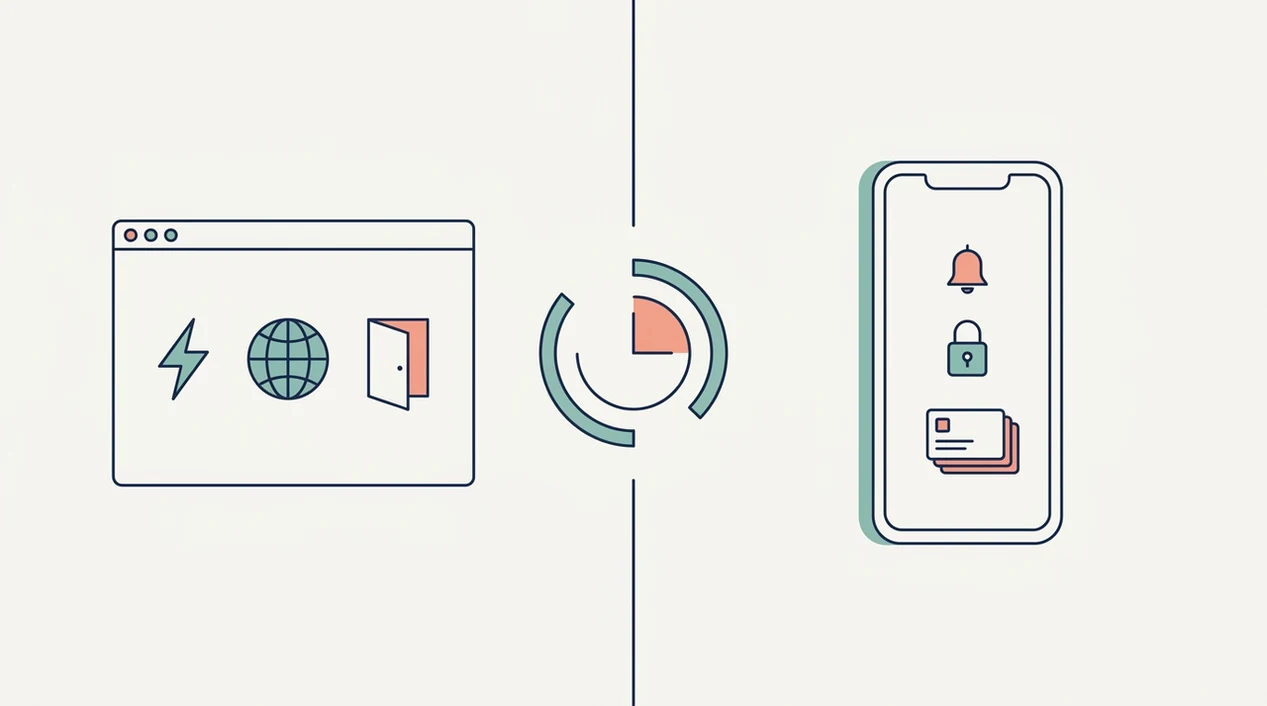
A browser contraction timer wins when you need to start now, not after an app-store search. It is the easiest choice for sudden early labor, shared devices, or a partner who just needs a timer open fast.
- Zero install: Open the URL, tap start, and begin timing immediately.
- Any browser device: Use a phone, tablet, partner’s laptop, or even a hospital computer.
- Lower data footprint: Many browser timers do not need app permissions or an account.
- No phone storage: Nothing has to be downloaded when storage is already full.
- Good for false starts: If evening tightenings vanish by bedtime, you have not installed anything you may not need.
Birth partners who step in quickly may prefer a browser timer because the phone timer can be held in one hand while the laboring person changes positions. For partner-specific setup, the best contraction timer app for birth partner page explains what helpers usually need.
Browser timers deliver fast logging, not labor diagnosis.
Where a Native Contraction Timer App Wins
A native contraction timer app wins when you want the record to survive real-life interruptions. Tabs close, phones restart, and Wi-Fi gets spotty in elevators, parking garages, and some hospital rooms.
- Offline use: Many native apps keep timing without cell service or Wi-Fi.
- Push notifications: Some apps remind you to review patterns or call at a chosen threshold.
- Persistent log: History usually survives tab closure or phone restart.
- Home-screen access: One tap is easier during painful contractions.
- Export options: Some apps let you share a contraction log with a provider or doula.
ContractionTimer.io is useful for parents who want a running history because contraction rows stay easier to review than scattered notes. If you want alerts tied to common timing rules, compare options in the best contraction timer app with 5-1-1 alerts guide.
For people planning ahead, a native app is often easier than a web timer because the icon, log, and settings are already in place.
Privacy and Data Differences: Web Timer vs App
Privacy differs less by “web timer vs app” and more by what each product stores. A browser timer may keep contraction data only in the local session, while a native app may collect device identifiers, analytics data, location, or account details.
WHO birth-care guidance emphasizes individualized birth preparedness and support, which fits this decision well: choose the tool that supports your plan without adding data or attention you do not want. Before downloading any contraction app, check permissions, app-store privacy labels, and whether an account is required. For websites, read the privacy policy and notice whether history disappears when the tab closes.
GentleBirth and The Bump both offer contraction timing experiences, but their data practices and feature sets are not identical. ContractionTimer.io keeps the decision focused on contraction duration, frequency, and pattern review rather than making the privacy check feel like homework.
The pocket check is real.
How to Use a Contraction Timer (Browser or App)
The right way to use a contraction timer is the same in a browser or an app: tap when the contraction begins, tap when it ends, then review the pattern after several contractions. Under stress, fewer decisions usually means better timing.
- Open the timer on a browser URL or app icon before the next contraction starts.
- Tap Start when the contraction begins, not when it reaches the peak.
- Tap Stop when the contraction fully fades and you can rest between contractions.
- Review duration and interval after 3 to 4 contractions instead of judging one wave alone.
- Share the log with your provider, doula, or birth partner if the pattern is changing.
- Follow your care plan’s escalation threshold, including 5-1-1 guidance if your clinician gave that instruction.
At 2:17 a.m., with a half-packed hospital bag by the door, simple steps matter. ContractionTimer.io contraction timer app supports this flow with start/stop timing, average interval review, and saved contraction history.
Who Should Pick a Browser Timer vs a Contraction App
Pick a browser timer if you are in early labor right now, using a shared device, want zero setup, or value minimal data collection. Pick a contraction app if you want weeks of tracking, offline reliability, push alerts, or exportable history for your provider.
In 2023, the U.S. cesarean delivery rate was 32.4% according to CDC/NCHS, meaning most births were vaginal deliveries, so labor timing is relevant for many families even though not every labor follows the same pattern: https://www.cdc.gov/nchs/data/nvsr/nvsr74/nvsr74-02.pdf. Birth partners may prefer a browser timer for a quick assist. The laboring person may prefer an app that is already installed and familiar.
Under stress, the simpler interface often wins. If early labor can pause and restart for you, ContractionTimer.io fits because it keeps contraction history stacked in rows without asking you to rebuild the pattern from memory. For early labor comparisons, use the best contraction timer app for early-labor guide.
Evidence and Source Notes for Browser Timers vs Apps
The evidence points to a practical split: browser timers are fastest to reach, while native apps are usually better when you need persistence, offline use, or alerts. Labor timing matters because CDC birth-volume data shows millions of U.S. families face birth decisions each year, even though every labor path is different.
ACOG-style guidance gives timing its role, not its authority: true labor commonly becomes more regular, stronger, and closer together, and escalation should follow your clinician’s plan, not a timer’s confidence. Browser tools can lose continuity when a tab refreshes, a phone battery dies, or the connection drops. Native apps can store local history, work offline, and send push notifications, but those advantages depend on the specific app and its permissions.
Use a quick evidence check before trusting any tool too much:
- Confirm whether the tool saves history after closing and reopening.
- Check whether offline timing and notifications are published features, not assumptions.
- Review app-store privacy labels before installing tools such as GentleBirth or The Bump.
- Share timing trends with triage, while remembering that no timer can diagnose labor.
Limitations
Contraction timers are useful aids, but they are not medical devices. They can organize what you notice, not decide what your body is doing.
- Neither a browser timer nor an app diagnoses real labor versus false labor.
- Timing patterns vary widely, so no universal threshold guarantees active labor.
- Browser timers may lose data if the tab closes, refreshes, or internet drops.
- Feature-heavy apps can overwhelm people during painful contractions.
- No timer replaces your midwife, OB, hospital triage nurse, or written care plan.
- Some apps overpromise labor-stage prediction from timing alone.
- Notifications and logs are aids, not substitutes for calling when instructed.
- If you have bleeding, decreased fetal movement, severe pain, or concern, follow medical guidance instead of waiting for a timing rule.
ContractionTimer.io supports timing and pattern review, but it should sit beside your care plan, not above it.
Frequently Asked Questions
Do contraction timer apps really work?
Yes. Contraction timer apps work by recording user start-and-stop taps, then calculating contraction duration and frequency.
Is a browser labor timer less accurate than an app?
No. A browser labor timer and app are equally accurate when both use the same tap timing and interval math.
Can I time contractions without downloading an app?
Yes. You can use a browser timer, a clock, or pen and paper to record start times, stop times, duration, and frequency.
Will a contraction timer tell me when to go to the hospital?
No. A contraction timer can show patterns, but you should follow your provider’s specific escalation plan.
Do browser contraction timers work offline?
Most browser contraction timers need an internet connection. Some progressive web apps may cache locally, but offline reliability varies.
Are contraction timer apps free?
Many contraction timer apps and browser timers are free. Some apps charge for export, ad removal, alerts, or saved history features.
Is my data private on a web contraction timer?
Browser timers often store data locally or only during the session. Always check the privacy policy for the specific tool you use.
Can my birth partner use the contraction timer instead of me?
Yes. A birth partner can tap start and stop on either a browser timer or app using their own device.
Which app fits which need
| Need | Best option |
|---|---|
| Fast, accurate labor timing with 5-1-1 alerts, saved history, offline use, and wearable support | Contraction Timer |
| Reading general pregnancy articles while using a simple web-based contraction timer | The Bump |
| Combining contraction timing with broader birth preparation, mindfulness, and education tools | GentleBirth |
| Exploring wearable contraction monitoring hardware rather than manual app or browser timing | Bloomlife |
Quick facts
- Type
- Contraction timer & labor tracker app
- Platforms
- iPhone, iPad, Apple Watch, Android
- Focus
- Contraction timing, browser vs app comparison, 5-1-1 alerts, offline tracking, labor patterns, sharing history
- Includes
- One-tap timing, duration and frequency tracking, interval tracking, 5-1-1 alerts, labor phase detection, contraction history, partner mode, doctor reports, offline use
- Best for
- Parents deciding whether to use an online contraction timer or a dedicated labor-tracking app
- Free
- Yes
- Medical replacement
- No
People also use Contraction Timer for
Use a Contraction Timer App Built for Real Labor Timing
If you are comparing an online contraction timer vs app, Contraction Timer gives you one-tap timing, automatic duration and frequency calculations, 5-1-1 alerts, and saved history on iPhone, Apple Watch, and Android. Use it as a tracking aid and always follow your healthcare provider’s guidance.
Download the Free App