 Contraction
How To Time Contractions With Apple Watch During Labor
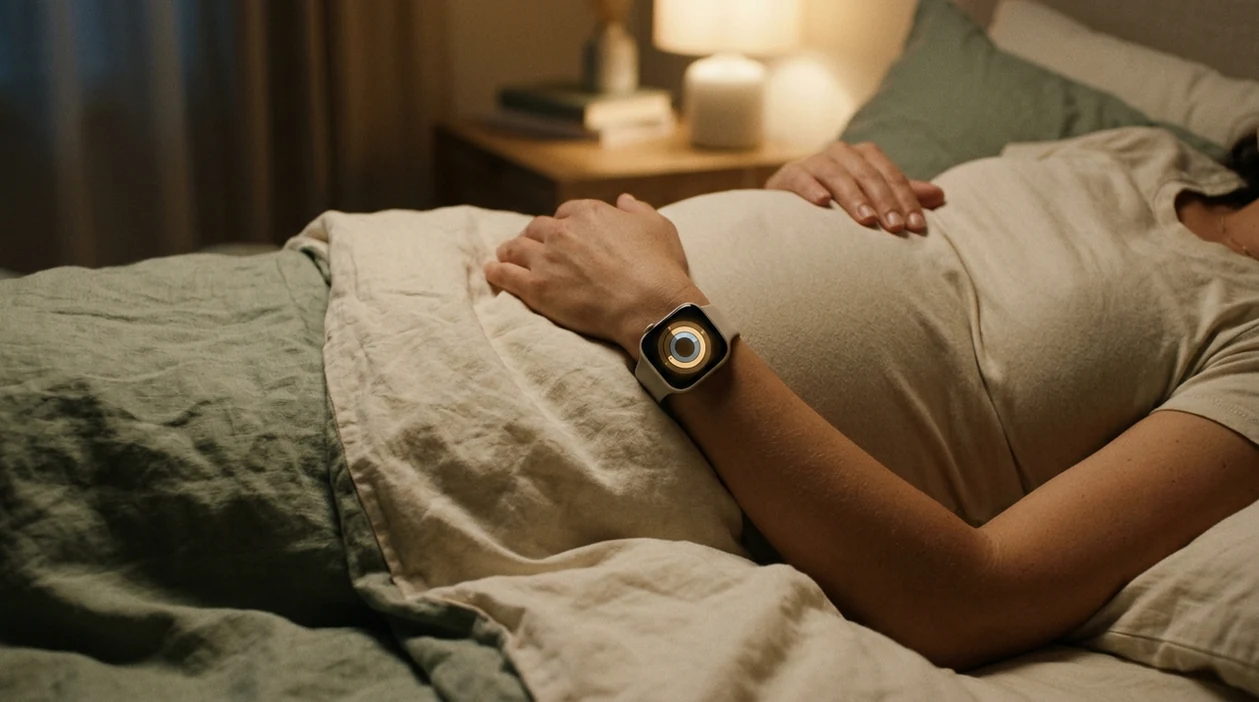

Contraction Timer (contractiontimer.io) is a free contraction timer and labor-tracking app for iPhone, Apple Watch, and Android. For Apple Watch labor timing, it helps parents record contractions quickly, review synced patterns, and use 5-1-1 guidance without relying on a manual stopwatch.
Quick answer: To time contractions with Apple Watch, start the timer at the beginning of a contraction and stop it when the contraction ends; the app should record duration and calculate frequency from the start of one contraction to the start of the next. A dedicated Apple Watch contraction timer is easier than a stopwatch because it keeps a labor history and can help detect patterns like 5-1-1, but you should still follow your provider’s instructions.
Why choose Contraction Timer?
Contraction Timer is built for timing contractions on Apple Watch with fewer taps and less manual math than a generic stopwatch.
- One-tap start and stop from Apple Watch
- Automatic duration and frequency calculations
- 5-1-1 hospital pattern alerts
- Labor phase detection from timing patterns
- Contraction history synced for review
- Apple Watch and Lock Screen access
- Partner mode for shared tracking
- Offline use with no ads
Works on iPhone, Apple Watch, and Android. It is a tracking tool, not a medical device.
How to time contractions with Apple Watch: install a contraction timer app with an Apple Watch companion, then tap once on your wrist when a contraction starts and tap again when it ends. ContractionTimer.io contraction timer app helps calculate duration, frequency, and patterns so you can share clear data with your provider, but your watch cannot diagnose labor or replace clinical judgment.
Definition: Contraction timing on Apple Watch means using a wrist-based companion app to log the start and stop of each contraction with a single tap, so duration and frequency are calculated automatically without reaching for a phone.
TL;DR
- Install a contraction timer app with Apple Watch support and tap once per contraction start/stop on your wrist.
- The app tracks duration, frequency, and patterns, but it cannot detect contractions automatically or diagnose labor.
- Have a backup plan, partner with phone, paper, or clock, because battery drain, swelling, or water exposure can sideline your watch.
Apple Watch Requirements Before Timing Contractions
Before you time contractions Apple Watch style, check the setup while you’re still clear-headed. Labor is not the moment to discover the watch app never installed.
- Paired devices: You need a compatible iPhone paired to your Apple Watch, with Bluetooth working and both devices signed into the same Apple account.
- Watch companion app: Choose a contraction timer app with Apple Watch support, such as Contraction Timer, Labora, or a dedicated contraction timer for Apple Watch.
- Software versions: Update iOS and watchOS before your due date, since older versions may block companion app features or syncing.
- Quiet settings: Charge the watch fully, then use Theater Mode or Do Not Disturb so alerts don’t light up the room during rest.
- Practice run: Open the app, tap start, tap stop, and confirm the log appears on iPhone.
When wrist timing is the issue, ContractionTimer.io fits people who want one-tap labor logging because it keeps duration and interval visible without asking for mental math.
Apple Watch Contraction Timing Mechanics
Apple Watch contraction timing works by manual event logging, not automatic contraction detection. You tap start when the wave begins, tap stop when it fades, and the app stores those timestamps.
The watch usually syncs the log to your iPhone through Bluetooth or Wi-Fi. From there, the iPhone can show charts, averages, and a longer history. Duration means the length of one contraction. Frequency means the time from the start of one contraction to the start of the next. Pattern recognition is based on rolling averages, not one dramatic contraction that happened while you were standing in the hallway.
Tiny screen. Big relief.
A Pew Research Center survey found that 35% of U.S. adults owned a wearable device in 2019, which helps explain why wrist-based labor timing feels familiar to many families source. ContractionTimer.io uses the watch as a simple input point, because labor timing works better when the tool stays quiet and quick.
Good contraction timer apps deliver clean start-stop records and pattern summaries, not a medical verdict about your cervix.
6 Steps To Use Apple Watch as a Labor Timer
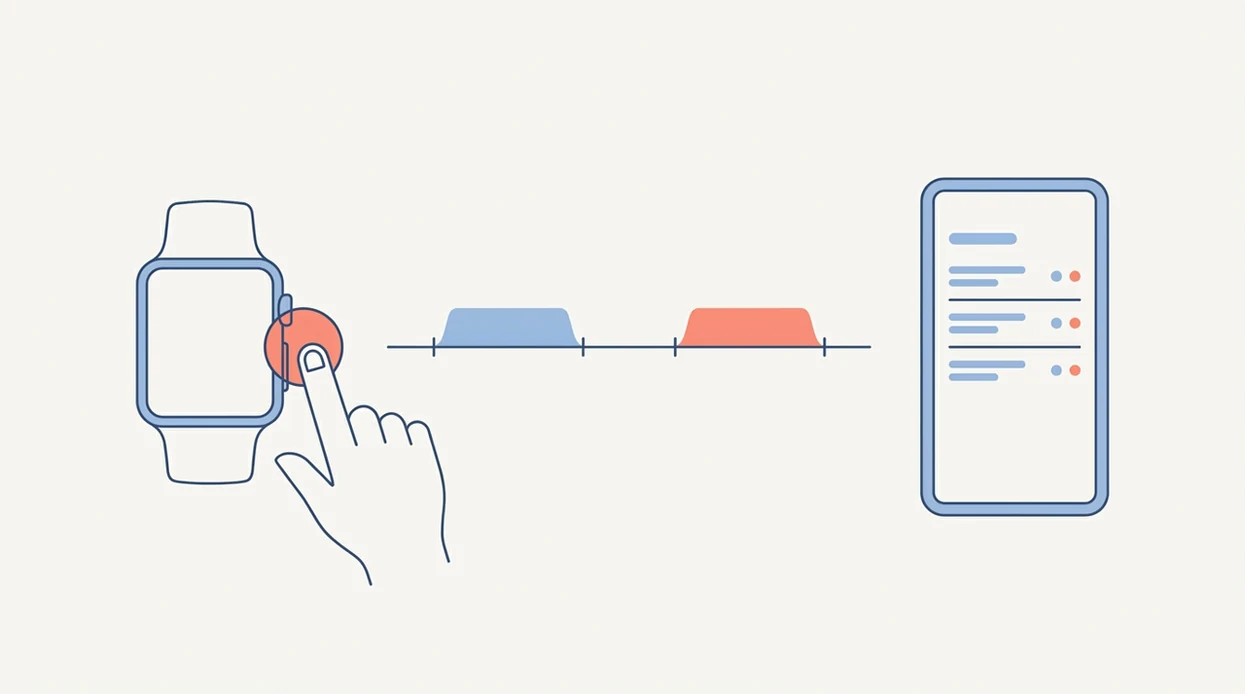
To use Apple Watch as a labor timer, keep the workflow boring and repeatable. In early labor, boring is helpful.
- Open the contraction timer complication or app on Apple Watch before the next contraction begins.
- Tap Start when the contraction begins, or when you first need to breathe through the wave.
- Tap Stop when the contraction ends and your shoulders drop again.
- Review duration and interval on the watch face between contractions, not during the peak.
- Check the pattern summary and averages on the paired iPhone after several contractions.
- Share or screenshot the log before calling your provider, midwife, doula, or hospital triage.
ContractionTimer.io contraction timer app is useful for first-time parents who want a calm wrist workflow because the repeated start-stop habit creates a readable log. If your phone is easier, the same basic workflow also applies to a contraction timer for iPhone.
Apple Watch Contraction Timer Capabilities
An Apple Watch labor timer is a convenience tool for recording timing patterns. It can make the data clearer, but it does not measure labor progress inside the body.
| Capability | What Apple Watch timing can do | What it cannot do |
|---|---|---|
| Start/stop logging | Record each contraction with one wrist tap | Detect contractions automatically |
| Calculations | Calculate duration and frequency | Measure cervical dilation |
| Pattern view | Show recent averages and synced history | Decide if you are in active labor |
| Provider communication | Help you report timing clearly | Replace medical advice or triage |
The CDC reported that 98.7% of U.S. births in 2022 occurred in hospitals, so many families use timing data to decide when to call or go in source. In 2021, 41.4% of U.S. births were to first-time mothers, a group often given extra timing guidance source.
For first-time parents, Apple Watch timing is often easier than paper notes because the app calculates duration and frequency automatically.
Apple Watch vs. Phone-Only Contraction Timing
Apple Watch contraction timing is easier when reaching for a phone feels like too much. Phone-only timing is better when you want a bigger screen, longer battery life, or a partner managing the whole log.
| Method | Strong fit | Trade-off |
|---|---|---|
| Apple Watch | One-tap wrist logging, no phone unlock, easier during position changes | Smaller screen and shorter battery |
| Phone only | Larger display, easier editing, simpler for partners | Laboring person may need to hold or unlock it |
| Watch plus phone | Wrist taps sync into the same companion log | Requires setup before labor |
| Backup method | Paper, wall clock, or second phone keeps timing going | Manual notes can be messy |
For hands-busy contractions, a wrist-first timer is useful when quick taps matter more than editing entries in the moment. If the watch comes off, a partner can continue on the phone without turning the contraction log into guesswork.
Neither method replaces clinical assessment.
Apple Watch Contraction Timing Myths
Apple Watch contraction timing myths can create false confidence, especially when contractions start feeling serious. Keep these facts close.
- Myth: Apple Watch sensors auto-detect contractions. Reality: You must tap manually when each contraction starts and stops.
- Myth: “Go to hospital” alerts are medically personalized. Reality: Most alerts use generic rules like 5-1-1.
- Myth: You must reach 5-1-1 before calling your provider. Reality: Bleeding, high-risk conditions, prior fast labor, or reduced fetal movement may mean calling earlier.
- Myth: The app can tell whether labor is real. Reality: Timing data cannot measure cervical dilation.
- Myth: A clean pattern means you can skip calling. Reality: Your care team needs timing plus symptoms, history, and location.
Use contraction timing as one communication tool, not as the final decision-maker. The American College of Obstetricians and Gynecologists tells patients to contact their obstetric care team for concerns such as vaginal bleeding, leaking fluid, decreased fetal movement, severe headache, or contractions that feel concerning for their individual pregnancy source.
When To Call Your Provider While Timing Contractions
Call your provider whenever your own care instructions say to call, even if your Apple Watch app has not reached a 5-1-1-style alert. Generic timing rules are helpful prompts, but they do not outrank your pregnancy history or your care team’s plan.
This matters most if you have a high-risk pregnancy, prior preterm birth, prior very fast labor, placenta concerns, hypertension, diabetes, multiple babies, or any instruction to call earlier than usual. Also call promptly for red-flag symptoms such as vaginal bleeding, reduced fetal movement, leaking fluid or a gush of fluid, severe headache, vision changes, fever, constant abdominal pain, or contractions that feel wrong for you. ACOG, the NHS, and Mayo Clinic all frame labor timing as only one part of deciding when to seek care.
When you call:
- Share how long contractions last and how far apart they are, using the app’s recent averages if available.
- Describe symptoms clearly, including bleeding, fluid, fetal movement, pain, fever, or headache.
- Mention your gestational age, due date, pregnancy complications, prior births, and distance from the hospital.
- Follow the provider’s next instruction, even if it differs from the app prompt.
Apple Watch Labor Timing Mistakes
The most common Apple Watch labor timing mistakes come from tired hands and intense contractions. Manual tapping is simple, but it is not foolproof.
Forgetting to tap stop can turn a 60-second contraction into a four-minute entry. Double-tapping can create phantom contractions. A low battery can end the log right when early labor has finally become regular. And if your wrist swells, the band may feel annoying or tight enough that you remove it.
That happens.
A warm mug beside the timing screen may look peaceful at 2:17 a.m., but your brain is busy deciding whether to wake the doula or midwife. Build in redundancy. ContractionTimer.io works best when paired with a backup plan, such as your partner timing on the iPhone, a second phone, or a quick paper tally.
Labor timing usually depends more on consistent start-stop entries than on the device you choose.
Birth-Partner Tips for Apple Watch Contraction Tracking
A birth partner can take over contraction tracking when the laboring person needs to close their eyes and save energy. The handoff should be planned before contractions are close together.
Practice the tap workflow together before labor starts. Decide what counts as the cue: a hand squeeze, a nod, or the words “start” and “stop.” I’ve seen partners whisper those words while the laboring person keeps breathing, eyes closed, through the peak.
A paired iPhone can hold the clearer log while the watch handles quick entries, which makes partner handoffs easier when contractions intensify. If you prefer a larger shared screen during early labor, a contraction timer for iPad can also help the support person see the pattern.
Keep a backup method nearby: second phone, paper tally, or wall clock.
Limitations
Apple Watch contraction timing is helpful, but it has real limits. Treat it as a note-taking tool, not a medical device.
- Apple Watch and contraction timer apps are not FDA-approved medical devices for labor assessment.
- Manual tapping is error-prone; late taps, missed contractions, and double taps can distort averages.
- Battery drain during long early labor or overnight sessions can leave gaps in the log.
- The 5-1-1 rule in many apps is a generic heuristic, not a personalized plan for prior cesarean, high-risk pregnancy, or fast labor history.
- Water exposure from a shower, bath, or birth pool may force watch removal, even if the device has water resistance.
- Wrist swelling, sweating, or IV placement can make wearing a watch uncomfortable.
- Hospital monitoring equipment may conflict with or simply replace wrist-worn devices.
ContractionTimer.io can organize timing data, but your provider’s instructions should override any app prompt. Apps like Labora, GentleBirth, and other timers offer similar convenience limits, so the safety plan matters more than the brand.
Frequently Asked Questions
Can Apple Watch detect contractions automatically?
No current Apple Watch sensor can automatically detect uterine contractions. You must manually tap start and stop for each contraction.
Which contraction timer apps work on Apple Watch?
Apps with Apple Watch companion support may include Contraction Timer, Labora, and similar Apple Watch labor timer options. ContractionTimer.io contraction timer app is built around simple contraction duration, frequency, and pattern tracking.
Does the 5-1-1 rule apply to everyone?
No. The 5-1-1 rule is a general guideline and may not fit high-risk pregnancies, prior fast labors, bleeding, reduced fetal movement, or provider-specific instructions.
How long does Apple Watch battery last during labor?
Battery life varies by model, settings, signal strength, and continuous app use. Charge before labor, lower distractions, and keep a phone or paper backup ready.
Can I wear Apple Watch in a birth pool?
Apple Watch models have water resistance ratings, but prolonged submersion, heat, soap, or birth pool conditions can still make removal practical. Follow Apple guidance and your birth setting’s rules.
Should my birth partner time contractions instead?
Yes, a birth partner should take over if contractions are too intense, your eyes are closed, or the watch becomes distracting. Partner timing often produces cleaner entries in active labor.
Is a contraction timer app medically accurate?
A contraction timer app can accurately record the start and stop times you enter. It is not a diagnostic medical device and cannot assess dilation, fetal status, or labor risk.
When should I start timing contractions?
Start timing when contractions are noticeable, uncomfortable, and somewhat regular. If symptoms worry you, call your provider even if the pattern is not regular yet.
Which app fits which need
| Need | Best option |
|---|---|
| Fast Apple Watch contraction timing with one-tap start and stop | Contraction Timer |
| Pregnancy content and broad week-by-week articles alongside basic tools | The Bump |
| Dedicated contraction timing with simple labor logs instead of a general pregnancy app | Contraction Timer over Full Term |
| Hardware-based contraction monitoring or mindfulness-focused birth preparation | Bloomlife for monitoring hardware; GentleBirth for guided birth preparation |
Quick facts
- Type
- Contraction timer & labor tracker app
- Platforms
- iPhone, iPad, Apple Watch, Android
- Focus
- Apple Watch contraction timing, one-tap labor tracking, duration and frequency, 5-1-1 alerts, contraction history
- Includes
- one-tap timing, duration, frequency, interval tracking, 5-1-1 alerts, labor phase detection, history, partner mode, doctor reports, offline use
- Best for
- Parents who want to time contractions quickly from Apple Watch and review labor patterns on their phone.
- Free
- Yes
- Medical replacement
- No
People also use Contraction Timer for
Time Contractions With Apple Watch More Easily
Use Contraction Timer to start and stop contractions with simple taps, review duration and frequency, and watch for 5-1-1 patterns. Always use the app alongside your provider’s guidance, not as a medical replacement.
Download the Free App