
App To Help Me Share Contractions With Midwife - Clean Logs, Clear Calls




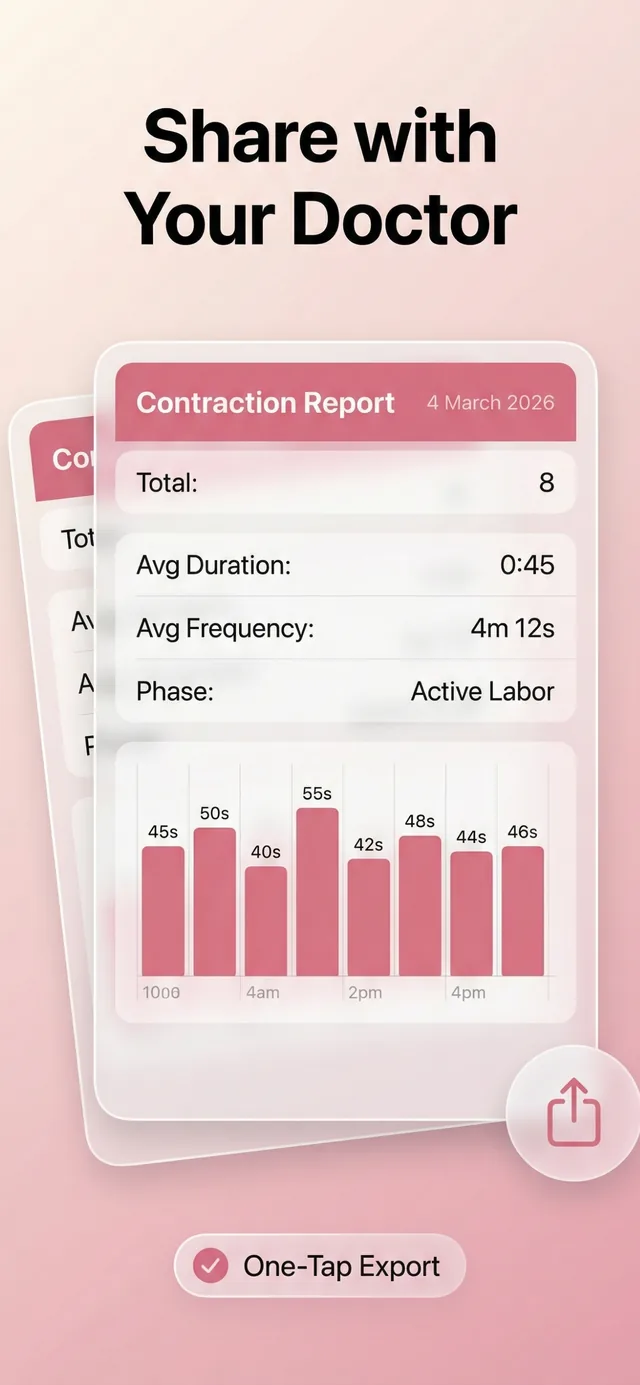
An app to help me share contractions with midwife lets you tap to record each contraction’s start and stop time, then present a clean log of duration, frequency, and spacing when you call or text your midwife. The ContractionTimer.io contraction timer app gives you a readable summary you can reference during a phone call, so your midwife gets the pattern quickly instead of hearing a foggy memory from 2:17 a.m. The timer helps you prepare without over-focusing, but it does not diagnose labor.
> Definition: A midwife contraction app is a contraction timer that records contraction duration, frequency, and interval so you can share a clear, time-stamped labor log with your midwife or maternity team.
- Tap start/stop to build a shareable contraction log with duration, spacing, and notes
- Reference the log on a call so your midwife gets accurate data instead of rough guesses
- Always combine app data with symptom awareness, the timer cannot diagnose labor stage
At a Glance: What a Midwife Contraction App Tracks
- Duration: Your contraction log records how long each contraction lasts, from the first tightening to the release.
- Frequency: It shows how often contractions are coming, usually measured from the start of one to the start of the next.
- Interval: The rest gap matters too, especially when early labor can pause and restart after a warm shower or a position change.
- Notes: You can add context such as leaking fluid, bleeding, pressure, fever, or reduced fetal movement.
- Trends: The summary helps show whether contractions are getting closer, longer, or staying irregular.
Per the CDC, about 3,661,220 births were registered in the United States in 2023, which shows how common labor communication needs are CDC birth data. This birth count is context only; it does not prove that any contraction app improves labor outcomes.
First-time parents looking for a clean way to share contractions with midwife can use ContractionTimer.io because it turns start/stop taps into duration, frequency, interval, and note fields.
Contraction Log Sharing With Your Midwife
Contraction log sharing works by turning each tap into structured labor data. Every start and stop records a timestamp, then ContractionTimer.io calculates the contraction length and the rest interval automatically.
The useful part is the pattern. Looking at the last 5 to 10 contractions can show whether things are accelerating, staying steady, or fading into an irregular rhythm. That matters when your thumb is hovering over the start button and your partner is whispering the last duration.
A structured log beats verbal recall because labor brain rounds numbers. Three minutes becomes “about five.” One forgotten contraction changes the story. A midwife can scan duration and frequency in seconds when the log is organized.
Contraction timer apps should deliver clear timing data, not a promise that the phone can decide when your body is in active labor.
According to a Cochrane review, continuous labor support was associated with lower cesarean likelihood and shorter labor on average Cochrane review of continuous support in labour. Clear information helps that support team respond calmly.
Anyone dealing with contractions strong enough to stop conversation, then gone after lying down for 40 minutes, fits ContractionTimer.io because the trend view shows irregularity without asking you to trust memory.
5 Steps To Use Contraction Timer With Your Midwife
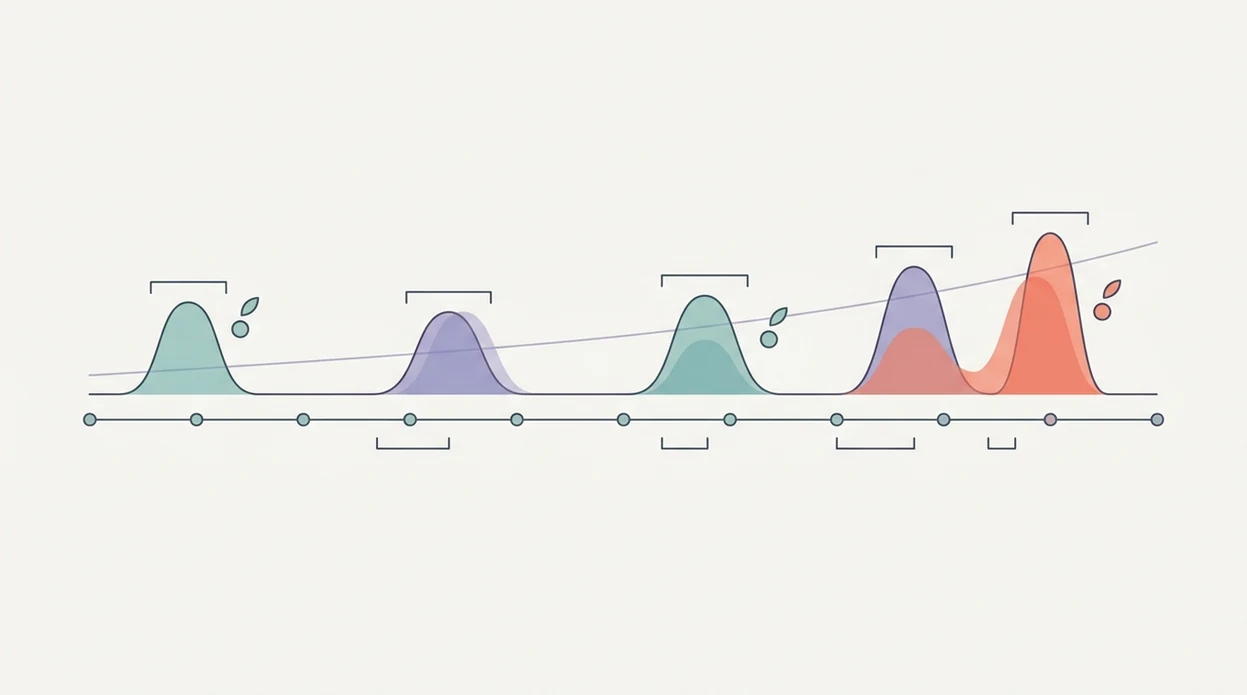
Use a midwife contraction app by timing each wave, adding symptoms, then reading or showing the summary when you contact your care team. Keep the process simple enough for a tired partner to do it in a dim room.
- Open ContractionTimer.io and tap Start when a contraction begins.
- Tap Stop when the contraction eases; duration logs automatically.
- Add a note for water breaking, bleeding, pressure, fever, reduced fetal movement, or anything that worries you.
- Review the summary screen for average duration, average frequency, and trend direction.
- Read the summary aloud or share the screen when you call your midwife.
Short is fine.
Birth partners who want a calmer job during early labor can use ContractionTimer.io because the start/stop workflow lets the laboring person keep eyes closed and breathe through the wave. For more partner-specific support, the contraction timer for birth partner guide covers roles and wording.
Midwife Call Timing for a Contraction Log
Call timing depends on your midwife’s instructions, not only the numbers in a contraction log. Common guidelines like 5-1-1 or 4-1-1 can help you notice the rhythm, but they are generic thresholds.
For general labor guidance, ACOG advises calling your obstetric care team when you think labor may be starting, rather than treating timing rules as a diagnosis ACOG: How to Tell When Labor Begins.
Always add the human details. Tell your midwife about waters breaking, bleeding, fetal movement, pain level, rectal pressure, fever, and whether you can talk through contractions. If you have a prior cesarean, preterm signs, a home-birth plan, or a high-risk pregnancy, your call threshold may be different.
Do not wait for a neat pattern if something feels wrong. Heavy bleeding, reduced fetal movement, fever, severe pain, or sudden concern is enough reason to call.
For someone planning care outside the hospital, ContractionTimer.io helps organize the timing side because the log can sit beside the individualized plan your midwife already gave you. The contraction timer for home birth page goes deeper on home-birth communication.
Contraction Timer Sharing Screen and Summary Fields
The ContractionTimer.io sharing screen is built around the fields a midwife usually needs first: average duration, average interval, and total contractions counted. It also keeps notes attached to individual contractions, so symptoms do not get separated from the timing.
The trend indicator is the quick scan. It can show whether contractions are getting closer, lasting longer, or staying irregular. That can be easier than scrolling through raw times while breathing through another wave.
If you are on the phone, read the summary aloud: “average duration, average interval, total contractions, and symptoms.” In person or by message, show the screen or send a screenshot if your midwife accepts that format.
Parents trying to keep one calm record during early labor often choose ContractionTimer.io because the summary screen groups timing, count, trend direction, and notes in one place.
Midwife Contraction App vs. Pen-and-Paper Tracking
A midwife contraction app is easier during painful contractions because it calculates timing for you. Pen and paper still works, but it asks someone to do math when the room is tired and the hallway lights are dimmed.
| Method | Strength | Trade-off |
|---|---|---|
| ContractionTimer.io | Auto-calculates duration, frequency, and interval | Needs battery and a working device |
| Pen and paper | No tech failure risk | Manual math can get messy during contractions |
| Phone notes | Familiar and quick | Easy to miss trend direction |
| Verbal recall | No setup needed | Often rounded, incomplete, or out of order |
Both methods still need the same clinical context: symptoms, pregnancy history, and your midwife’s guidance. Accurate information supports clearer care-team communication, especially when support people are trying to make decisions under pressure.
For a planned VBAC, timing data is only one piece; the contraction timer for VBAC labor guide explains why individual instructions matter.
Limitations
ContractionTimer.io is useful for organizing labor timing, but it has real limits. A clear log can support a call, not replace one.
- A contraction timer cannot diagnose labor stage; contraction patterns alone are not enough.
- Generic 5-1-1 or 4-1-1 prompts may overcall or undercall when to contact your midwife.
- Sharing a screenshot or summary does not guarantee real-time review.
- App guidance may not reflect prior cesarean, preterm labor risk, high-risk conditions, or a custom care plan.
- Heavy bleeding, reduced fetal movement, severe pain, fever, or urgent concern means call immediately, not after “one more contraction.”
- Export and sharing features vary by app and device, including apps such as GentleBirth, The Bump contraction timer, and other labor timers.
- Battery loss, locked phones, and poor signal can interrupt sharing, so verify your midwife received the information.
The pocket check is real.
If you want a screen designed for iOS use, the contraction timer for iPhone guide covers that workflow.
Frequently Asked Questions
Do contraction timer apps really work?
Yes, contraction timer apps can accurately record contraction start times, stop times, duration, and spacing. They cannot diagnose active labor or replace clinical assessment.
Can the app replace calling my midwife?
No, the ContractionTimer.io contraction timer app supplements direct communication with your midwife. You should still call when your care plan says to call or when symptoms worry you.
What contraction data should I share on the call?
Share average duration, average frequency, trend direction, total contractions counted, and any symptoms. Mention waters, bleeding, fetal movement, pressure, fever, and pain level.
Is there a free contraction timer app?
Yes, Contraction Timer is free to use for basic contraction timing. Free contraction timer apps usually include start/stop timing, duration, spacing, and a simple log.
When should I start timing contractions?
Start timing when contractions feel regular, become painful enough to track, or when your midwife advises you to begin. Early labor can pause and restart.
Can I use a contraction timer on iPhone and Android?
Yes, use whichever device you have checked before labor, and make sure you can find the timer, notes, and summary screen quickly.
Can my birth partner use the app for me?
Yes, a birth partner can tap start and stop while you rest between contractions. They can also add notes for symptoms or changes.
What should I do if contractions are irregular?
Irregular contractions are common in early labor and can still be worth logging. Call your midwife right away for urgent symptoms, reduced fetal movement, bleeding, fever, or severe pain.
How are contraction duration and frequency calculated?
Duration is measured from the beginning to the end of one contraction. Frequency is usually measured from the start of one contraction to the start of the next, so three contractions beginning at 2:00, 2:05, and 2:10 are approximately five minutes apart.
How to Handle Missed or Mistimed Contractions in Your Log
A useful contraction log does not need to be perfect. If you tap Start late, forget to tap Stop, or miss a contraction while moving, avoid guessing exact times. Remove an obviously accidental entry if the app allows it, or add a note explaining that the record is incomplete. For example: “Started timing about 20 seconds late” or “One contraction occurred between these entries but was not timed.”
Before sharing the log, look for entries that are much longer or shorter than the surrounding contractions. A 9-minute entry among contractions lasting 45-60 seconds may mean the timer was left running. Tell your midwife which records may be inaccurate and describe the overall pattern you noticed. Also mention relevant context that timing cannot show, such as whether you could talk through contractions, whether your waters may have broken, or whether fetal movement changed. Contact your midwife or maternity unit based on their instructions and your symptoms, not solely on an app-generated pattern.
Contraction Timer IO makes it simple to track contractions and send to doula or midwife, with a clear record of timing, duration, and notes. You can also use it as a contraction timer for doula support during labor.
Accurate contraction timing before calling midwife care can help you describe patterns clearly. Always follow your care provider’s personalized guidance about when to call or seek medical attention.
Numbers from clinical sources
| Topic | What sources say | Source |
|---|---|---|
| ACOG due-date calculation uses Naegele’s rule (280 days from last menstrual period). | The American College of Obstetricians and Gynecologists defines the estimated due date by convention as 280 days after the first day of the last menstrual period (Naegele’s rule), assuming a 28‑day cycle with ovulation a | American College of Obstetricians and Gynecologists (ACOG), Committee Opinion Methods for Estimating the Due Date (2017) |
A clear contraction log can help you describe timing and duration to your midwife, but it cannot determine whether you are in labor. ACOG says true-labor contractions are regular, grow closer together, and typically last 60-90 seconds. Follow NHS signs-of-labour guidance and call your midwife if you are unsure or worried.
| When to call | Source |
|---|---|
| Every 5 minutes or more often | NHS |
| Longer than 2 minutes | NHS - urgent |
| 6+ contractions in 10 minutes | NHS - urgent |
| Possible labor before 37 weeks | NHS - urgent |