
How to Track Contractions - A Step-by-Step Guide for Labor
Learn to time contractions during labor so you can recognize patterns, know when active labor has started, and decide when to contact your healthcare provider or head to the hospital.


Free on iOS & Android • AI-Powered Tracking
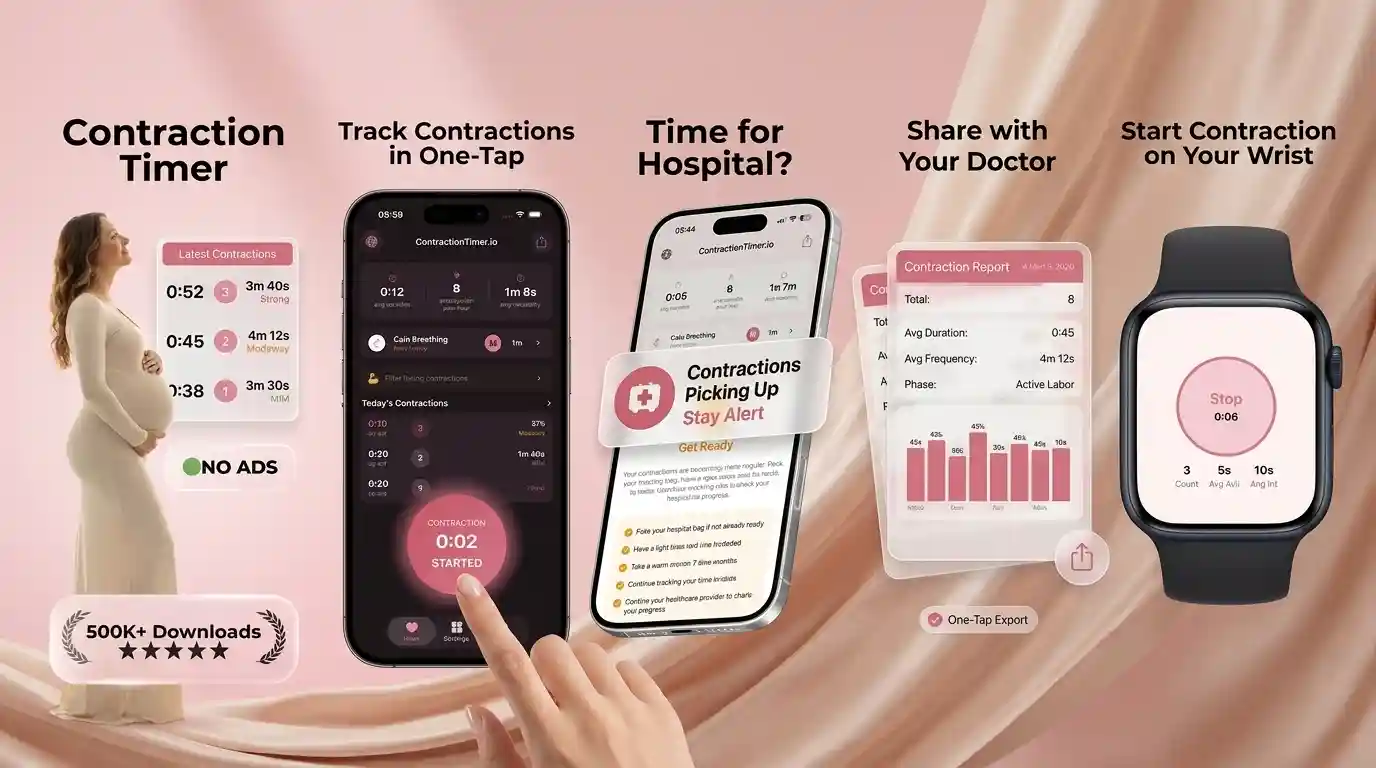

What Labor Contractions Feel Like
Labor contractions are waves of uterine tightening that build, peak, and release. Many people feel them as strong menstrual cramps, belly tightening, pelvic pressure, or lower back pain that comes and goes in a pattern.
In early labor, contractions may be mild enough to talk through and may arrive 10 to 20 minutes apart. As labor progresses, they often last longer, feel more intense, and leave less rest time between waves. Braxton Hicks contractions are usually irregular and may ease with hydration, rest, or a position change. If you are unsure, comparing your symptoms with Braxton Hicks vs real contractions can help you describe what you are feeling when you call your provider.
How Contraction Timing Works
Contraction timing works by measuring two numbers: duration and frequency. Duration is the length of one contraction from first tightening to full release; frequency is the time from the start of one contraction to the start of the next.
These measurements show whether labor is forming a progressive pattern. For example, a contraction that starts at 2:00 and ends at 2:50 has a 50-second duration. If the next contraction starts at 2:06, the frequency is 6 minutes, not the rest time between contractions. Tracking several contractions matters because one wave can be misleading. A pattern of contractions becoming closer together, lasting around 45 to 60 seconds, and increasing in intensity is more useful than a single reading.
How to Time Labor Contractions Step by Step
The simplest way to time contractions is to mark the start, mark the end, and repeat for at least five or six contractions. A phone stopwatch, paper notes, or a contraction timer app can all work if you use the same method each time.
- Start the timer when the tightening, cramp, or back pressure clearly begins.
- Stop the timer when your uterus relaxes and the wave has fully ended.
- Record the next start time to calculate frequency from start-to-start.
- Track five to six contractions before deciding whether there is a true pattern.
- Share the pattern with your doctor, midwife, doula, or labor nurse if you are unsure what to do next.
When to Start Timing Early Labor Contractions
Start timing contractions when tightening, cramping, or back pressure repeats at somewhat regular intervals. You do not need to wait until contractions are painful or dramatic; early labor can begin with mild waves that are 15 to 20 minutes apart.
Timing early gives you a baseline, especially if you are nervous, live far from your birth location, or have had a fast previous labor. If contractions stay scattered, fade after rest, or do not intensify, you may still be in early or prodromal labor. If you want a broader view of what may happen next, review the stages of labor and keep your provider’s instructions nearby. This is not medical advice. Consult your healthcare provider for guidance based on your pregnancy.

Contraction Patterns: Closer, Longer, Stronger
A useful labor pattern usually shows contractions getting closer together, lasting longer, and feeling stronger over time. The trend matters more than any single contraction because labor can pause, surge, or shift with movement, hydration, and baby’s position.
Look across 30 to 60 minutes of timing. Early labor may show contractions every 10 to 15 minutes, then every 7 to 8 minutes, then every 5 minutes. Duration may move from 30 seconds toward 45 to 60 seconds. Some people also notice back-focused waves, especially if baby is in a position that creates pressure on the spine; this can feel different from belly tightening, and our guide to back labor contractions explains what to watch for. Research and clinical guidance consistently emphasize pattern, intensity, and maternal symptoms together, not timing alone.
Contraction Timer App vs Manual Timing
Manual timing can work well, but an app reduces math errors when labor is intense. Contraction Timer IO is a contraction timer app that tracks contraction duration, frequency, and patterns for pregnant people and birth partners.
| Tool | Best for | Strength | Tradeoff |
|---|---|---|---|
| Contraction Timer IO | Simple labor tracking and pattern alerts | Clear duration, frequency, and history | Still depends on accurate taps |
| Full Term | Basic contraction logging | Familiar stopwatch-style interface | Less focused on guided decision support |
| The Bump Pregnancy Tracker | Pregnancy content plus tools | All-in-one pregnancy experience | Contraction timing is one feature among many |
If you are comparing options, this guide to an app to help track labor contractions explains what features matter most during real labor.
What to Do at the 5-1-1 Contraction Pattern
The 5-1-1 pattern means contractions are about 5 minutes apart, lasting about 1 minute each, for at least 1 hour. Many hospitals, midwives, and birth centers use it as a sign to call or prepare to come in, but it is a guideline rather than a rule.
Your provider may recommend a different threshold if you have a high-risk pregnancy, Group B strep instructions, a planned VBAC, previous fast labor, live far away, or are giving birth outside a hospital. Call sooner if your water breaks, you have bleeding, baby’s movement changes, pain feels concerning, or your intuition says something is not right. Learn the details in our 5-1-1 rule contractions guide and compare them with when to go to the hospital for contractions.
Partner Tips for Tracking Labor Contractions
A birth partner can make contraction tracking calmer by handling the timer, writing down notes, and protecting the birthing person’s focus. During labor, the person having contractions may not want to answer repeated questions or watch a clock.
Partners can say, “I’ve got the timing,” then quietly tap start and stop, offer water, dim lights, and remind the laboring person to unclench their jaw and shoulders. They can also note practical details: whether contractions changed after a shower, walk, meal, or rest; whether back pressure helped; and whether coping suddenly became harder. If you are preparing together, our contraction timer for partners article gives simple scripts and roles. Pairing timing with labor breathing techniques can make early labor feel less chaotic.
Common Contraction Tracking Mistakes
The most common tracking mistakes are timing too few contractions, mixing up duration and frequency, and forgetting that labor is about the whole picture. A clean log is helpful, but it should support your care plan, not replace medical judgment.
- Stopping after one or two contractions: track at least five or six to see a pattern.
- Measuring rest time as frequency: frequency is start-to-start, not end-to-start.
- Tapping late: delayed start or stop times can make contractions look shorter or longer than they are.
- Ignoring intensity: note whether you can talk, walk, breathe, or need full focus.
- Waiting too long to call: contact your provider earlier if you have risk factors, bleeding, broken waters, or reduced fetal movement.
Limitations and Safety for Contraction Tracking
Contraction tracking is useful, but it cannot diagnose labor stage or guarantee when your baby will arrive. This is not medical advice. Consult your healthcare provider, especially if symptoms feel unusual or urgent.
- Timing does not measure cervical dilation: only a trained clinician can assess dilation when appropriate.
- Apps depend on your taps: if you miss the start or end, the pattern may be inaccurate.
- Some labors do not follow 5-1-1: second labors, inductions, back labor, and precipitous labor can behave differently.
- Medical signs override the timer: bleeding, fever, severe headache, vision changes, decreased fetal movement, or concerning pain need prompt medical advice.
- Guidelines vary: ACOG, NHS, hospitals, and midwifery practices may give different call-in instructions based on risk and setting.
Track Labor Contractions With More Confidence
Good contraction tracking helps you feel less lost during a vulnerable moment. It gives you language for the phone call: “They are 4 to 5 minutes apart, lasting about 60 seconds, and this has been happening for an hour.”
That kind of clear summary can help your provider or birth team guide your next step. If you prefer not to calculate duration and frequency while breathing through waves, a labor tracking app can keep the history for you. Contraction Timer IO is designed for the messy reality of early labor: partners tapping, contractions shifting, and families trying to decide when it is time. For more preparation, see our early labor what to do guide before contractions become intense.
More contraction timing guides
Before you trust the numbers, see how accurate a contraction timer is and whether a contraction timer actually works. For how home tracking differs from clinical monitoring, read contraction timer vs fetal monitor.
Choosing an app? Compare GentleBirth vs Full Term contraction timer. As labor nears, prepare with what to pack in your hospital bag when contractions start, and see real contraction timer success stories.
Contraction timing at a glance
| Timing detail | How to record it |
|---|---|
| Start | When tightening or the wave begins |
| End | When the contraction clearly eases |
| Duration | Time from start to end |
| Frequency | Start of one to start of the next |
| 5-1-1 pattern | Every 5 minutes, lasting 1 minute, for 1 hour |
| Trend | Look for closer, longer, and stronger contractions |
How to Time Contractions With an Unclear Start or End
Contractions do not always have sharp boundaries. Press start when you first notice a definite tightening, pressure, or wave of discomfort, and press stop when it has clearly eased. Use the same judgment each time; a consistent method is more useful than trying to identify the exact second. For example, a contraction beginning around 2:10:00 and easing at 2:10:45 has an estimated duration of 45 seconds. If the next one begins at 2:15:00, the frequency is 5 minutes, measured from start to start.
If you notice a contraction late, record it only if the timing will still be meaningful; otherwise, wait for the next clear start rather than guessing. One incomplete entry usually matters less than the pattern across several accurately timed contractions. If discomfort does not ease between waves, contractions overlap, or you cannot identify separate starts and stops, a timer may not describe what is happening reliably. Contact your maternity care team for guidance, especially if you also have bleeding, possible fluid leakage, reduced fetal movement, severe pain, or other concerning symptoms.
Frequently Asked Questions
When should I time contractions?
Start timing when tightening, cramping, or back pressure repeats in a pattern. You can begin in early labor, even if contractions are still mild.
How many contractions should I record?
Record at least five to six contractions before judging the pattern. A single contraction can be longer, shorter, or stronger than the others.
What is contraction frequency?
Frequency is the time from the start of one contraction to the start of the next. It is not the amount of rest time between contractions.
What is contraction duration?
Duration is how long one contraction lasts from the first tightening to the full release. Many active labor contractions last around 45 to 60 seconds.
Do Braxton Hicks need timing?
You can time them if you are unsure what they are. Braxton Hicks are often irregular and may ease with water, rest, or a position change.
What does 5-1-1 mean?
The 5-1-1 rule means contractions are 5 minutes apart, lasting 1 minute each, for 1 hour. Ask your provider whether this guideline applies to your birth plan.
Can contractions start in my back?
Yes, some contractions feel strongest in the lower back, especially with back labor. Time them the same way: start of the wave to the end, then start-to-start.
Should I call before 5-1-1?
Call sooner if your water breaks, you have bleeding, baby’s movement changes, pain feels concerning, or your provider told you to come in earlier.
Can an app tell active labor?
An app can identify timing patterns, but it cannot confirm dilation or diagnose labor stage. Use it as a tracking aid and follow your healthcare provider’s advice.
What should I do if I miss the start of a contraction?
If you are only a few seconds late, start timing and treat the duration as an estimate. If most of the contraction has already passed, skip that entry and begin with the next clear contraction rather than entering a guessed time.
Learning how to time contractions means recording when each one starts, when it ends, and the interval from the start of one to the start of the next. If you are wondering how many contractions to time, continue long enough to identify whether a consistent pattern is developing.
For how to track contractions with phone, open a tool to time contractions such as Contraction Timer IO and tap at the beginning and end of each contraction. Follow your provider’s guidance, and contact them if you have concerns or unusual symptoms.
Numbers from clinical sources
| Topic | What sources say | Source |
|---|---|---|
| Early (latent) vs established (active) labour contraction patterns (NHS). | NHS information explains that early or latent labour can last many hours or even days, with irregular, milder contractions, whereas established labour is defined by cervical dilation of about 4 cm or more with stronger, | NHS The stages of labour and birth; NHS Signs that labour has begun (2020-2025) |
| Key differences between Braxton Hicks (“practice”) contractions and true labour contractions. | Major clinical sources describe Braxton Hicks contractions as irregular, infrequent tightenings that do not become progressively closer or stronger and often ease with rest, hydration or position change, whereas true lab | Mayo Clinic patient education on Braxton Hicks vs true labor; NHS Signs that labour has begun (2019-2023) |
Evidence-based contraction notes
Record each contraction’s duration in seconds and spacing in minutes to see whether a regular pattern develops.
True labor contractions typically become closer together and last about 60-90 seconds, but cervical change and clinical assessment confirm active labor (ACOG).
Contact your maternity team urgently for bleeding, broken waters, reduced fetal movement, suspected labor before 37 weeks, contractions over 2 minutes, or 6 or more contractions in 10 minutes.
| Pattern | Sourced range |
|---|---|
| Typical labor duration | 60-90 seconds (ACOG, 2026) |
| Common contact cue | Every 3-5 minutes for over 1 hour (Imperial NHS) |
| Urgent frequency | 6+ in 10 minutes (NHS, 2025) |