
Phone Timing


How to Time Contractions on Your Phone
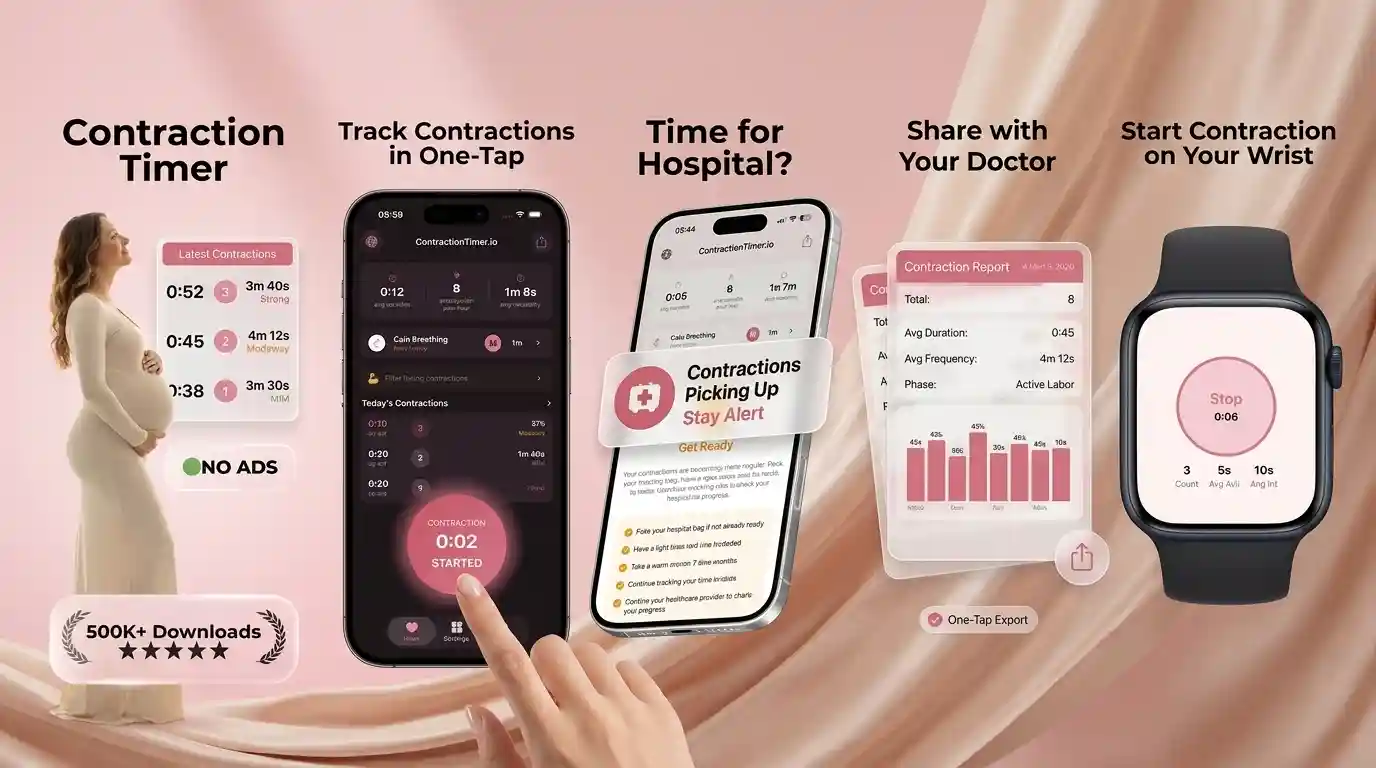
How to time contractions on phone: start a timer at the beginning of a contraction, stop it when the contraction ends, and repeat for each one to track both duration and the time between them. ContractionTimer.io does this with one-tap start/stop and keeps a running pattern so you can see if things are getting closer and longer. If you’re told to use the 5-1-1 guideline, set alerts so your phone can nudge you when your pattern matches it.
What Phone Contraction Timing Measures
Phone contraction timing measures two things: duration and frequency. Duration is how long one contraction lasts, and frequency is the time from the start of one contraction to the start of the next.
That distinction matters at 39 or 40 weeks when the room is dark, you are tired, and every wave feels important. A single contraction rarely tells the full story. A run of 5 to 10 timed contractions is more useful because it shows whether the waves are getting longer, closer together, and more intense. If you are unsure whether you are feeling early labor, Braxton Hicks, or a stop-start pattern, compare your symptoms with Braxton Hicks vs real contractions. This is not medical advice. Consult your healthcare provider, especially with bleeding, decreased fetal movement, severe pain, fever, or a gut feeling that something is wrong.
How to Time Labor Contractions on Your Phone
The simplest way to time contractions on your phone is to start at the first tightening and stop only when the wave has fully released. Do not wait for the peak, because that makes the contraction look shorter than it really was.
- Open your timer before the next wave, ideally with your phone charged and nearby.
- Tap start when the tightening begins, even if it is mild at first.
- Tap stop when your belly, back, or pelvic pressure fully eases.
- Repeat for at least five contractions so the pattern is not based on one odd interval.
- Review the average duration, spacing, and trend before calling your provider.
- Share the log with your partner or doula if talking through contractions is getting hard.
If you want a dedicated contraction timer app, set it up before labor becomes intense.
How a Contraction Timer App Works
Contraction Timer IO is a contraction timer app that tracks contraction duration, frequency, and patterns for pregnant people and birth partners. Each start and stop tap creates a timestamp, and the app calculates the length of the contraction plus the spacing between contraction starts.
Most labor timers use rolling averages rather than one isolated contraction. That is helpful because early labor can be uneven: one contraction may come after 6 minutes, the next after 11, and the next after 7. Pattern detection looks at the recent series and highlights whether contractions are becoming more regular. Some apps also support alerts for common thresholds, partner sharing, and notes. These calculations are not a diagnosis and cannot measure cervical dilation. They are a structured record you can discuss with your midwife, OB, doula, or hospital triage nurse.
When Phone Timing Helps in Early Labor
Phone timing is most helpful when contractions are noticeable but you are still deciding what phase you may be in. It gives you a steadier record than memory, especially when excitement, fear, and interrupted sleep make time feel strange.
Many families use a phone timer while resting, hydrating, showering, or walking during early labor. It can also help a birth partner answer triage questions clearly: how long contractions last, how far apart they are, and whether they are intensifying. For a calmer at-home plan, pair timing with comfort measures from what to do in early labor. Studies and clinical guidance suggest that labor assessment is based on the whole picture, not timing alone, so also pay attention to fetal movement, waters releasing, bleeding, and how well you can talk or rest between waves.
5-1-1 and 4-1-1 Labor Timing Guidelines
The 5-1-1 guideline usually means contractions are about 5 minutes apart, lasting 1 minute each, for 1 hour. Some providers use 4-1-1 or different instructions based on your birth history, distance from care, Group B strep status, medical conditions, or whether your waters have released.
Use these rules as communication tools, not as promises that labor is active or that it is time for everyone to leave immediately. If your provider gave you a specific threshold, follow that over any app or article. You can learn the details in 5 1 1 rule contractions, or compare timing thresholds in 4-1-1 vs 5-1-1. This is not medical advice. Consult your healthcare provider for instructions that fit your pregnancy, birth setting, and travel time.
Phone Contraction Timer Features That Matter
A good phone contraction timer should reduce mental work when labor is asking a lot from you. Big buttons, automatic averages, and easy sharing matter more than a crowded screen full of features.
- One-tap start and stop: easier to use during a strong wave.
- Clear duration and frequency: the two numbers most often requested by providers.
- Rolling pattern summary: shows whether contractions are becoming consistent.
- 5-1-1 alerts: useful only if that matches your provider’s advice.
- Partner mode: lets someone else manage timing while you breathe and rest.
- No account barrier: important when labor starts unexpectedly.
If your partner will be the main timekeeper, share contraction timer tips for partners before labor day so they know what to tap and what to watch.
Contraction Tracking Apps Compared
The best contraction tracking app is the one you can operate quickly, accurately, and calmly during real contractions. Below is a practical comparison of well-known options, not a medical endorsement.
| App | Best fit | Helpful strengths | Watch-outs |
|---|---|---|---|
| Contraction Timer IO | Phone-first labor timing with clear patterns | One-tap timing, pattern summaries, 5-1-1 style alerts, partner-friendly flow | Still depends on accurate taps and provider guidance |
| Full Term | Simple contraction logging | Clean timer, history view, familiar interface | Automation and sharing features vary by version |
| Bloomlife | Sensor-supported contraction awareness | Pairs app insights with hardware in some setups | May require additional device access and is not focused on basic phone-only timing |
| The Bump | Pregnancy content plus basic tools | Useful pregnancy ecosystem | Timer may feel secondary to broader app content |
For a deeper accuracy discussion, see how accurate contraction timer apps are.
Limitations of Timing Contractions by Phone
A phone timer can organize your contraction pattern, but it cannot tell you whether your cervix is changing or whether your baby needs assessment. Treat the log as one piece of information, not a decision-maker.
- A timer cannot diagnose active labor, prodromal labor, back labor, or fetal wellbeing.
- Late taps can make contractions look shorter and farther apart than they were.
- Irregular contractions can look alarming even when they later fade with rest, hydration, or position changes.
- Fast labor can move quicker than any app alert, especially if you have given birth before.
- Phone battery, lock screens, notifications, and stress can interrupt accurate tracking.
- If your waters break, bleeding occurs, fetal movement decreases, or you feel unsafe, call your provider even if the app pattern looks mild.
This is not medical advice. Consult your healthcare provider or local maternity unit for urgent symptoms.
Common Phone Timing Mistakes at Home
The most common timing mistake is starting at the peak instead of the beginning. That can undercount duration and make the whole pattern look less established than it feels in your body.
Another mistake is timing every sensation that is uncomfortable but not wave-like. True labor contractions usually build, peak, and release, though back labor can feel more constant. If pain is mainly in your back, read about back labor contractions and ask your care team how to track them. People also forget to note context: walking, lying down, a bath, dehydration, or anxiety can shift the pattern. If you are coping well, timing every other contraction for a short period may be less stressful than staring at the screen constantly. If you are not coping, call for support. Your comfort and safety matter more than perfect data.
When to Call About Timed Contractions
Call your provider when your contraction pattern reaches the instructions they gave you, or sooner if you have concerning symptoms. Timing helps with the conversation, but your symptoms, pregnancy history, and distance from care matter too.
Authoritative guidance from ACOG on how to tell when labor begins and the NHS signs of labor guidance emphasizes calling for advice if you are unsure, especially when waters break, bleeding occurs, or baby’s movements change. For a practical decision checklist, use when to go to the hospital for contractions. If you are planning a home birth or birth center birth, follow your midwife’s specific call plan. This is not medical advice. Consult your healthcare provider.
A Calm Phone-First Labor Tracking Plan
A calm labor tracking plan is simple: choose one timer, decide who taps, know your call threshold, and keep your phone charged. The goal is not to control labor; it is to make the next conversation with your care team clearer.
Before 37 weeks, ask your provider what to do if contractions start. After 37 weeks, save your triage number, pack your charger, and practice one or two timed contractions so the buttons feel familiar. During labor, combine timing with breath, movement, warmth, and reassurance. Many people find that structured timing lowers the mental noise of “Was that five minutes or eight?” If you prefer Android, you can set up a labor tracking app before things intensify. Contraction Timer is meant to support your notes and decisions, not replace medical care.
Comfort Measures While Tracking Labor Contractions
Timing contractions works best when it sits quietly beside coping, not on top of it. Between waves, try to soften your jaw, drop your shoulders, sip fluids, empty your bladder, and return to a position that helps you feel steady.
During a contraction, one person can time while the birthing person breathes, sways, leans forward, or uses counterpressure. If you are alone for the moment, keep the phone within reach and use the biggest, simplest button available. Gentle rhythm matters: start, breathe, stop, rest. If anxiety rises, try a slow exhale or a counted breath from labor breathing techniques. No breathing pattern guarantees a certain birth outcome, but many people find that having something steady to do makes early and active labor feel less chaotic.
Hospital Prep
Turn scattered taps into a clear “go-time” pattern
Use your phone to time contractions in one place, then share the pattern with your partner when you need another set of eyes.
How to Report Your Contraction Pattern to Your Care Team
When you call your midwife, maternity unit, or doctor, summarize the most recent pattern rather than reading every entry. Report when you started tracking, how many contractions you timed, their usual duration, and the start-to-start interval. For example: “I have timed eight contractions over 45 minutes. They are mostly 45-60 seconds long and about five minutes apart.” Mention whether the intervals are becoming shorter, the contractions are lasting longer, or the pattern remains irregular.
Also describe what the timer cannot show: how strong the contractions feel, whether you can talk or walk through them, and whether changing position or resting affects them. Tell your care team immediately about leaking fluid, vaginal bleeding, reduced fetal movement, fever, severe constant pain, an urge to push, or any other concerning symptom. Follow your provider’s instructions even if your recorded pattern does not match a guideline such as 5-1-1; timing data supports clinical advice but cannot determine whether labor is active.
Frequently Asked Questions
How do I start timing contractions?
Start the timer when the tightening first begins, not when it peaks. Stop when the contraction fully fades and your body has clearly released.
Do I time from start or end?
Frequency is usually measured from the start of one contraction to the start of the next. Duration is measured from the start of one contraction to its end.
How many contractions should I track?
Track at least five contractions if you can, because a small series shows the pattern better than one contraction. Call sooner if your provider told you to or if symptoms worry you.
What does five minutes apart mean?
Five minutes apart means the time from the start of one contraction to the start of the next is about five minutes. It does not mean five minutes of rest after each contraction.
Can an app tell active labor?
No app can confirm active labor or cervical dilation. It can show a timing pattern that may help you decide when to call your healthcare provider.
Should my partner time contractions?
Yes, if you want support, a partner can handle the phone so you can focus on breathing and resting. Agree ahead of time that they will tap at the beginning and end of each wave.
What if contractions are irregular?
Irregular contractions can happen in early or prodromal labor and may shift with rest, hydration, or movement. If they become intense, painful, or concerning, contact your provider.
When should I stop timing?
You can stop timing once your provider has advised you on next steps, you are leaving for your birth place, or timing becomes distracting. In active labor, comfort and safety are more important than perfect logs.
What symptoms need urgent care?
Call your provider urgently for heavy bleeding, decreased fetal movement, severe constant pain, fever, or if your waters break and you were told to call. This is not medical advice; follow your local maternity instructions.
Should I time Braxton Hicks contractions on my phone?
You can time them if you are unsure whether a pattern is developing. Braxton Hicks contractions often remain irregular or ease with rest, hydration, or a change of position, but contact your maternity care team if contractions become regular, stronger, or concerning, especially before 37 weeks.
Timing is a guide, not a diagnosis
A phone can track contraction length and spacing, but active labor is determined by cervical change and clinical assessment - not a timer alone. Contact your maternity team urgently for bleeding, reduced fetal movement, broken waters, suspected labor before 37 weeks, contractions lasting over 2 minutes, or 6 or more in 10 minutes. Follow NHS guidance on signs of labor and your clinician’s instructions.
| Pattern | Sourced range |
|---|---|
| Typical active-labor contractions | 60-90 seconds, every 2-5 minutes (Mayo Clinic, 2024) |
| Active phase begins | About 6 cm dilation (ACOG, 2024) |
| Latent phase | A few hours to 2-3 days (NHS) |