
Side-by-side


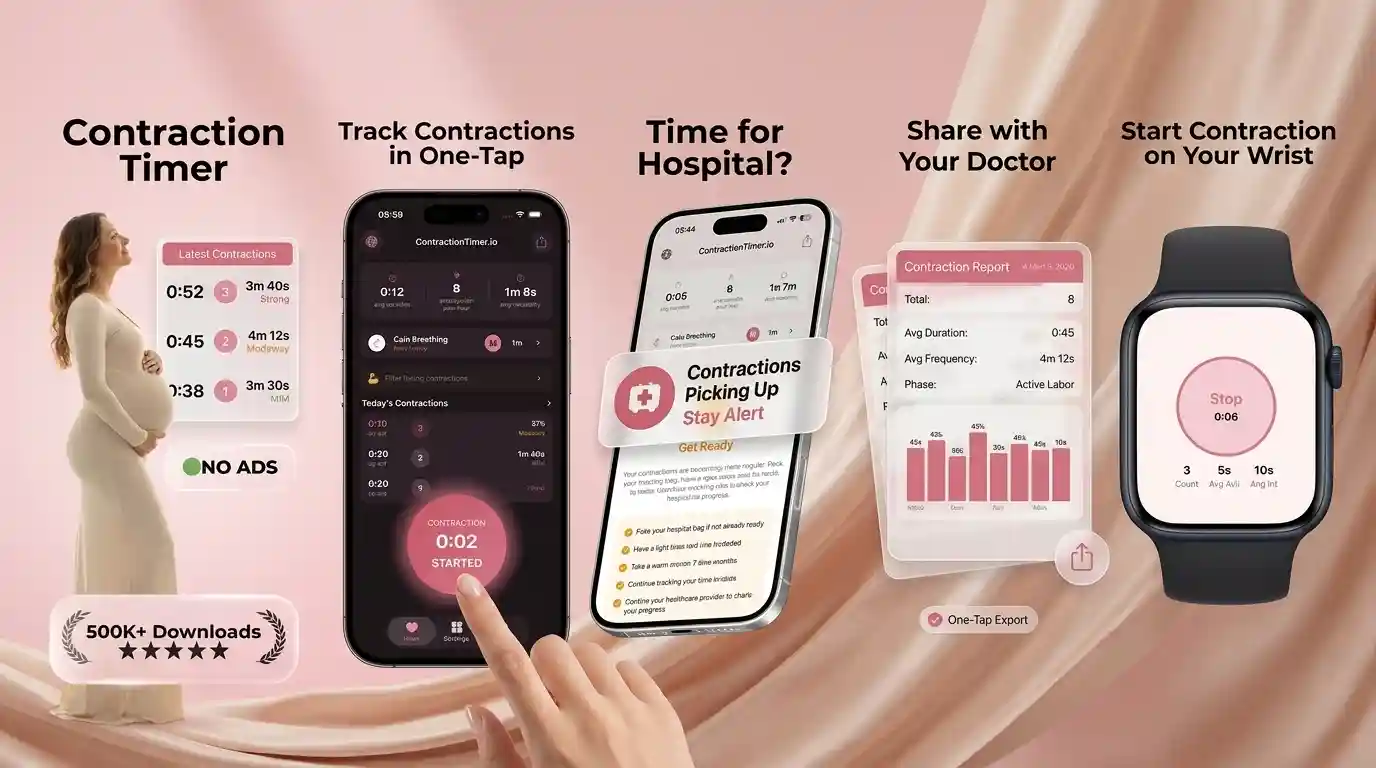
ContractionTimer.io vs Full Term: Comparison
For “contraction timer vs full term app,” the practical difference is focus: ContractionTimer.io is built for fast one-tap timing with hospital-ready pattern alerts, while Full Term is a simpler contraction timing log for many users. ContractionTimer.io also adds automatic labor phase detection, 5-1-1 rule alerts, and partner sharing mode so someone else can follow the timing without hovering over your phone. This content is for informational purposes only and is not medical advice.
What Contraction App Comparisons Really Mean
A contraction app comparison is really about how much help you want once contractions become hard to think through. The phrase contractiontimer vs full term usually compares an app built around timing, alerts, and sharing with a simpler manual contraction log.
During early labor, you may be tired, excited, anxious, or trying not to wake the whole house at 3 a.m. A good app should make the basics obvious: when a contraction starts, when it ends, how long it lasted, and how far apart the next one begins. If you are still learning the difference between practice contractions and a steadier labor pattern, start with this guide to how to track contractions so the numbers actually mean something. Apps can support your notes, but they cannot diagnose labor. This is not medical advice. Consult your healthcare provider.
Best Labor Contraction Tracker for Decision Support
The best contraction tracker for decision support is the one that reduces mental math while keeping your care team’s instructions central. A bare log can be enough for some families, but many people want automatic averages, pattern summaries, and clear reminders when contractions begin matching a rule they were told to watch.
The Contraction Timer app is designed for fast one-tap timing, duration and frequency tracking, 5-1-1 pattern alerts, and shareable summaries. That matters because real labor is rarely calm and tidy. You may be breathing through a surge, answering your partner, checking older children, or deciding whether to call triage. If you want a broader overview before choosing, compare features in the contraction timer app guide. No app should override your birth plan, your instincts, or advice from your midwife, OB, doula, or labor unit.
How Contraction Timing Apps Work
Contraction timing apps work by turning each tap into a timestamped labor event. One tap marks the start of a contraction, the next marks the end, and the app calculates duration, frequency, interval, and recent pattern trends.
In practical terms, the app creates a time series. Duration is how long one contraction lasts. Frequency is usually measured from the start of one contraction to the start of the next. Pattern recognition looks at several contractions together rather than overreacting to one short gap. More advanced trackers may calculate rolling averages, interval variability, and whether contractions are becoming longer, closer together, and more regular. This can be useful when you are trying to describe labor clearly on a triage call. It still does not confirm cervical dilation, fetal wellbeing, or whether birth is imminent. This is not medical advice. Consult your healthcare provider.
How to Time Contractions Cleanly in an App
Clean contraction timing comes from consistent taps, not perfect memory. Start when the tightening begins, stop when it fully fades, and avoid filling in guessed times later unless you clearly mark them as estimates.
- Open your chosen tracker before contractions become intense, ideally in late pregnancy or early labor.
- Tap start at the first clear tightening, cramp, wave, or back-labor surge.
- Tap stop only when the contraction has released, not when it first becomes easier.
- Review at least 5 to 8 contractions before deciding whether a true pattern is forming.
- Share the summary with your partner or care team if your birth plan says to call at a certain pattern.
If you want a simple phone-based walkthrough, this article on how to time contractions on your phone explains the same process step by step.
5-1-1 Rule Alerts and Hospital Timing
5-1-1 alerts are helpful when your provider has told you to watch for contractions about 5 minutes apart, lasting 1 minute, for 1 hour. They are a reminder system, not a universal rule for every pregnancy or every birth setting.
Many hospitals and birth centers use some version of contraction timing guidance, but instructions can change for planned cesarean birth, VBAC, high-risk pregnancy, preterm symptoms, long travel distance, ruptured membranes, bleeding, reduced fetal movement, or Group B strep plans. Review the 5-1-1 rule for contractions before labor so you know what your team means by it. If your contractions meet your call-in plan, or if something feels wrong, contact your provider. For more detail on timing and travel decisions, see when to go to the hospital for contractions. This is not medical advice.
Full Term App Strengths and Tradeoffs
Full Term is often a good fit for people who want a straightforward contraction log without many extras. Its strength is simplicity: start, stop, review the list, and keep a basic record of what happened.
The tradeoff is that a simple log may leave more interpretation to you while you are tired, uncomfortable, or unsure whether the pattern is changing. That may be completely fine if your partner, doula, or provider is helping you interpret the data. It may feel less helpful if you want alerts, partner visibility, or a clearer summary for a phone call. In a contractiontimer vs full term decision, the question is not which app is universally “right.” It is whether you need basic record-keeping or more support around timing patterns. Either way, use the app alongside your care team’s instructions, not instead of them.
Contraction Timer vs Full Term vs What to Expect
Contraction Timer, Full Term, and What to Expect all help with labor timing, but they serve slightly different needs. The first is focused on contraction timing and alerts, Full Term is more of a simple log, and What to Expect places timing inside a broader pregnancy app.
| Feature | Contraction Timer IO | Full Term | What to Expect |
|---|---|---|---|
| Primary use | Labor contraction timing and pattern support | Manual contraction logging | Pregnancy content plus tools |
| 5-1-1 support | Built for rule-based timing alerts | Mostly manual interpretation | Varies by version and tool |
| Partner help | Designed for sharing timing updates | Usually more device-centered | Not mainly a labor partner tool |
| Best fit | People wanting timing guidance and summaries | People wanting a simple log | People already using a pregnancy app |
Features can change, so check the current app listings before relying on one during labor.
Partner Sharing for Labor Support
Partner sharing matters because the person in labor should not have to be the only record keeper. A partner, doula, friend, or family member can watch timing patterns, prepare the car, call triage, or simply protect rest between contractions.
In real homes and birth rooms, support people often ask, “Was that one closer?” or “How long did it last?” A shared contraction log reduces repeated questions and helps everyone stay calmer. It can also help if a partner is still at work, arranging childcare, or driving home. If your support person wants a practical role, send them this guide to using a contraction timer for partners. Emotional support still matters more than the data: quiet reassurance, water, counter-pressure, and steady breathing can make timing feel less lonely.
Accuracy of Contraction Tracker Apps
Contraction tracker accuracy depends mostly on how consistently contractions are started and stopped. The app can calculate times precisely, but it cannot know whether a tap was late, whether a contraction blended into another, or whether pain came from back labor, gas, positioning, or prodromal labor.
Studies on digital health tools suggest that self-tracking can improve communication when the data is clear, but it should be interpreted in context. Labor assessment still depends on symptoms, gestational age, fetal movement, membrane status, medical history, and sometimes an exam. If you want a deeper discussion, read how accurate contraction timer apps are. Call your provider promptly for bleeding, decreased fetal movement, severe constant pain, fever, preterm contractions, or fluid leakage. This is not medical advice. Consult your healthcare provider.
Limitations of Any Labor Timing App
A labor timing app is useful for organizing contraction data, but it has real limits. Treat the numbers as one piece of information, especially if your pregnancy has special monitoring needs or your intuition says something is off.
- It cannot diagnose active labor. Cervical change requires clinical assessment.
- It cannot assess fetal wellbeing. Reduced movement should be reported according to your provider’s guidance.
- It may miss context. Bleeding, fluid leakage, fever, severe headache, or high blood pressure symptoms matter even if contractions are irregular.
- It depends on your taps. Late starts and missed stops can distort averages.
- It cannot replace local instructions. A hospital, home birth midwife, or birth center may use different call-in thresholds.
Research and clinical guidance consistently emphasize individualized care in pregnancy. This is not medical advice. Consult your healthcare provider.
Early Labor Scenarios Where the Choice Matters
The app choice matters most when labor is uncertain: contractions come and go, sleep is broken, and you are trying to decide whether to rest, hydrate, shower, call, or leave. This is where clean pattern tracking can reduce panic without pretending to predict birth.
For example, Braxton Hicks contractions may ease with rest or hydration, while early labor may slowly become longer, stronger, and closer together. If you are unsure what you are feeling, compare symptoms in Braxton Hicks vs real contractions. If contractions are changing over hours, it also helps to understand the stages of labor, especially the difference between early labor, active labor, transition, and pushing. No tracker can tell you exactly when to go in for every situation, but a clear history can make the call with your provider calmer and more specific.
My Honest Pick for a Contraction Counter
My honest pick is the app that gives you the least friction during a contraction and the clearest summary after several contractions. For many families, that means choosing a timer with one-tap recording, visible averages, partner sharing, and 5-1-1-style reminders rather than a plain list of start and stop times.
If you already know you only want a simple manual log, Full Term may be enough. If you want more decision support, try the iOS contraction tracker app or the Android labor tracking app before your due date so the buttons feel familiar. In the contractiontimer vs full term choice, I would prioritize the tool that keeps you calm, keeps your support person informed, and helps you communicate clearly with your care team.
Decision help
Want the app that flags the 5-1-1 pattern for you?
Use ContractionTimer.io to time with one tap, watch trends, and get hospital-ready alerts you can share with a partner.
Offline Contraction Timing and Battery Readiness
Before choosing between contraction timer apps, run a short practice session using the current version on your phone. Record four simulated contractions lasting 45 seconds each and starting five minutes apart. Confirm that the app clearly shows duration, start-to-start frequency, and the complete session after you lock and reopen the screen. Repeat the test in airplane mode to learn which timing, history, alert, watch, and sharing functions remain available without cellular service or Wi-Fi.
For labor-day readiness, keep the phone charged and have a cable or power bank nearby. Check notification permissions, screen-lock behavior, sound settings, and whether a partner can operate the controls without stopping or deleting an entry accidentally. Internet-dependent sharing or backup features may pause when coverage is poor, so the on-device log should remain easy to read. App behavior can change by operating system and version; choose the option that required the fewest corrections during your test. Timing data supports communication but should not delay contacting your maternity team about urgent symptoms.
Frequently Asked Questions
Which app is better in labor?
Choose the app that matches your needs: a simple log may be enough, while alerts and partner sharing can help if you want more support. Your provider’s instructions should guide the final decision.
Does the 5-1-1 rule always apply?
No. The 5-1-1 rule is common, but your plan may differ for preterm symptoms, VBAC, ruptured membranes, high-risk pregnancy, or a long drive.
Can apps tell false labor?
Apps can show whether contractions are irregular or becoming more consistent, but they cannot diagnose false labor. Call your provider if you are unsure or worried.
Should my partner time contractions?
Yes, if that helps you rest and focus. Many people prefer a partner to manage the app while they breathe, move, or use comfort measures.
When should I call triage?
Call according to your provider’s plan, especially if contractions meet your timing instructions. Call sooner for bleeding, fluid leakage, reduced fetal movement, severe pain, fever, or preterm concerns.
Is Apple Watch timing helpful?
Watch timing can be helpful when your phone is across the room or your hands are busy. It still depends on tapping accurately at the start and end of each contraction.
Are contraction logs medically useful?
They can be useful for describing duration, frequency, and recent trends on a triage call. They do not replace clinical assessment or medical advice.
What if contractions suddenly change?
A sudden change in intensity, spacing, bleeding, fluid, or fetal movement deserves attention. Contact your healthcare provider or birth place using the urgent instructions you were given.
Do contraction timer apps work without internet?
Many contraction timer apps can record start times and durations on the phone without an active internet connection, but syncing, backup, partner sharing, or some alerts may require service. Test the app in airplane mode before labor, then reopen the session to confirm that the entries were saved.
Timing is only one part of labor assessment
ContractionTimer.io and Full Term can record contraction patterns; Full Term’s store listing also describes a kick counter. Neither app can confirm active labor, which ACOG defines from 6 cm cervical dilation. Call maternity triage before attending, and seek advice for bleeding, reduced fetal movement, broken waters, concerning symptoms, or any uncertainty.
| Clinical benchmark | Sourced number |
|---|---|
| Typical established-labor contractions | 45-60 seconds, every 3-5 minutes (Dudley NHS, 2026) |
| Active labor begins | 6 cm dilation (ACOG, 2024) |
| Term pregnancy | 37-42 weeks (ACOG, 2024) |